Step-by-step guide
ThjalfiQuote
Bring one component list and your supplier quotes into a local workspace. Review exact parts, fixed quantities and charges, then download supplier drafts with the original rows and your decisions attached.
A small electronics kit or assembly operator who already has suppliers and wants to review one purchasing run without setting up inventory software.
Before you start
- Desktop Google Chrome. Verified in Chrome 152 on Linux; other browsers and operating systems are unverified.
- Extract the whole buyer ZIP and keep the app files together. Open app/index.html; no local server or setup is needed.
- A UTF-8 BOM and returned quote tables, using comma, tab or semicolon separators and unique headers. Manufacturer, exact MPN and quantity are required.
- One job currency: USD, EUR or GBP. You supply valid supplier terms and review dates. The app prepares drafts and does not place orders.
Your first result
Open the fictional Northlight job
Open
app/index.htmland choose Try the Northlight example. It contains ten boards, three required parts and six returned quote rows. It starts without awards.Choose the three offers
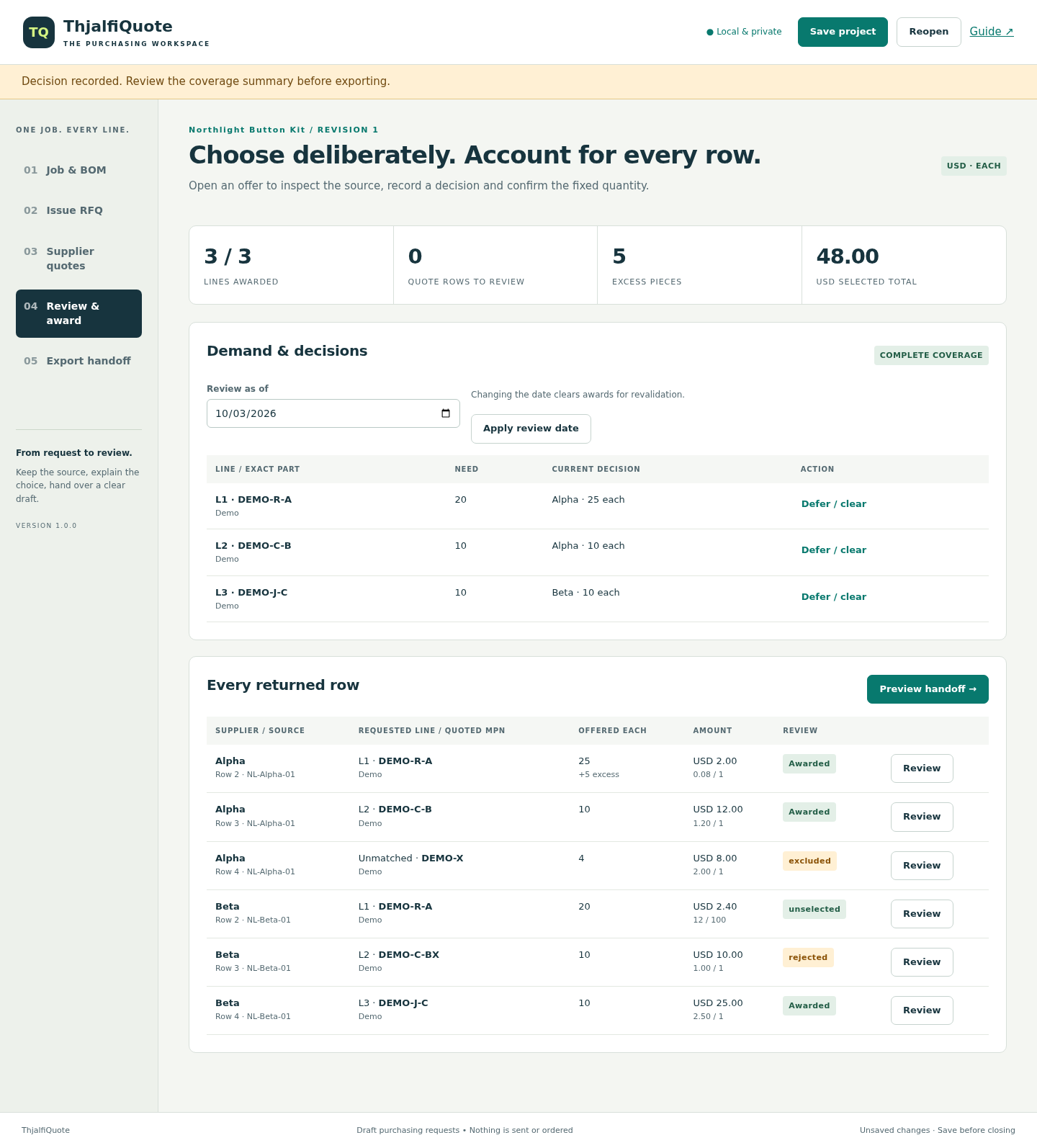
In Review & award, award Alpha / DEMO-R-A and Alpha / DEMO-C-B, then Beta / DEMO-J-C. Confirm quote validity for each. For Alpha / DEMO-R-A, acknowledge the five excess pieces and record why you accept them.
Account for the remaining replies
Record Alpha / DEMO-X as Excluded extra with the reason “Not in issued BOM”. Mark Beta / DEMO-R-A Unselected alternate, reason “Alpha selected”. Reject Beta / DEMO-C-BX because its MPN suffix differs. Record each row decision.
Inspect and save your result
Expect Complete coverage, three awarded lines, zero unreviewed rows, 40 pieces needed, 45 purchased and USD 48.00. Open Export handoff, inspect the recipient draft and download its ZIP. Also choose Save project and confirm the JSON downloaded.
Map your own purchasing run
Start a new job from Job & BOM, saving existing work first. Set the name, currency and review date. Read the BOM, map columns, choose per-board or already-extended quantities and explicit DNP exclusions, then preview and confirm.
Issue, review and return to the job
Issue the RFQ and send it to suppliers yourself. Import one file per supplier with fixed charges and quote dates. Inspect source rows before awarding. Changed demand requires a new RFQ revision and fresh approvals. Reopen a saved project to continue; corrected imported quotes require a new job and reimport in this version.
A worked example
Northlight Button Kit — original fictional practice case
Input: Ten boards require 20 DEMO-R-A, 10 DEMO-C-B and 10 DEMO-J-C. Two suppliers return six offer rows.
- Award Alpha L1/L2 and Beta L3, with the required validity and excess confirmations.
- Exclude the extra, reject the changed MPN and mark the alternate unselected, recording a reason for each.
- Download the draft and compare its two supplier totals with the expected-results sheet.
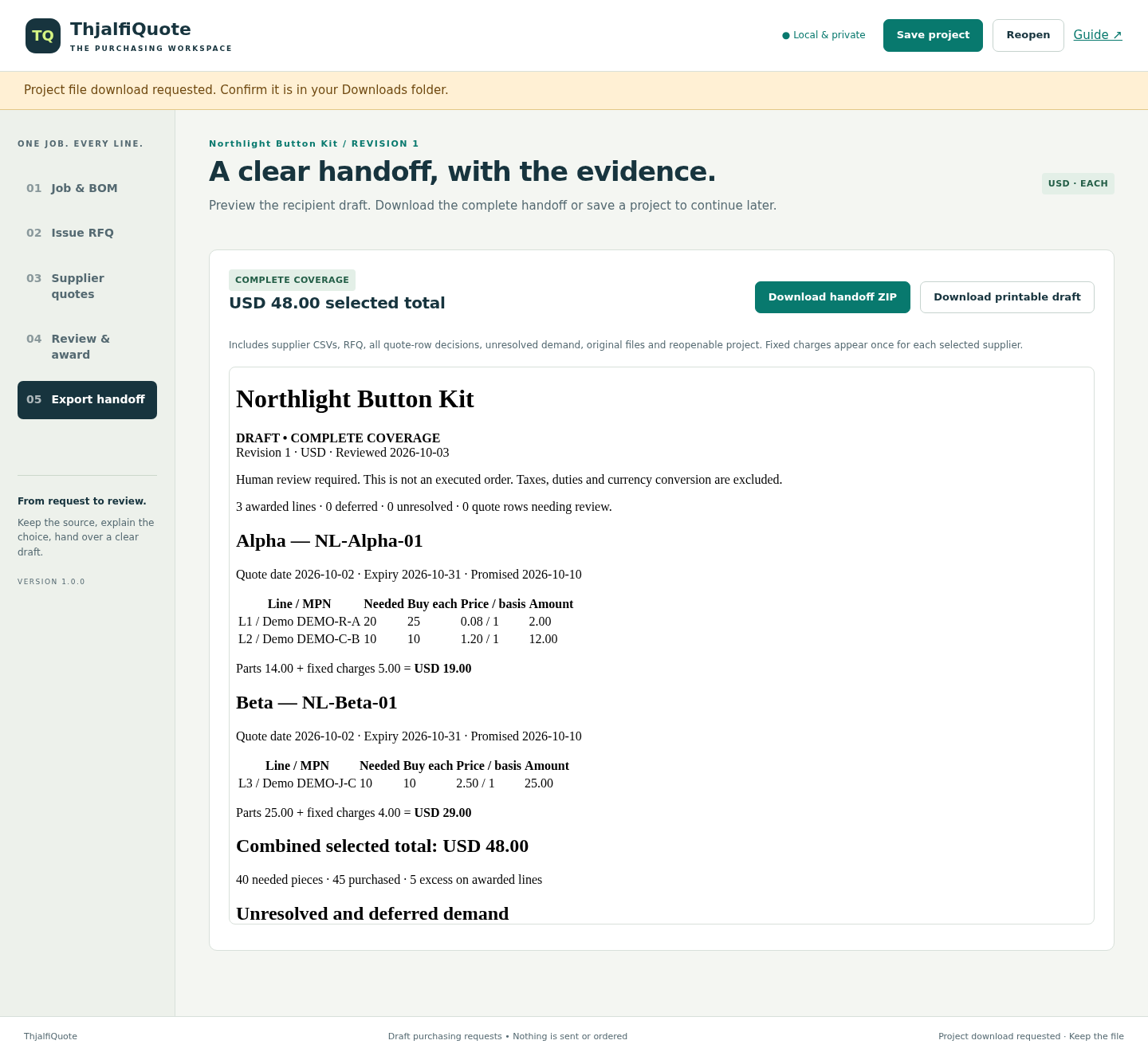
Expected result: Alpha parts 14.00 plus charges 5.00 = 19.00. Beta parts 25.00 plus charges 4.00 = 29.00. Combined USD 48.00; 40 needed, 45 purchased, 5 excess. Three awarded lines and all six quote rows accounted for. This is a reviewed selection, not a cheapest-price recommendation.
Follow a quote from source row to supplier draft
Actual ThjalfiQuote screens in Chrome on Linux, using fictional Northlight data.
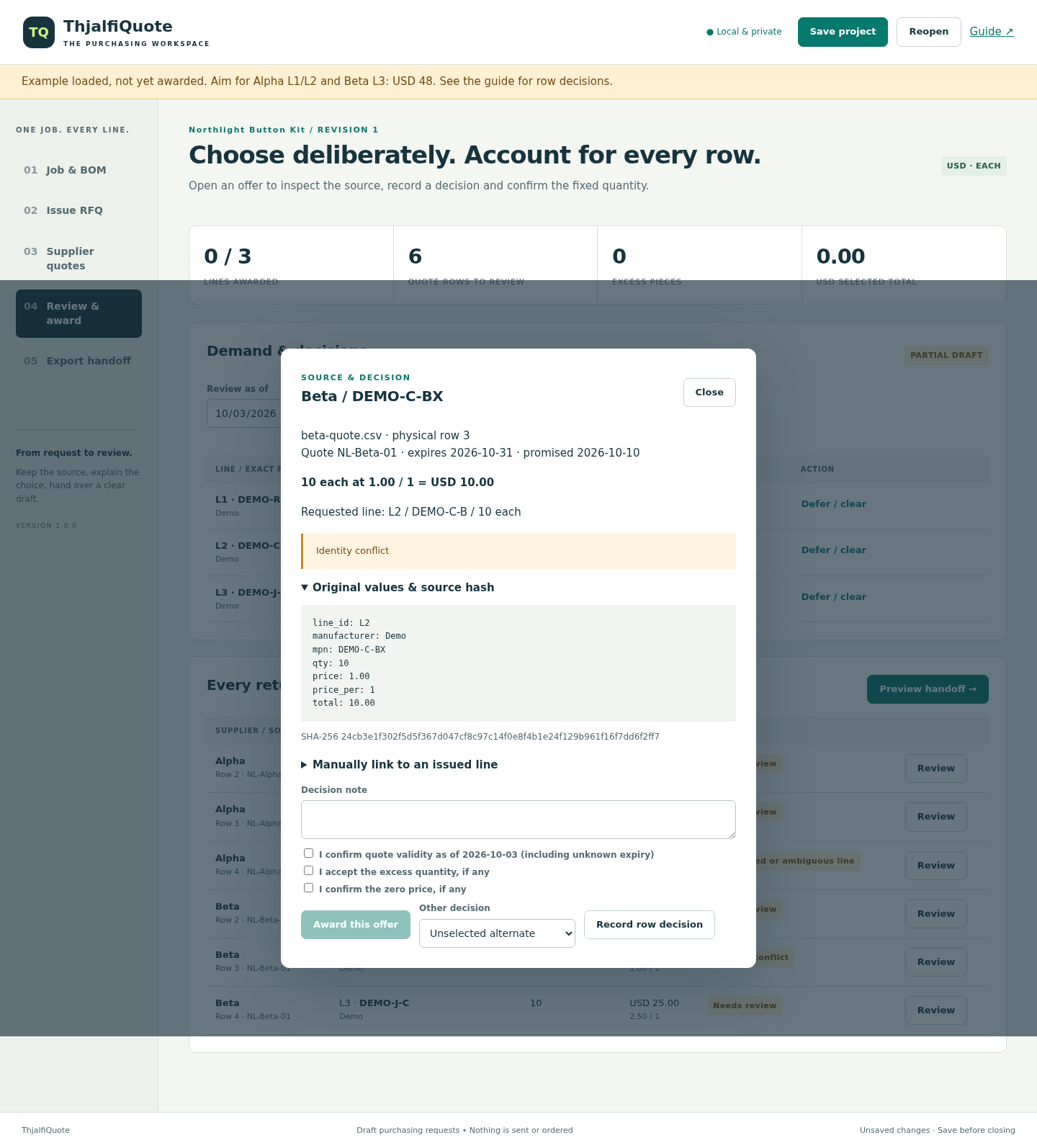
1. Conflict
2. Reviewed
3. Handoff
Troubleshooting
Table will not import
Export UTF-8 text, select its separator and use unique headers with the same field count on every row.
Offer cannot be awarded
Read the source drawer. Identity, shortage, currency, expiry and supplier-total conflicts require correction.
Coverage stays partial
Award every included demand line and account for all returned rows. Deferred demand and pending technical reviews remain partial.
Project will not reopen
Use an untouched saved JSON. Damaged or unsupported files are rejected without replacing current work.
Change would exceed 64 MiB
Save the unchanged current job, then start a new job with current inputs. Large descriptions and revision history share the project-size budget.
Changing import details removes the preview
Choose Preview mapped result again. The previous preview is no longer valid.
Compatibility & limits
- 500 BOM rows; 2,500 returned quote rows total; eight suppliers, one file per supplier.
- 5 MiB per input; 10 MiB total originals; 64 MiB saved project including revision history. Oversized changes are refused without replacing current work. Full bounds are in the guide.
- One currency per job: USD, EUR or GBP. Each quantities only; no split awards or pack conversion.
- No XLSX, PDF or CAD import; no native supplier/distributor integration, live stock lookup or automatic substitutes.
- No automatic saving. Corrected quote files require a new job/reimport; save the old project first.
- Drafts only: no order sending, invoices, taxes, duties, currency conversion, optimization or electrical suitability checks.
- Desktop Chrome on Linux tested; other hosts/browsers unverified. Narrow layout checked at 390px.
- All limits apply together. Up to 64 columns, 20,000 characters per cell and 100 issued RFQ revisions. Quantities are positive integers; prices have at most six decimal places. Full numeric limits are in the illustrated manual.
- Generated CSVs prefix formula-leading text with an apostrophe. Import identifiers as text in a spreadsheet to retain leading zeros. Original files are retained separately without this change.
Need a hand?
Tell us the product, host application and version, what you tried, and the exact error. Contact support with a fictional example; keep private customer files and passwords out of your message.