Step-by-step guide
CartonRound
Compare two measured stained-glass SVG patterns, keep piece numbers stable and issue a current drawing with a replacement-only packet.
You have two measured, separately identified SVG editions of a stained-glass panel and need to explain which current pieces should be replaced.
Before you start
- Desktop Google Chrome; checked in Chrome 152.0.7977.82 on Linux.
- Extract the whole buyer ZIP and open app/index.html in desktop Google Chrome. The six-piece example is already loaded. No account, installation command, server or internet connection is required.
- One panel up to 1000 × 1000 mm, 250 pieces, 20 material codes, 10 MB per SVG and 10 saved issue records. Both editions must have the same physical dimensions.
Your first result
Open the six-piece example
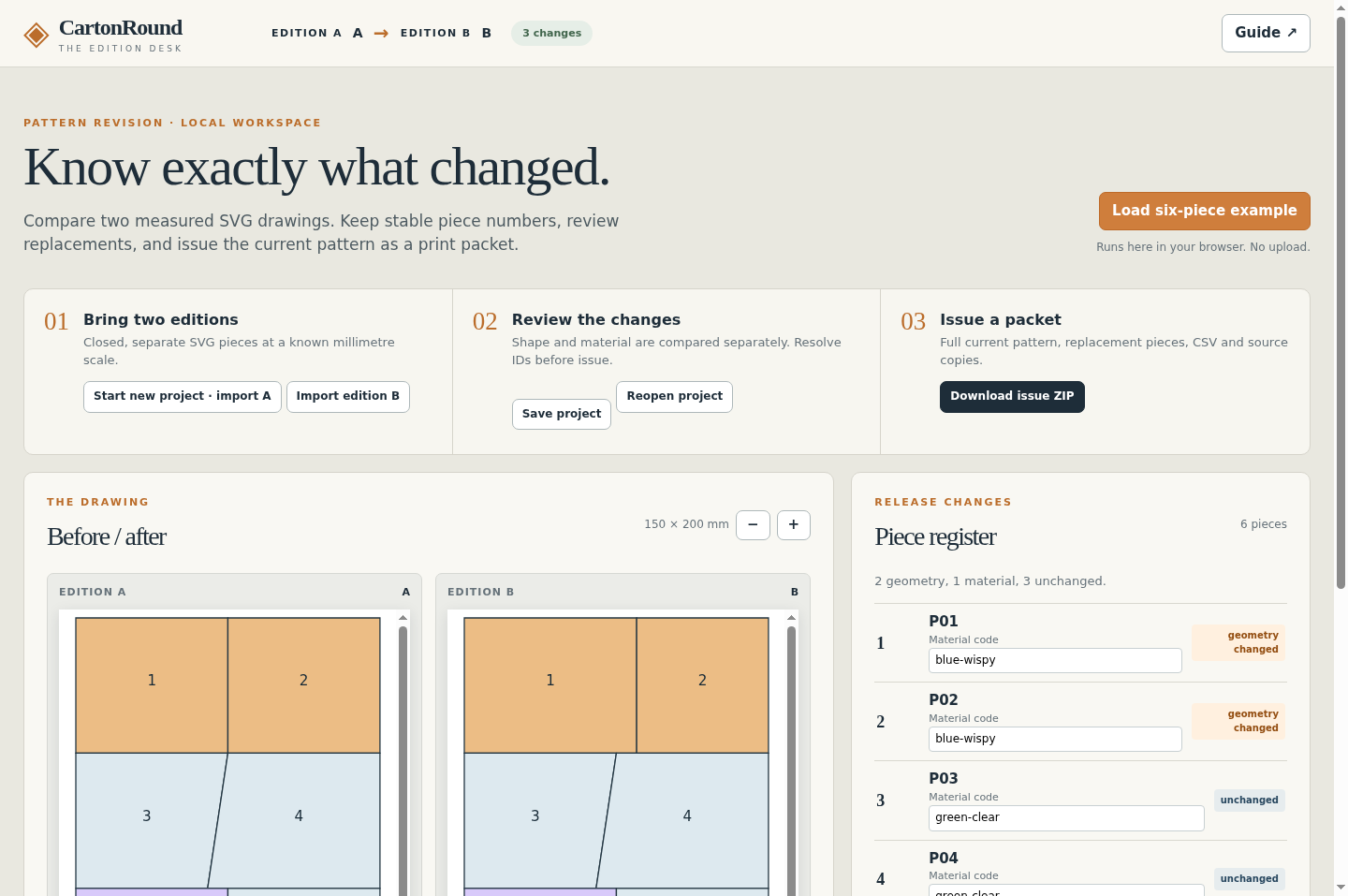
Extract the entire buyer ZIP and open app/index.html in desktop Chrome. The original 150 × 200 mm example opens immediately. Read the before/after drawing and piece register: P01/P02 changed shape; P05 changed material; P03/P04/P06 stayed unchanged.
Issue and inspect R2
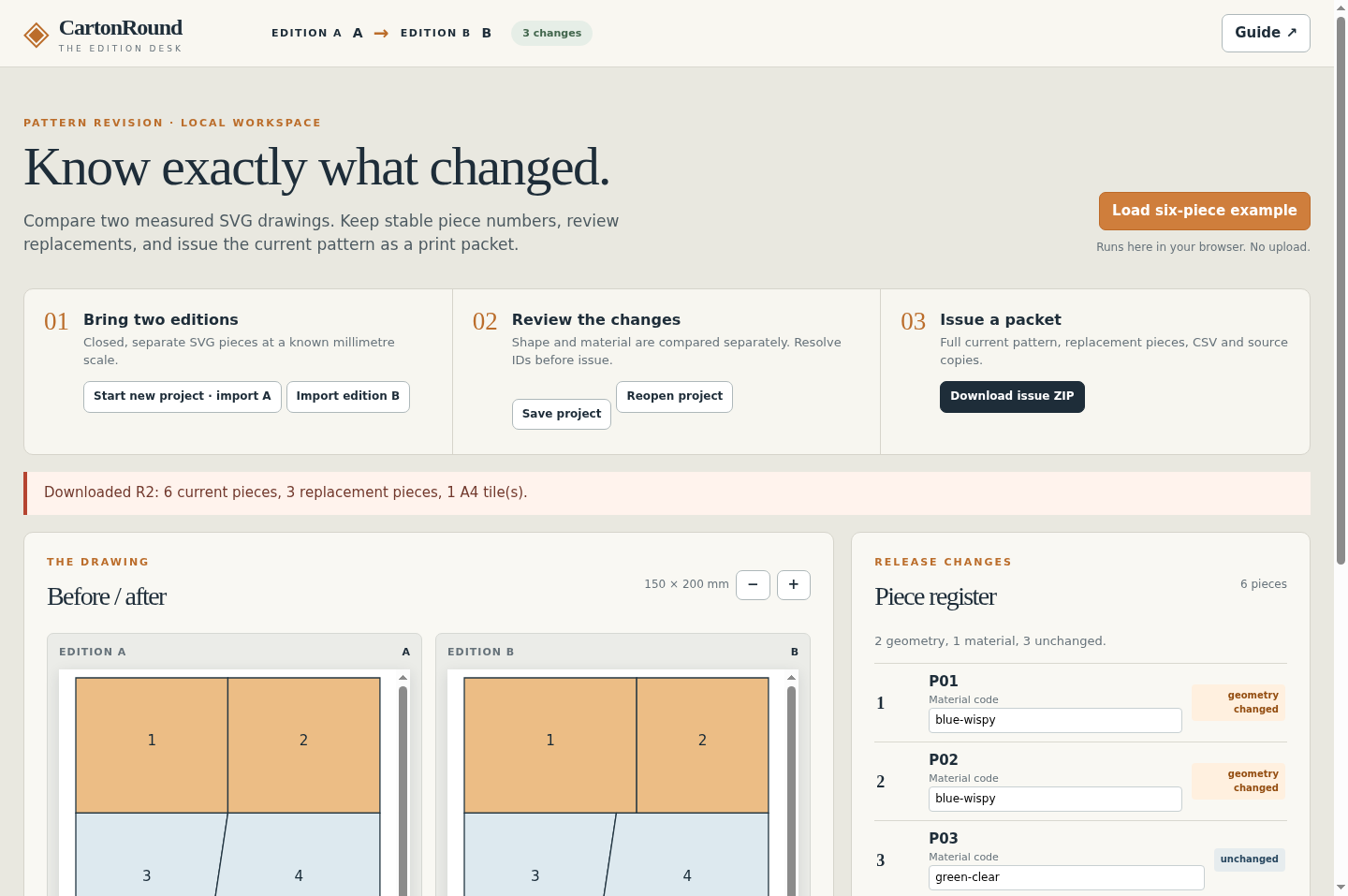
Set the issue label to R2 and choose a date, then select Download issue ZIP. Extract the download. Inspect the current master, change CSV and replacement packet. The replacement set is P01, P02 and P05, with the current outlines and material codes.
Prepare your own SVG pair
Use separate, closed straight-outline pieces with unique IDs and data-material codes. Both SVGs need width/height in mm and a matching viewBox. Read sample/A.svg and sample/B.svg as a small input specification. Curves and decorative SVG features need a simplified copy before import.
Compare, map and correct
Save any current project first. Choose Start new project · import A, then Import edition B with matching physical dimensions. The A-only state waits for B before issuing a packet. Inspect shape, material, added and retired statuses. If a piece was renamed, explicitly map the old ID to the new one. A true retirement needs acknowledgement. Correct material codes in the register and inspect the drawing again.
Keep the project and issue history
Use Save project for the editable JSON and Reopen project to restore it. After an issue, importing a later B compares it with the last issued edition. Use Compare against to select the original or another saved issue. Keep each issued ZIP separately.
Check the print scale
Open the A4 tiled PDF at 100% / actual size, with fit-to-page disabled. Measure the 100 mm bar with a physical ruler on every printed page. Check tile overlaps, piece numbers and your fabrication allowances before using the paper pattern. The one-page overview is for review.
A worked example
Six-piece panel — original edition exercise
Input: A 150 × 200 mm panel has six adjacent pieces. In B, the P01/P02 shared border moves from 75 to 85 mm, and P05 changes from blue-wispy to amber-wispy.
- Open the built-in example or import the free A.svg and B.svg.
- Review the geometry and material status of each piece.
- Issue R2 and compare the full master, replacements and change CSV.
Expected result: P01 and P02 change shape; P05 changes material; P03, P04 and P06 remain unchanged. The replacement set contains P01, P02 and P05. B uses two blue-wispy, two green-clear, one amber-wispy and one clear-textured piece. This is a geometry exercise, not a physically assembled panel.
See the working tool
Actual Chrome screens from the released app. The examples are original authoring exercises; physical craft results are unverified.
1. Compare six original pieces
2. Keep a record of the issued edition
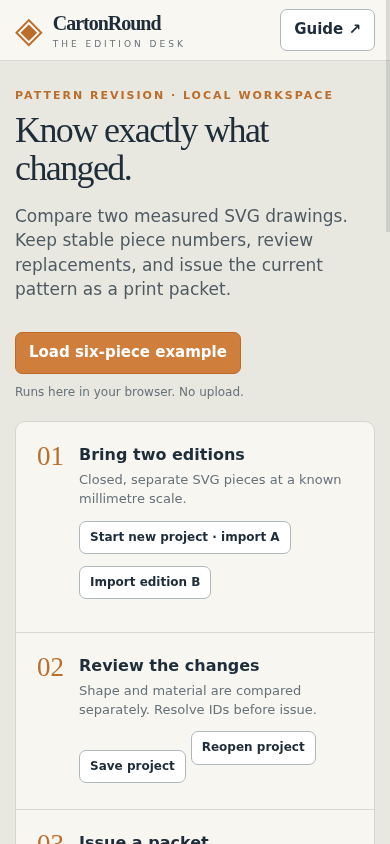
3. Review a later edition
Troubleshooting
SVG import is rejected
Check millimetre dimensions, matching viewBox, unique IDs and closed straight-outline pieces. Remove unsupported features from a copy of the drawing.
A rename looks like a deletion and addition
Use the explicit mapping control only when both IDs refer to the same piece. Never silently reuse a retired number for an unrelated piece.
Download is unavailable
Choose a safe issue label and date, resolve or acknowledge retirements, and check browser download permissions.
Printed dimensions are wrong
Use the tiled PDF at actual size, disable fit-to-page and measure each 100 mm bar. An on-screen ruler cannot verify printer scale.
Compatibility & limits
- One panel up to 1000 × 1000 mm, 250 pieces, 20 material codes, 10 MB per SVG and 10 saved issue records. Both editions must have the same physical dimensions.
- Import dimensioned SVG with millimetre width/height and a matching viewBox. Each piece needs a unique stable ID and a separate closed rectangle, polygon or straight M/L/H/V/Z path. This is not a drawing editor or a general SVG converter.
- Positive translation and scaling are flattened. Curves, arcs, rotation, skew, holes, text pieces, hidden pieces, images, filters, masks, clipping, scripts and external references are unsupported. Export a simplified copy from your drawing software and keep the original.
- The comparison reports the supplied piece geometry and material codes. It does not establish topological correctness, cutting clearance, foil/came allowance, glass yield, structural suitability or physical fit.
- Review the full master and replacement packet. A retired piece remains a record; it is not printed as a current replacement. The overview PDF may be scaled. Use the tiled PDF for nominal actual-size printing and measure every 100 mm bar.
- Checked in Google Chrome 152 on Linux. Other browsers, an Inkscape round trip, physical printing, glass cutting and assembly are unverified. Desktop authoring is recommended.
- Processing stays in the local browser. Save project downloads a JSON backup; keep downloaded projects and issued ZIPs yourself. Project and issue files include source drawings. There is no cloud account or sync.
Need a hand?
Tell us the product, host application and version, what you tried, and the exact error. Contact support with a fictional example; keep private customer files and passwords out of your message.