Step-by-step guide
DolyaCut
Calculate and explain fabric requirements for several quilt sizes, then export the numbers and cutting directions.
You already know the physical cuts for one block and need repeatable fabric figures for several straight-set quilt sizes.
Before you start
- Desktop Google Chrome; tested in Chrome 152 on Linux. Other browsers, operating systems and physical mobile devices are untested.
- Download and extract the purchased ZIP. Keep the manual, screenshots and sample alongside DolyaCut.html.
- Prepare the physical pieces cut for one block, usable fabric widths, block counts and your chosen allowance policy. Measurements must be whole eighths of an inch.
Your first result
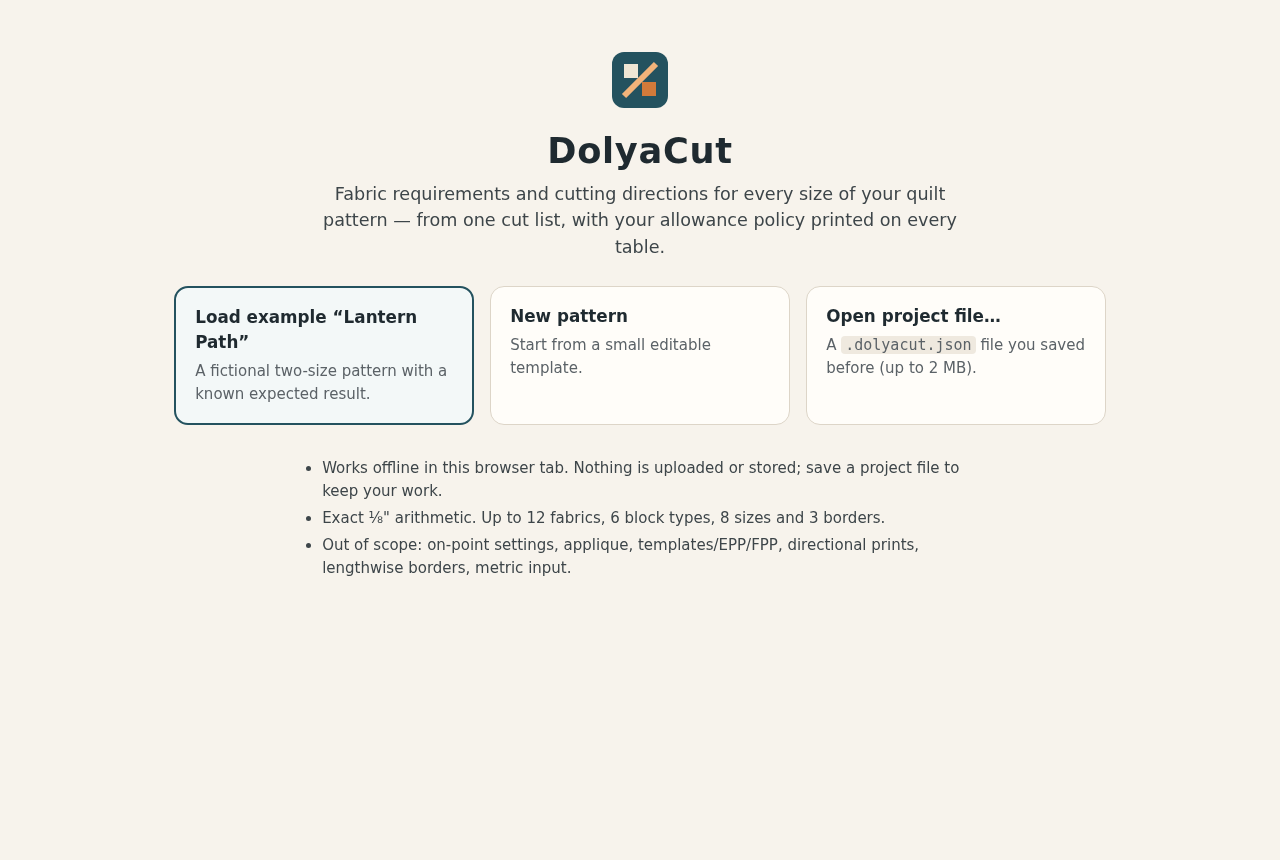
Open the local application
Extract DolyaCut-1.0.0.zip, then open DolyaCut.html in desktop Google Chrome. No account, server, internet connection or extra installation is required. Open manual/index.html for the bundled illustrated manual.
Run the supplied example
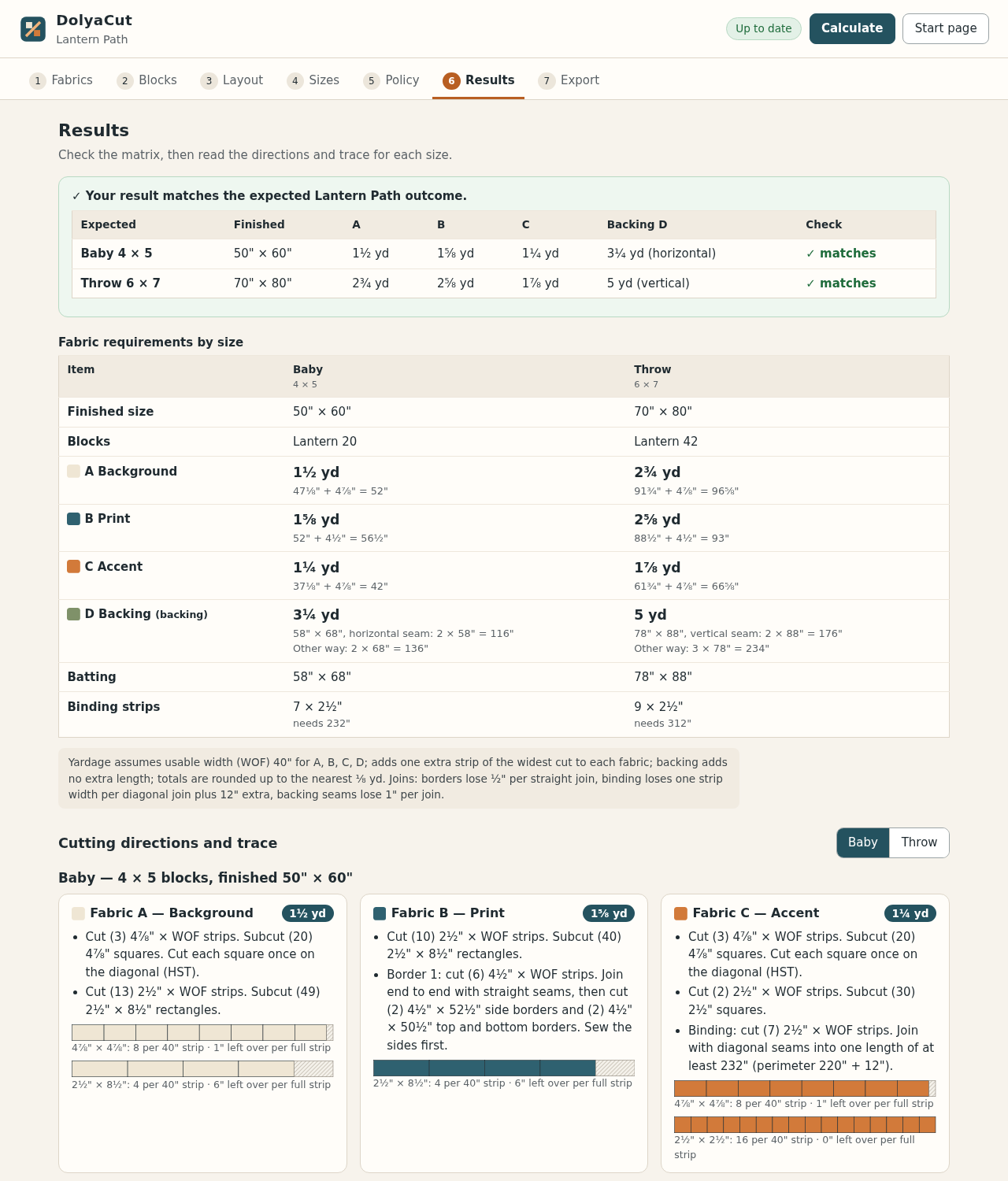
Choose Load example “Lantern Path”. Results should show a green expected-outcome check for both Baby and Throw. The worked figures below provide an independent reference before entering your own pattern.
Describe the fabrics and physical cuts
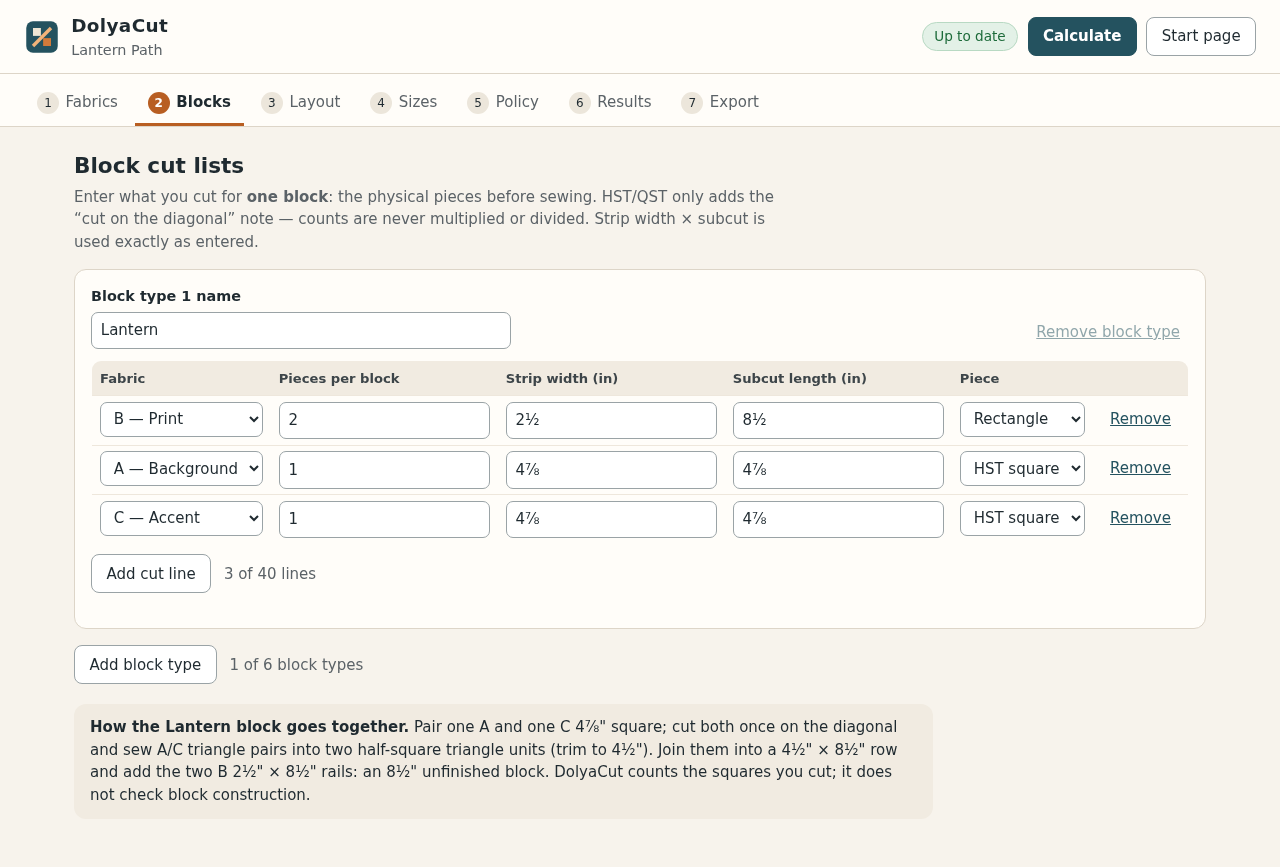
On Fabrics, enter unique fabric names and usable widths of 20–120 inches. On Blocks, list the physical pieces cut for one block: fabric, quantity, strip width and subcut length. HST and QST are wording only; they never multiply the quantities. Measurements such as 4 7/8, 4.875 and 4⅞ are accepted.
Set layout, sizes and allowances
On Layout, choose finished block size, sashing with cornerstones, up to three borders, binding, separate backing fabric and batting overhang. On Sizes, make each block count total columns × rows. On Policy, choose no extra, one widest strip or a percentage, then rounding up to ⅛ or ¼ yard. Optional metres are approximate output only.
Calculate and resolve problems
Press Calculate. Any problem links to the field that needs attention. Non-eighth measurements, missing fabrics, incorrect block totals and cuts longer than the usable width are refused. After an edit, results and exports remain unavailable until you calculate again.
Check every size
Review the fabric-by-size matrix, then choose each size to inspect its cutting directions, strip diagrams, leftovers and calculation trace. The policy footnote states usable widths, extra fabric, rounding and join losses. Different cut lengths are not packed together. These figures do not prove that a block can be sewn successfully.
Export and print
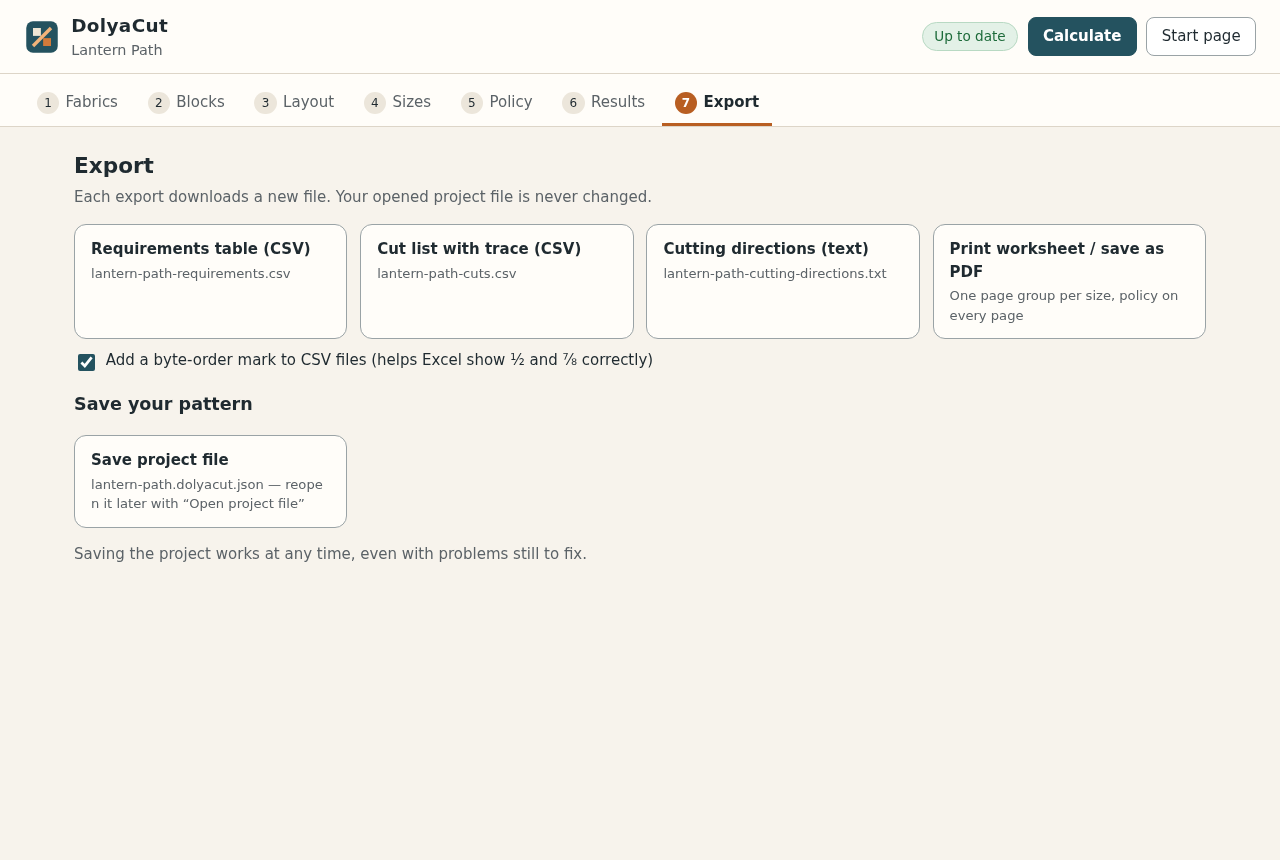
On Export, download requirements CSV, cut-list CSV and cutting-direction text. Leave the UTF-8 byte-order-mark option on if your spreadsheet needs it for fractions. Choose Print worksheet / save as PDF; each size begins a new page group and the allowance policy appears on each page. Check the preview before printing.
Save before leaving
Choose Save project file to keep an editable .dolyacut.json copy. There is no automatic browser storage. In a fresh tab, choose Open project file and select that saved project, then Calculate to rebuild the tables. Save before returning to Start page or replacing a pattern; every export is a new download and the original file is unchanged.
A worked example
Lantern Path: a two-size check
Input: Fictional Lantern Path: 8-inch Lantern block cut from two B 2 1/2 x 8 1/2 inch rectangles plus one A and one C 4 7/8 inch HST square; 2-inch A sashing between and around the blocks with C cornerstones; 4-inch B border; 2 1/2-inch C binding with 12 inches extra; D backing and batting with 4-inch overhang; 40-inch usable width; one widest strip extra; rounded up to 1/8 yd. Sizes Baby 4x5 and Throw 6x7.
- Load the supplied Lantern Path example.
- Read Results and compare both sizes with the figures below.
- Export the requirement and cut-list CSVs, then save and reopen the project.
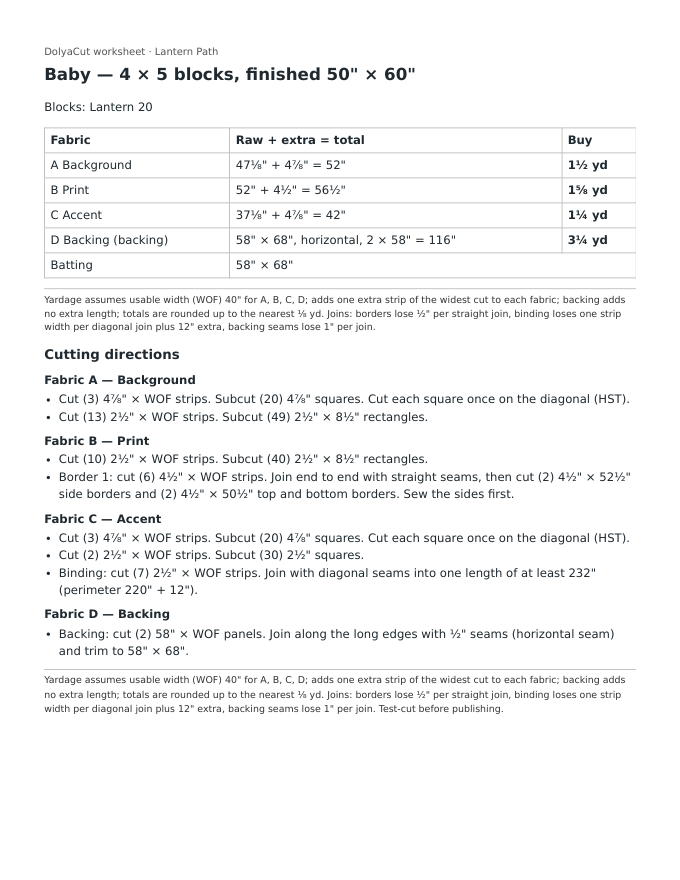
Expected result: Baby 50x60 in: A 1 1/2 yd (47 1/8 + 4 7/8 = 52 in), B 1 5/8 yd, C 1 1/4 yd, backing 3 1/4 yd (2 panels, horizontal seam, 116 in), batting 58x68 in, binding 7 strips, border 6 strips. Throw 70x80 in: A 2 3/4 yd, B 2 5/8 yd, C 1 7/8 yd, backing 5 yd (2 panels, vertical seam, 176 in), batting 78x88 in, binding 9 strips, border 8 strips.
From a cut list to checked output
Actual screenshots from the shipped application and its printed worksheet.
1. Start
2. Blocks
3. Results
4. Directions trace
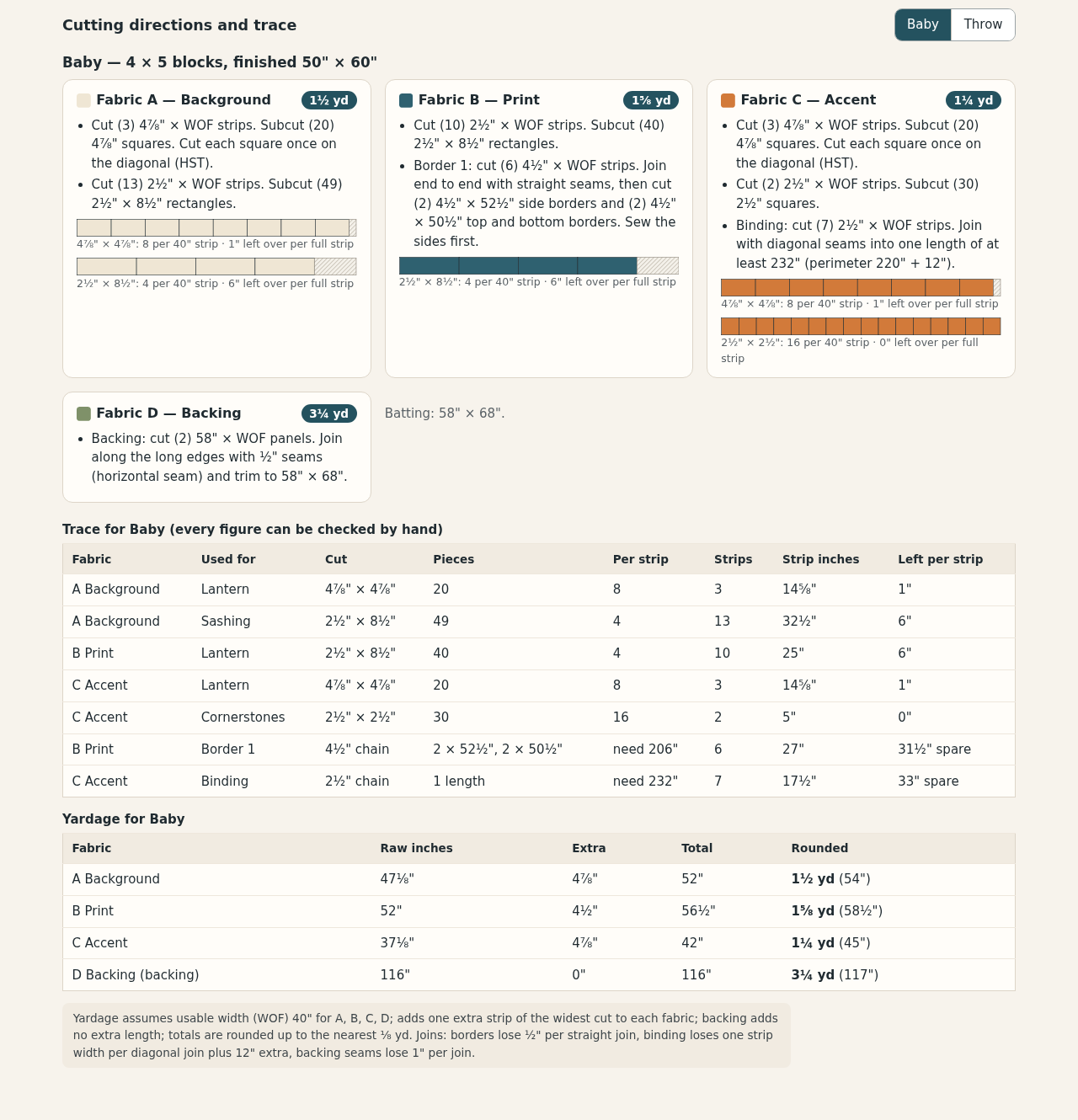
5. Export
6. Printed worksheet
Troubleshooting
"Measurements must be whole eighths of an inch"
Enter values such as 2 1/2, 2.625 or 4 7/8; sixteenths are not supported.
"...longer than the usable width of that fabric"
A strip width or subcut exceeds that fabric's usable width; lengthwise cutting is out of scope.
"block counts add up to..."
Make each size's block counts total columns x rows, or use Alternate with two block types.
Export buttons are greyed out
Press Calculate; exports pause after every edit so out-of-date figures cannot be copied.
"Project not opened"
The file is not a DolyaCut version 1 project, is over 2 MB or fails a check; the reasons are listed and the current pattern is unchanged.
Fractions look garbled in Excel
Keep the byte-order-mark option ticked, or import the CSV as UTF-8.
Where is my unsaved pattern?
DolyaCut has no automatic storage. Keep the tab open and use Save project file before returning to Start page, replacing a pattern or closing the tab.
Compatibility & limits
- Tested only in Google Chrome 152 on Linux; other browsers and operating systems are untested
- Inches only, in whole eighths; metric input is not supported
- At most 50,000 pieces and 5,000 strips per size; project files up to 2 MiB.
- No on-point settings, setting triangles, applique, templates/EPP/FPP, fat-quarter planning, directional-print matching or lengthwise borders
- Different cut lengths are never packed into shared strips, so yardage is conservative rather than optimal
- Backing must be a fabric used for nothing else
- No physical sewing test was made; figures follow your cut list and stated policy, so test-cut before publishing
Need a hand?
Tell us the product, host application and version, what you tried, and the exact error. Contact support with a fictional example; keep private customer files and passwords out of your message.