Step-by-step guide
LanternProof
Write a small printable escape trail, export player cards and a private host handbook, then track which pages need reprinting.
You author small printable puzzle trails and want player pages, host notes and revision records to come from the same source.
Before you start
- Desktop Google Chrome on Linux is the tested environment.
- Extract the complete buyer ZIP and open index.html in desktop Google Chrome. The original Observatory Ledger example opens immediately. The app works offline without a server or account.
- 1–24 cards; A4 or US Letter; up to 120 generated PDF pages. Project JSON import: 20 MiB.
Your first result
Open the original example
Extract the entire buyer ZIP and open index.html in desktop Chrome. The three-card Observatory Ledger is loaded. Use Load example to restore it later.
Read both editions
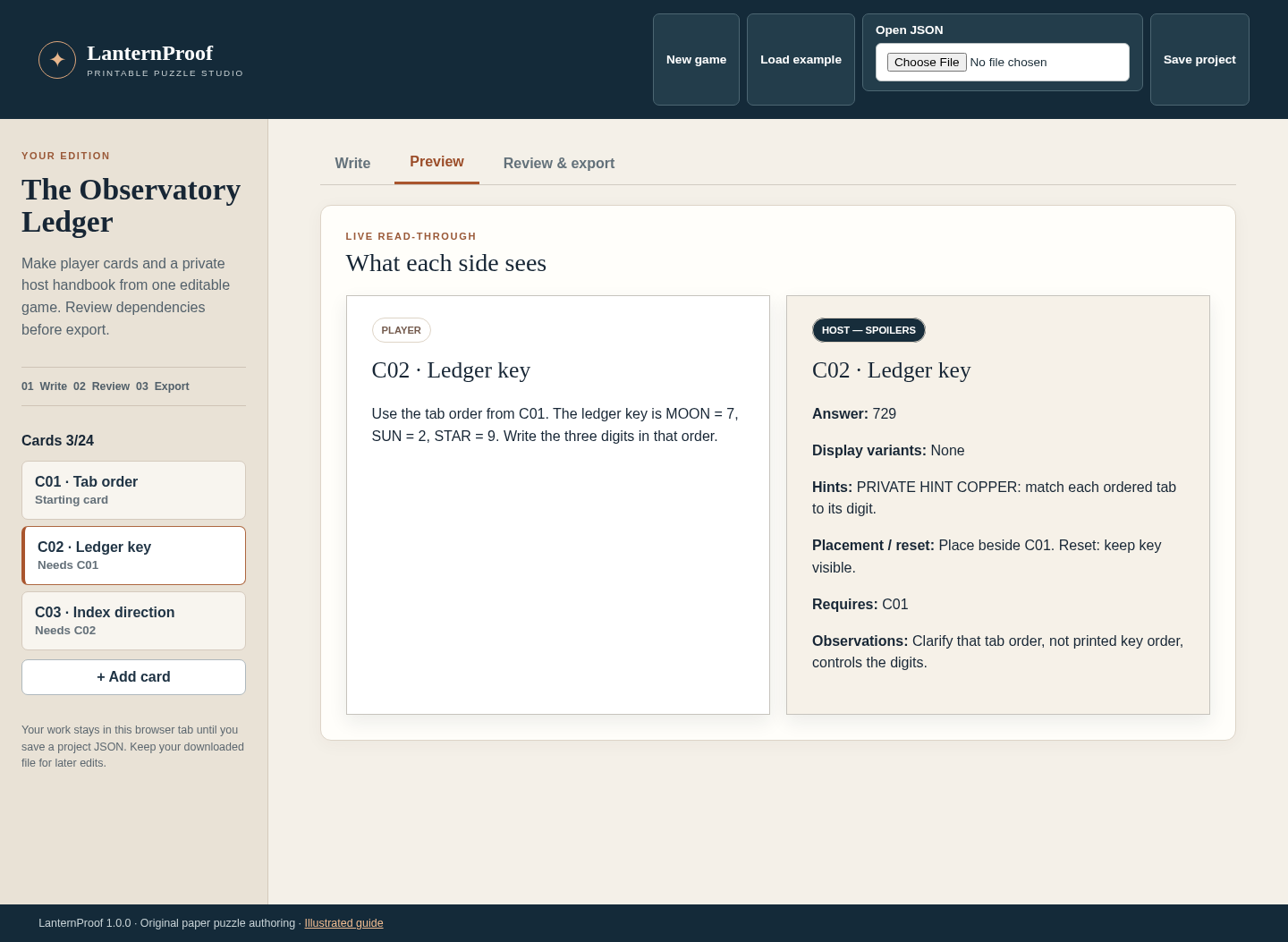
Choose C02 · Ledger key, then Preview. Compare the public clue with its private answer, hints and reset notes. Player PDFs must stay separate from the host handbook when you share the game.
Write your own cards
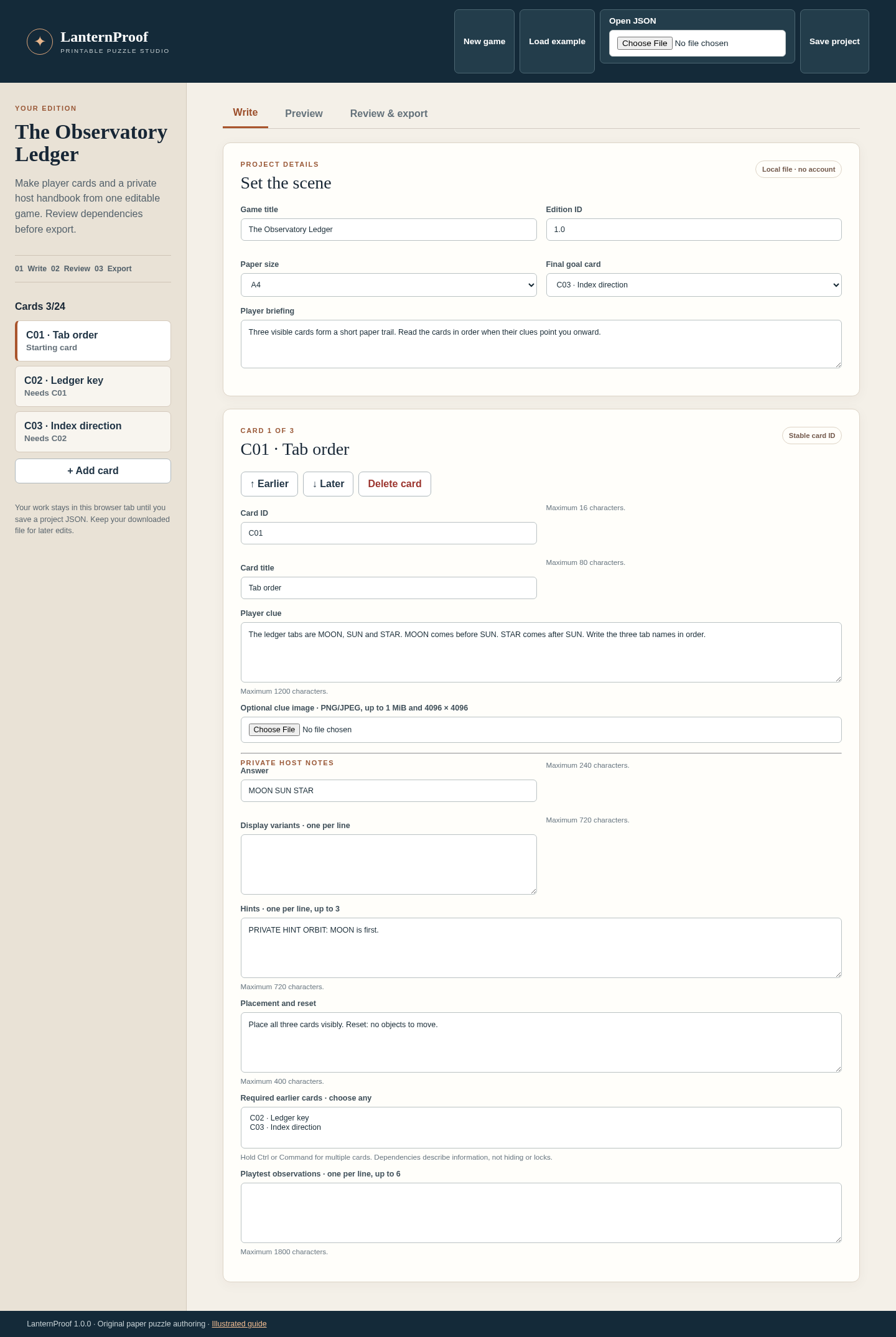
Return to Write. Enter a title, edition and briefing. Give each card a stable ID, player clue and private host notes. Use required earlier cards to describe information dependencies; they do not represent physical locks or hiding places.
Review and export
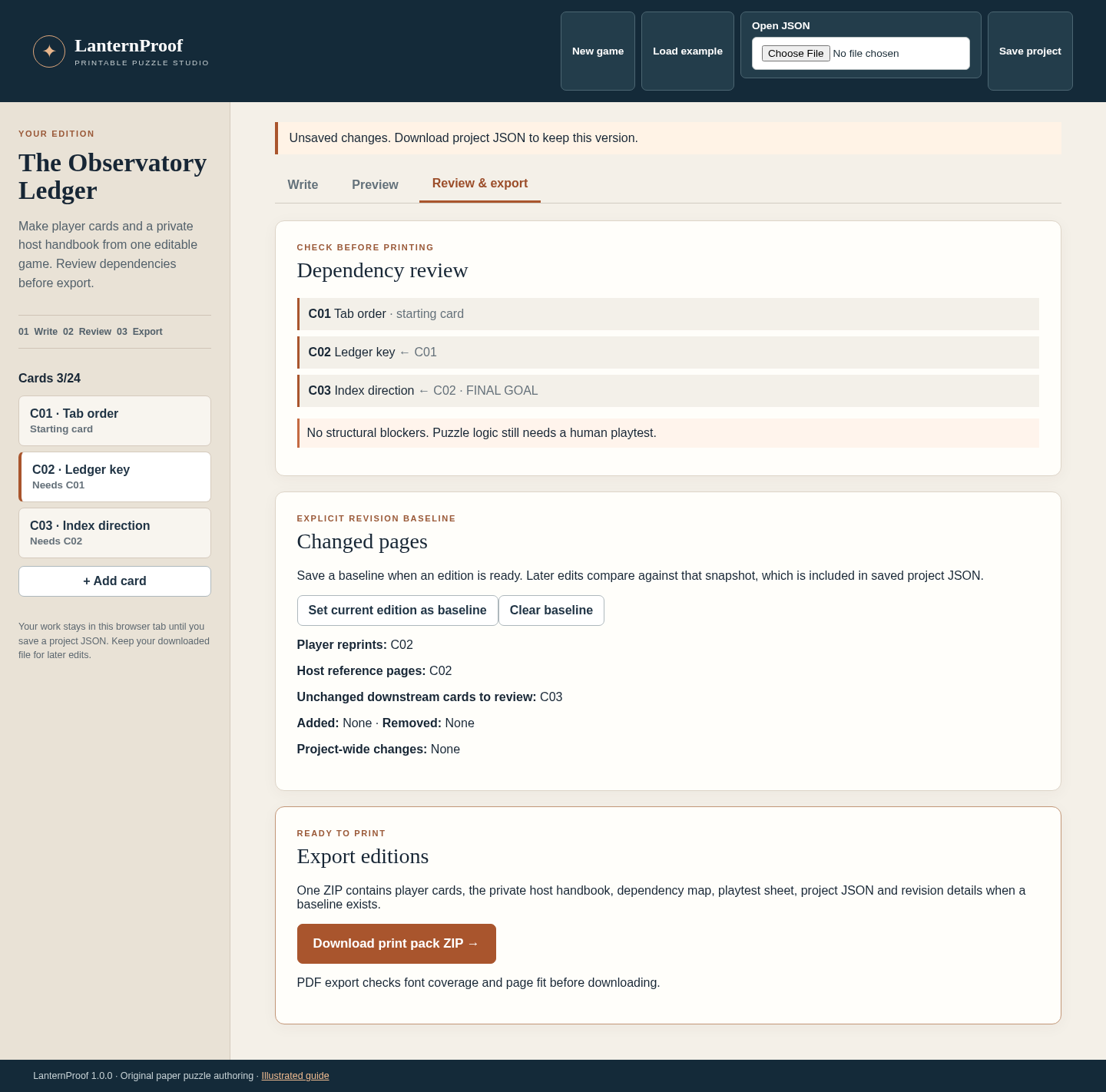
Open Review & export. Correct duplicate or missing IDs, self-dependencies and cycles. Choose Download print pack ZIP and extract the player cards, host handbook, dependency map and playtest sheet. Inspect all PDF pages before printing.
Prepare a controlled revision
Set the current edition as a baseline before editing. Clarify only C02’s player wording, then return to Review. C02 requires player and host reprints; unchanged downstream C03 is flagged for review. Check the revision output against your saved baseline.
Keep the editable source
Choose Save project and retain the downloaded JSON. Open it with Open JSON next time. Keep the baseline version as a separate saved file when you need a long-term revision record.
A worked example
The Observatory Ledger
Input: All three cards are visible. C01 orders the tabs; C02 maps tab names to digits; C03 looks up a direction.
- Read MOON before SUN and STAR after SUN: MOON, SUN, STAR.
- Map MOON = 7, SUN = 2, STAR = 9 to 729.
- Find 729 in C03’s index and read EAST.
- Save a baseline; clarify C02’s wording and inspect changed-page and downstream review results.
Expected result: The paper trail gives MOON SUN STAR → 729 → EAST. A C02 player-text change requires C02 player and host pages to be reprinted and flags unchanged C03 for review. This structural review is a prompt for the author to playtest the revised game.
See the working tool
Actual screenshots from the downloadable app. Start with the free example and follow the steps below.
1. Write the original example
2. Compare the two editions
3. Review the next printing
Troubleshooting
Export is disabled
Read Review and correct the named duplicate, missing, self or cyclic dependency. You can keep editing and save the project while fixing structural problems.
A PDF page cannot be generated
Read the named card and field in the error. Shorten overflowing text or remove its image. Unsupported font characters must be replaced before export.
An import is rejected
Use the app’s own schema 1 project JSON within 20 MiB. A rejected import should leave your current project intact.
A downstream card is flagged but unchanged
Review whether the revised earlier clue still supplies the same information. The flag does not mean the later card was automatically edited.
Work is missing after closing
Reopen the latest project JSON you downloaded. Browser editing does not create an automatic backup.
Compatibility & limits
- 1–24 cards; A4 or US Letter; up to 120 generated PDF pages. Project JSON import: 20 MiB.
- Each card accepts one PNG or JPEG up to 1 MiB, 4096 pixels per side and 12 megapixels. Text must fit the named fields and the bundled DejaVu Sans font.
- Dependency checks identify structural problems. They do not solve your puzzles or verify physical playability. Review and playtest your own game before sharing it.
- Tested in desktop Chrome on Linux. Other browsers and operating systems are unverified. Save project JSON before closing; there is no cloud sync or automatic save.
Need a hand?
Tell us the product, host application and version, what you tried, and the exact error. Contact support with a fictional example; keep private customer files and passwords out of your message.