BylinaRounds · Worked example
Find the correction in the script you already lettered
A new page shifts the numbers. A caption becomes two balloons. Two identical sound effects leave you guessing which one was removed. This example keeps the old lettering references visible while you decide the next round.
By Perunlight · AI-assisted. Original fictional scripts; the free packet rows were independently checked against the source answer sheet. Published .
Start with the exact lettered script
Open samples/saltmarsh-courier-r0.txt from the free pack. The first script has 4 pages, 11 panels and 24 lettered items. An ID such as 1.2.1 means page 1, panel 2, first lettered item in that panel.
The quoted GULL ROCK — KEEP CLEAR sign is art direction in this example. In the app, Load example: Saltmarsh Courier (round 0) flags it for a decision. Choose Not lettered, check the page list, then Lock round 0 (baseline). With your own script, make that decision from the intended artwork.
The baseline is the script used for the lettering already on the page. Keep that exact file. Starting from a different draft makes even a correct comparison point at the wrong work.
An inserted page changes the references
Round 1 inserts page 3. The former page 3 becomes page 4, and the former page 4 becomes page 5. Its packet contains ten correction rows: two text edits, one speaker change, one style change, one emphasis change, one move, three additions and one deletion.
Original items: 24
Delete one:     −1
Add three:      +3
Revised items:  26

Old page 3 → revised page 4
Old page 4 → revised page 5
Read the script and expected-outputs/round-1 packet side by side. A speaker change can leave the words identical. A WHISPER style or an emphasis change also needs a lettering decision. The caption at old 4.1.1 moves to new 5.2.1; use both IDs when locating it.
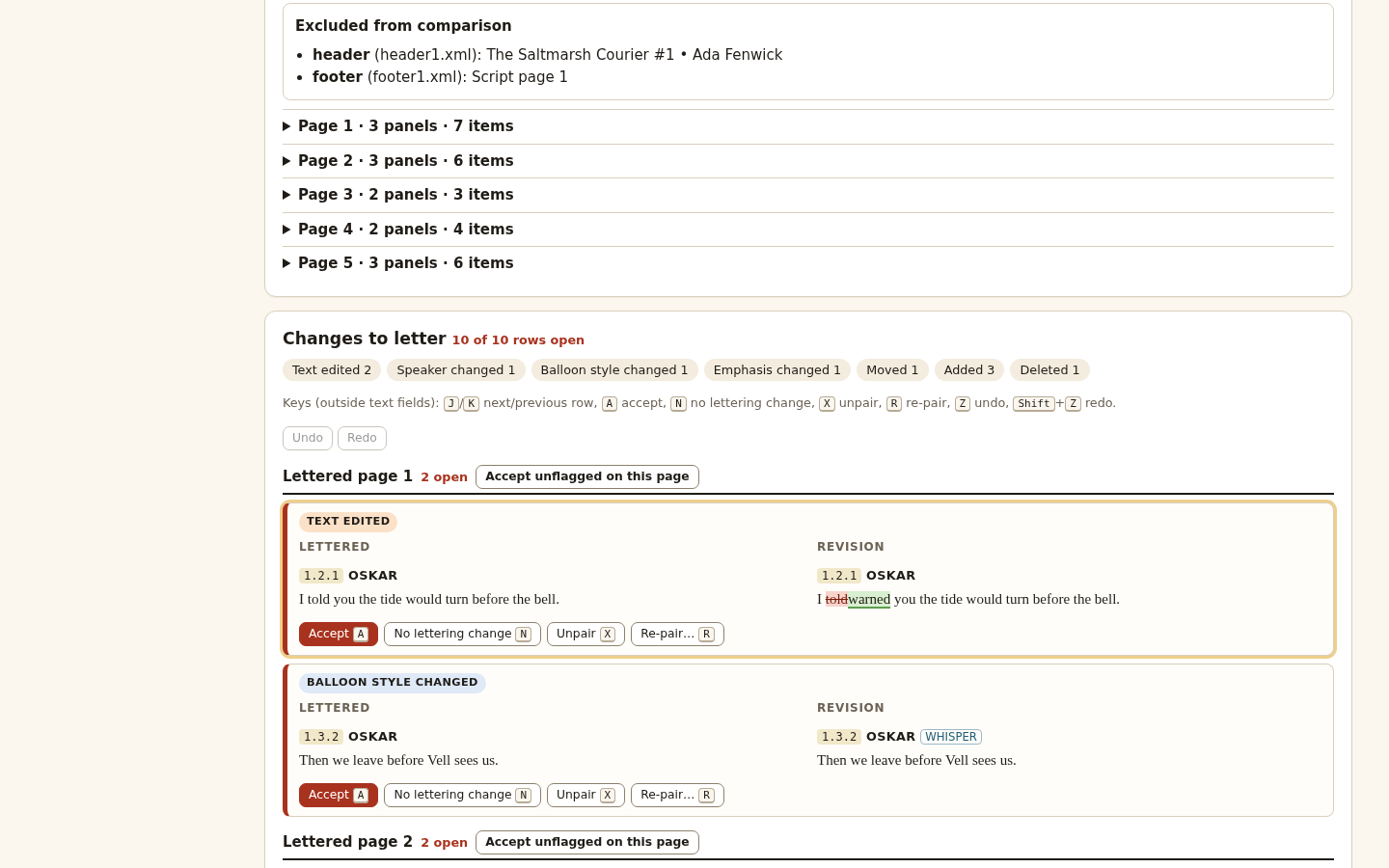
In the app, accept the intended corrections, choose No lettering change where appropriate, and use Re-pair or Unpair when the proposed match is wrong. Download the packet once every row is decided. Apply and check the lettering changes before locking this correction round, then save the book.
Two identical sound effects still need two decisions
Round 2 splits one caption into two, merges two spoken balloons into one, and removes one of two identical DONNG effects. The changed words alone cannot tell you which sound effect belongs to which panel.
The supplied answer retains old 1.1.2 as new 1.1.3 and deletes old 1.2.2. The retained row has unchanged text but ambiguous pairing, so it also needs review. That is why nine changed rows produce ten rows to decide.
Start with round 1: 26 items
Split one into two: +1
Merge two into one: −1
Delete one effect:  −1
Round 2:            25 items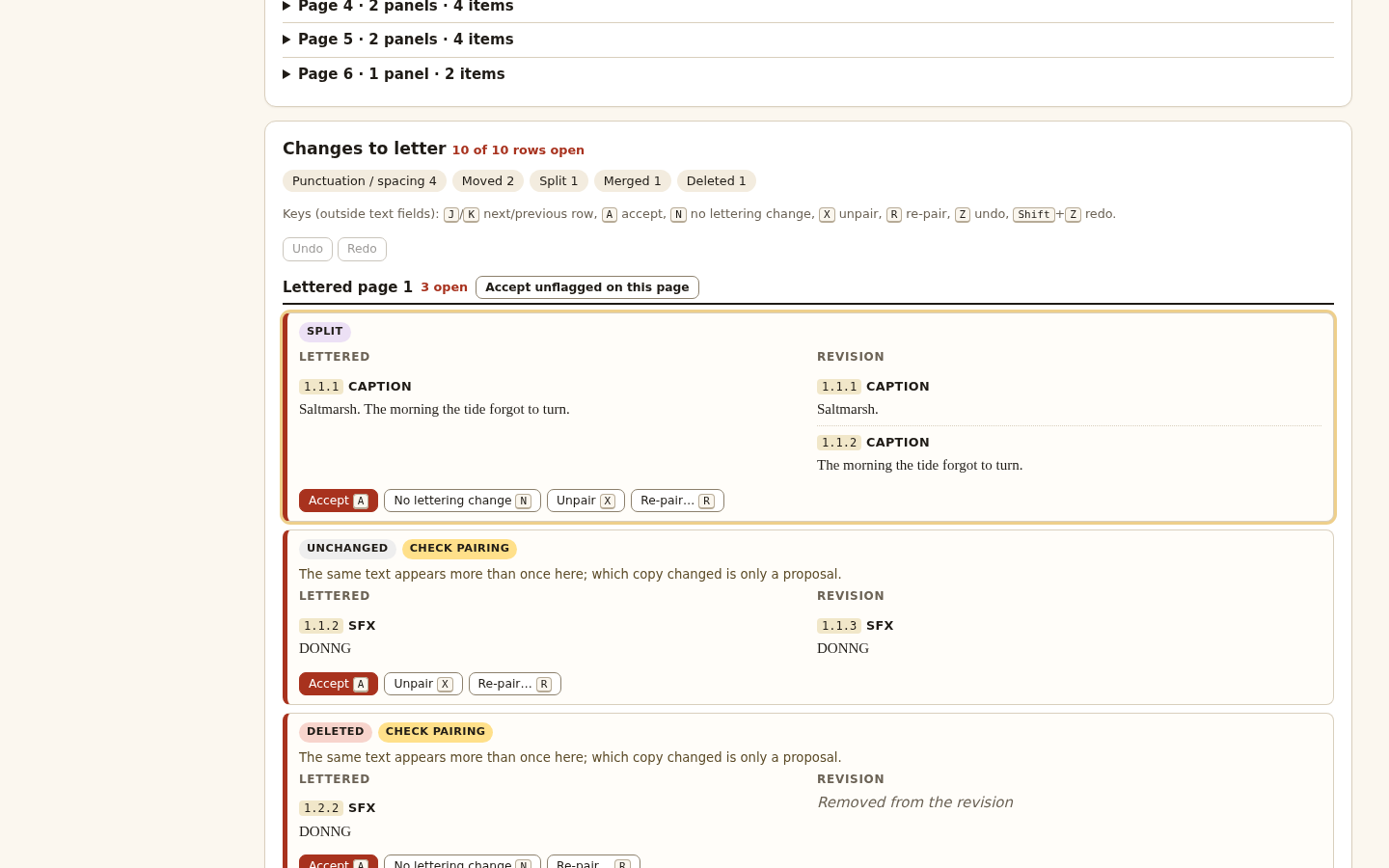
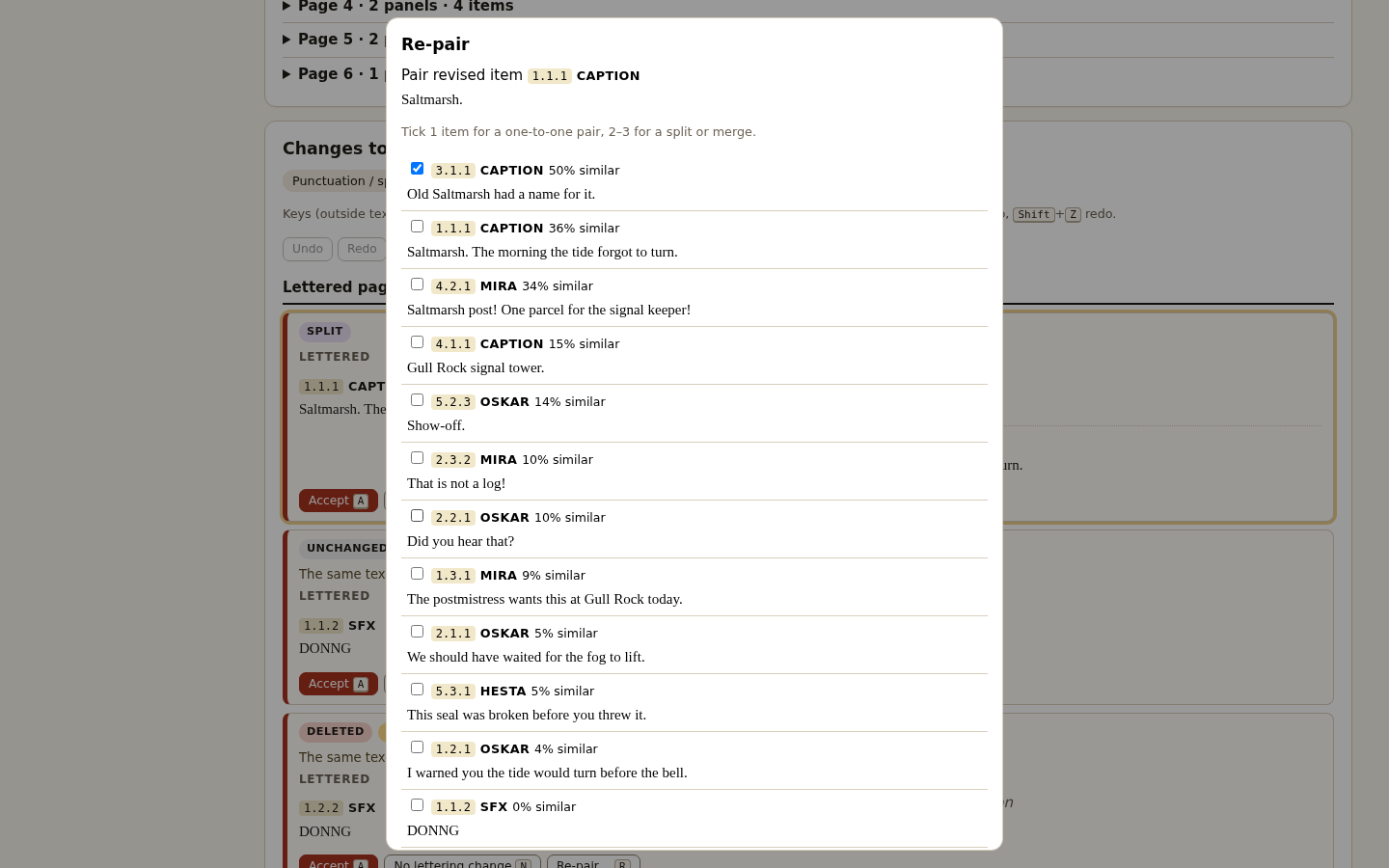
A split page has more than one destination
Old page 5 now supplies content to revised pages 5 and 6. The two final moved items are old 5.3.1 → new 6.1.1 and old 5.3.2 → new 6.1.2. Their correction rows therefore name page 6 as the new page, even though some other content from old page 5 stays on page 5.
Old ID   New ID   Lettered page   New page
5.3.1    6.1.1    5               6
5.3.2    6.1.2    5               6

Old page 5 destinations: 5 and 6
Use each row’s actual destination. The print heading and page ledger list both destinations for the split page. Additions have no old side and deletions have no new side: those cells are null in JSON and blank in CSV.
The packet includes printable HTML, JSON, canonical and spreadsheet-safe CSV, a page ledger, and plain and rich paste packs. Plain text describes emphasis; rich HTML preserves the supported formatting. There is no direct connection to a lettering application: you apply the approved corrections yourself.
Check the example before using your own script
For this article, an independent Python check read the exact free ZIP and compared every packet row’s IDs, old and new text, and page labels with the supplied source answer sheet. Both packets contain ten rows. The script counts are 24, 26 and 25; both moved round-2 rows resolve to page 6. Fresh browser and output checks were performed separately during release review.
- Read all three scripts and the answer sheet before trusting a proposed match.
- Check the page list and decide every flagged input line before locking.
- Inspect duplicate dialogue and split or merged balloons individually.
- Save book explicitly, then reopen the unchanged file before relying on the saved copy.
- Keep a separate original script and apply the packet to your lettering app yourself.
Input is bounded to the documented PAGE / Panel / NAME: dialogue grammar. The DOCX reader uses body paragraphs and supported emphasis and numbering; headers, footers, comments, notes and images are excluded. Tracked changes must be accepted or rejected first. The included DOCX files are generated fixtures; real Microsoft Word and Google Docs exports remain untested. There is no PDF or legacy DOC input.
The tested environment is Chrome 152 on Linux. A script can contain up to 200 pages and 3,000 lettered items; a book holds its baseline plus 12 correction rounds. Read the full guide for file-size limits. There is no autosave; saved decisions and pairings reopen, but undo history does not. Pairing remains a proposal that needs your judgment.
Perunlight product
Review the next lettering round with both references in view
BylinaRounds keeps a lettered baseline, proposes changes for review and exports the corrections you decide. It supports explicit pairing repairs, saved books and successive rounds.
BylinaRounds · $24 onceRead the guide
Extract the buyer ZIP and open BylinaRounds.html in desktop Chrome. Verified in Chrome 152 on Linux. No account, server or internet is needed. Save your book before closing.