Step-by-step guide
SkomorokhStage
Plan the location and holder of each physical prop copy, catch contradictory moves and print matching crew sheets.
Use it when a prop changes hands or wings and the next pickup needs a clear, consistent planned starting point.
Before you start
- Desktop Google Chrome that can open extracted local HTML files. Tested with Google Chrome 152 on Linux.
- A planned scene order and details for each physical prop copy, place and responsible person.
- Chrome Print / Save as PDF for A4 or Letter output.
Your first result
Try The Lost Letter
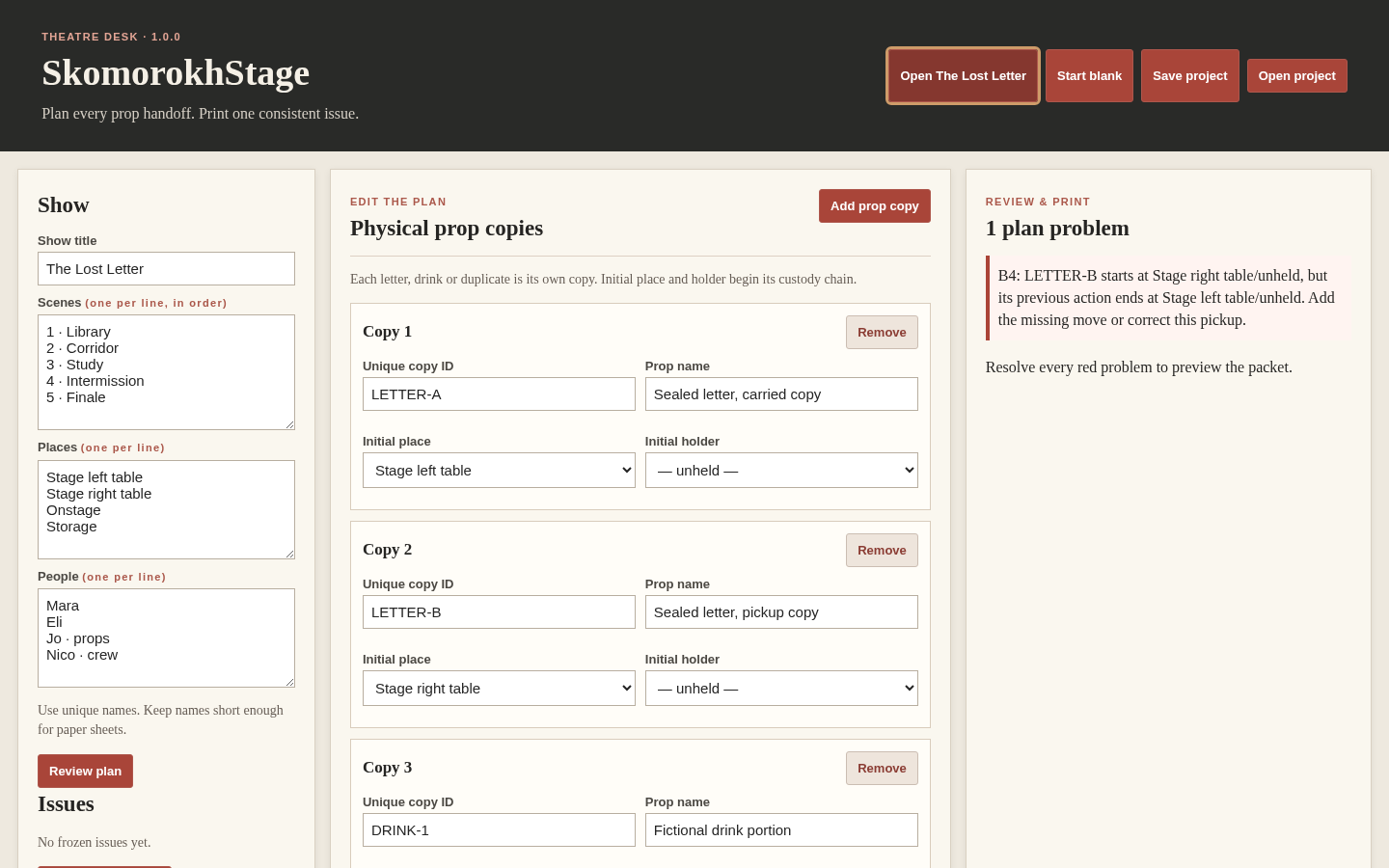
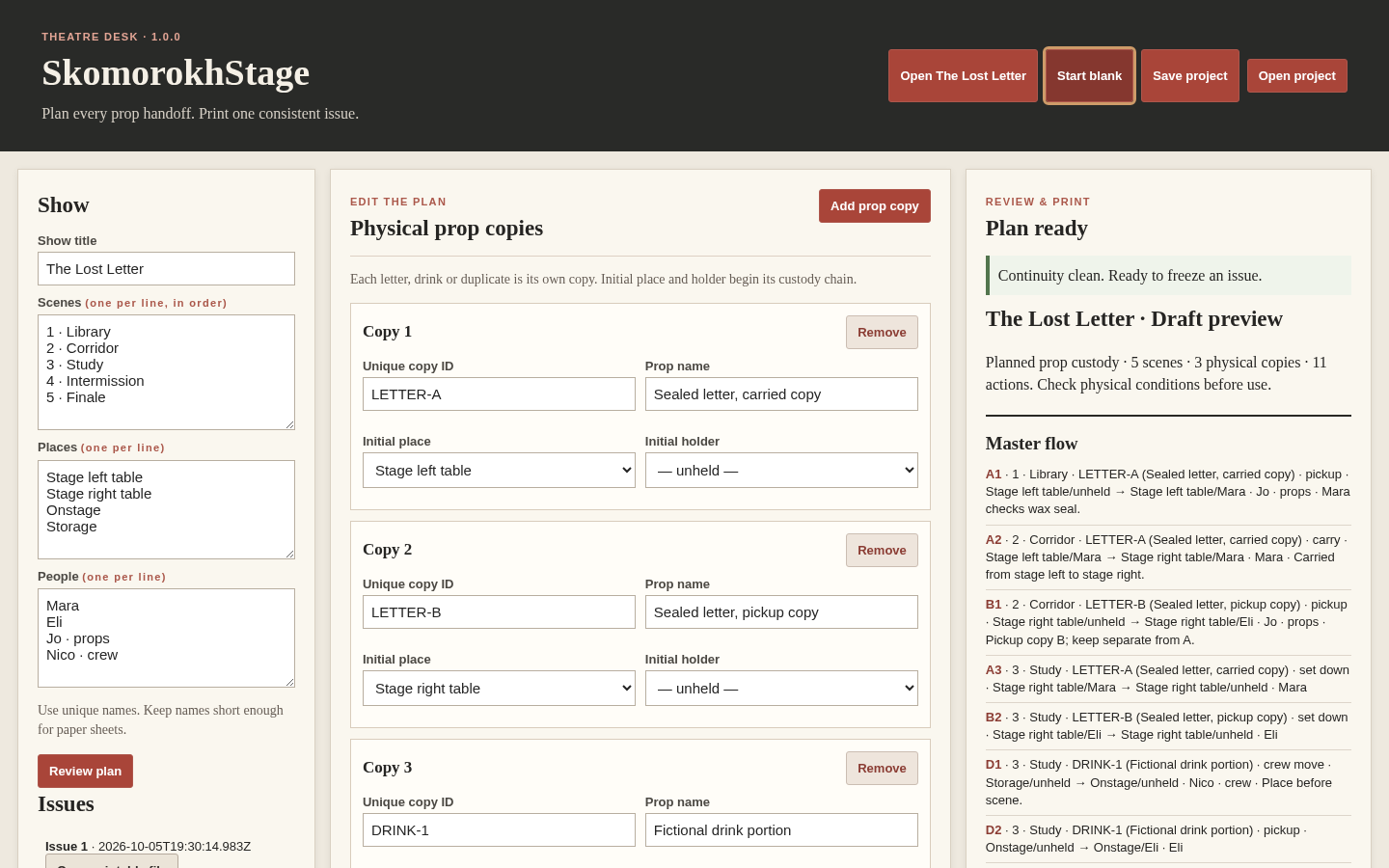
Open the extracted app and choose Open The Lost Letter. The example shows a pickup whose starting place contradicts the preceding reset.
Correct the first contradiction
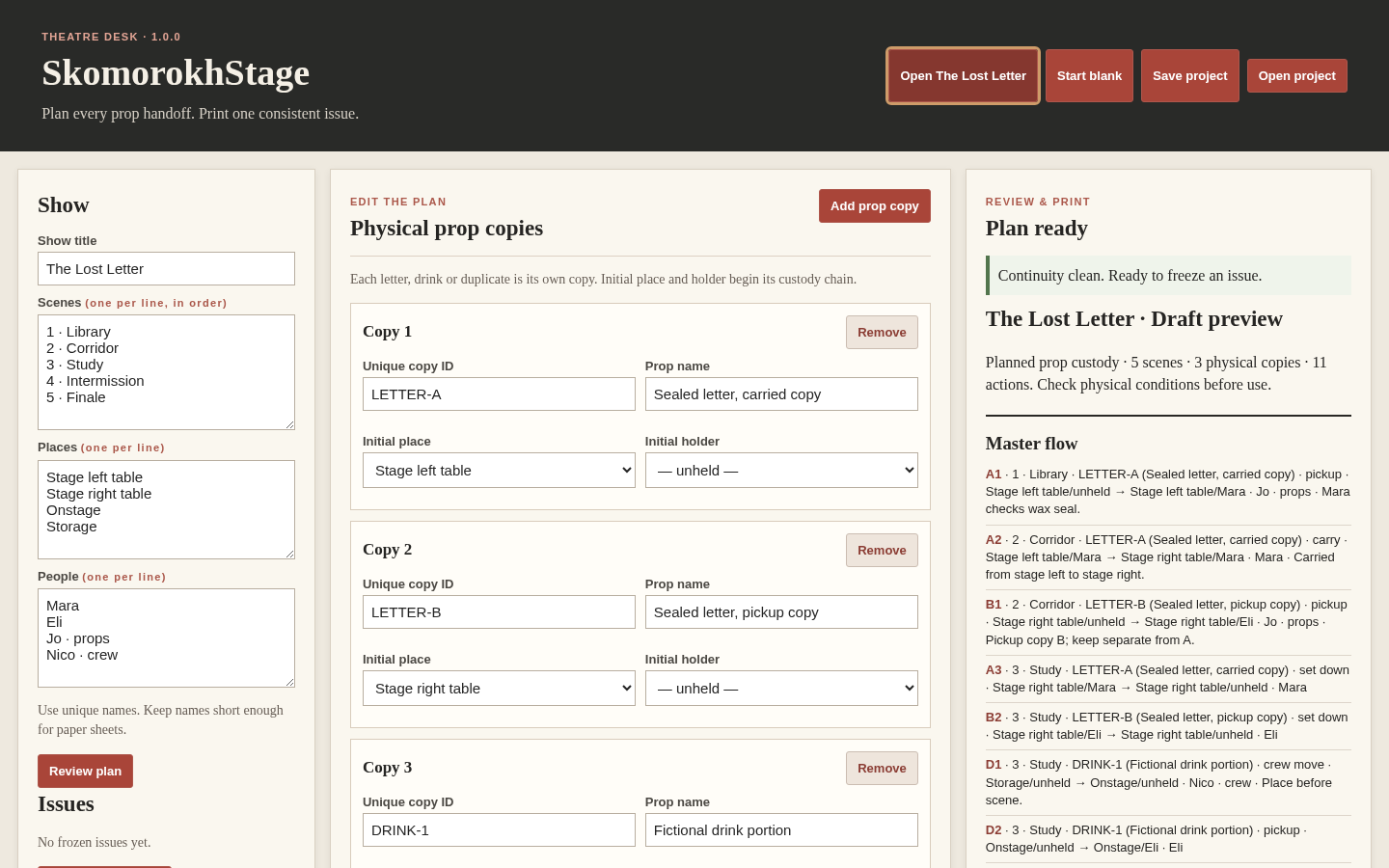
In action B4, set From place to Stage left table. Check that the review becomes clean, then inspect the matching master flow, presets, operator and scene sheets.
Build your own planned chain
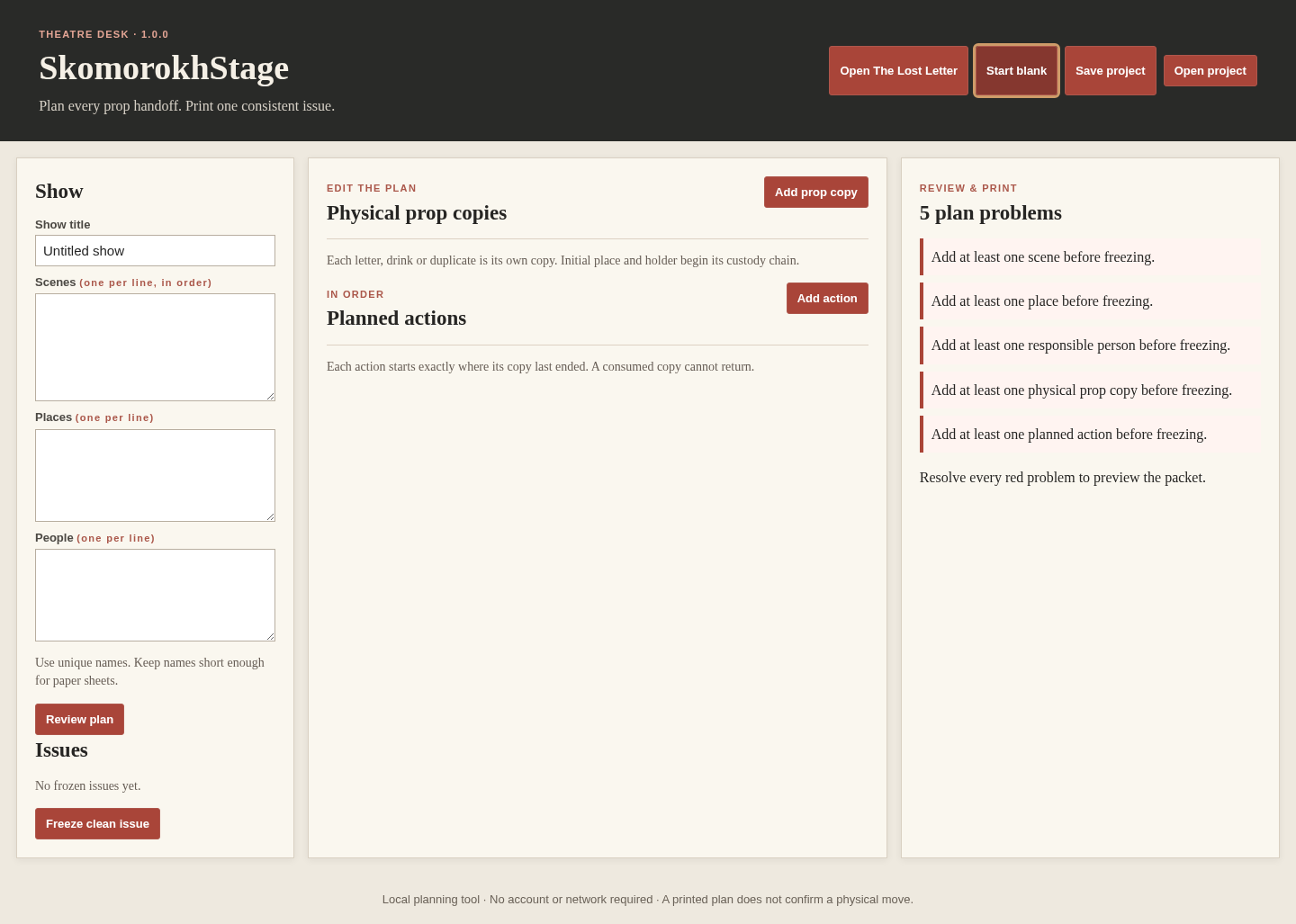
Choose Start blank. Enter scenes in order, places, people and a separate ID for every physical prop copy. Add its intended pickups, moves, handoffs, set downs and resets with explicit before and after states.
Freeze and print an issue
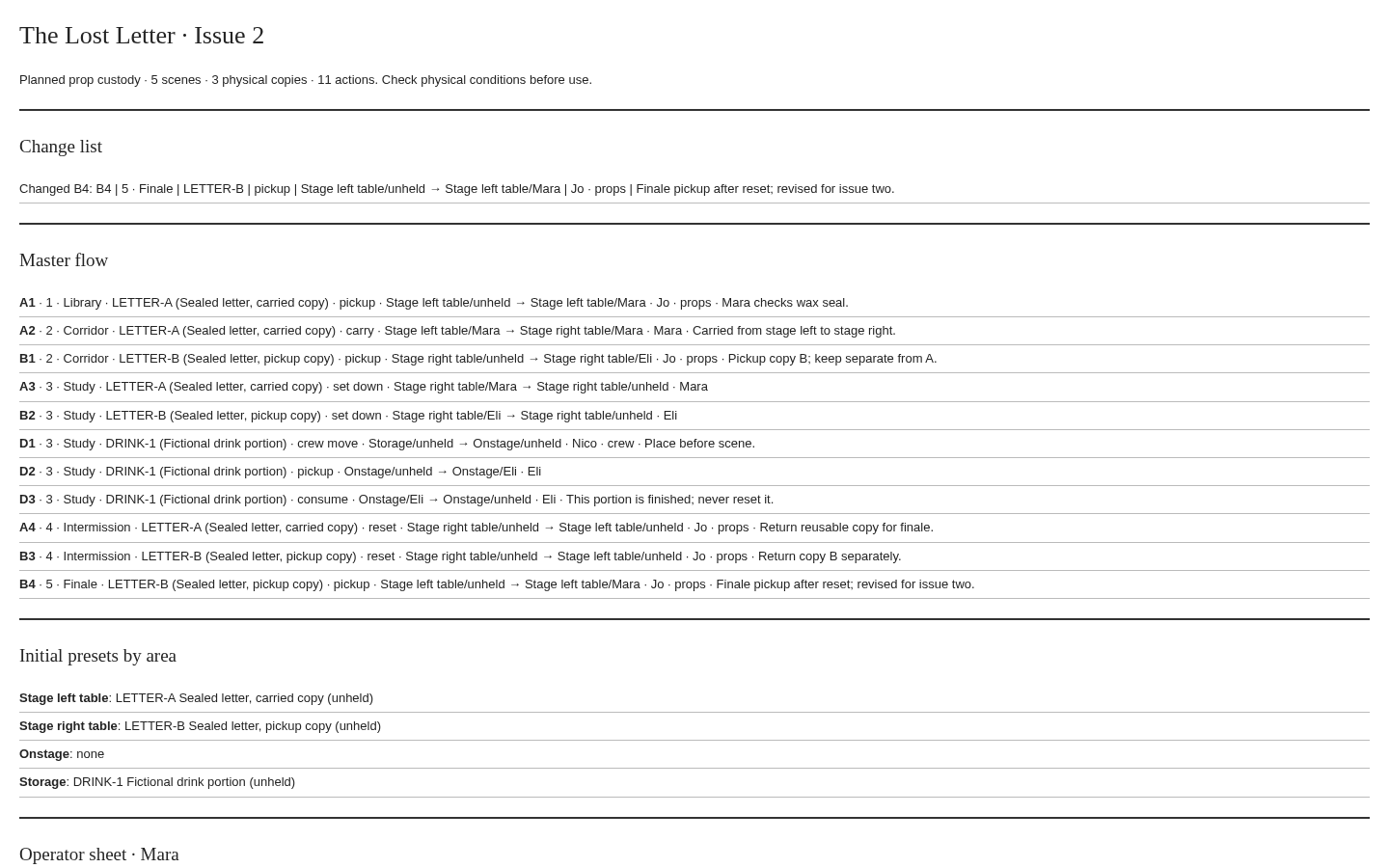
Resolve the listed errors and choose Freeze clean issue. Use Open printable file beside that issue to download its standalone HTML. Open it in Chrome and use Print / Save as PDF. Check every page before sharing.
Save and revise the project
Use Save project to keep the editable plan and its frozen issues. Open project restores the saved JSON. Make a later issue after changes; earlier issues keep their original snapshots.
A worked example
A letter returns to the wrong planned pickup point
Input: The Lost Letter is an original fictional show with five scenes, two separate letter copies and one consumed drink portion. It has eleven planned actions.
- Open the example and inspect B4: its source says Stage right table, while the preceding reset leaves LETTER-B at Stage left table.
- Change B4's From place to Stage left table and review the clean packet.
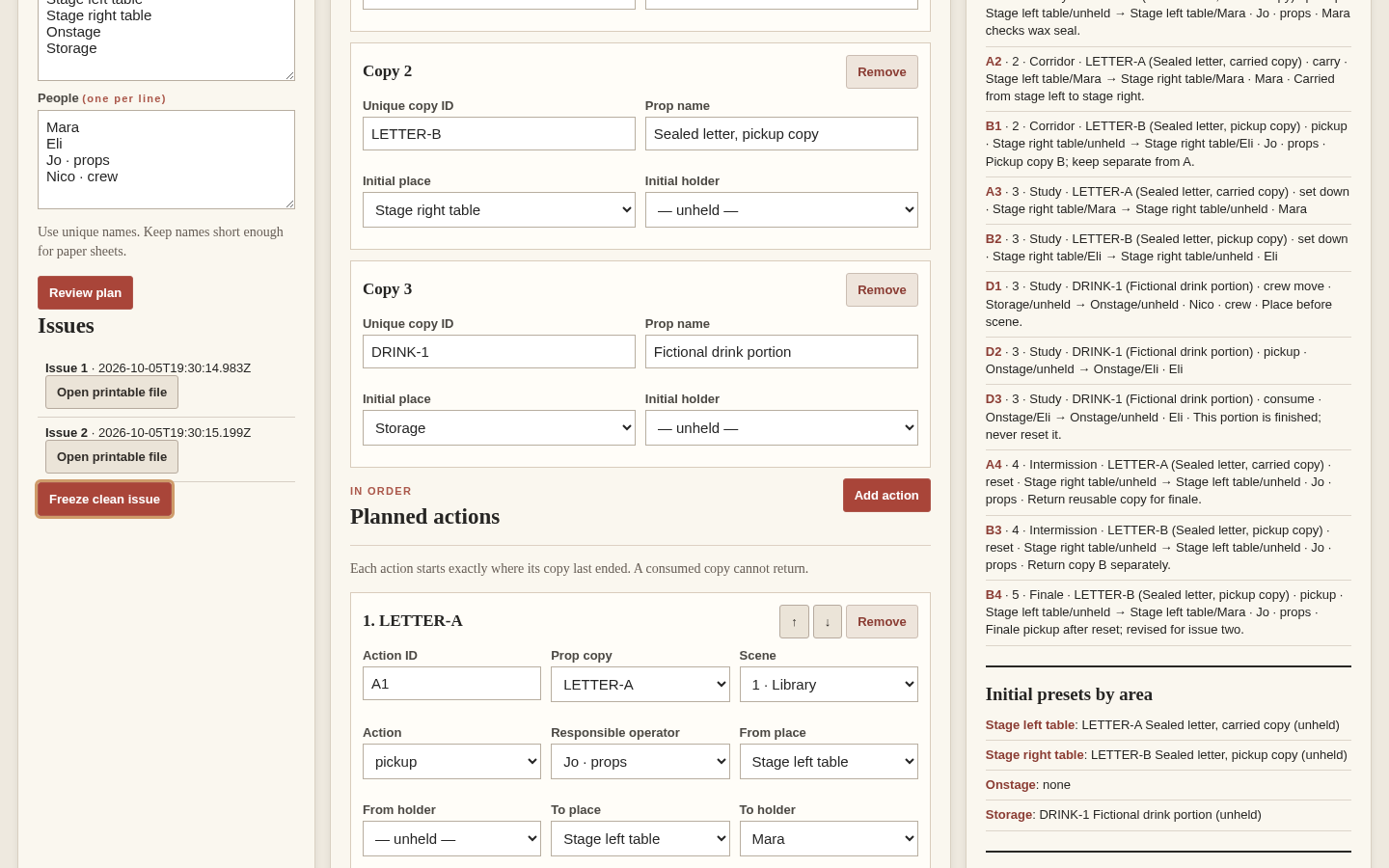
- Freeze an issue, download its printable file, then change a note and freeze a second issue.
Expected result: The corrected plan gives matching action IDs and details across the master flow, initial presets, operator sheets and scene sheets. The second issue identifies the changed action while the first issue retains its earlier content.
See the real workflow
Screenshots from the included fictional example in the tested Chrome environment.
1. Find a contradictory pickup
2. Review the corrected prop plan
3. Keep earlier issues while revising
4. Open the standalone crew packet
5. Reopen the saved project
6. Complete the plan before issuing
Troubleshooting
An unfinished plan cannot be issued
Add a scene, place, responsible person, physical copy and planned action, then resolve the listed contradictions. You can still save an incomplete draft and finish it later.
A pickup starts somewhere different from the last destination
Inspect the preceding action for that exact physical copy. Add the missing move or correct the next source. A handling note cannot override a contradiction.
A consumed item cannot be used again
Create a separate physical copy ID for another serving. Reset applies to a reusable copy; it does not restore a consumed one.
A saved project is rejected
Open this app's version 1 JSON project within the stated 4 MiB limit. Invalid imports keep the current project in place.
The printable file downloads instead of opening
Open the downloaded HTML in Chrome, then choose Print and Save as PDF. Check all pages with A4 or Letter selected.
Compatibility & limits
- 12 scenes, 12 places, 12 people, 24 prop copies, 160 actions and 10 issues
- 4 MiB version 1 project JSON import
- Chrome native Print/Save as PDF; no direct PDF generator
- Planned custody only; no proof of completion, actor-position tracking, safety verification, script or spreadsheet import
- The app checks the planned state recorded for each physical copy. Rehearse the plan against the actual props and production conditions.
- Local project files contain the names and handling notes you enter. Save a separate project copy before closing the app.
- Desktop Chrome on Linux is the tested environment; other browsers and operating systems have not been independently verified.
Need a hand?
Tell us the product, host application and version, what you tried, and the exact error. Contact support with a fictional example; keep private customer files and passwords out of your message.