Step-by-step guide
SvarogPack
Build carton and separate-lid box prototypes in 3D, add a front design and organize packaging-label reviews by market.
You need a nominal packaging prototype and a place to organize country-specific label checks.
See it in use
Inspect a slotted-carton net
A screenshot walkthrough with fictional practice data. Select a step to explore.
The 1.0.1 studio screen and 1.0.2 example PNG are separate versioned demonstrations of the fictional carton.
1. Start with
Inspect a slotted-carton net
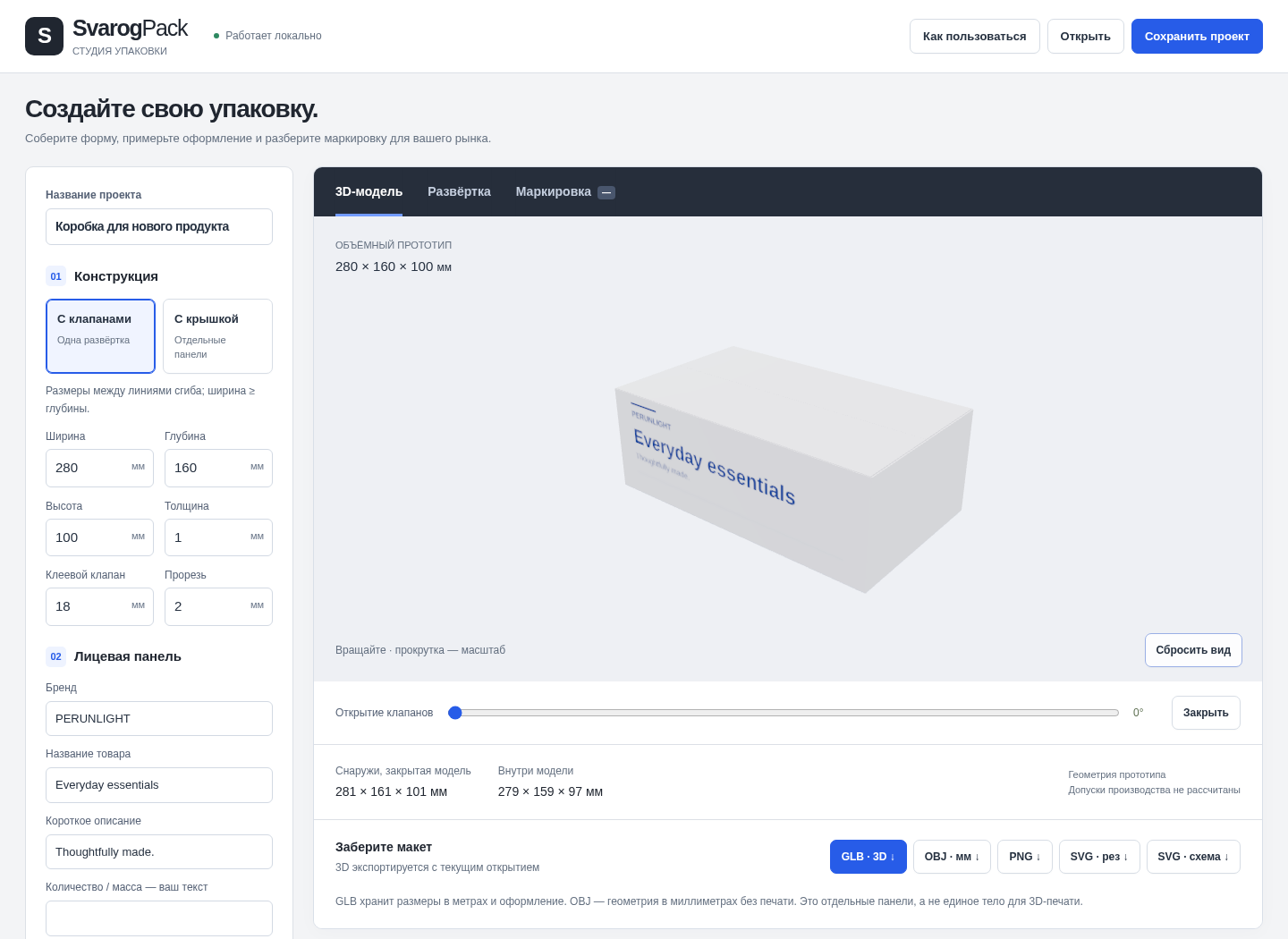
The fictional electronics carton is nominally 240 × 160 × 100 mm.
Sample files and contents
Load 01-electronics-rsc.svarogpack.json: nominal 240 × 160 × 100 mm slotted carton with fictional FORM & FIELD artwork.
Practice files and guides are free. The complete app is included only where the product page says so.
2. In the app
Try it in three steps
- Open the electronics project in the offline studio.
- Inspect the closed 3D model and front design.
- Switch to the flat net and review cut versus crease lines.
Show every click and setting
- Click Открыть (Open) and choose examples/01-electronics-rsc.svarogpack.json. The nominal score-to-score carton is 240 × 160 × 100 mm.
- Inspect 3D модель (3D model), opening controls and front text / colours. Click Закрыть (Close) before exporting a closed model.
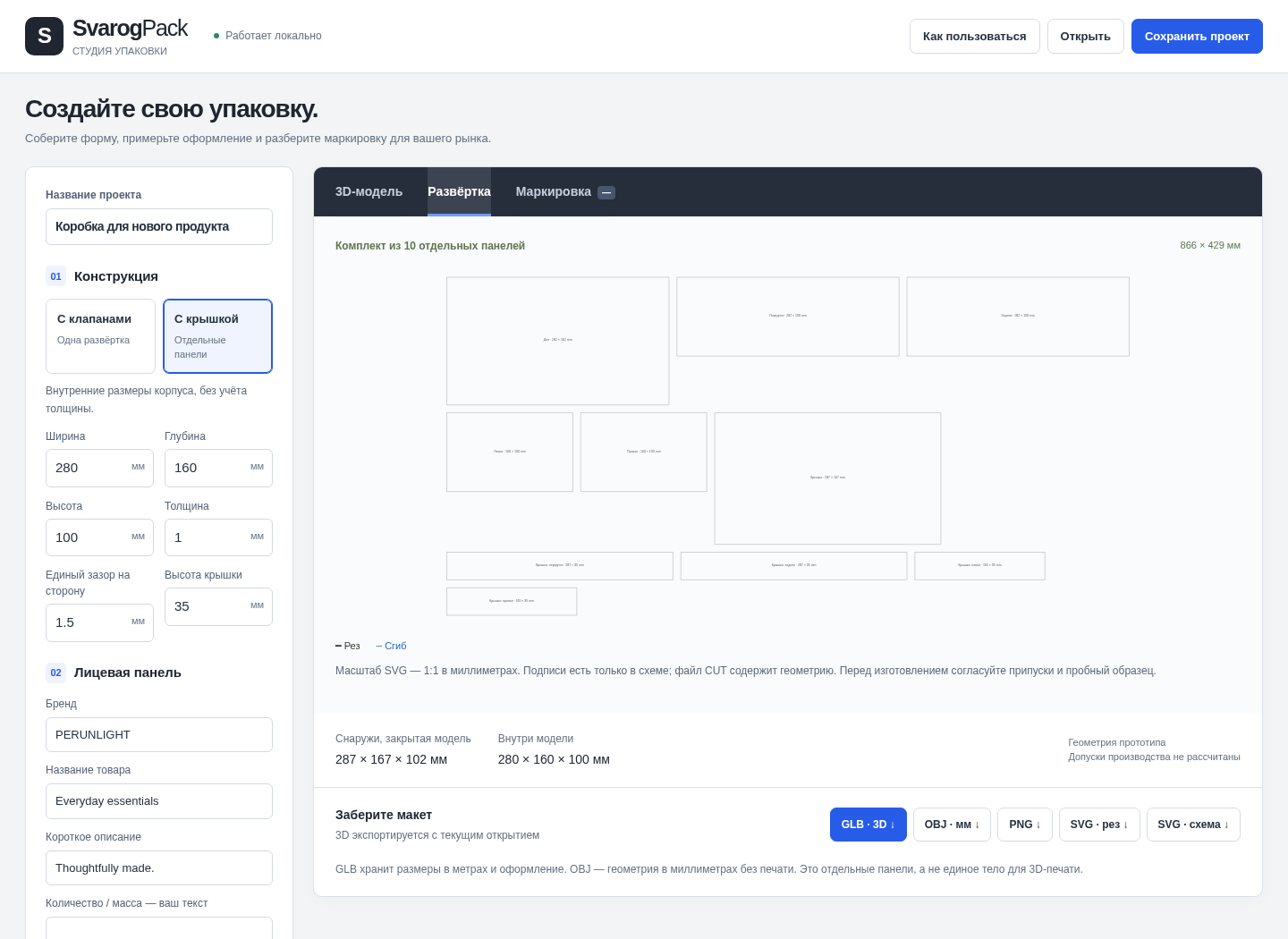
- Open Развёртка (Dieline). Clean SVG uses millimetres with CUT and CREASE. GLB uses metres and embeds the front design; OBJ is geometry-only in millimetres. PNG is a screen-sized image.
3. The result
A separate demonstration
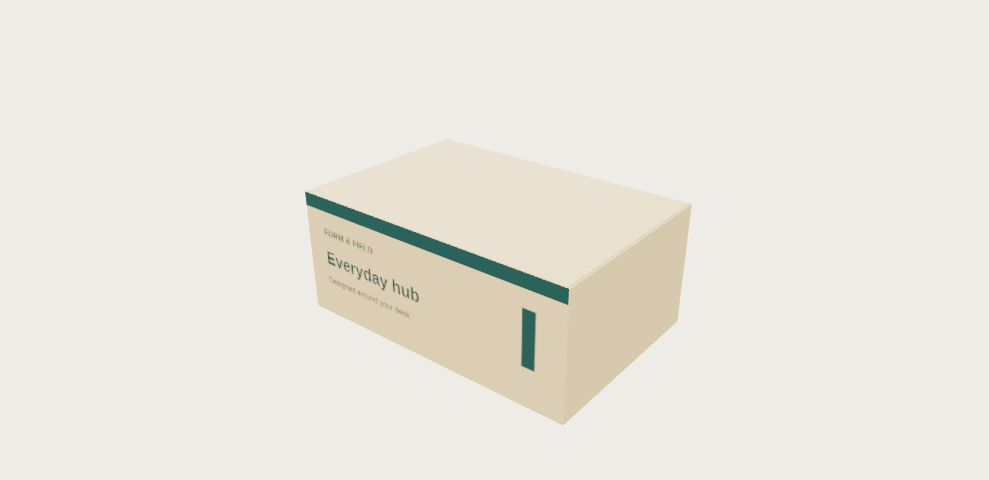
The guide shows a carton model and separate net geometry. The result PNG is a separate versioned practice illustration; it does not verify a physical prototype.
The 1.0.1 studio screen and 1.0.2 example PNG are separate versioned demonstrations of the fictional carton.
What to check in the practice result
The 3D scene shows a slotted carton; the net separates cut and crease geometry. Close the carton before model export. The demonstration artwork is not a compliant finished label.
Before you start
- Extract the ZIP and open START-HERE.html, then SvarogPack.html in desktop Chrome. No installation, account or internet is needed. WebGL 2 required for 3D. Russian interface and illustrated guide; English quick start included.
- Desktop Chrome 152 on Linux is the verified browser. Phone layouts were checked at 320 / 390 px, but real iPhone / Safari file opening is unverified.
- Measure your actual material and validate a physical prototype before production.
Your first result
Open the offline studio
Extract the entire ZIP. Open START-HERE.html, then SvarogPack.html in desktop Chrome with WebGL 2. The interface is Russian.
Load the electronics example
Click Открыть (Open) and choose examples/01-electronics-rsc.svarogpack.json. The nominal score-to-score carton is 240 × 160 × 100 mm.
Preview the box and front design
Inspect 3D модель (3D model), opening controls and front text / colours. Click Закрыть (Close) before exporting a closed model.
Experiment and recover an earlier version
Undo and Redo keep up to 40 project steps in the current tab, including dimensions, artwork, checklist decisions and JSON imports. History resets on reload; save project JSON for a portable backup. Use Вернуть корректные значения when invalid input blocks export.
Check the net and units
Open Развёртка (Dieline). Clean SVG uses millimetres with CUT and CREASE. GLB uses metres and embeds the front design; OBJ is geometry-only in millimetres. PNG is a screen-sized image.
Review the relevant market
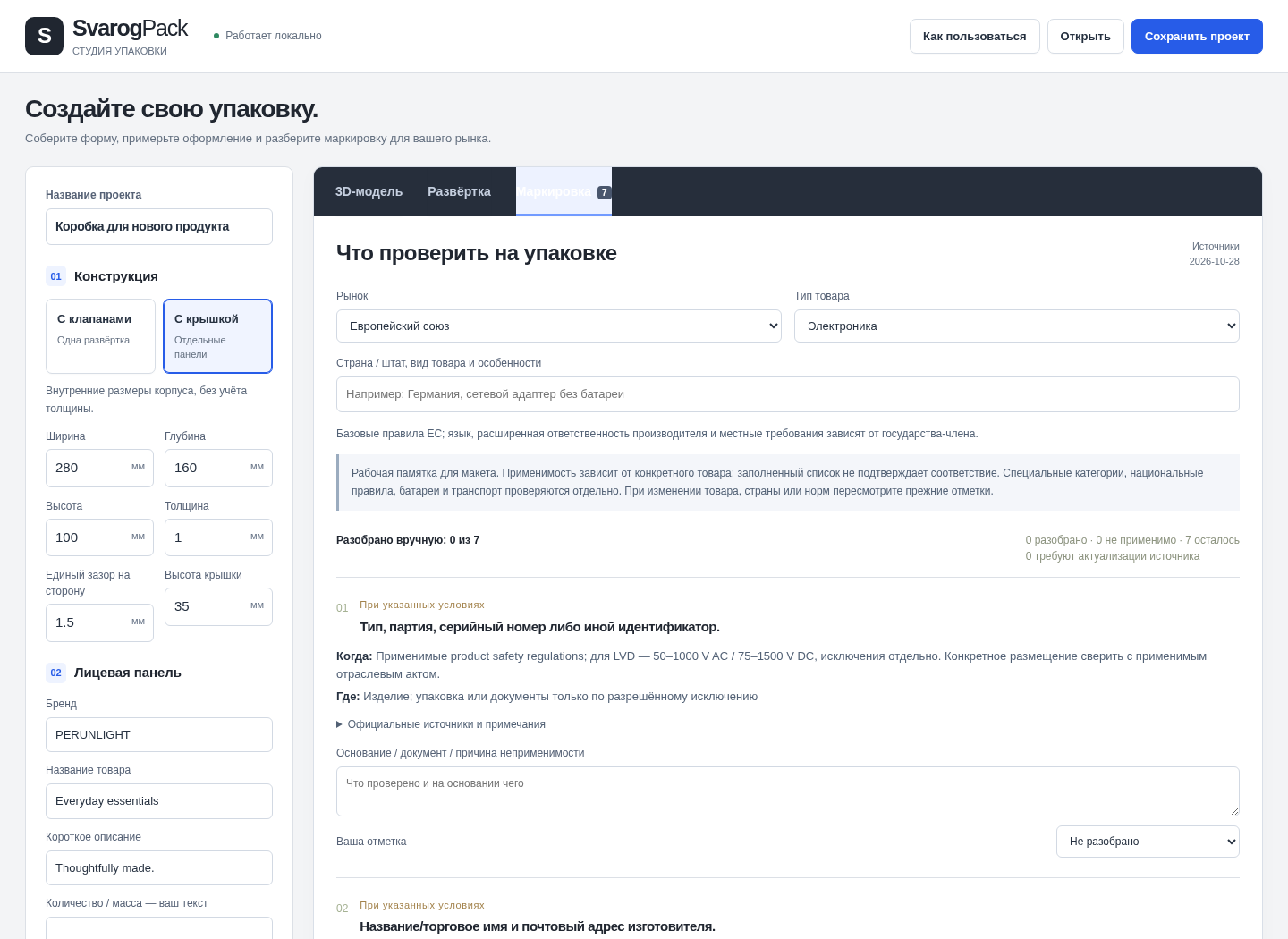
Choose EU, US, UK (GB / NI) or Ukraine and electronics or prepacked food. Read applicability, required location and sources; record your own reviewed / not-applicable decision and note. Highlighted recheck items still require current-source verification.
Save the project and review report
Сохранить проект saves editable JSON. The printable report records your manual decisions, not compliance certification. Before manufacture, agree tolerances and a physical prototype with the converter.
A worked example
A fictional electronics carton
Input: Load 01-electronics-rsc.svarogpack.json: nominal 240 × 160 × 100 mm slotted carton with fictional FORM & FIELD artwork.
- Click Открыть (Open) and choose examples/01-electronics-rsc.svarogpack.json. The nominal score-to-score carton is 240 × 160 × 100 mm.
- Inspect 3D модель (3D model), opening controls and front text / colours. Click Закрыть (Close) before exporting a closed model.
- Open Развёртка (Dieline). Clean SVG uses millimetres with CUT and CREASE. GLB uses metres and embeds the front design; OBJ is geometry-only in millimetres. PNG is a screen-sized image.
Expected result: The 3D scene shows a slotted carton; the net separates cut and crease geometry. Close the carton before model export. The demonstration artwork is not a compliant finished label.
More application screens
Actual screens from the full version
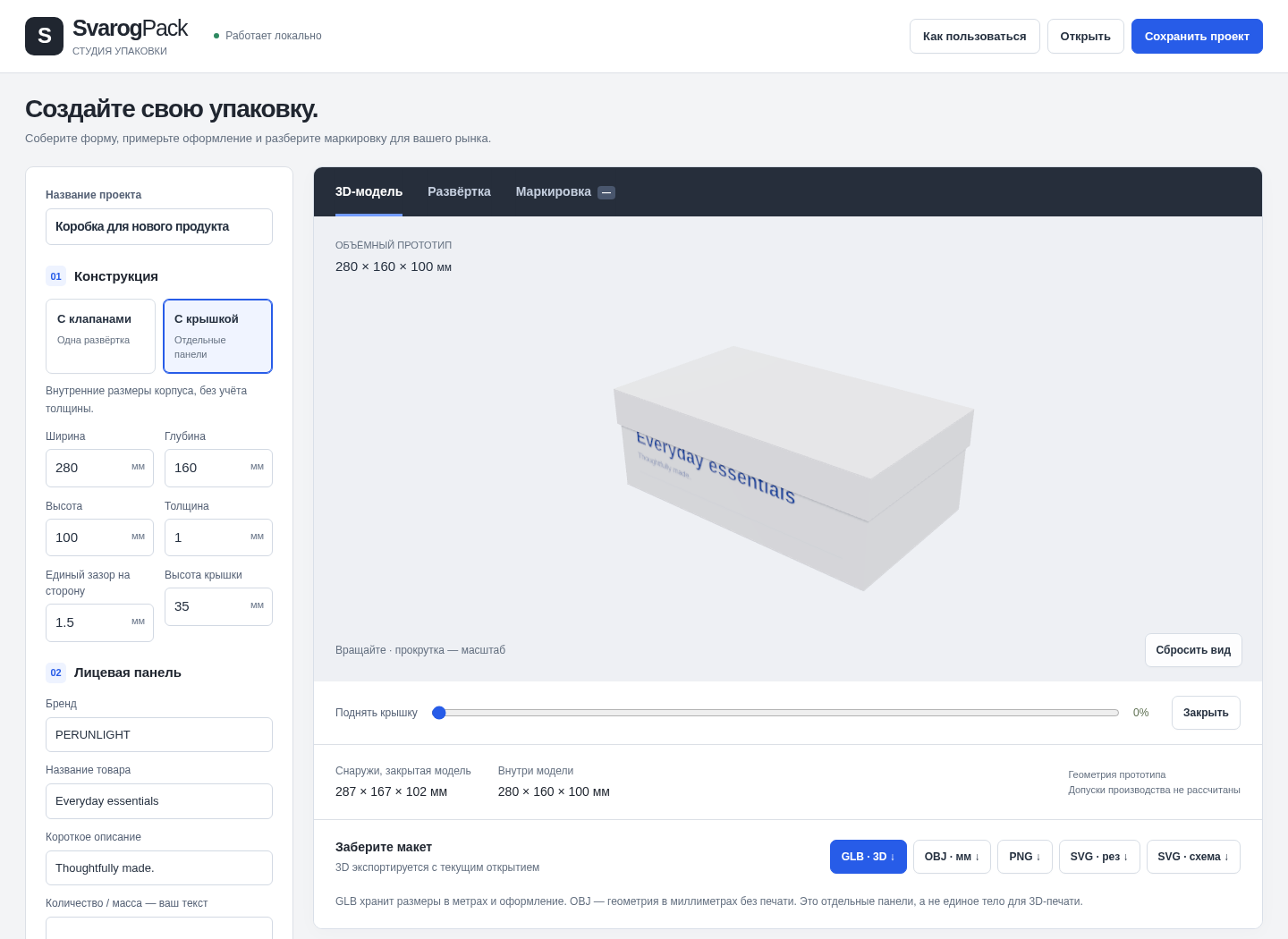
Screens captured from the accepted offline application in desktop Chrome on Linux. Demonstration artwork is fictional.
1. Make changes without losing your previous work
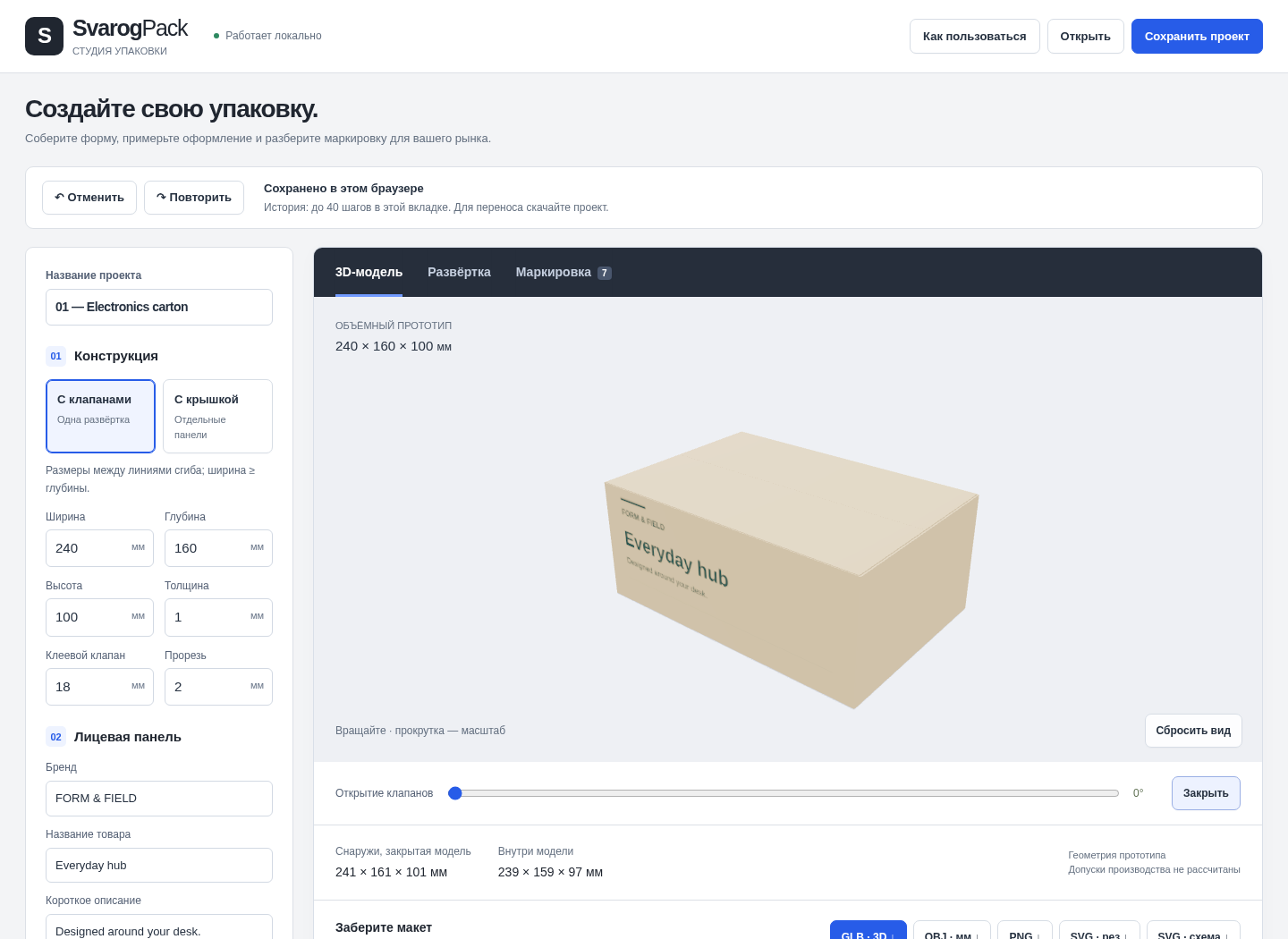
2. See the carton and its front design
3. A separate-lid box
4. Inspect the flat layout
5. Review market requirements
Troubleshooting
An edit or imported project replaced my work
Use Отменить (Undo) and Повторить (Redo). Undo and Redo keep up to 40 project steps in the current tab, including dimensions, artwork, checklist decisions and JSON imports. History resets on reload; save project JSON for a portable backup.
The application opens as a preview, not an app
Extract the whole ZIP and open the HTML in desktop Chrome. Real iPhone / Safari behavior is unverified.
My online calculations have run out
The five-use trial is limited. The $5.99 purchase supplies the full offline ZIP; it does not unlock the online trial.
An export does not match the physical result
Check units, material assumptions and output scale in the target software, then validate a small physical prototype. Manufacturing settings are not calculated for you.
Compatibility & limits
- Nominal packaging prototypes, not production tooling or fused printable solids. Front-face artwork only. Checklists: 84 scoped entries; 21 (all Ukraine and four FCC entries) need a current-rule recheck. No legal clearance or certification. Physical fit and production printing are unverified. Checked in desktop Chrome 152 on Linux; real iPhone / Safari and other browsers are unverified.
- Online trial: five successful basic calculations per product and cookie profile for 180 days. No export. Paid edition is a separate offline ZIP with unlimited local use of the purchased version.
- The free guide ZIP contains fixed examples and documentation only, not either complete application.
- No future updates, cloud sync or email delivery are promised. Keep the private purchase recovery code and downloaded ZIP.
Need a hand?
Tell us the product, host application and version, what you tried, and the exact error. Contact support with a fictional example; keep private customer files and passwords out of your message.