ReginGuide · Worked example
A new parts list needs a new review
Changing a parts table does not automatically repair the instructions. Follow a small fictional kit from edition A to B, find two allocation problems, then make an edition-specific guide for its reader.
By Perunlight · AI-assisted, with independent CSV checks of the original free example. Screenshots are from the product release review. Published .
Count what edition A actually uses
Open examples/Lantern-Dial-A.csv from the free pack in a text reader. It lists ten units, including four screws and one spare knob. The quantities describe individual units, not the number of table rows.
S10: PCB1 + R1 + R2 + J1 = 4 units
S20: H1 + four S1 screws = 5 units
P1 spare knob = 1 unit
Total: 4 + 5 + 1 = 10 units
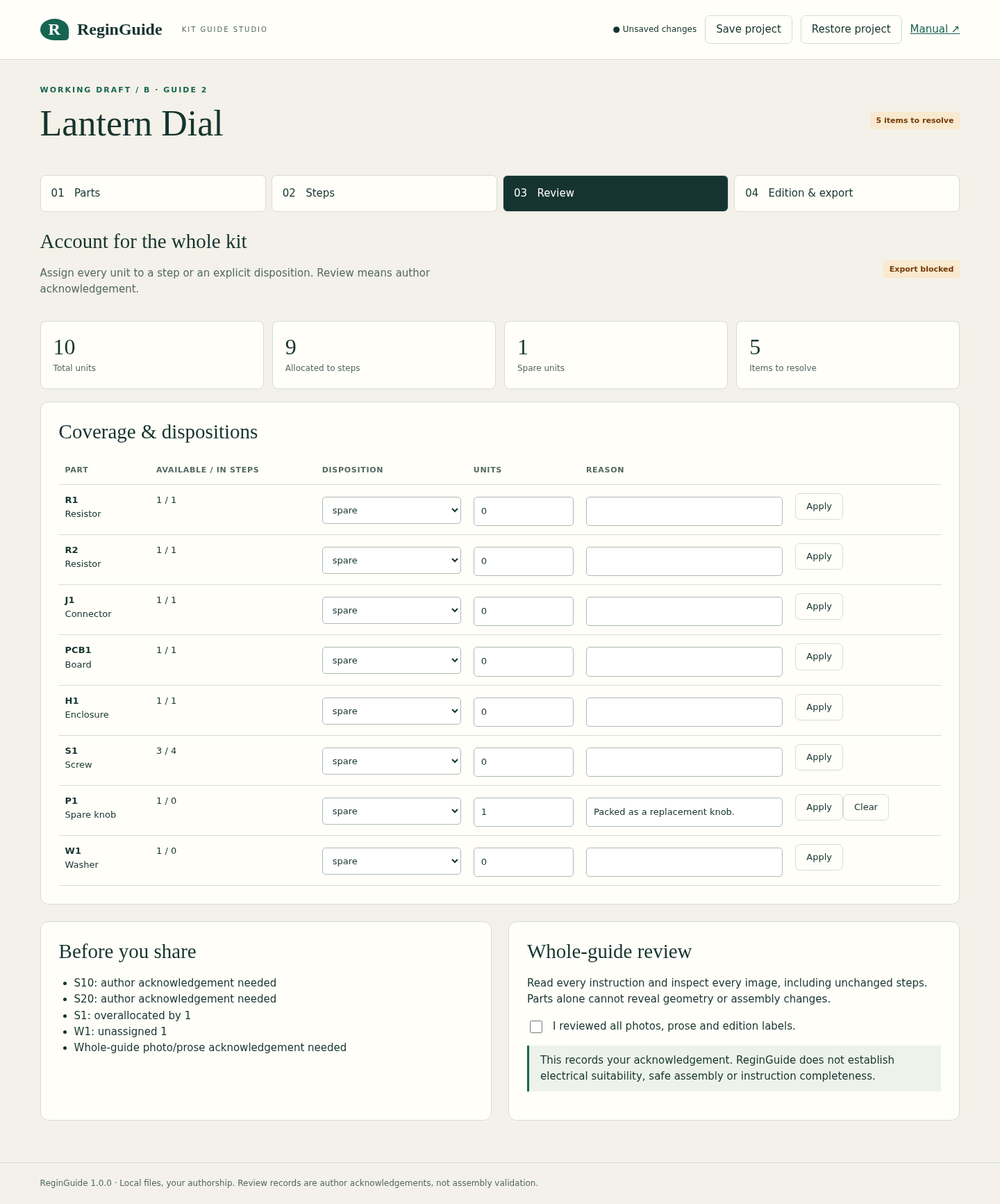
In the paid editor, choose Try Lantern Dial example. Read both steps and acknowledge each one, then acknowledge the whole guide on Review. The expected coverage is 10 total, 9 allocated, 1 spare and no unresolved items. Freeze released baseline and save the editable project before changing the parts.
Freezing keeps A as the project’s one immutable baseline. It does not certify that the kit can be assembled or that the instructions are safe or complete.
Find what the new table makes stale
Now compare Lantern-Dial-B.csv. R2 changes from 10k to 22k. S1 falls from four screws to three. W1 adds one washer. The grand total remains ten, so checking only that total would miss the problem.
Part       Edition A    Edition B
R2 value   10k          22k
S1 screws  4            3
W1 washer  absent       1
Total      10 units     10 units
In the editor’s Parts view, Load fictional edition B table applies the exercise. The previous S20 allocation still asks for four screws, which is one too many. The new washer has no allocation. The changed linked parts require step review, and final recipient export stays blocked.
Repair the step, then review its meaning
On Steps, open S20. Change its S1 allocation to three and add one W1. Its quantities are now one enclosure, three screws and one washer: still five units. S10 still uses four units, but its R2 value has changed.
- Read S10’s prose and illustration against the new R2 value; edit them if the change requires it.
- Read S20’s prose and illustration against three screws and one washer; quantities alone cannot repair a misleading image.
- Review and acknowledge both affected steps, then the whole guide and its edition labels.
- Confirm 10 total, 9 allocated, 1 spare and no unresolved items before exporting B.
- Save the editable project ZIP so both the draft and frozen baseline remain available.
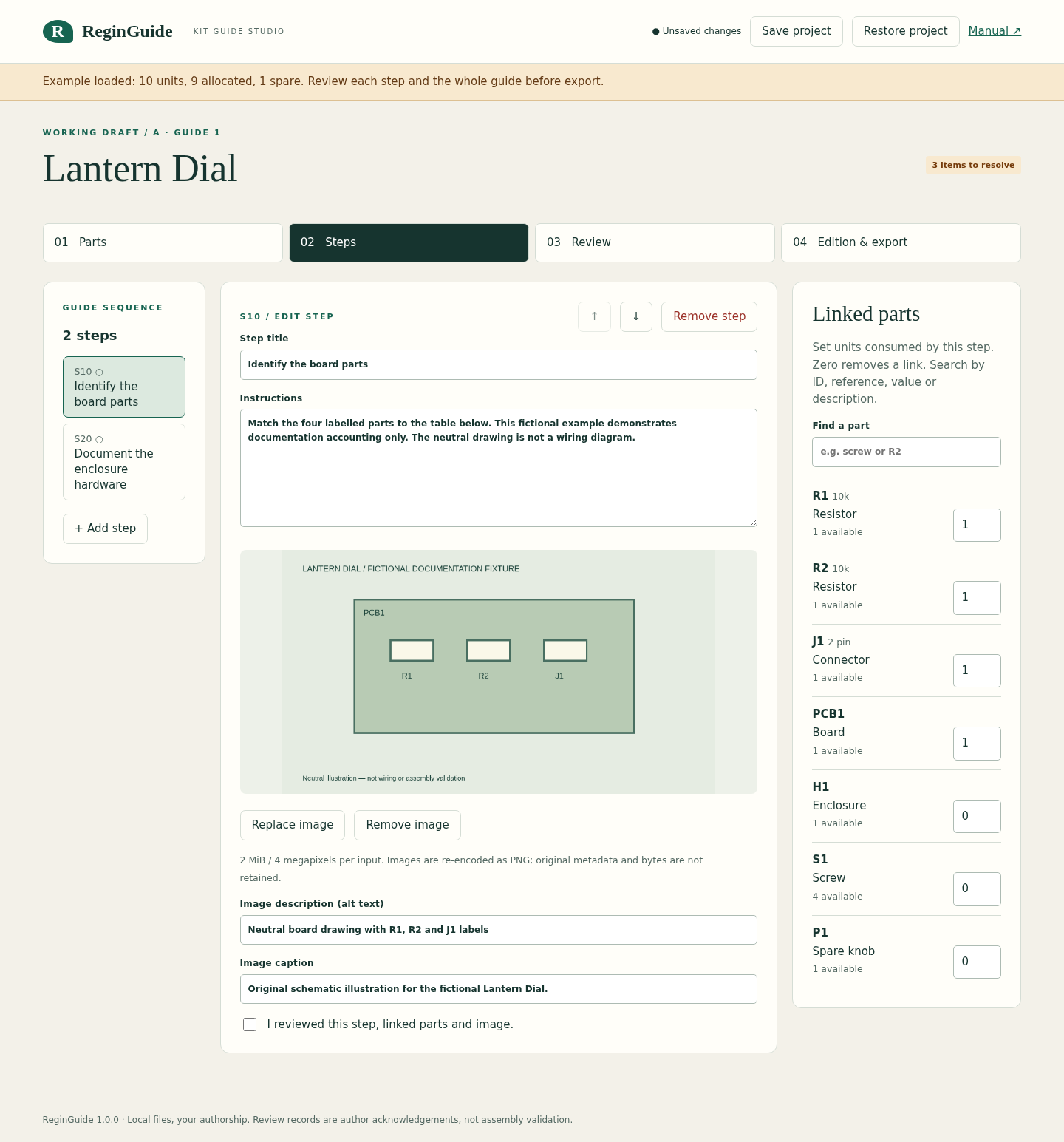
Acknowledgements are revoked when relevant content changes. They record the author’s review; the app cannot infer an omitted source part, a geometry change or a real-world assembly requirement.
Give the reader one explicit edition
Export draft guide ZIP creates B. Export released guide ZIP separately creates the frozen A. A retains the 10k R2 and four screws; B contains the 22k R2, three screws and one washer. Version 1 keeps one frozen baseline plus a working draft, rather than an unlimited release history.
In the free pack, extract the complete examples/recipient-B folder and open index.html in a browser. Keep its images folder alongside it. This is the reader’s static guide, not an editable project. Its BOM.csv, step-parts.csv, exact source table and review.json document that edition.
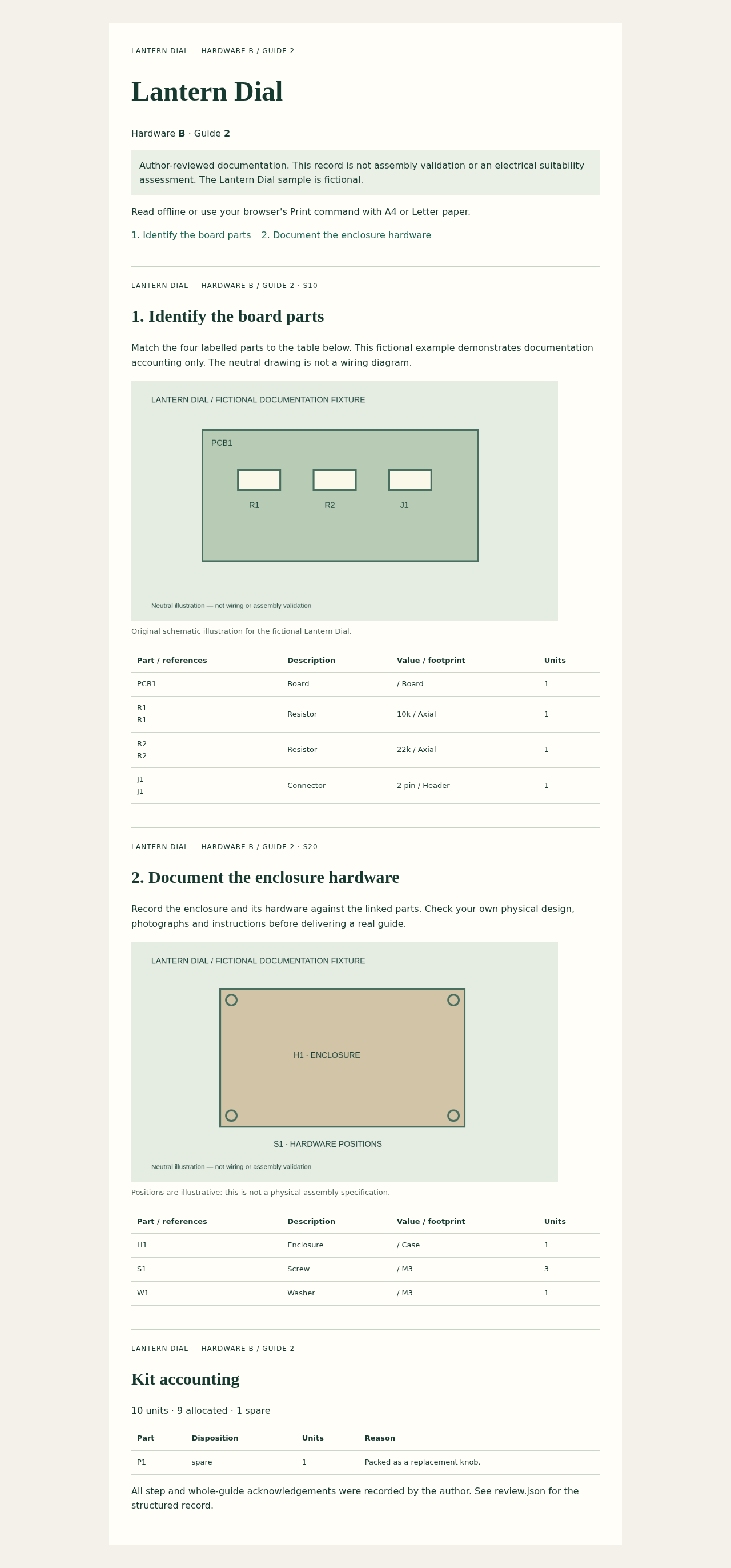
To make a PDF, use Chrome’s Print command with A4 or Letter and browser headers and footers disabled. Physical printing and identical pagination across browsers are unverified. For spreadsheet opening use BOM-spreadsheet-safe.csv; canonical BOM.csv and source.csv retain raw source values.
Check the delivered example against the source
For this article we independently read the exact free ZIP with a CSV parser. Both source tables total ten units. Edition B’s exported step-parts table allocates nine; the remaining unit is P1, the spare knob. The exported source.csv is byte-identical to Lantern-Dial-B.csv.
B / S10: PCB1 1 + R1 1 + R2 1 + J1 1 = 4
B / S20: H1 1 + S1 3 + W1 1 = 5
Allocated: 9 · P1 spare: 1 · Total: 10
This additional check covers the example data and export provenance. The authoring and blocking behavior were checked during the product release review. Neither check establishes that a physical kit works.
ReginGuide accepts generic CSV/TSV parts tables up to 100 rows and supports up to 30 steps. Native CAD, KiCad, XLSX and PDF imports are not verified supported workflows. It does not validate electrical suitability, safety, geometry or instruction completeness. Read the full guide for image, archive and input limits.
There is no autosave or undo. Keep deliberate project backups, retain your original photos separately and share a recipient package when a reader should see only one edition.
Perunlight product
Keep the parts and instructions in the same edition
ReginGuide combines illustrated steps, explicit part allocations, author acknowledgements and a frozen released baseline in a local browser editor. Readers of an exported guide do not need the editor.
ReginGuide · $29 onceRead the guide
Extract the buyer ZIP and open app/index.html in desktop Chrome. Verified in Chrome 152 on Linux; other platforms are unverified. No account, server or network is required. Save your editable project explicitly.