Step-by-step guide
VelesFold
Split text PDFs into separate documents with local rules. Select the reference area in a text PDF, review the document boundaries and names, then export separate documents in a ZIP.
Your billing or accounting system exported a batch of invoices as a single PDF and you need a separate file for each invoice.
Before you start
- Desktop Google Chrome, Microsoft Edge or Brave, version 119 or newer. Checked in desktop Chrome.
- A text-based PDF. Batches up to 200 pages and 50 MB are accepted without extra confirmation (a provisional limit).
- Open app/index.html in desktop Google Chrome.
Your first result
Open the downloaded local edition
Buy and extract the VelesFold ZIP, then open its VelesFold folder. Open app/index.html in desktop Google Chrome. The same workflow can be explored in the online browser preview.
Open VelesFold
In your open local copy, follow the controls described below. The four steps are Source batch, Number region, Rule and names, and Review and export.
Open the batch
In Source batch, click Choose PDF or drop a text PDF on the page. VelesFold shows the file name and page count.
Select the invoice number
In Invoice number region, drag a rectangle over the invoice number on the page preview, or type Left (x) %, Top (y) %, Width % and Height %. Text found in the region on this page shows what was read; use ← Previous and Next → to check other pages.
Choose the rule and names
Under “A new invoice starts when…”, keep The number in the region changes, or choose The page contains a marker text, The page matches a regular expression, or Every page is its own document. Number pattern (optional) and File name template (placeholders {number}, {index}, {pageStart}, {pageEnd}, {pageCount}, {source}) control the names; the preview shows the result.
Review the boundaries
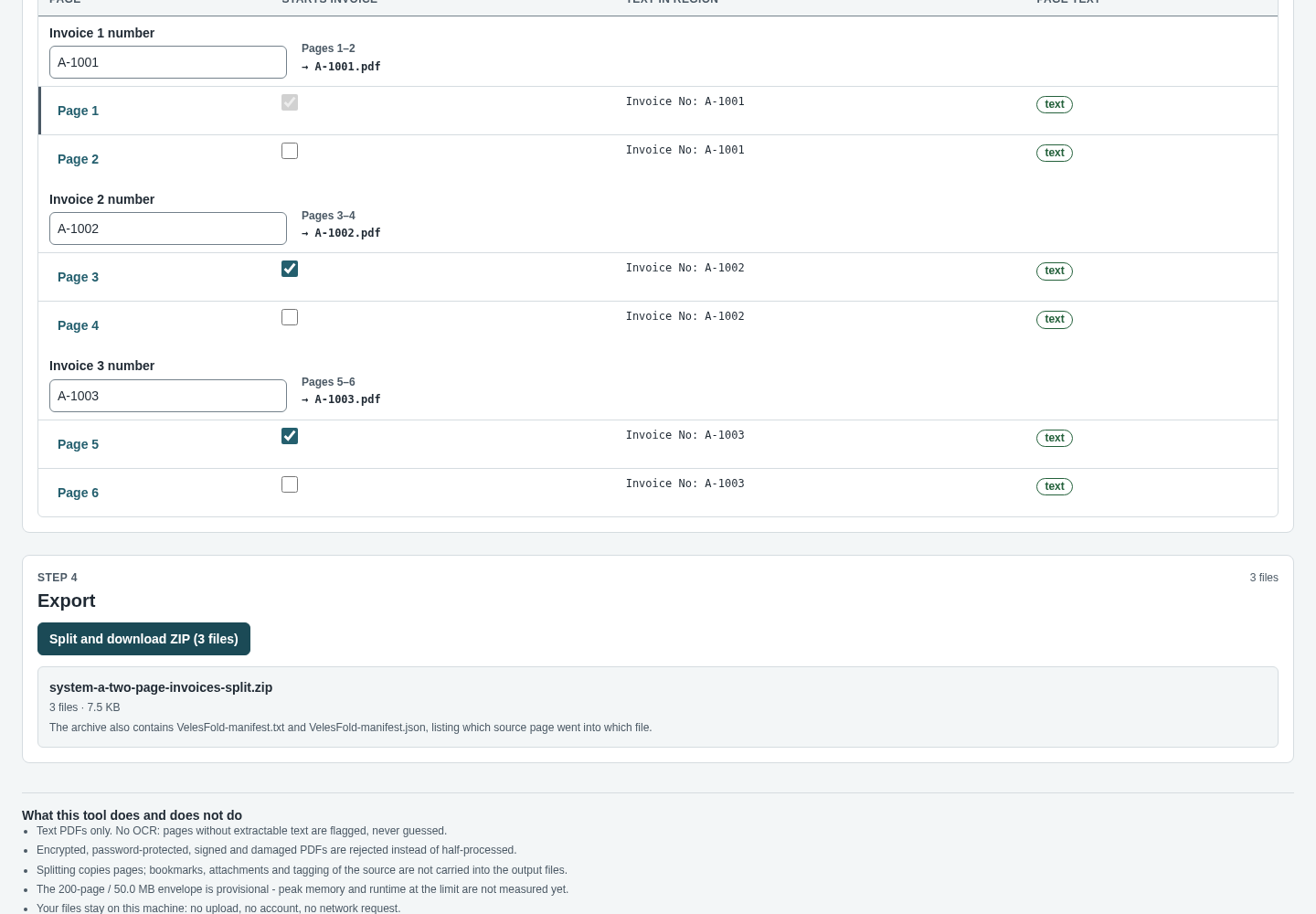
Under Review boundaries, check that each document starts and ends on the right pages and has the right name.
Download the ZIP
Click Split and download ZIP (N files). The ZIP contains one PDF per invoice plus VelesFold-manifest.txt and VelesFold-manifest.json, which list the source pages in each file. Your source PDF is not modified.
A worked example
Split a batch of three invoices
Input: examples/velesfold/fictional-invoice-batch.pdf: 5 pages from a fictional candle shop, with INV-3101 (2 pages), INV-3102 (1 page) and INV-3103 (2 pages). The invoice number is printed on its own in the top-right corner.
- Open your local VelesFold page, click Choose PDF and select fictional-invoice-batch.pdf.
- On the page preview, drag a rectangle around INV-3101 in the top-right corner.
- Keep The number in the region changes and leave File name template as it is.
- Check the review table, then click Split and download ZIP (3 files).
Expected result: The review shows “3 invoices from 5 pages”: Pages 1–2 → INV-3101.pdf, Page 3 → INV-3102.pdf, Pages 4–5 → INV-3103.pdf. The browser downloads fictional-invoice-batch-split.zip with INV-3101.pdf (2 pages), INV-3102.pdf (1 page), INV-3103.pdf (2 pages), VelesFold-manifest.txt and VelesFold-manifest.json. The status confirms “Your source file was not modified.”
Troubleshooting
Export is blocked with “No number region selected yet”.
Draw the rectangle in the Invoice number region step first; the number rule reads that region.
Pages are flagged as having no text.
VelesFold has no OCR, so scanned or image-only pages are flagged, never guessed. Use a PDF exported directly from your billing system.
An invoice is split in the wrong place.
Draw the rectangle tightly around the number only, add a Number pattern (optional), or switch to The page contains a marker text.
The file is refused.
Encrypted, password-protected, digitally signed and damaged PDFs are rejected. Batches over 200 pages or 50 MB need your explicit confirmation.
An older browser shows a notice instead of the tool.
Use desktop Chrome, Edge or Brave version 119 or newer.
Compatibility & limits
- Text PDFs only; no OCR for scans.
- Bookmarks, attachments and tagging of the source are not copied into the split files; links to another invoice's pages are removed.
- The region and rule depend on a consistent layout across the batch.
- Nothing is stored in the browser; if a run is cancelled or fails, no output is written.
- The paid download packages the same core workflow as the browser preview, with a local copy, guide and examples. It does not unlock a separate Pro feature set.
Need a hand?
Tell us the product, host application and version, what you tried, and the exact error. Contact support with a fictional example; keep private customer files and passwords out of your message.