Draw your parts
Rectangles, circles, triangles and polygons; numeric dimensions, quantities and internal holes.
SvarogCut / online studio + offline app
Draw parts and holes, develop a box, tray, cylinder or cone, then arrange the pieces on your sheets. Export files you can inspect before making anything.
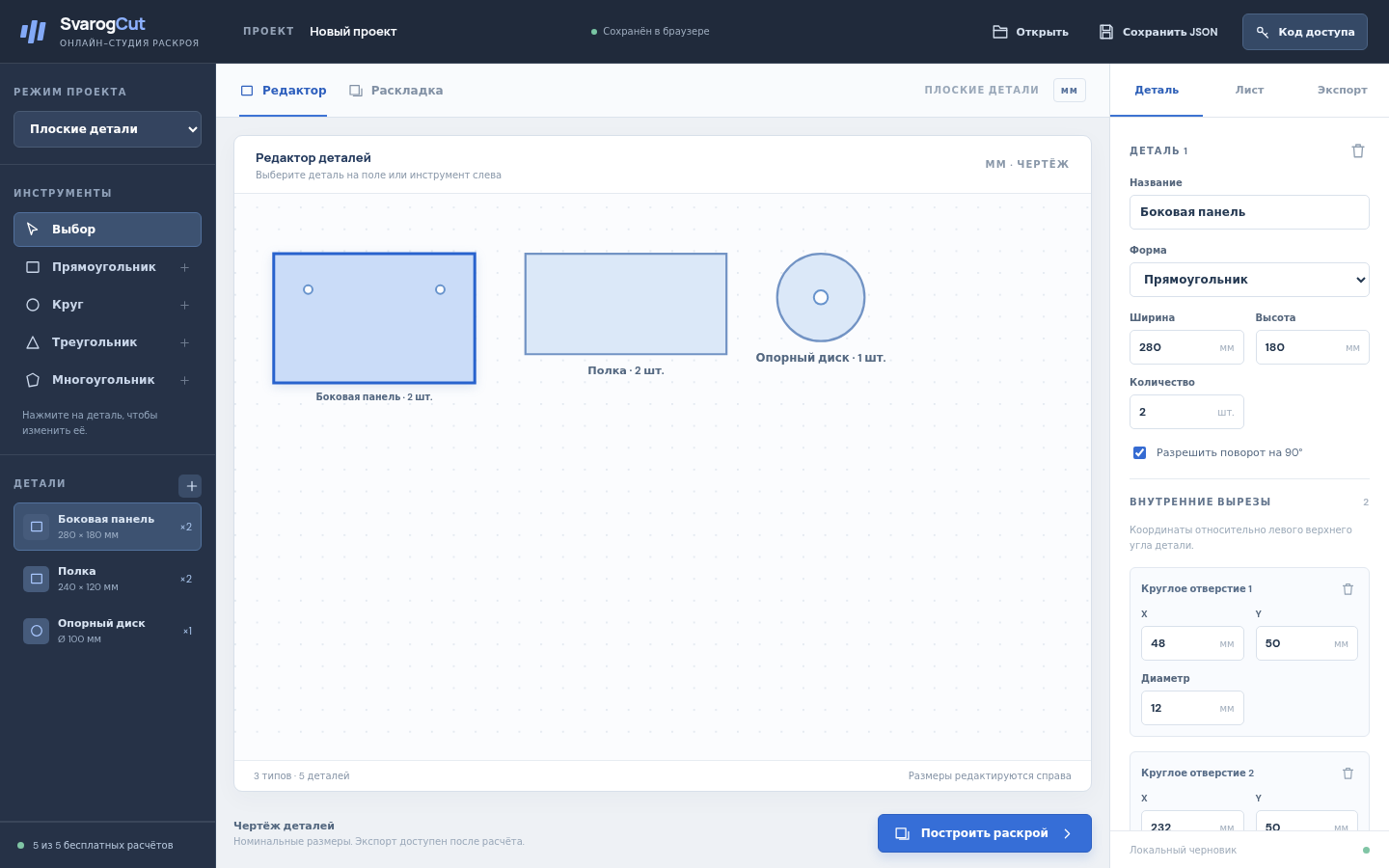
Actual application with fictional inputs. Earlier capture shown in Russian; the online studio now offers EN / RU.
Check parts for a measured panel box
A screenshot walkthrough with fictional practice data. Select a step to explore.
The online studio screen and measured-box view are separate real demonstrations. The box SVG is in the free pack; physical cutting is unverified.
The guide’s box is 300 × 200 × 120 mm in 6 mm material.
Outside box 300 × 200 × 120 mm; material thickness 6 mm; no lid.
Practice files and guides are free. The complete app is included only where the product page says so.
The separate offline-app screenshot shows five butt-jointed panels: one 300 × 200, two 300 × 114 and two 188 × 114 mm. Physical assembly is unverified.
The online studio screen and measured-box view are separate real demonstrations. The box SVG is in the free pack; physical cutting is unverified.
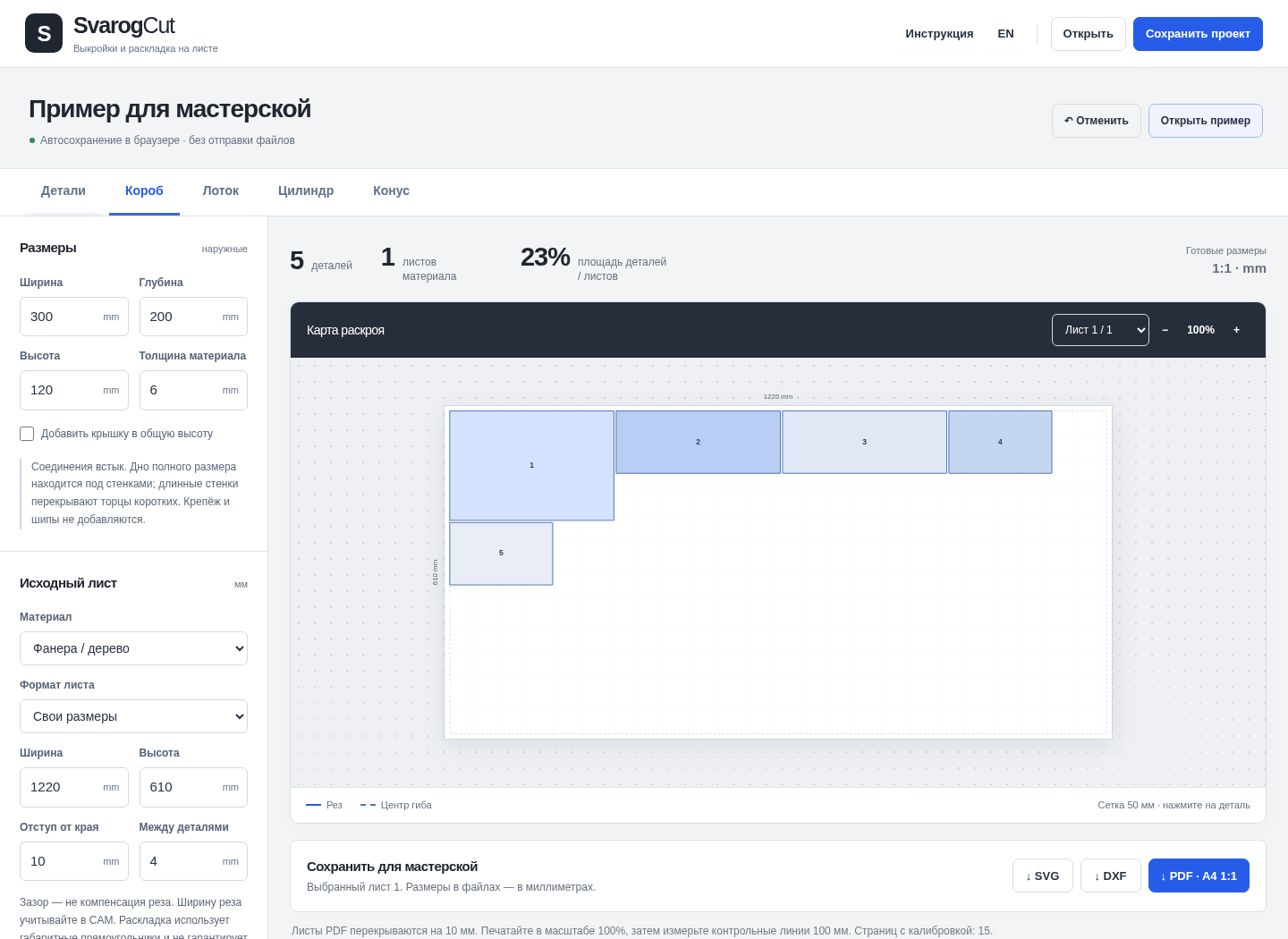
Five panels: one 300 × 200 mm, two 300 × 114 mm and two 188 × 114 mm. These are numerical checks, not a physical assembly test.
Your first useful result
Rectangles, circles, triangles and polygons; numeric dimensions, quantities and internal holes.
A panel box, bent tray, cylinder or cone. Set the material, thickness, sheet, margins and spacing.
Inspect every sheet and any unplaced parts. Export SVG, DXF or 1:1 PDF, individually or as a ZIP of all sheets.
Inspect the result
Keep an editable JSON copy, change dimensions and calculate again. Exporting a finished plan does not spend another calculation. Measure the PDF calibration bars at 100% before cutting.
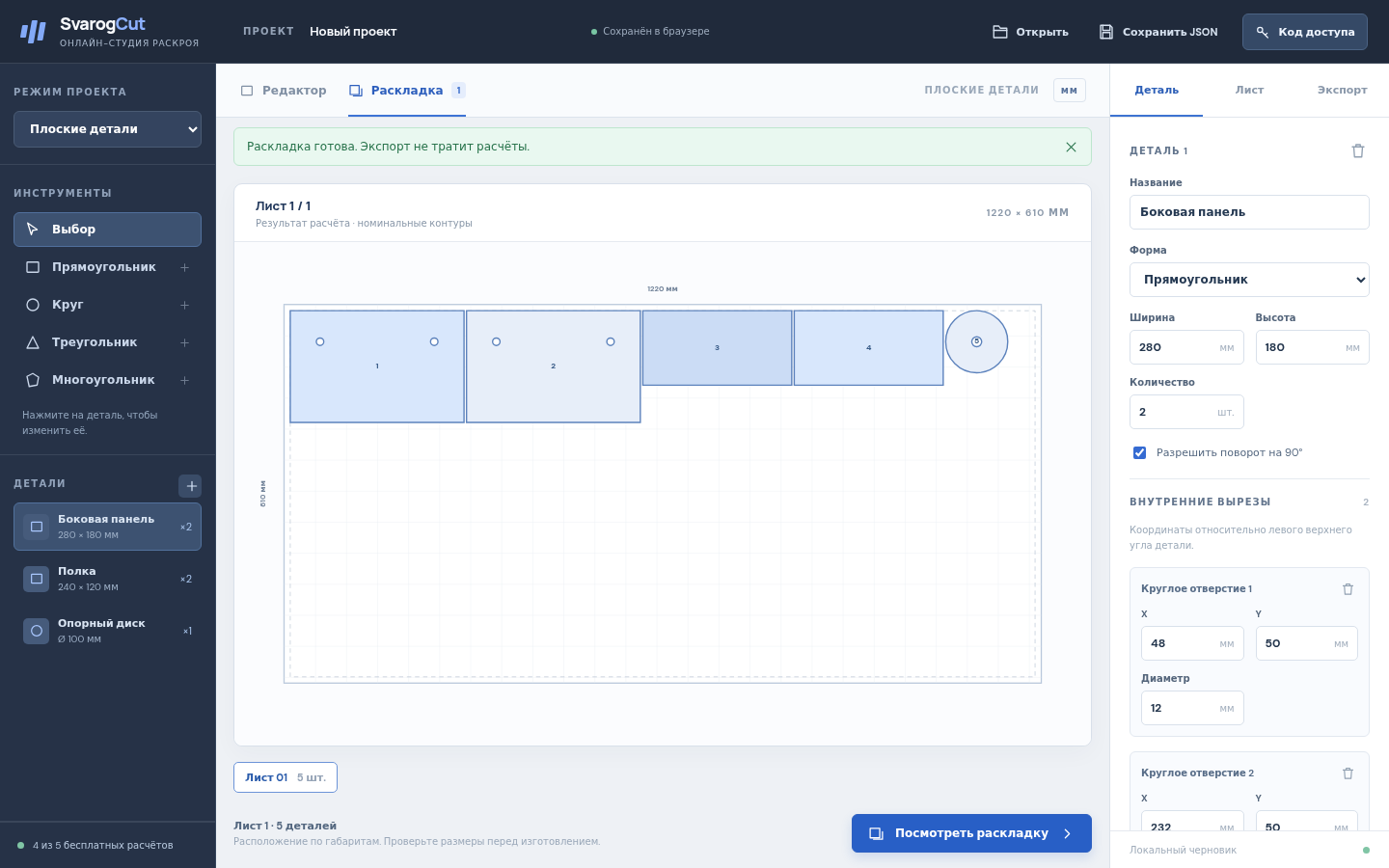
A real output from a fictional test project; physical fabrication or loading has not been validated.
Know what you get
5 successful plans, free
$5.99 one payment
Seven days is plan retention, not the purchase term. Save your project and exports before expiry. The purchased offline version has perpetual local use; hosted availability is not guaranteed indefinitely. No subscription. Paddle shows taxes and the final total before payment.
Open the online studio in your browser; choose EN or RU. Internet is required to calculate and retrieve plans. The same purchase code unlocks larger online plans and the separate offline ZIP 1.0.1. For local use, extract the ZIP, open START-HERE.html, then SvarogCut.html in desktop Chrome (English / Russian).
Conservative bounding-box placement, not optimal nesting. Nominal geometry; no kerf compensation, strength analysis or CNC machine code. Verify material assumptions, print scale and a physical prototype before production.
Online project JSON has a separate format: offline 1.0.1 cannot open it. Old offline JSON can be imported and converted in the online studio.
Checked in Chrome on Linux and at 320 / 390 px viewport widths. Real iPhone / Safari and other browsers are unverified. Save your project and exports yourself.