Set the measured space
Internal dimensions, door opening and payload. For each cargo type: dimensions, quantity, mass, allowed rotations and no-load-on-top choice.
SvarogLoad / online studio + offline app
Enter your vehicle and mixed cargo. See what fits, what remains outside and the numbered placement order before handing a plan to the loading team.
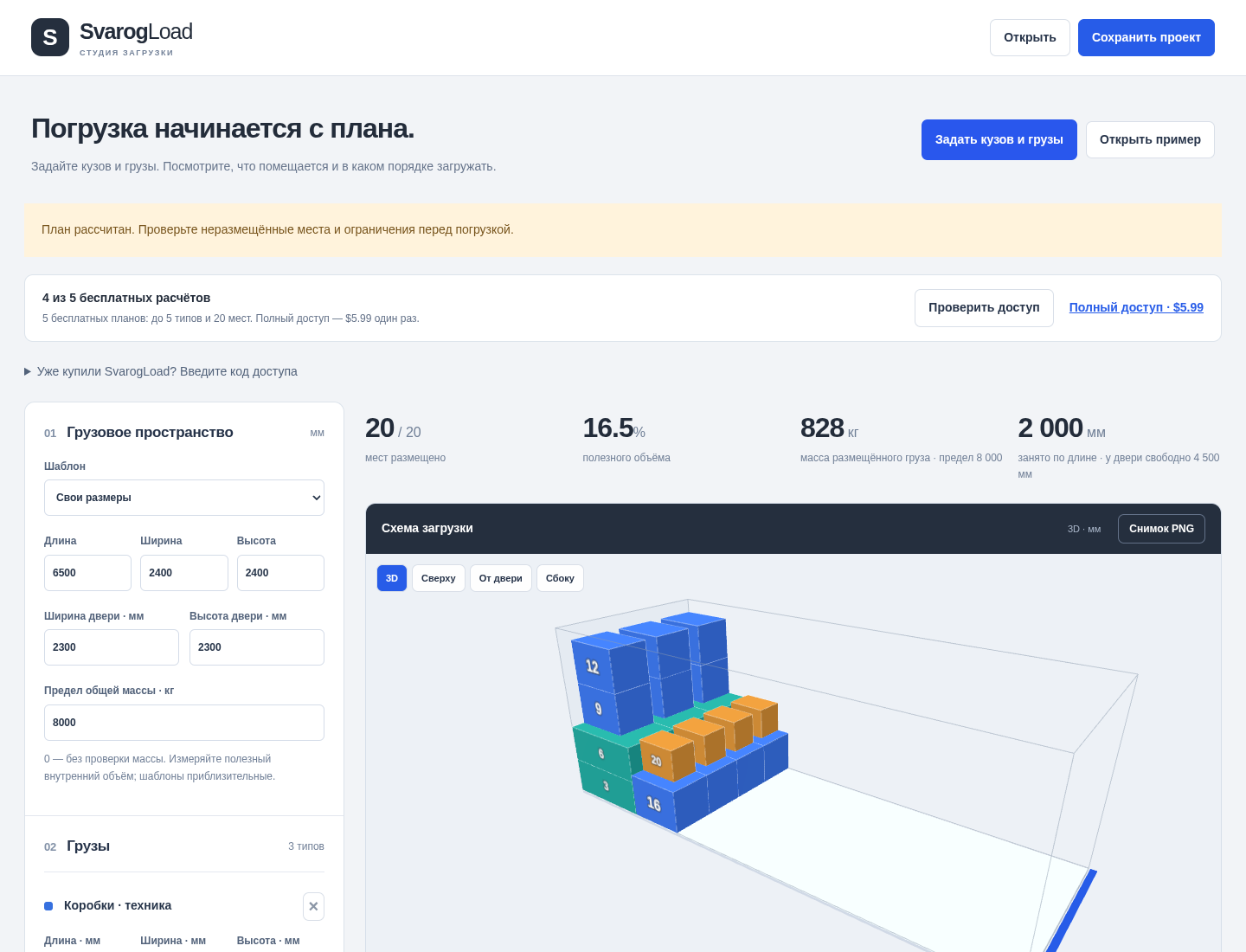
Actual application with fictional inputs. Earlier capture shown in Russian; the online studio now offers EN / RU.
Review a fictional mixed shipment
A screenshot walkthrough with fictional practice data. Select a step to explore.
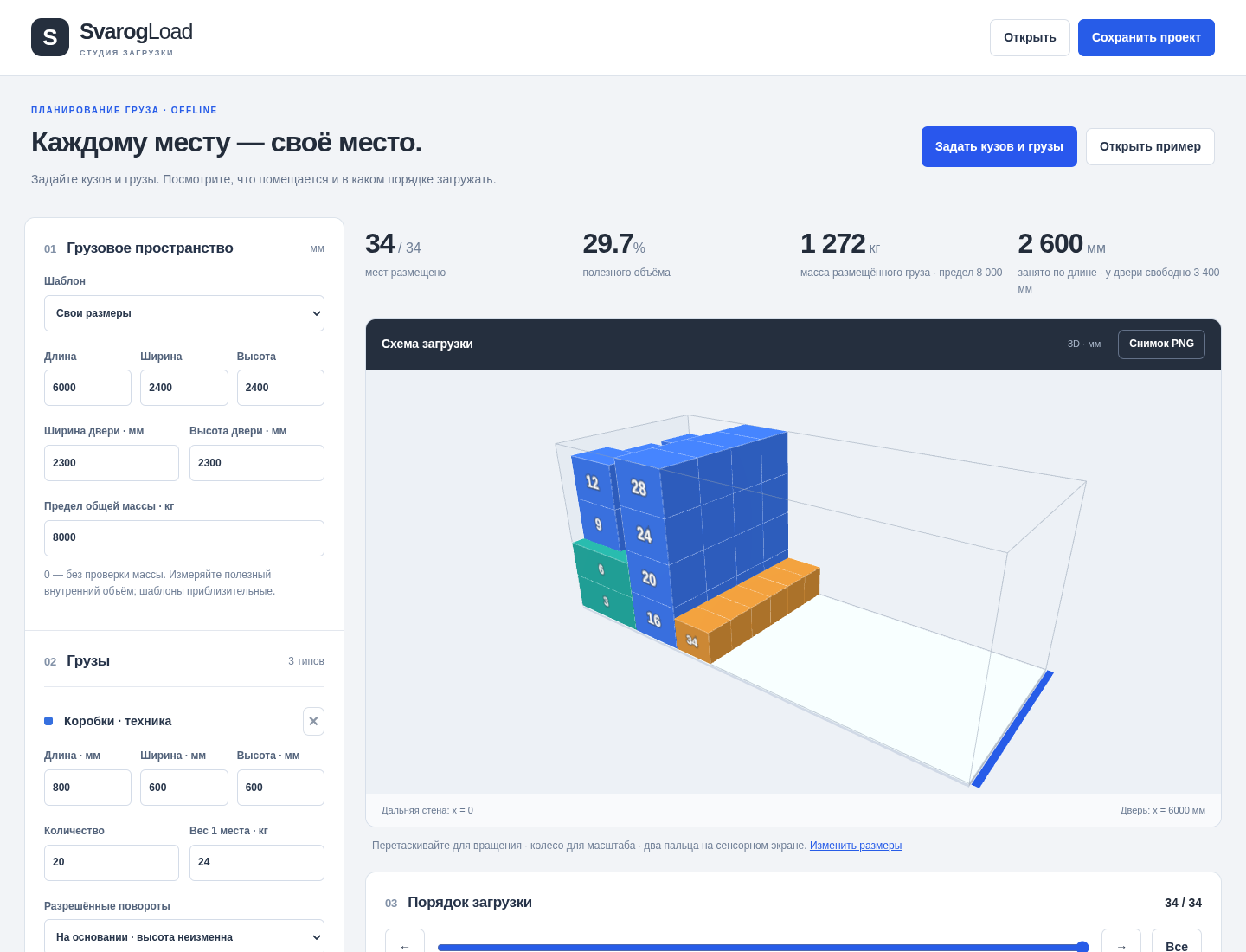
The demo has 34 cargo pieces for a 6000 mm body.
Inner body 6000 × 2400 × 2400 mm; rear door 2300 × 2300 mm; payload 8000 kg. Three cargo types, 34 pieces.
Practice files and guides are free. The complete app is included only where the product page says so.
The printed first page shows numbered views and a support table. The synthetic plan uses 2600 mm of body length; real loading is unverified.
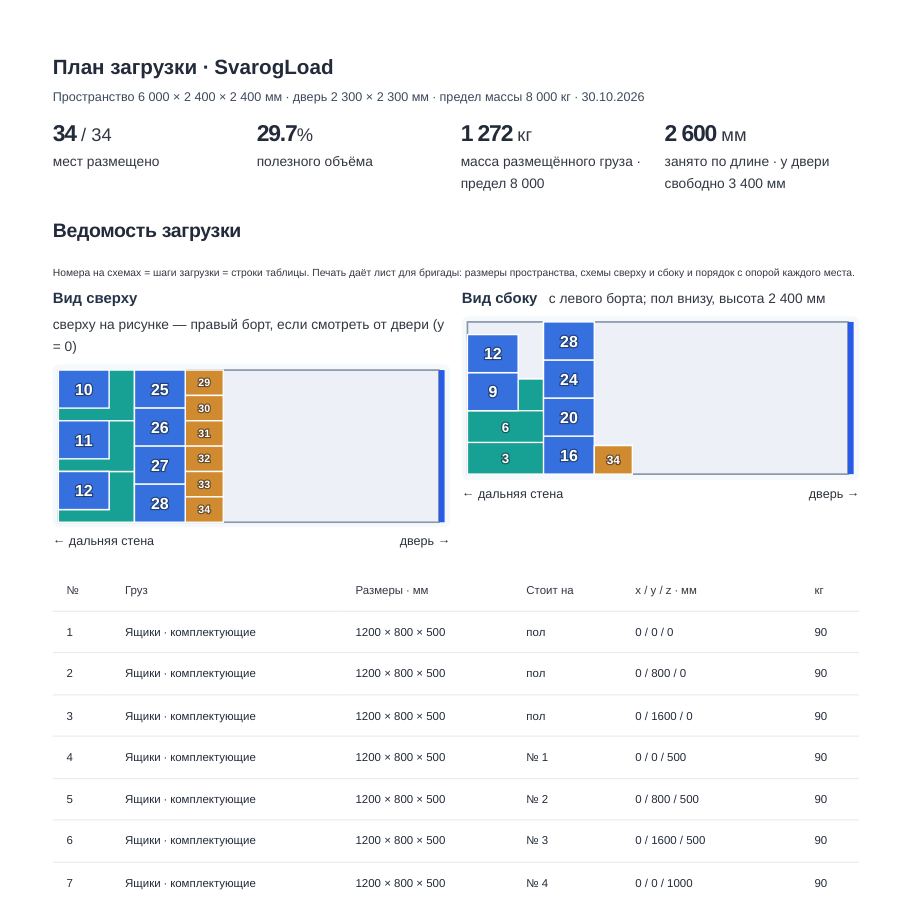
The included demo places 34 pieces, using 2600 mm of body length and leaving 3400 mm to the door. These are synthetic geometric results, not a real loading validation.
This fictional example is shown in the working interface and in the supplied result. Review the guide before using your own files.
Your first useful result
Internal dimensions, door opening and payload. For each cargo type: dimensions, quantity, mass, allowed rotations and no-load-on-top choice.
Rotate the 3D plan, choose a top or door view and step through numbered pieces. Unplaced pieces stay visible in a list with reasons.
Download a CSV manifest, save a PNG or print the numbered crew sheet. Keep project JSON for your next change.
Inspect the result
Match each piece to the same number in the crew sheet. Supports appear before the pieces placed on them. After you change dimensions, the previous plan remains visible for context; recalculate before exporting.
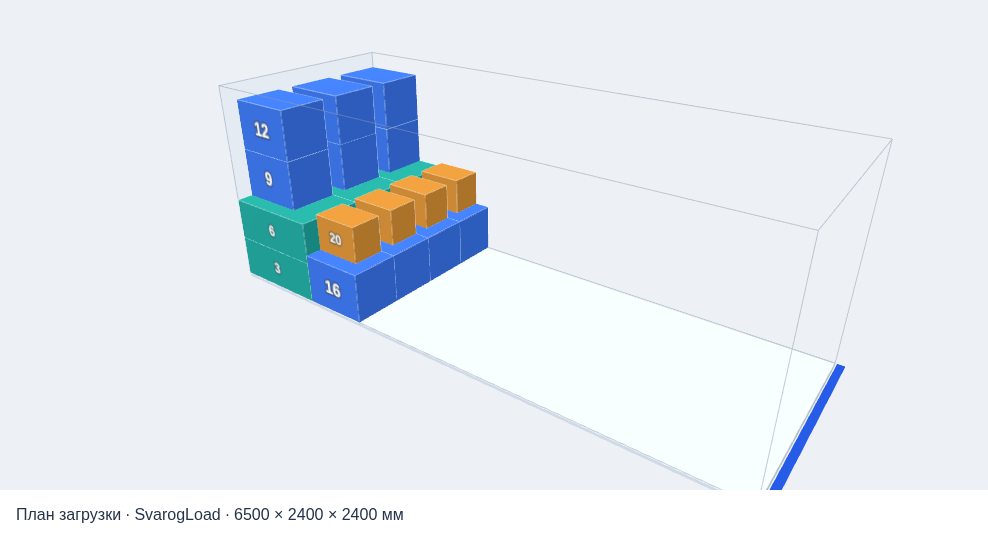
A real output from a fictional test project; physical fabrication or loading has not been validated.
Know what you get
5 successful plans, free
$5.99 one payment
Seven days is plan retention, not the purchase term. Save your project and exports before expiry. The purchased offline version has perpetual local use; hosted availability is not guaranteed indefinitely. No subscription. Paddle shows taxes and the final total before payment.
Open the online studio in your browser; choose EN or RU. Internet is required to calculate and retrieve plans; 3D needs WebGL 2. The same purchase code unlocks larger online plans and the separate offline ZIP 1.0.0. For local use, extract the ZIP and follow START-HERE.html in desktop Chrome. The offline app and illustrated manual are in Russian, with an English quick start.
Rectangular cargo and heuristic placement, with full-base support on a single lower piece. No axle loads, centre of gravity, support strength, restraints, handling clearance or forklift route calculations. Door checks cover only cargo cross-section. This is a preliminary geometric plan, not a guarantee of safe or optimal loading; review it with the responsible loader.
Rectangular loads only. Review the unplaced list and numbered manifest with the person responsible for loading. Online drafts save in browser local storage when available. Save JSON as a portable backup.
Checked in Chrome on Linux and at 320 / 390 px viewport widths. Real iPhone / Safari and other browsers are unverified. Save your project and exports yourself.