Step-by-step guide
BrokkrWiki
Review a Confluence HTML export, map it into BookStack, migrate and verify with recorded rollback state.
You maintain a Confluence space and want an explicit inventory of macro losses, attachments and page links before moving it into BookStack.
Before you start
- Python 3.10+ and a terminal; internet for pip dependency installation.
- A Confluence HTML space-export ZIP. Start with the included fictional sample.
- For actual migration: your own staging BookStack and API token with content permissions. No token or target is needed for offline readiness.
- The purchased BrokkrWiki 0.1.1 wheel package; one-time $49 license for the purchased version.
Your first result
Extract and install
Extract brokkrwiki-0.1.1-20260930.zip and open a terminal inside BrokkrWiki-0.1.1. Verify SHA256SUMS. With Python 3.10+, run python3 -m venv ../brokkrwiki-venv then ../brokkrwiki-venv/bin/python -m pip install ./brokkrwiki-0.1.1-py3-none-any.whl. Run ../brokkrwiki-venv/bin/brokkrwiki --version; expect BrokkrWiki 0.1.1. Windows: py -m venv ..\brokkrwiki-venv; use ..\brokkrwiki-venv\Scripts\python.exe and brokkrwiki.exe instead. Dependencies install with pip; BookStack/Confluence are not included.
Start with an offline report
In the commands below, brokkrwiki means the executable in that virtual environment. Run brokkrwiki analyze samples/confluence-sample-export.zip --out readiness and open readiness/readiness.html. Nothing is sent to BookStack.
Review the mapping
Run brokkrwiki plan samples/confluence-sample-export.zip --out mapping.json then brokkrwiki preview samples/confluence-sample-export.zip --mapping mapping.json. Review skipped content, warnings and placement before proceeding.
Use the local browser UI
Run brokkrwiki serve --port 8765 --workdir brokkr-workspace and open http://127.0.0.1:8765/. Click Try the synthetic sample export (or choose your HTML export ZIP). Read Readiness, then Next: review the mapping and Go to migration. Start the simulated sandbox for rehearsal; it is an in-memory imitation, not a real BookStack.
Try your actual export on staging
Create an HTML export using Confluence’s export interface; analyze and plan that export, then review its mapping. In the UI choose My BookStack, enter your staging URL and token locally, and Test connection (read-only). The API user needs Access system API plus appropriate content rights. Do not paste tokens into support messages.
Migrate and verify from the CLI
brokkrwiki migrate export.zip --mapping mapping.json --url https://YOUR-STAGING-BOOKSTACK then brokkrwiki verify export.zip --mapping mapping.json --url https://YOUR-STAGING-BOOKSTACK --deep. Enter the target token at the CLI hidden prompt. Review generated reports, page rendering, link destinations and attachment checks before considering a production migration.
Keep the state and preview rollback
Keep mapping.json and mapping.state.sqlite. Run brokkrwiki rollback --state mapping.state.sqlite --url https://YOUR-STAGING-BOOKSTACK --dry-run. Only after reviewing it, omit --dry-run to apply. Images are retained by default; pages edited after migration are preserved unless explicitly overridden.
A worked example
Inspect a fictional 21-page wiki before migrating
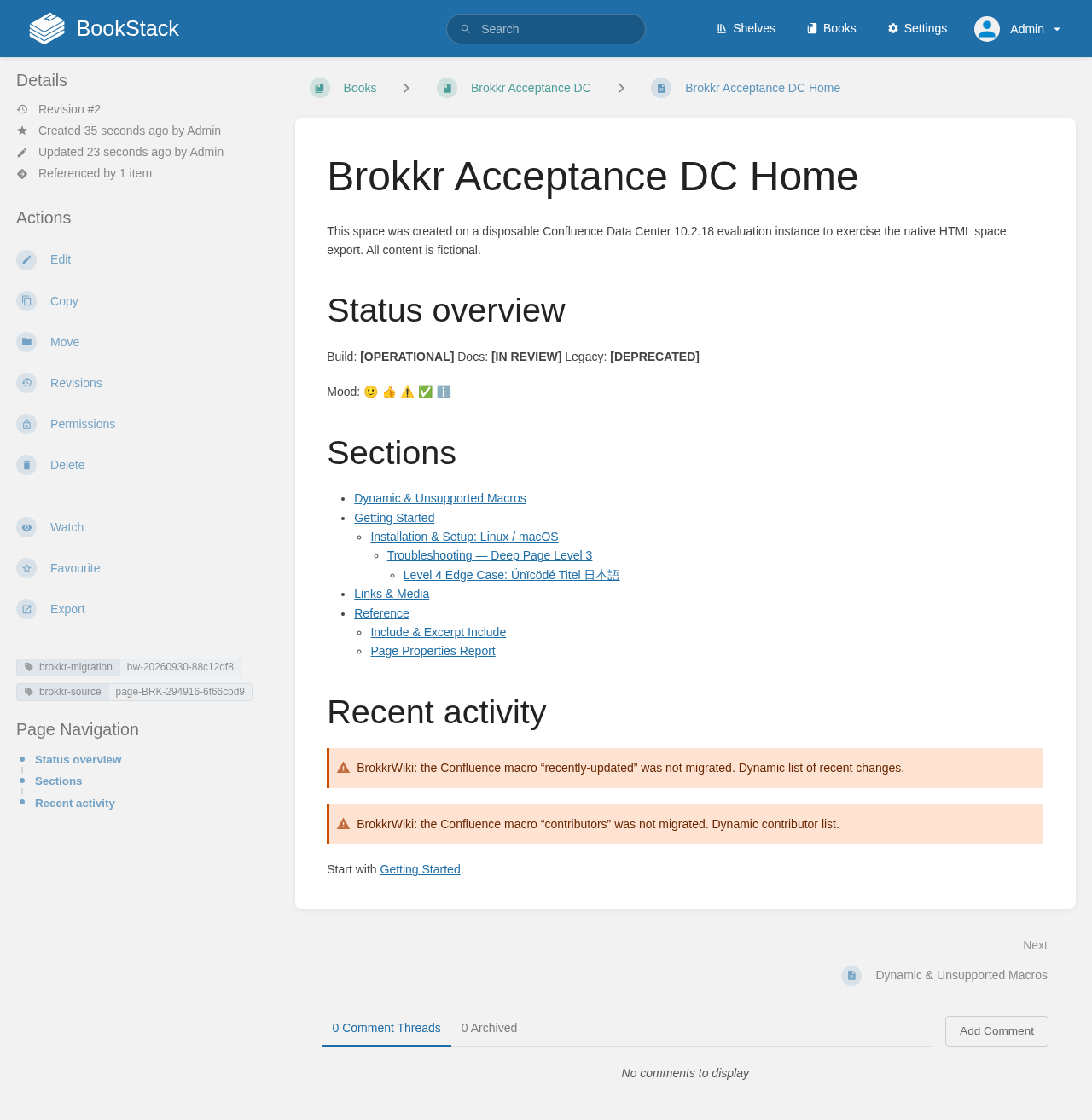
Input: The included samples/confluence-sample-export.zip contains fictional Fjord Labs pages and deliberate macro, link and attachment edge cases. It is a synthetic Confluence-style export, distinct from the authentic exports used for acceptance.
- These commands use the samples/ folder inside the purchased program ZIP. If you downloaded the free practice ZIP separately, use examples/brokkrwiki/ in place of samples/. Install the program first; the free practice ZIP contains no program.
- brokkrwiki analyze samples/confluence-sample-export.zip --out readiness
- brokkrwiki plan samples/confluence-sample-export.zip --out mapping.json
- brokkrwiki preview samples/confluence-sample-export.zip --mapping mapping.json
Expected result: Readiness: 20 of 21 pages to migrate; 5 need review, 9 have notes, 6 ready and 1 skipped. Macro uses: 17 converted, 15 approximated and 6 unsupported. Links: 26 rewritten, 3 lost, 1 retained toward Confluence. Preview: 1 book, 4 chapters, 20 pages, 6 attachments, 4 gallery images and 2 skipped files. These are planned operations, not proof of a completed BookStack migration.
Troubleshooting
The command is not found.
Use the full virtual-environment executable path shown in Install; confirm --version reports 0.1.1.
A macro or whiteboard is marked unsupported.
Inspect the source export and visible note. Recreate that content manually; migration does not restore content Confluence did not export.
The target reports authorization errors.
Use the intended staging URL and a BookStack API user with Access system API plus needed content permissions. Enter the token only in the local UI or hidden CLI prompt.
Rollback leaves gallery images.
This is the default behaviour. Review the documented --purge-images option and a dry run before deciding to remove images.
Compatibility & limits
- Reads Confluence HTML space export ZIPs, not XML, PDF, Word or REST API exports. BookStack is the migration target; Wiki.js is unavailable.
- Authentic export acceptance: Data Center 10.2.18, Cloud 2026 and Server 2016, against BookStack 26.09.1. Other BookStack versions, DC 7–9, older Cloud, customer spaces and thousands-of-pages performance are unverified. Linux fresh-install and browser evidence; Windows/macOS installation instructions are provided but host acceptance is not claimed.
- Page history, comments, permissions, users/watchers, labels, blog posts and live macro behaviour are not migrated. Unknown/dynamic macros become visible review notes. Cloud whiteboards/databases require manual recreation.
- Layouts and some macros are approximated: multi-column content becomes one column, status colours are lost, PDF/SVG embeds become links, charts/reports become static snapshots. This is not a pixel-identical migration.
- Rollback uses recorded state, retains edited pages unless explicitly overridden and keeps uploaded gallery images by default. Review its dry run. Losing the state file loses that precise rollback record.
- Python dependencies need internet during pip installation. Offline analyze/plan/preview do not contact BookStack; migration/verification require access to your target API. Back up and rehearse on a staging instance first.
Need a hand?
Tell us the product, host application and version, what you tried, and the exact error. Contact support with a fictional example; keep private customer files and passwords out of your message.