Local migration tool
BrokkrWiki
Move a reviewed Confluence HTML export into BookStack with link checks and recorded rollback state.
You maintain a Confluence space and want an explicit inventory of macro losses, attachments and page links before moving it into BookStack.
$49 USD · one-time purchase
Continue to checkoutStep-by-step guide
No subscription. Final total and tax appear at checkout.
What it helps you do
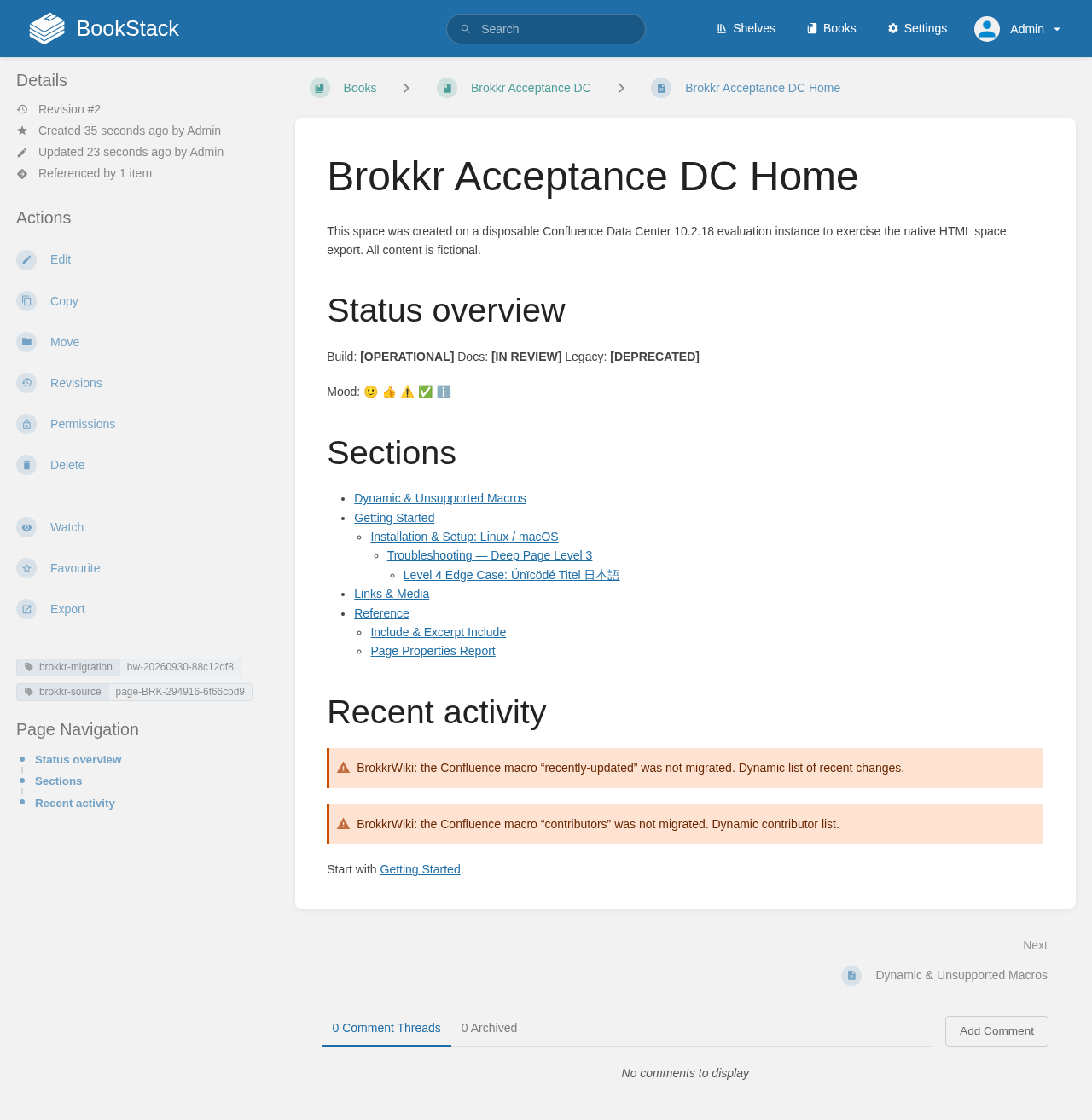
Analyze macro losses offline, review page mapping, migrate pages and attachments, verify the result and preview rollback.
What is in your download
- BrokkrWiki 0.1.1 Python wheel and CLI/local browser interface.
- Installation, quick-start and supported-export documentation.
- Fictional practice export, reference mapping and license notices.
A practical example
Inspect a fictional 21-page wiki before migrating
Start with
The included samples/confluence-sample-export.zip contains fictional Fjord Labs pages and deliberate macro, link and attachment edge cases. It is a synthetic Confluence-style export, distinct from the authentic exports used for acceptance.
Get this result
Readiness: 20 of 21 pages to migrate; 5 need review, 9 have notes, 6 ready and 1 skipped. Macro uses: 17 converted, 15 approximated and 6 unsupported. Links: 26 rewritten, 3 lost, 1 retained toward Confluence. Preview: 1 book, 4 chapters, 20 pages, 6 attachments, 4 gallery images and 2 skipped files. These are planned operations, not proof of a completed BookStack migration.
Download guide & fictional practice export (ZIP)
Examples use fictional or synthetic data. Follow this example step by step.
How it works
Inspect your export
Open a Confluence HTML export in the local tool. See which pages, attachments and macros can move, and what will need manual work.
Review the destination
Check how pages will become books and chapters. Try the included fictional example before using your own staging BookStack.
Migrate and check
Run the reviewed migration, check page links and attachments, and keep the state file so you can preview a rollback.
Before you buy
- Python 3.10+ and a terminal; internet for pip dependency installation.
- A Confluence HTML space-export ZIP. Start with the included fictional sample.
- For actual migration: your own staging BookStack and API token with content permissions. No token or target is needed for offline readiness.
- The purchased BrokkrWiki 0.1.1 wheel package; one-time $49 license for the purchased version.
Download and extract the ZIP. Open the included illustrated GUIDE.html for Python installation, a fictional practice export and the first migration steps. The tool runs locally; BookStack and Confluence are not included.
Compatibility & limits
Confluence HTML export ZIPs only. Authentic Data Center 10.2.18, Cloud 2026 and Server 2016 acceptance against BookStack 26.09.1. Macros/layouts may be approximated; no history, comments, permissions or live macro behaviour. Other versions, customer spaces and large migrations unverified.
Get BrokkrWiki
Perpetual use of the purchased version on your devices for personal or internal commercial work. Keep reasonable backups and modify your own copy; do not redistribute or resell original proprietary code. Third-party licenses and any existing preview permissions retain their rights.
Before payment, save the private recovery code shown by checkout. After Paddle confirms payment, use it to download your ZIP or return for it later. No subscription, future update or email delivery is promised. See the illustrated steps.
$49 USD · once
Buy download