Worked example · architecture submissions
Before you upload competition boards: check names, pixels and bytes
A board can look finished while its filename, metadata or PDF content still identifies you. Follow this fictional three-board brief to check the final files before submitting them.
Written by Perunlight, the maker of HodrBoard, with AI assistance. Original practice files and dimension calculations independently checked on 4 October 2026. No purchase is needed to follow this example. Published .
The Lantern Pier brief
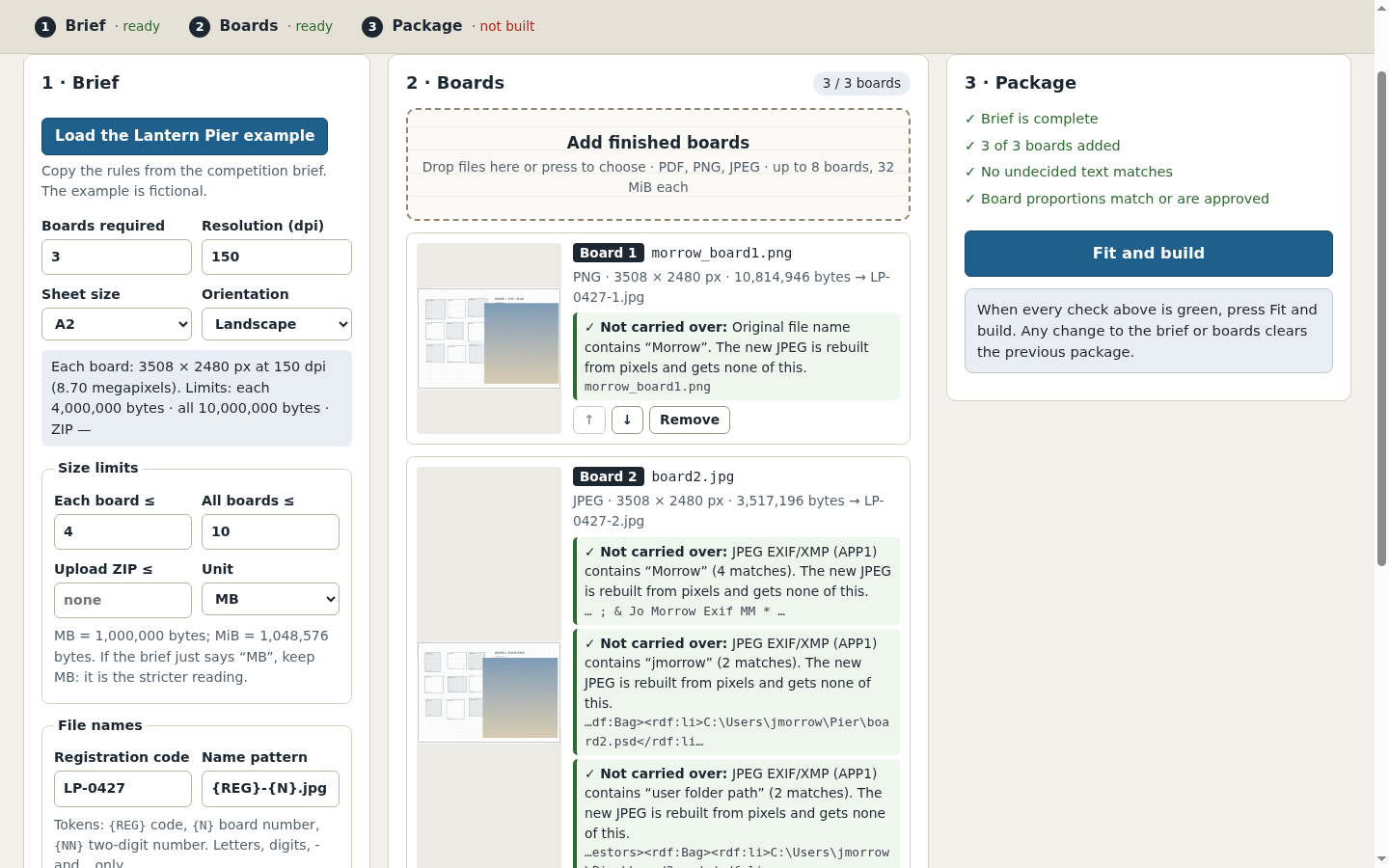
The saved brief requests three A2 landscape boards at 150 dpi, at most 4 MB per board and 10 MB together. Its registration code is LP-0427 and its filename pattern is {REG}-{N}.jpg. The intended final filenames are LP-0427-1.jpg, LP-0427-2.jpg and LP-0427-3.jpg.
Keep the original files untouched. Work on copies and compare the final exports against the actual competition rules. The example deliberately includes extra problem files for practice; they are not three additional required boards.
- morrow_board1.png: the original filename contains the surname.
- board2.jpg: EXIF Artist is “Jo Morrow”; XMP history includes a fictional username and a path ending in board2.psd.
- board3.pdf: the PDF Author field is “Jo Morrow”.
- board3-visible-name.pdf: page text includes “Studio Morrow - pier team”.
- layered-draft.pdf: an optional-content group named “Draft notes” contains “Morrow Atelier draft”.
- board1-raster-name.png: “drawn by J. Morrow” is part of the image pixels.
Check each kind of identity separately
- Rename copies to the required registration pattern, then check the final ZIP member names too. A content search does not inspect the filename.
- Use a metadata inspector to read image EXIF/XMP and PDF document properties. Re-exporting or stripping a field must be followed by inspecting the final output.
- Inspect PDF page text and the Layers panel. Remove identifying page content in the source document. A hidden layer can still carry information even when it is not visible on screen.
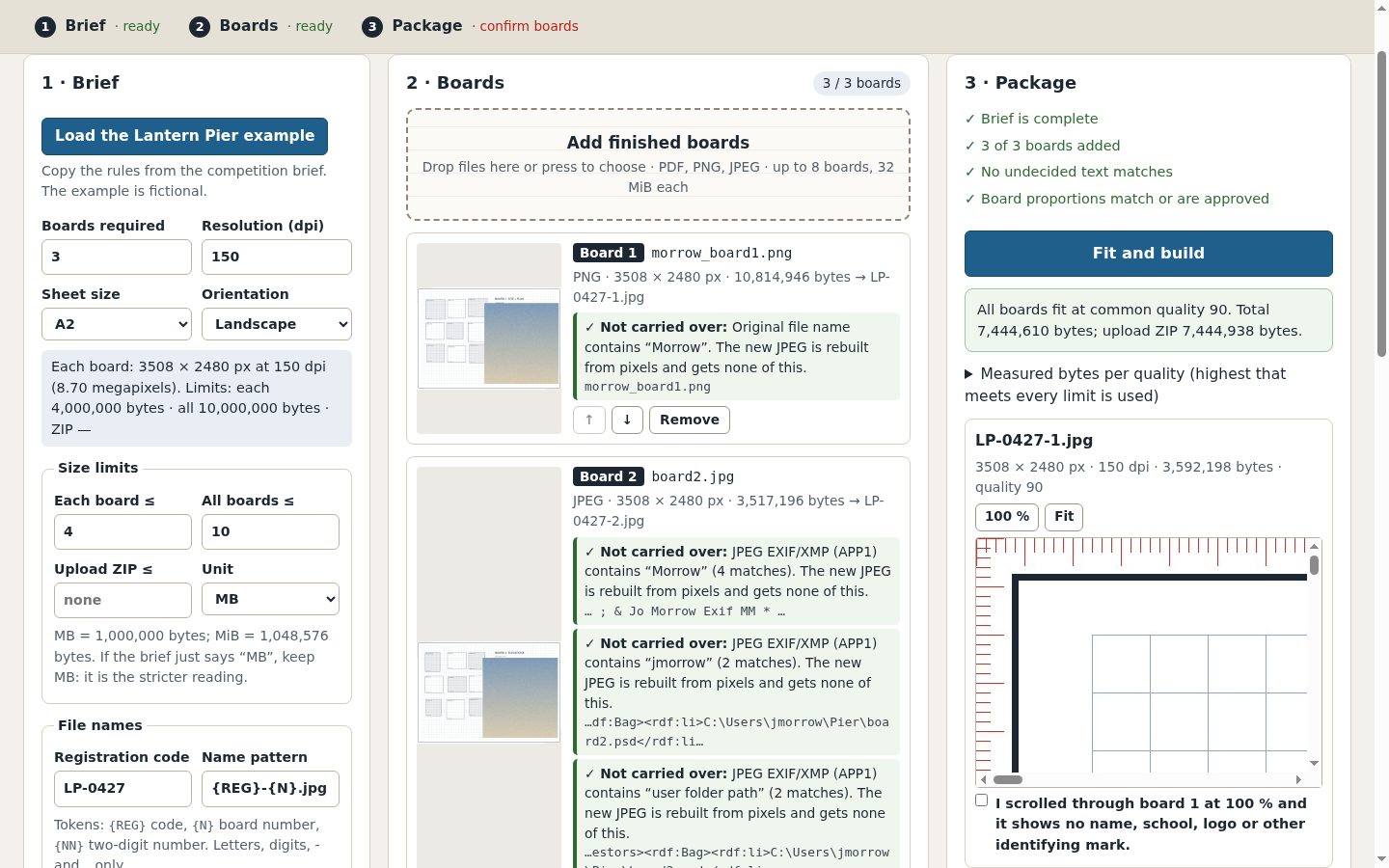
- Open every final board at 100% and pan across the whole image: corners, captions, title blocks, credits, logos and labels. Correct visible identity in the source and export again.
No text metadata does not mean no visible name. The practice PNG with “drawn by J. Morrow” has no text metadata chunks, yet the credit is clearly visible in its pixels.
A raw byte search is only a clue. It may miss compressed or encoded text and cannot establish that image pixels are anonymous. Do not treat zero matches as clearance. OCR can also miss stylised lettering; inspect the final images yourself.
Translate the sheet size into pixels
For this brief, calculate millimetres ÷ 25.4 × dpi and round to the nearest whole pixel. A2 landscape is 594 × 420 mm: 594 ÷ 25.4 × 150 = 3507.87, and 420 ÷ 25.4 × 150 = 2480.31. The required output is therefore 3508 × 2480 pixels.
The practice rasters have those exact dimensions. Changing a density tag does not add pixels. Check pixel dimensions against the brief, and set any required physical-size or density metadata according to the organiser’s instructions.
The sample PDF has a 619.4 × 445.4 mm media box and a 594 × 420 mm crop box. The crop box represents the A2 sheet in this example. Converting the larger media box would include the surrounding margin. Confirm the intended page edge before rasterising.
Plan for processing limits early. A1 at 150 dpi is 4967 × 3508 pixels (17.4 million); A2 at 300 dpi is 7016 × 4961 (34.8 million). HodrBoard’s 24-million-pixel per-board limit accepts the former size and refuses the latter.
Check bytes, then inspect compression
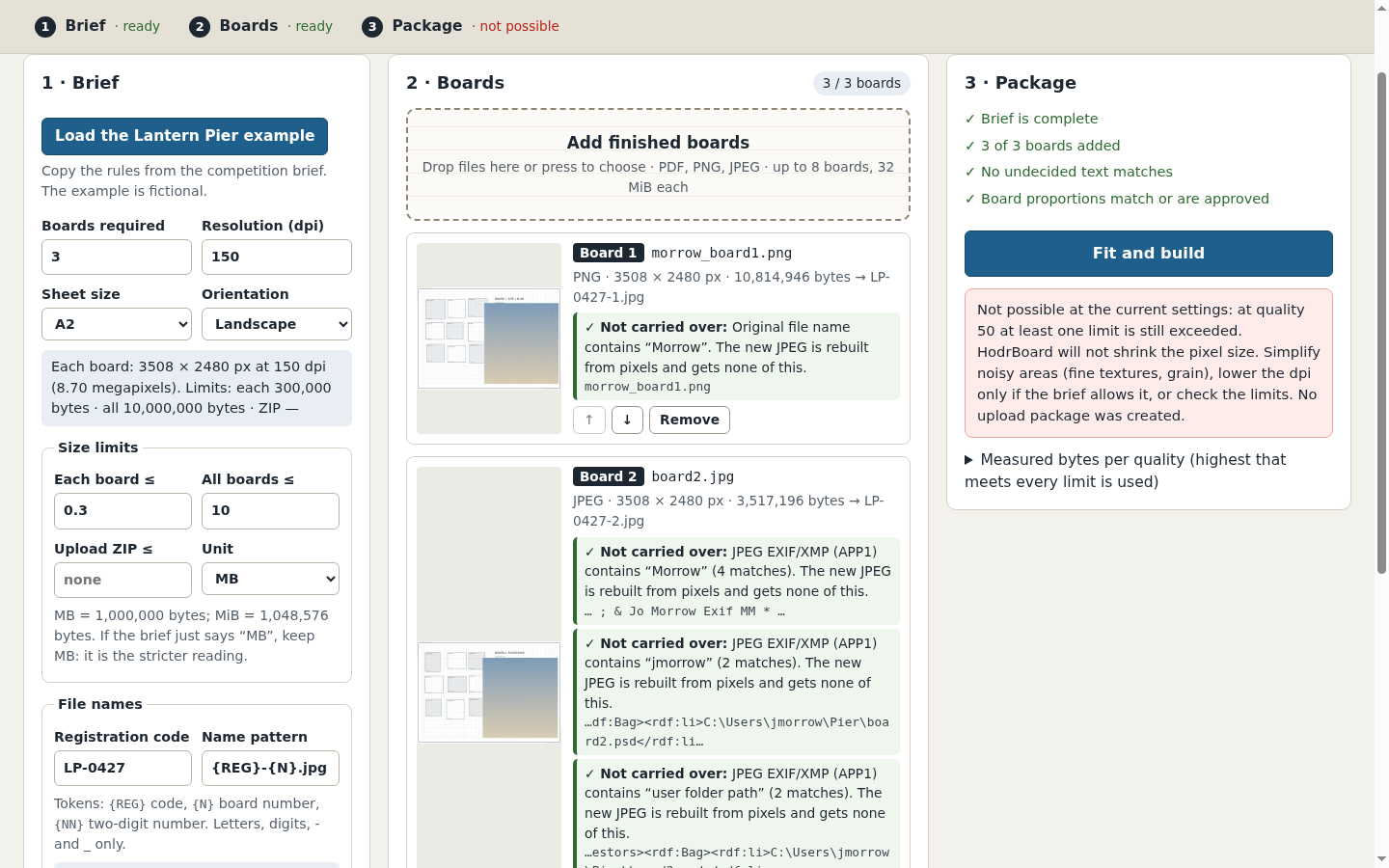
In the saved example, MB means decimal megabytes: 4 MB = 4,000,000 bytes. By contrast, 4 MiB = 4,194,304 bytes. A 4,100,000-byte file passes the second limit and fails the first. Clarify an ambiguous real brief instead of guessing.
Check each file, the sum of the files, and any separate ZIP limit. The ZIP includes its own headers. Keep the required output dimensions while adjusting JPEG compression. A common quality setting makes the process consistent, but photographs and fine linework can still lose detail differently.
- Start with high-quality exports and measure the actual output bytes.
- Lower compression quality in controlled steps until every required limit passes.
- Inspect small labels, hatching, fine lines and image details at 100% on each final export.
- If acceptable quality cannot fit, simplify the source artwork or confirm the requirements with the organiser. Do not silently reduce the required dimensions.
What the app adds to this workflow
HodrBoard rebuilds the supported input boards as named JPEGs at your requested dimensions. It checks the actual generated bytes at common quality steps 95, 90, 85 and so on down to 50, and chooses the highest tested step that satisfies all limits. It does not crop or stretch a board; a proportion difference above 0.5% needs your explicit choice to fit with white margins.
It refuses PDFs with layers and other unsupported structures, including encryption, signatures, forms and annotations. Flatten a suitable source export and inspect it again rather than assuming that hidden content has been removed. Non-embedded fonts can substitute; the manual explains the required visual check.
The app lists identity terms found in original names, supported metadata and PDF page text. You resolve those findings and review each final JPEG. Its upload ZIP contains only the renamed JPEGs. A separate PRIVATE receipt includes original names and findings: keep that receipt for your own records and out of the competition upload.
The app supports up to 8 boards, 32 MiB per input and 128 MiB total input, at most 24 million source or output pixels and 8192 pixels per side per board, and 96 million output pixels in total. Supported rasters are opaque 8-bit RGB/grayscale PNG and RGB/grayscale JPEG; read the manual for colour and PDF restrictions. Windows, macOS and mobile are unverified.
- The current competition brief matches the exported dimensions, names and byte limits.
- Metadata, PDF text/layers and the visible final images have each been checked.
- Fine text and lines remain readable at 100%.
- The final ZIP contains only the requested submission files.
- The private receipt and original identifying files stay out of the upload.
Perunlight product
Package boards against your own brief
HodrBoard prepares a set of named JPEGs at the requested dimensions, checks actual byte limits and asks you to review each board. It runs offline in desktop Chrome.
See HodrBoard · $19 one-timeRead the manual and limits
No OCR or automated visual redaction. Anonymity and competition acceptance are not guaranteed. Chrome 152 on Linux is the verified environment.