Step-by-step guide
CohortCrosswalk
Review and document exact category mappings between successive CSV/TSV releases while preserving the original cells.
Use this for changing category codes in nonclinical open aggregate data. You supply the category meaning; the app records release-specific decisions, coverage, source identity and missing reasons for a reproducible handoff.
Before you start
- Google Chrome on Linux. Verified in Chrome 152 on Ubuntu 22.04; other browsers and operating systems are unverified.
- Extract the entire buyer ZIP and open app/index.html. Keep its neighbouring app files together; no server or installation is needed.
- UTF-8 CSV/TSV files with unique nonempty headers, comma or tab separators and consistent row lengths. Combined inputs must fit the documented byte, row, cell and rule limits.
- Definitions and source notes sufficient for you to decide how each code maps. The app does not infer equivalence or validate scientific meaning.
Your first result
Open the app and try the parks example
Extract the entire ZIP, open
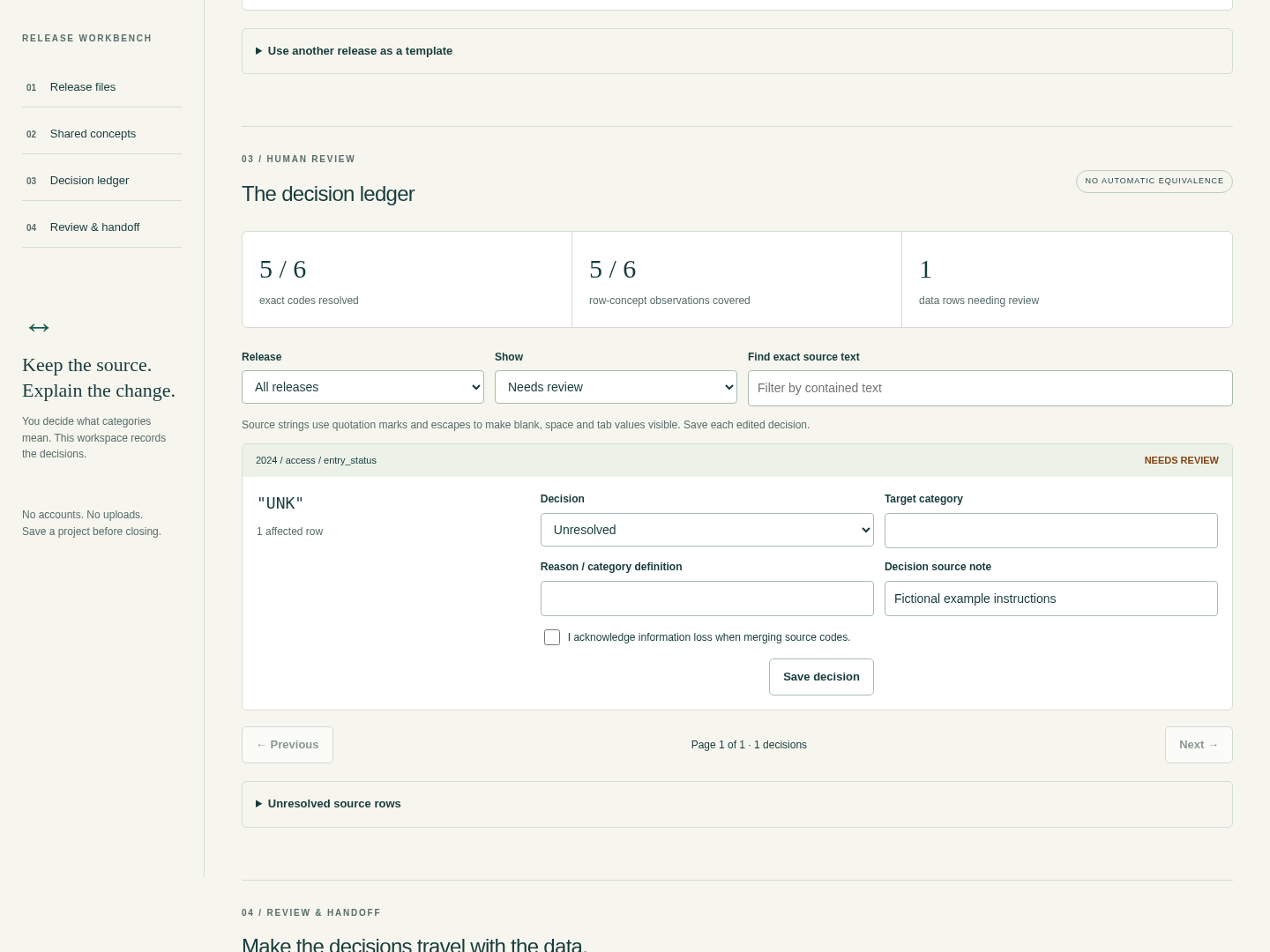
app/index.html, and choose Try the parks example. Expect 5/6 codes covered and one row needing review.Resolve the deliberate unknown
Filter Needs review. For release 2024, concept access, exact code UNK, choose Explicit missing, enter
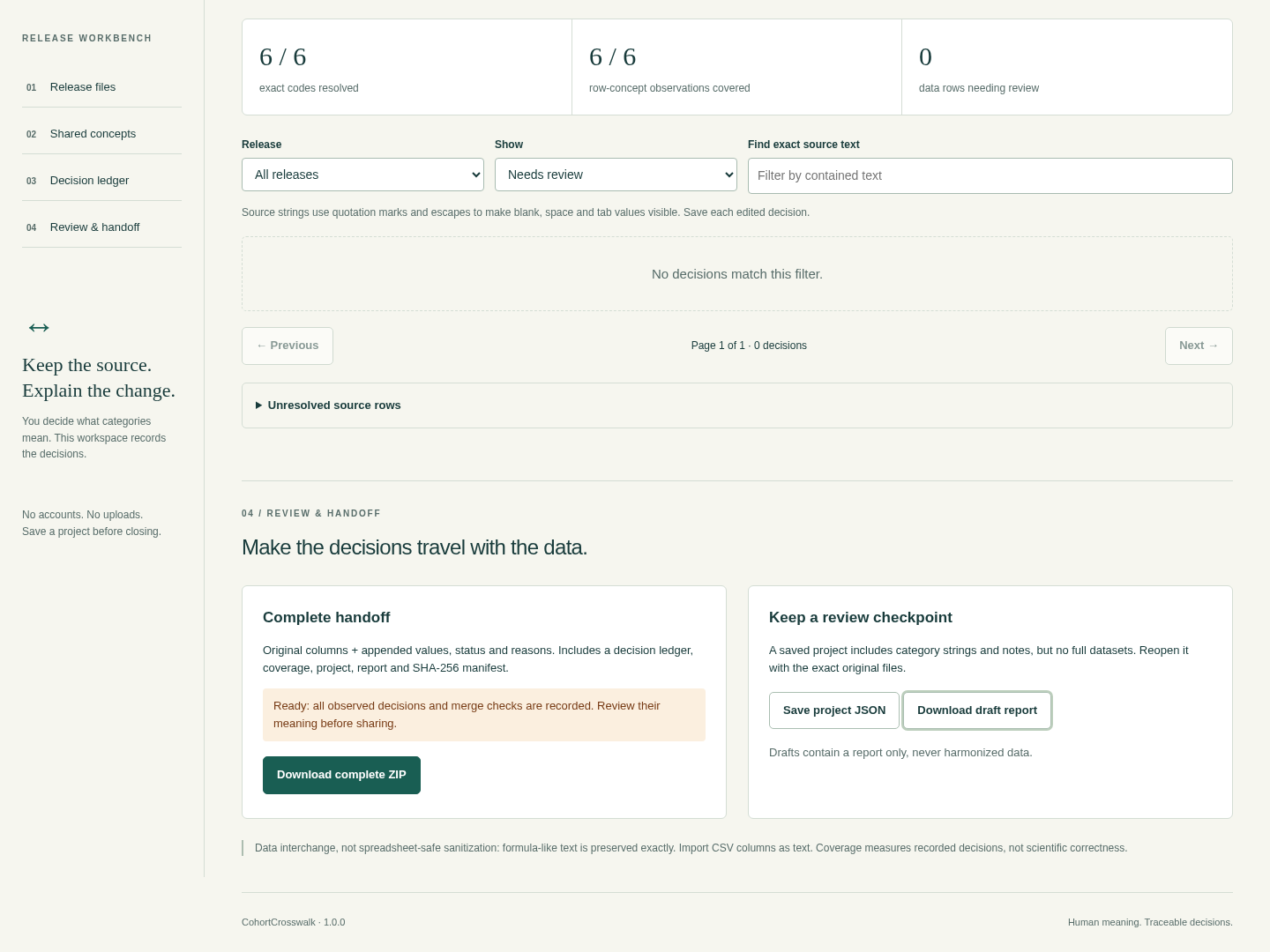
not recordedas the reason, then Save decision. Expect 6/6 codes and zero rows needing review.Download and compare the result
Choose Download complete ZIP. Open
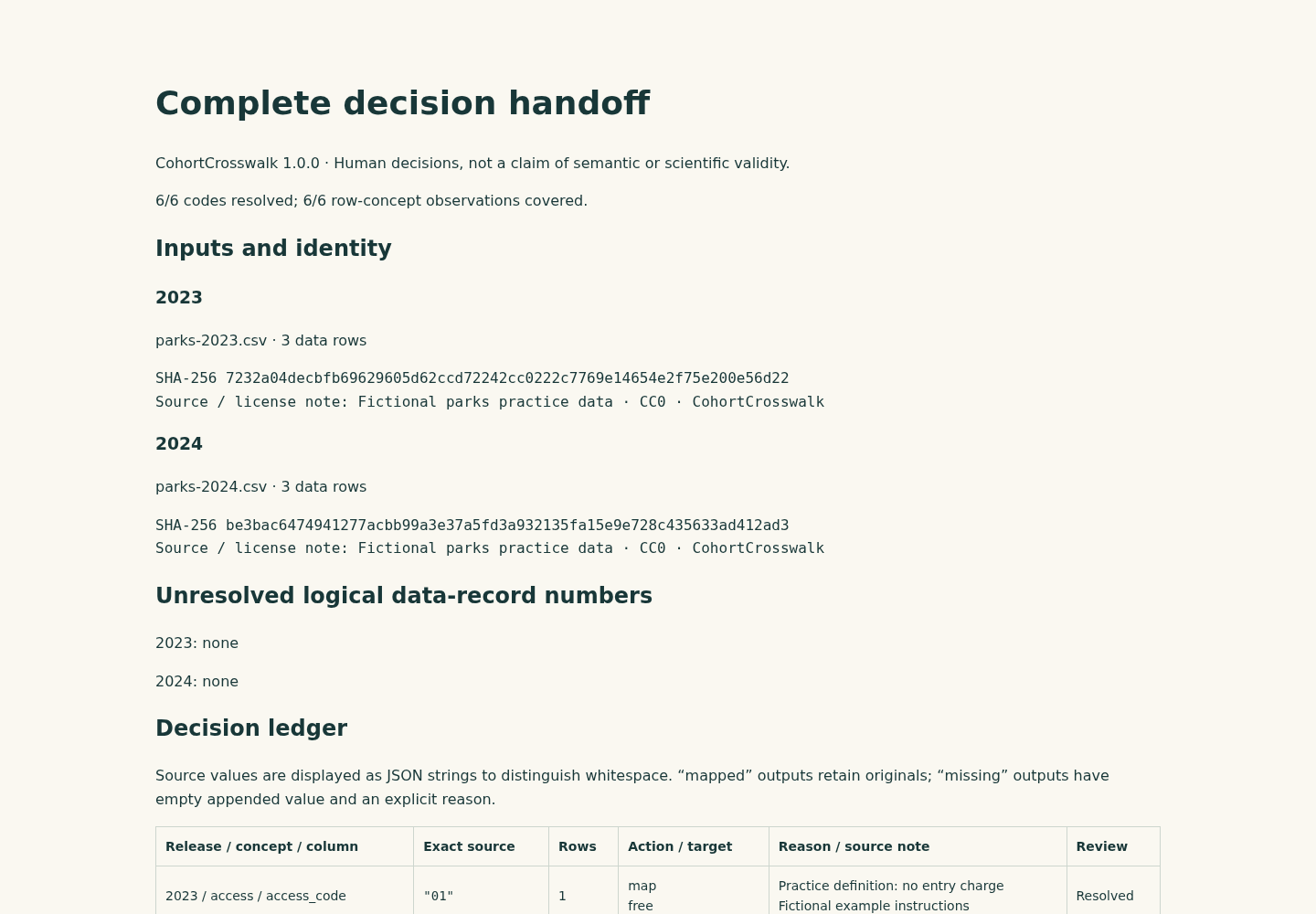
report.htmland compare the two output CSVs with the expected files in the example pack. Six original rows remain: four mapped and two explicitly missing. Import CSV columns as text in a spreadsheet.Connect your own releases
Add each UTF-8 table with a unique release ID, comma or tab delimiter and a source note. Inspect the preview before accepting it. Add a shared concept and assign the intended source column in every active release.
Save each exact-code decision
Choose a target category or an explicit missing reason for every observed code. Save each edited decision. If several codes map to one category within a release, record a rationale and acknowledge information loss for every contributor. Templates supply suggestions; they do not approve the destination automatically.
Keep a project and the originals
Save the project JSON before closing: there is no autosave. To restore it, reselect every original file with the same filename and bytes. A changed file needs a new release and fresh review. Complete export requires all decisions; a draft download contains only a clearly marked HTML report. To remove the app, delete the extracted folder while retaining source files, projects and outputs you need.
A worked example
Two annual parks tables with different codes
Input: Fictional parks-2023.csv and parks-2024.csv, three rows each. 2023 uses 01, 02 and 99; 2024 uses FREE, PAID and UNK.
- Try the parks example and inspect the one unresolved 2024 UNK code.
- Choose Explicit missing, reason not recorded, then Save decision.
- Download the complete ZIP and compare output CSVs with the expected files.
Expected result: All six original rows remain in order. 01 and FREE map to free; 02 and PAID map to paid. 99 and UNK remain unchanged in their source columns with an appended missing status and reason. Coverage becomes 6/6, with four mapped and two missing rows.
Review what changed between releases
Actual CohortCrosswalk 1.0.0 app and report screens in Chrome on Linux, using fictional parks data.
1. Resolve the unknown code
2. Export only after review
3. Keep the reasoning with the data
Troubleshooting
Complete export disabled
Save the edited card, finish column assignments, then filter Needs review and supply missing reasons and all merge acknowledgements.
Filename or hash mismatch
Reselect the unchanged named original. Treat changed data as a new release with fresh review.
One-column or malformed preview
Confirm comma/tab delimiter and UTF-8 CSV/TSV quoting; repair a separate copy if needed.
Size limit exceeded
Use a smaller aggregate subset or fewer concepts; no silent truncation occurs.
Compatibility & limits
- Only Google Chrome 152 on Linux was tested. Other browsers and operating systems are unverified.
- UTF-8 CSV or TSV, with comma or tab separators, only. No XLSX, DTA, SAV, record joins, statistics, fuzzy matching or automatic category equivalence.
- Up to 10 releases and 10 concepts, 5 MiB cumulative input, 20,000 data rows, 200,000 source cells including headers, and 100 columns per file. All limits apply together.
- Up to 16 KiB per cell, 5,000 observed decisions, 4 MiB saved project and 25 MiB generated file payloads. Larger inputs are refused rather than truncated.
- No autosave. Keep the saved project and exact original filenames and bytes. Changed inputs require fresh review; project files do not contain the complete raw tables.
- You decide what categories mean. Coverage counts recorded decisions and does not certify semantic equivalence, scientific correctness or fitness for clinical use. Intended for nonclinical open aggregate data.
- CSV output preserves original strings, including formula-like text. Import every CSV column as text when using a spreadsheet; output is not spreadsheet sanitization.
- Merging different source codes requires a reason and explicit information-loss acknowledgement. Reused templates provide suggestions and reset destination approvals.
Need a hand?
Tell us the product, host application and version, what you tried, and the exact error. Contact support with a fictional example; keep private customer files and passwords out of your message.