CohortCrosswalk · Offline category review app 1.0.0 · Chrome on Linux
Keep the original codes. Explain every category change.
Review changing category codes across CSV and TSV releases. Keep original rows and strings, append your reviewed categories and missing reasons, then export the decision record with the data.
Use this for changing category codes in nonclinical open aggregate data. You supply the category meaning; the app records release-specific decisions, coverage, source identity and missing reasons for a reproducible handoff.
$19 USD · one-time purchase
Continue to checkoutStep-by-step guide
No subscription. Final total and tax appear at checkout.
Try the data exercise before buying
Includes fictional parks and transport tables, expected results, screenshots and the illustrated manual. The offline app is in the paid download.
- Exact source strings: Original cells and row order remain beside your appended results.
- Decisions with reasons: Record missing codes and explain information lost in category merges.
- Reopen with originals: Save a project and restore it against the same filenames and file hashes.
What it helps you do
For people maintaining successive nonclinical open aggregate tables. Assign corresponding columns to a shared concept, review exact source codes separately for each release, and record the reason for every missing value or merged category.
What is in your download
- Offline application with complete MIT runtime source
- Illustrated English HTML manual and five actual runtime screenshots
- Fictional CC0 parks inputs, new-category practice release and expected CSV results
- Unrelated three-release CSV/TSV transport exercise with decision definitions and expected CSVs
- License, notices, README, changelog and deterministic Python packaging script
A practical example
Two annual parks tables with different codes
Start with
Fictional parks-2023.csv and parks-2024.csv, three rows each. 2023 uses 01, 02 and 99; 2024 uses FREE, PAID and UNK.
Get this result
All six original rows remain in order. 01 and FREE map to free; 02 and PAID map to paid. 99 and UNK remain unchanged in their source columns with an appended missing status and reason. Coverage becomes 6/6, with four mapped and two missing rows.
Free illustrated manual, fictional CSV/TSV exercises and expected results (app not included)
Examples use fictional or synthetic data. Follow this example step by step.
Review what changed between releases
Actual CohortCrosswalk 1.0.0 app and report screens in Chrome on Linux, using fictional parks data.
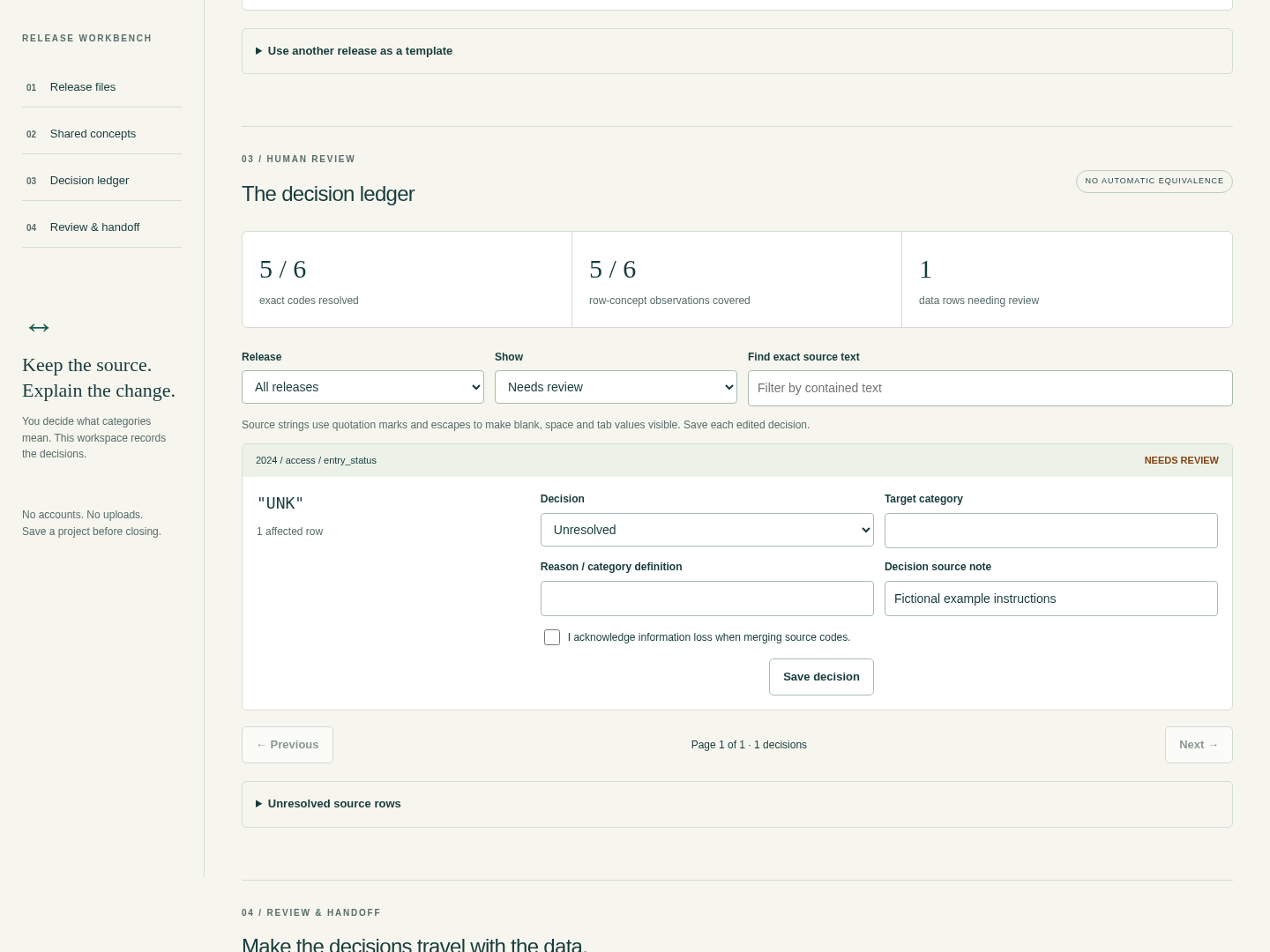
Resolve the unknown code
The fictional parks example leaves UNK unresolved. Record an explicit missing reason before exporting the complete handoff. View full size Export only after review
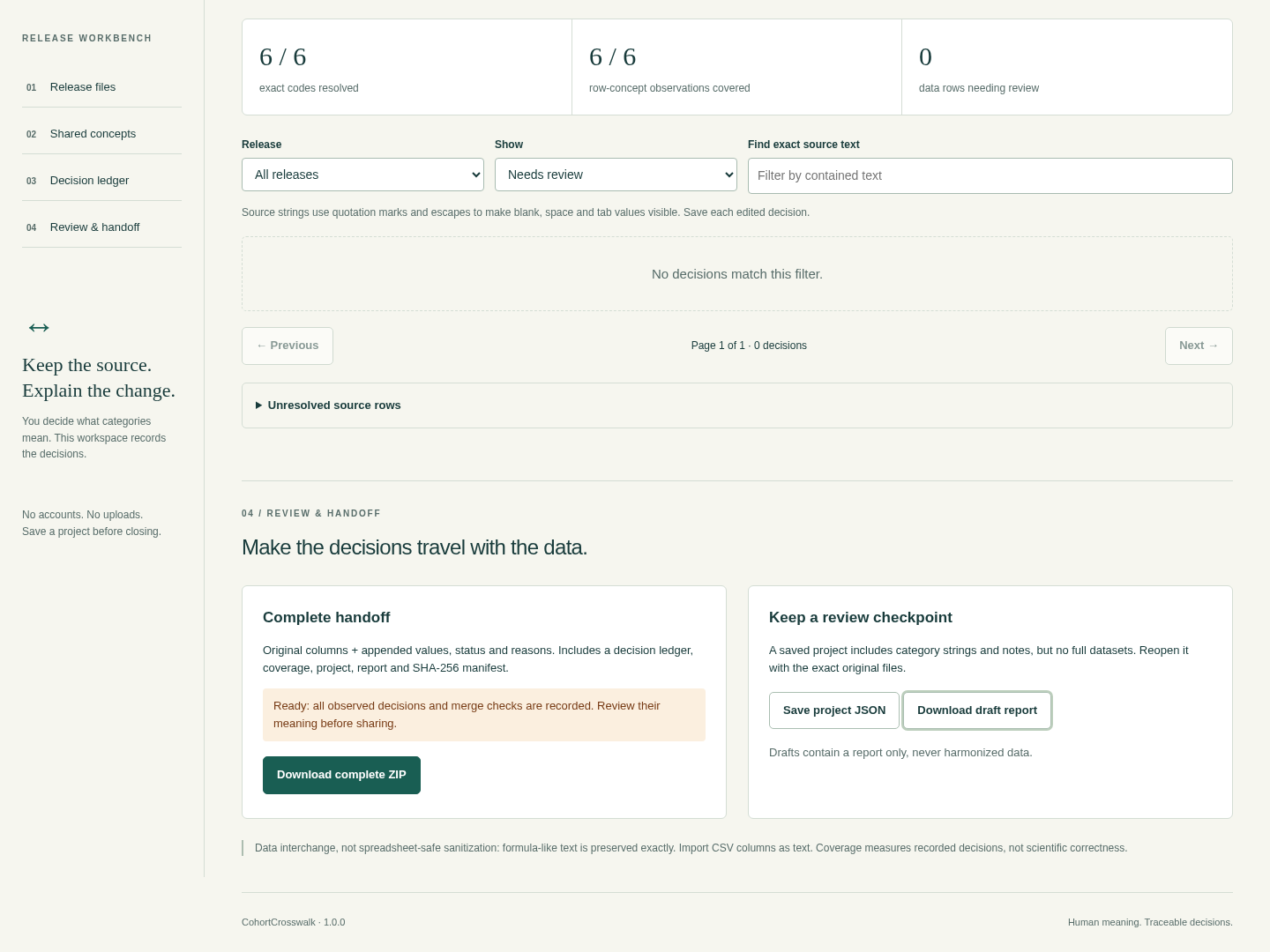
The completed exercise has no unresolved rows. Save a separate project to reopen the review later. View full size Keep the reasoning with the data
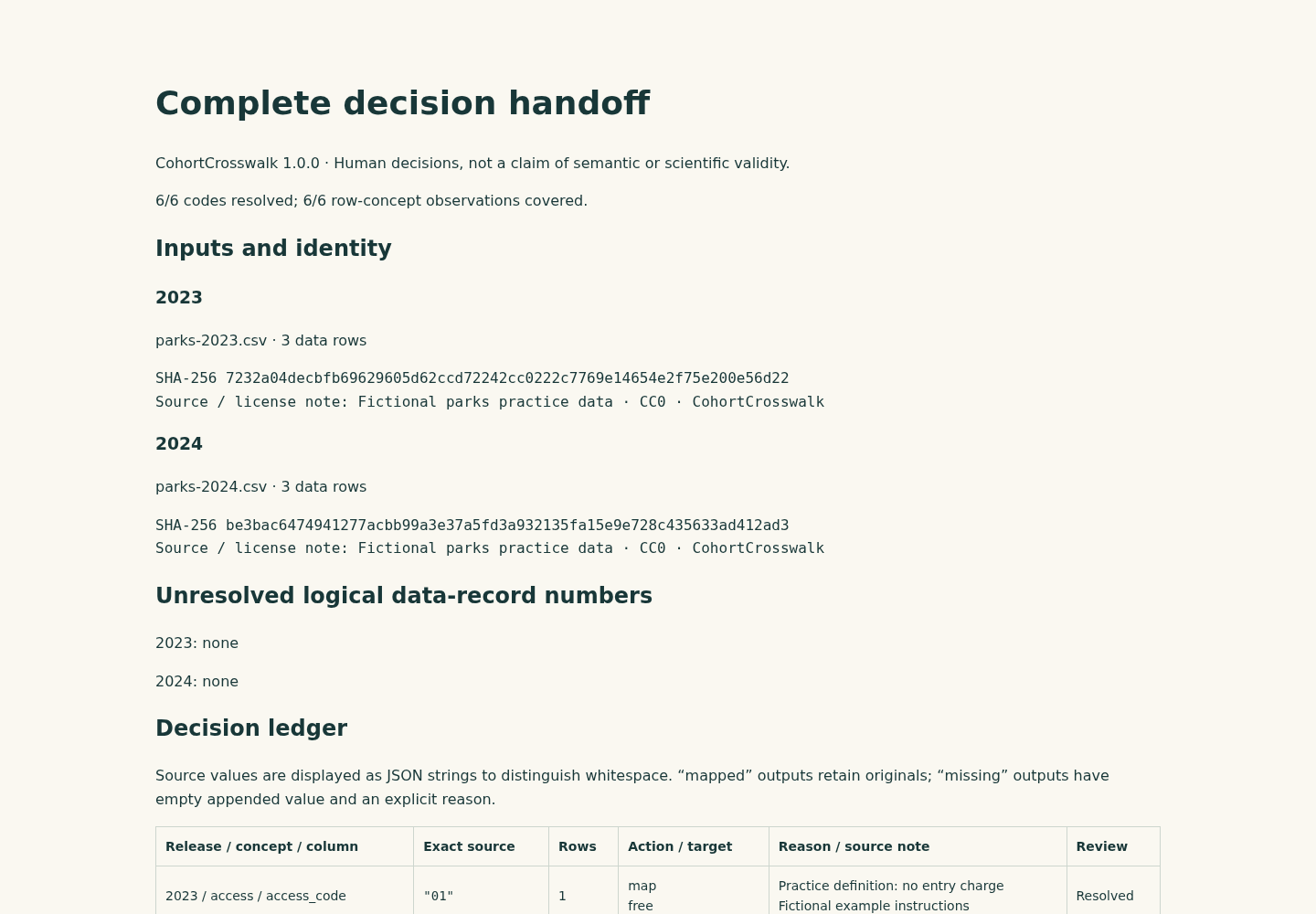
The report records inputs and decisions. Its coverage figures describe recorded review, not scientific correctness. View full size
How it works
Connect releases
Preview each file and assign its category columns to shared concepts.
Review each code
Record targets, missing reasons and any information lost in merges.
Export the record
Keep original columns with appended results, coverage, decisions and hashes.
Before you buy
- Google Chrome on Linux. Verified in Chrome 152 on Ubuntu 22.04; other browsers and operating systems are unverified.
- Extract the entire buyer ZIP and open app/index.html. Keep its neighbouring app files together; no server or installation is needed.
- UTF-8 CSV/TSV files with unique nonempty headers, comma or tab separators and consistent row lengths. Combined inputs must fit the documented byte, row, cell and rule limits.
- Definitions and source notes sufficient for you to decide how each code maps. The app does not infer equivalence or validate scientific meaning.
Extract CohortCrosswalk-1.0.0.zip and open app/index.html in Google Chrome on Linux. Try the fictional parks example, resolve its one unknown code and inspect the complete ZIP. No server, account or network connection is required.
Compatibility & limits
Only Google Chrome 152 on Linux was tested. Other browsers and operating systems are unverified. UTF-8 CSV or TSV, with comma or tab separators, only. No XLSX, DTA, SAV, record joins, statistics, fuzzy matching or automatic category equivalence. Up to 10 releases and 10 concepts, 5 MiB cumulative input, 20,000 data rows, 200,000 source cells including headers, and 100 columns per file. All limits apply together. Up to 16 KiB per cell, 5,000 observed decisions, 4 MiB saved project and 25 MiB generated file payloads. Larger inputs are refused rather than truncated. No autosave. Keep the saved project and exact original filenames and bytes. Changed inputs require fresh review; project files do not contain the complete raw tables. You decide what categories mean. Coverage counts recorded decisions and does not certify semantic equivalence, scientific correctness or fitness for clinical use. Intended for nonclinical open aggregate data. CSV output preserves original strings, including formula-like text. Import every CSV column as text when using a spreadsheet; output is not spreadsheet sanitization. Merging different source codes requires a reason and explicit information-loss acknowledgement. Reused templates provide suggestions and reset destination approvals.
Get CohortCrosswalk
Perpetual use of the purchased version on your devices for personal or internal commercial work. Keep reasonable backups and modify your own copy; do not redistribute or resell original proprietary code. Third-party licenses and any existing preview permissions retain their rights.
Before payment, save the private recovery code shown by checkout. After Paddle confirms payment, use it to download your ZIP or return for it later. No subscription, future update or email delivery is promised. See the illustrated steps.
$19 USD · once
Buy download