Step-by-step guide
DraupnirFlow
Check a product folder for file names that break buyers' downloads and build ZIP files within Etsy's published limits.
For digital-product sellers (printables, planners, fonts, templates) preparing downloads for Etsy or another shop. Offline browser app, tested in desktop Chrome 152 on Linux; Windows, macOS and other browsers have not been tested.
Before you start
- Desktop Google Chrome; tested in Chrome 152 on Linux. Windows, macOS, phones and other browsers have not been tested.
- The whole
DraupnirFlow-1.0.1.zipextracted, withDraupnirFlow.htmlkept next to itsappfolder. - Your product folder, files or an existing ZIP (Stored or Deflate entries; no password, ZIP64 or split volumes), up to 1.5 GB per job.
Your first result
Extract and open
Extract the whole DraupnirFlow-1.0.1.zip into a folder you keep. Keep
DraupnirFlow.htmlnext to theappfolder and open it in desktop Chrome. You should see Choose what buyers will download.Choose and review
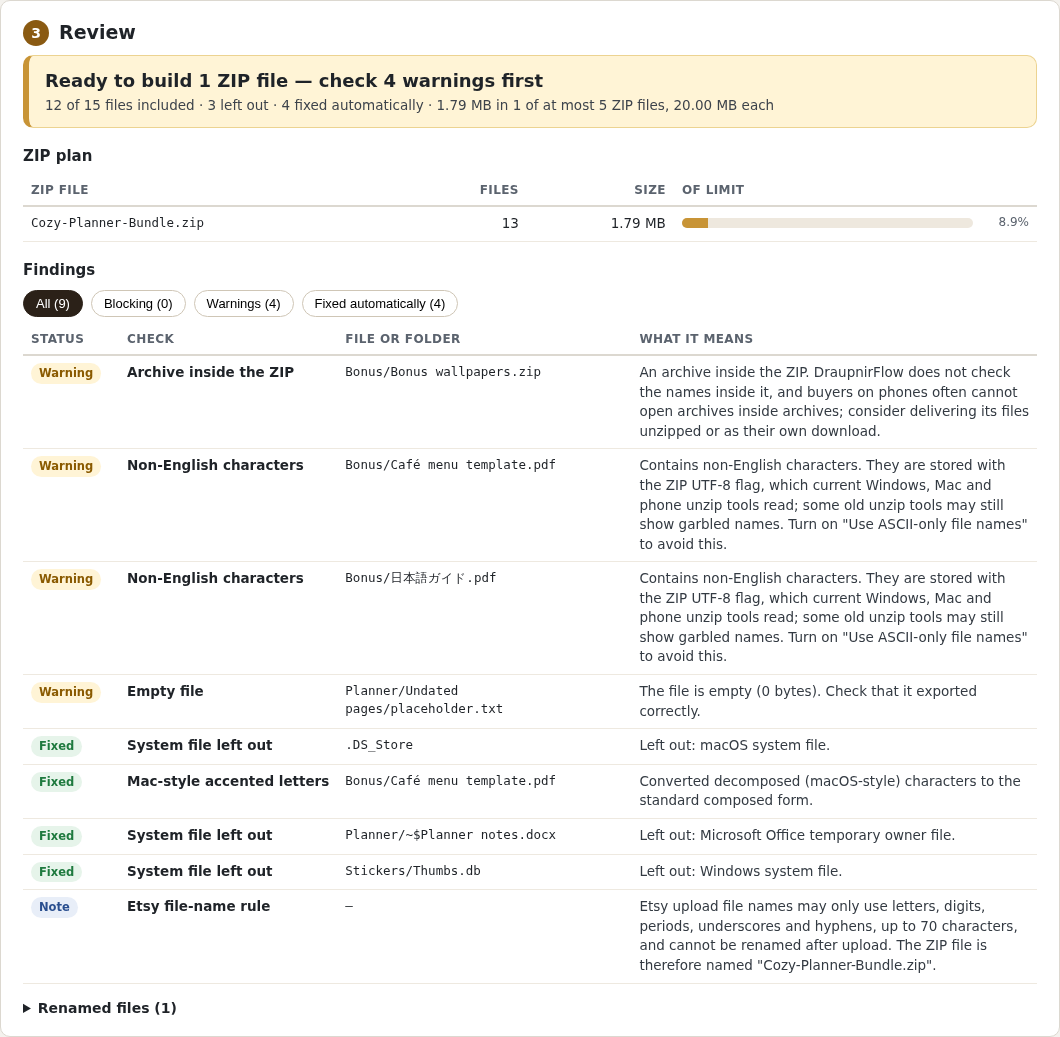
Click Choose product folder… or Check an existing ZIP…. Read the banner, the ZIP plan, the findings and Renamed files. Resolve any Blocking finding, then choose the folder again.
Build and save
Click Build ZIP files, then Download for each ZIP and Download report (.txt). Open each new ZIP once yourself before you upload it to your shop.
Uninstall
Delete the extracted DraupnirFlow folder. It stores nothing elsewhere; the ZIP files and reports you saved stay in your downloads folder.
A worked example
Make your first ZIP from the fictional Cozy Planner Bundle
Input: The included examples/Cozy Planner Bundle folder: 15 fictional files, including .DS_Store, Thumbs.db, an Office lock file, an empty file, a ZIP inside and two non-English names.
- Open
DraupnirFlow.htmlin desktop Chrome and click Choose product folder…. - Select
examples/Cozy Planner Bundleand leave Shop limits on Etsy digital listing. - Check the review: Ready to build 1 ZIP file — check 4 warnings first, 12 of 15 files included, 3 left out. The four warnings are deliberate in this practice folder.
- Click Build ZIP files, then Download and Download report (.txt).
- Extract the saved ZIP and check its 13 files.
Expected result: Cozy-Planner-Bundle.zip (1,788,188 bytes): the 12 product files plus How to open these files.txt, and a text report of every check and change. The three system files are left out. Nothing is uploaded anywhere.
Your first ZIP in three screens
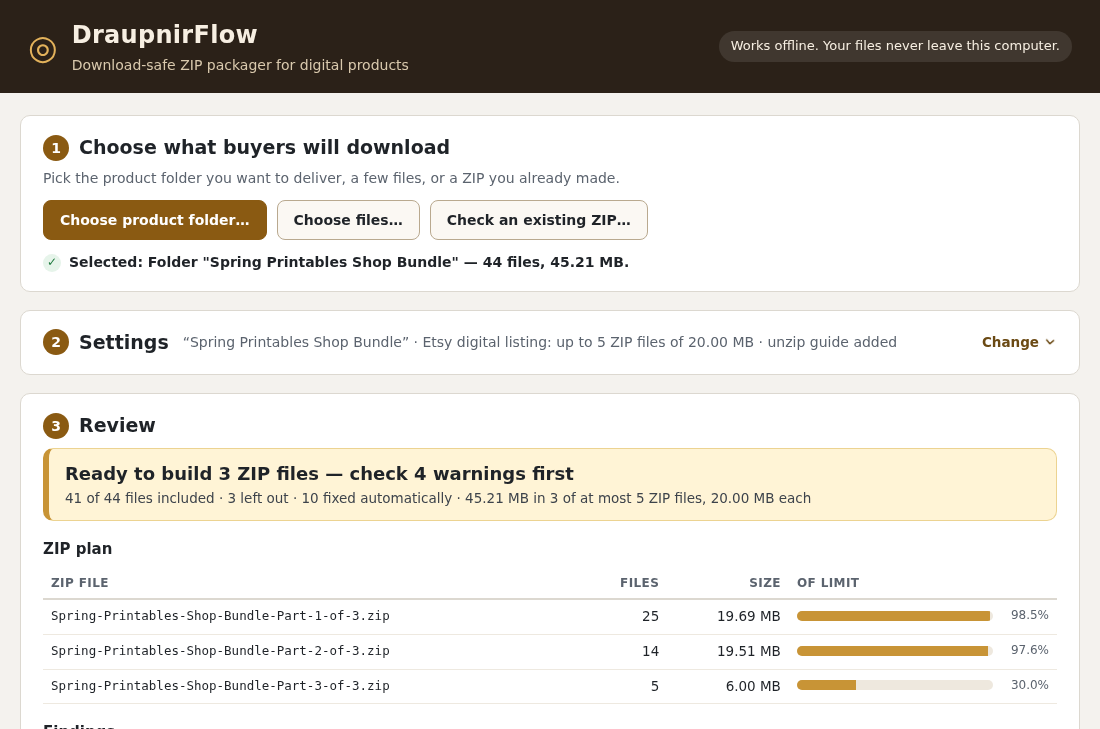
Actual DraupnirFlow 1.0.1 screens in Chrome 152 on Linux with the small fictional Cozy Planner Bundle practice folder (15 files) that comes with the app and the free guide ZIP. The 45 MB folder in the top screenshot is a separate, larger fictional showcase.
1. Open and choose
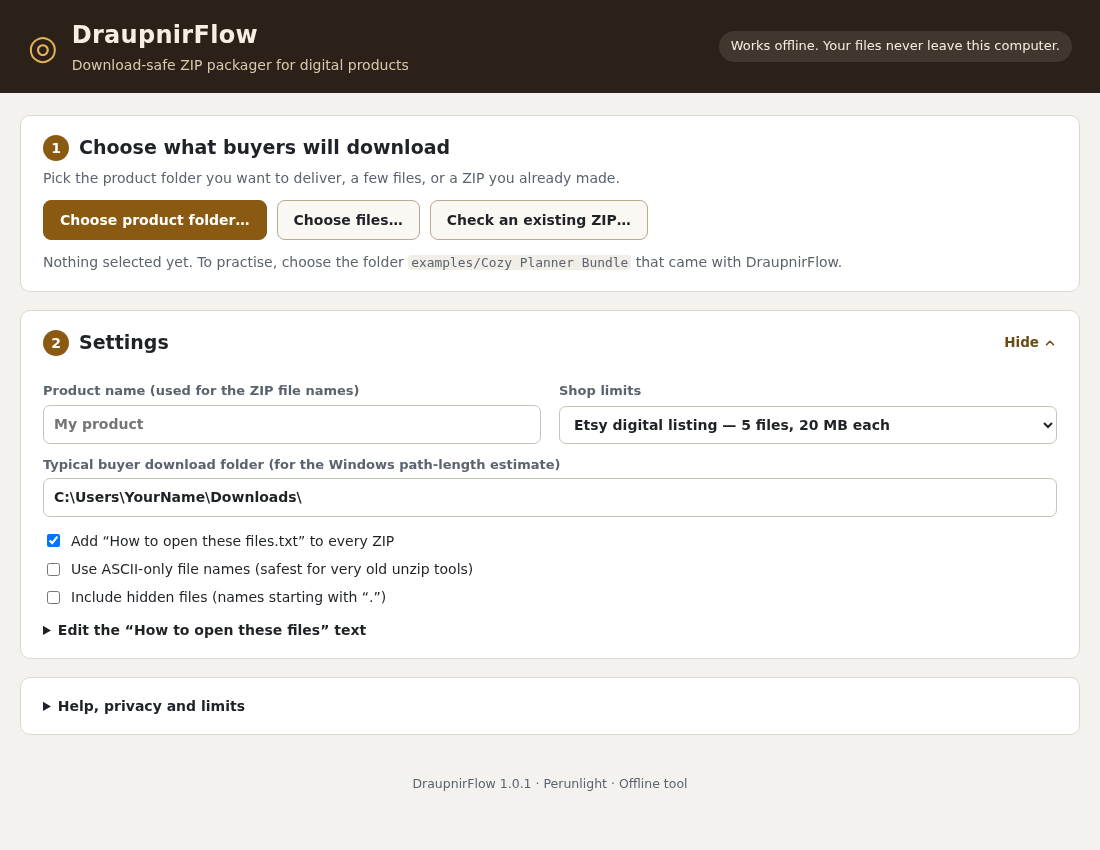
DraupnirFlow.html in desktop Chrome and click Choose product folder…. To practise, choose the included examples/Cozy Planner Bundle folder. Your files stay on your computer.2. Review the findings
3. Build and download
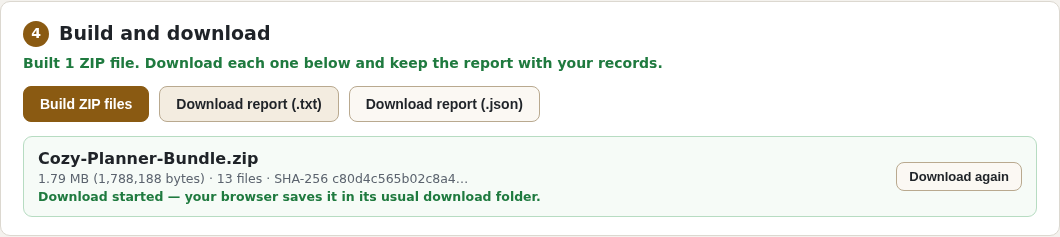
Cozy-Planner-Bundle.zip: 1,788,188 bytes and 13 files, including How to open these files.txt. Keep the text report with your records.Troubleshooting
The buttons do nothing
Extract the whole ZIP again and open DraupnirFlow.html from the extracted folder with the app folder beside it, not from inside the ZIP.
Build ZIP files is disabled
Filter the findings by Blocking and resolve the cause it names: more ZIP files than the limit allows, one file larger than the limit, or a damaged, password-protected or unsupported entry in an old ZIP. Then choose the folder again. Do not change the limits to get around a shop's own rules.
Download all saved only one ZIP
Allow multiple downloads when Chrome asks, or click each Download button. Chrome's download list shows which files arrived.
Names from an old ZIP look garbled
Choose another Name encoding for old ZIPs in step 1, for example Shift_JIS for ZIPs made on Japanese Windows.
Compatibility & limits
- Prepares local files only: no upload to Etsy or any shop, and no guarantee that a marketplace accepts a file or that every unzip app opens it.
- Tested in desktop Chrome 152 on Linux with fictional files; Windows, macOS, phones, other browsers and real Etsy uploads were not tested. Output was verified with Linux ZIP readers.
- Up to 1.5 GB per job, held in browser memory; the largest tested job is 45 MB. Each ZIP lists at most 65,534 files including the unzip guide.
- File contents and archives inside your product are not inspected. Etsy's "20 MB" is treated as 20,000,000 bytes; other shops need Custom limits.
Need a hand?
Tell us the product, host application and version, what you tried, and the exact error. Contact support with a fictional example; keep private customer files and passwords out of your message.