DraupnirFlow · Offline browser app 1.0.2 · desktop Chrome
Review what goes into your next digital download
Review a download before you publish it: fix file names, choose whether to keep flagged files, and build complete ZIPs within your shop limits.
$0.99 USD · one-time purchase
Local browser app · opening steps
Extract the whole DraupnirFlow-1.0.2.zip, keep DraupnirFlow.html next to its app folder, and open DraupnirFlow.html in desktop Google Chrome. No server, account or internet connection is needed. Tested in Chrome 152 on Linux. Files are read only inside your browser and nothing is uploaded. To uninstall, delete the extracted folder; the ZIP files and reports you saved stay in your downloads folder.
Download: ZIP with the described tool and instructions. Check compatibility & limits.
See it in useBuy download — $0.99
No subscription. Final total and tax appear at checkout.
Free · no purchase needed
Read the illustrated manual and compare two finished ZIP/report examples: keep the flagged files, or leave out the empty placeholder and nested ZIP. The app is not included; this is not a free trial. The checklist explains the manual method.
- Tested scope: desktop Chrome 152 on Linux with fictional files; the largest tested job was 45 MB. Windows, macOS, phones, other browsers and real Etsy uploads are not verified.
- How buying works: checkout shows a private recovery code to save before you pay. Your ZIP becomes available after Paddle confirms payment; it is not emailed. Illustrated steps
See it in use
Build a clean ZIP from a product folder
A screenshot walkthrough with fictional practice data. Select a step to explore.
1. Start with
Build a clean ZIP from a product folder
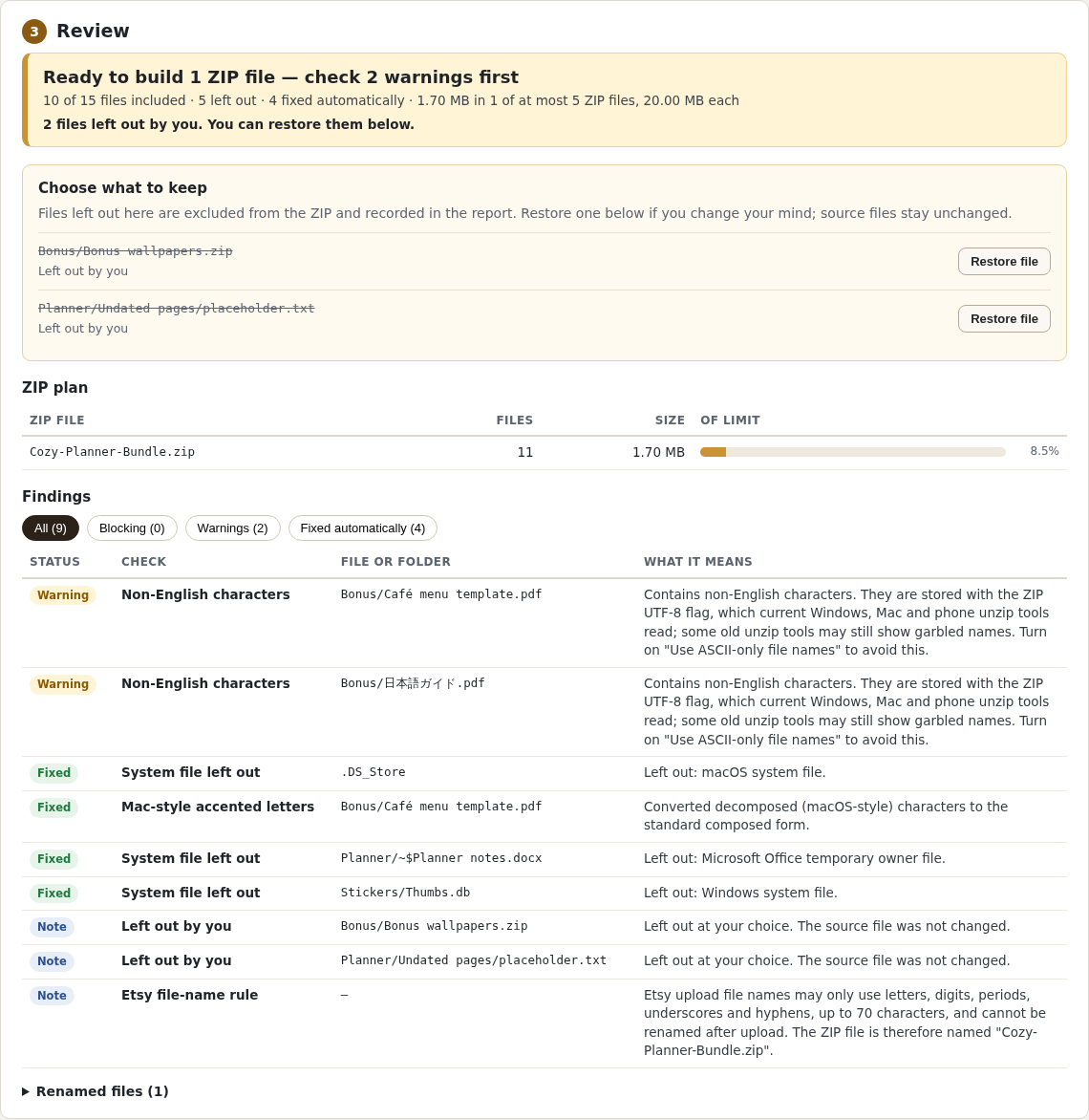
The fictional Cozy Planner folder contains 15 files, including three system files.
Sample files and contents
The included examples/Cozy Planner Bundle folder: 15 fictional files, including .DS_Store, Thumbs.db, an Office lock file, an empty file, a ZIP inside and two non-English names.
Practice files and guides are free. The complete app is included only where the product page says so.
2. In the app
Try it in three steps
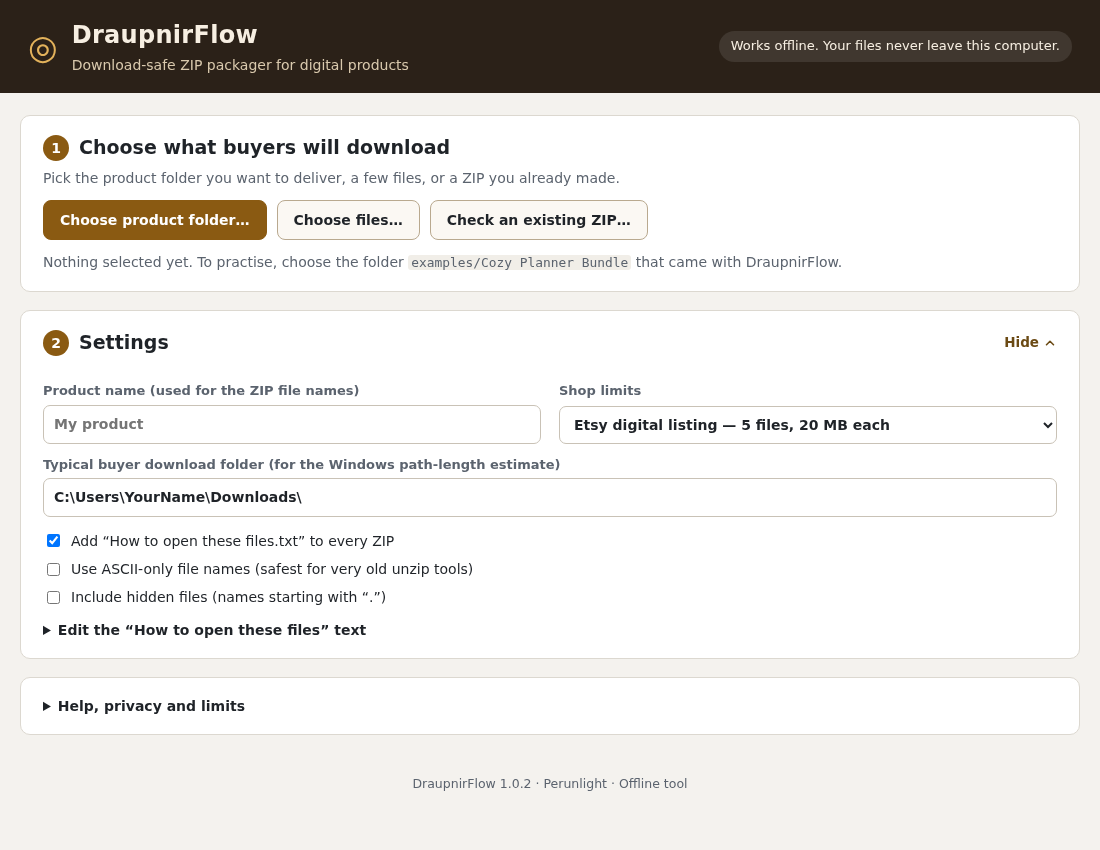
- Choose the product folder and Etsy listing limits.
- Review the four warnings and the three omitted system files.
- Build the ZIP, download its report and inspect its contents.
Show every click and setting
- Open
DraupnirFlow.htmlin desktop Chrome and click Choose product folder…. - Select
examples/Cozy Planner Bundleand leave Shop limits on Etsy digital listing. - Check the review: Ready to build 1 ZIP file — check 4 warnings first, 12 of 15 files included, 3 left out. The four warnings are deliberate in this practice folder. For this first run, keep both flagged files.
- Click Build ZIP files, then Download and Download report (.txt).
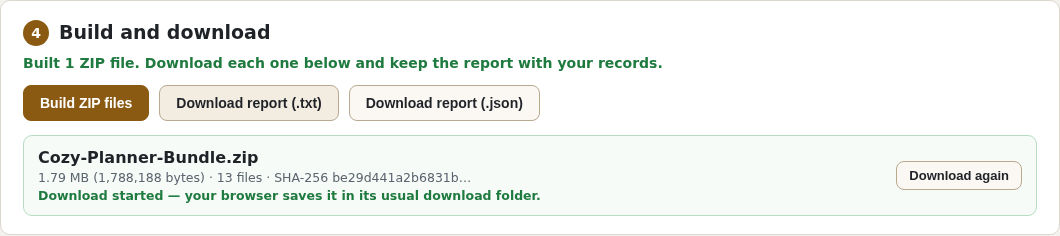
- Extract the saved ZIP and check its 13 files.
3. The result
Inspect the result
The ZIP contains 12 product files plus an opening guide. The text report records every exclusion and change.
What to check in the practice result
Cozy-Planner-Bundle.zip (1,788,188 bytes): the 12 product files plus How to open these files.txt, and a text report of every check and change. The three system files are left out. Nothing is uploaded anywhere. Then choose the same folder again and leave out the empty placeholder and nested ZIP: 10 product files plus the guide, 1,700,838 bytes. Both reports identify the two deliberate omissions. Both finished results are in the free examples.
This fictional example is shown in the working interface and in the supplied result. Review the guide before using your own files.
Fictional example · actual DraupnirFlow 1.0.2 screens
The result: three ZIP files that each open on their own
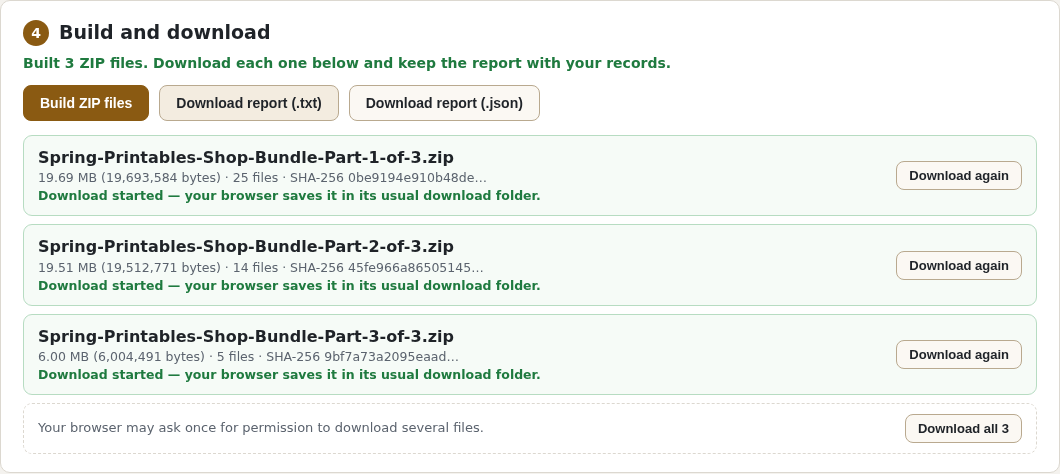
A larger fictional folder, Spring Printables Shop Bundle (44 files, 45.21 MB), checked with the Etsy preset in the verified 1.0.2 test run in desktop Chrome 152 on Linux: 41 of 44 files included and 3 left out. DraupnirFlow built three complete ZIP files of 19,693,584, 19,512,771 and 6,004,491 bytes. Each Part-N-of-3.zip is a standalone ZIP, not one piece of a split archive; each was checked on its own with Linux ZIP readers. No Etsy upload was part of the test.
You choose → DraupnirFlow shows → You download
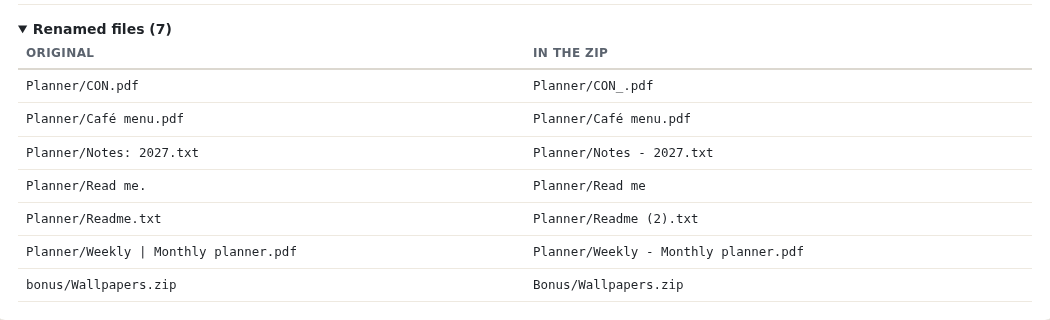
Planner/CON.pdf→ Name reserved by Windows →Planner/CON_.pdfPlanner/Notes: 2027.txt→ Character not allowed on Windows →Planner/Notes - 2027.txt.DS_Store→ System file left out → not in the ZIP- 44 files, 45.21 MB (fictional) → Ready to build 3 ZIP files →
Spring-Printables-Shop-Bundle-Part-1-of-3.zip…Part-3-of-3.zip, each below 20,000,000 bytes
Review the report and extract the new ZIPs before sharing them. Free before buying: the illustrated manual, small fictional practice folder, and two finished results — keep all flagged files or leave out two — with text and JSON reports. The app and 45 MB showcase folder are not included in the free pack. Paid download: the offline app, manual, examples and developer tests.
Free manual method, or the offline app for $0.99 once
You can package a download without buying anything: the free checklist and the Etsy ZIP walkthrough cover the manual method. DraupnirFlow is for sellers who repeat this for many files or listing updates and want every check in one review before anything is built.
Free: by hand
- Delete
.DS_Store,Thumbs.db,__MACOSXand Office lock files yourself. - Read every file and folder name for characters Windows refuses, reserved names such as
CON.pdfand names that differ only in capitals. - Group the files, zip each group with your computer’s ZIP tool and check each ZIP’s exact size in bytes.
- Extract every ZIP and compare it with your folder.
DraupnirFlow adds
- One review of a folder or an old ZIP: system files left out, Windows-unsafe names renamed, case clashes resolved, long paths, empty files and archives inside flagged.
- Leave out or restore flagged files before building. The plan and report record your choices; the original folder stays unchanged.
- A ZIP plan within your limit, then independent ZIP files built in one step. The Etsy preset uses 5 files of 20,000,000 bytes, its conservative reading of Etsy’s 20 MB.
- A text or JSON report of every exclusion and rename to keep with the listing.
- Runs on your computer in desktop Chrome; nothing is uploaded.
DraupnirFlow does not resize images or reduce PDF quality. A file that remains over the limit blocks the build unless you deliberately leave it out. It does not upload to Etsy or guarantee marketplace acceptance. Perunlight is not affiliated with Etsy.
What it helps you do
Choose a folder, files or an existing ZIP. Review repaired names and the size-limited ZIP plan. Leave out or restore flagged empty files, nested archives, oversized files or long paths before building. Download complete ZIPs and text/JSON reports that separate your choices from automatic exclusions. Original files stay unchanged.
What is in your download
- DraupnirFlow 1.0.2 offline browser app (HTML and plain JavaScript, no dependencies), licence and privacy notes.
- Illustrated manual with real screenshots, the fictional Cozy Planner Bundle practice folder and an old ZIP to repair.
- Etsy preset and custom limits; text and JSON reports of every change. No account or subscription.
Before you buy
- Desktop Google Chrome; tested in Chrome 152 on Linux. Windows, macOS, phones and other browsers have not been tested.
- The whole
DraupnirFlow-1.0.2.zipextracted, withDraupnirFlow.htmlkept next to itsappfolder. - Your product folder, files or an existing ZIP (Stored or Deflate entries; no password, ZIP64 or split volumes), up to 1.5 GB per job.
Extract the whole DraupnirFlow-1.0.2.zip, keep DraupnirFlow.html next to its app folder, and open DraupnirFlow.html in desktop Google Chrome. No server, account or internet connection is needed. Tested in Chrome 152 on Linux. Files are read only inside your browser and nothing is uploaded. To uninstall, delete the extracted folder; the ZIP files and reports you saved stay in your downloads folder.
Compatibility & limits
Prepares local files only: no upload to Etsy or any shop, and no guarantee that a marketplace accepts a file or that every unzip app opens it. Tested in desktop Chrome 152 on Linux with fictional files; Windows, macOS, phones, other browsers and real Etsy uploads were not tested. Output was verified with Linux ZIP readers. Up to 1.5 GB per job, held in browser memory; the largest tested job is 45 MB. Each ZIP lists at most 65,534 files including the unzip guide. File contents and archives inside your product are not inspected. Etsy's "20 MB" is treated as 20,000,000 bytes; other shops need Custom limits. Leave out / Restore handles flagged empty files, nested archives, oversized files and long paths. Unflagged files remain included; this is not a general file manager or an image/PDF resizer.
Get DraupnirFlow
Perpetual use of the purchased version on your devices for personal or internal commercial work. Keep reasonable backups and modify your own copy; do not redistribute or resell original proprietary code. Third-party licenses and any existing preview permissions retain their rights.
Before payment, save the private recovery code shown by checkout. After Paddle confirms payment, use it to download your ZIP or return for it later. No subscription, future update or email delivery is promised. See the illustrated steps.
Tested in desktop Chrome 152 on Linux; largest tested job 45 MB. Other OS, browsers, physical phones and Etsy uploads are unverified. Free first: illustrated guide and two example results (7.11 MB, app not included).
$0.99 USD · once
Buy download — $0.99