Step-by-step guide
Forseti
Forseti is a read-only demonstration of a workspace for exchange “source of funds” requests. Using fictional cases only, it shows how a request, its evidence, client statements and a response package are kept in order.
You want to see how an exchange support case could be organised into a checklist, an evidence trail and a reviewable response before deciding whether the approach suits your work.
Before you start
- A web browser on a computer or phone; the demo was checked in Chrome at desktop and phone widths.
- Free, read-only demo: nothing to buy, upload or sign in to. All cases are fictional and built in.
Your first result
Open the demo
Go to https://perunlight.com/apps/forseti/ (Explore the demo on the Forseti page). The Cases list shows three fictional cases (FS-0001 Client Alpha, FS-0002 Client Beta and FS-0003 Client Gamma) with their Status and Next step.
Open a case
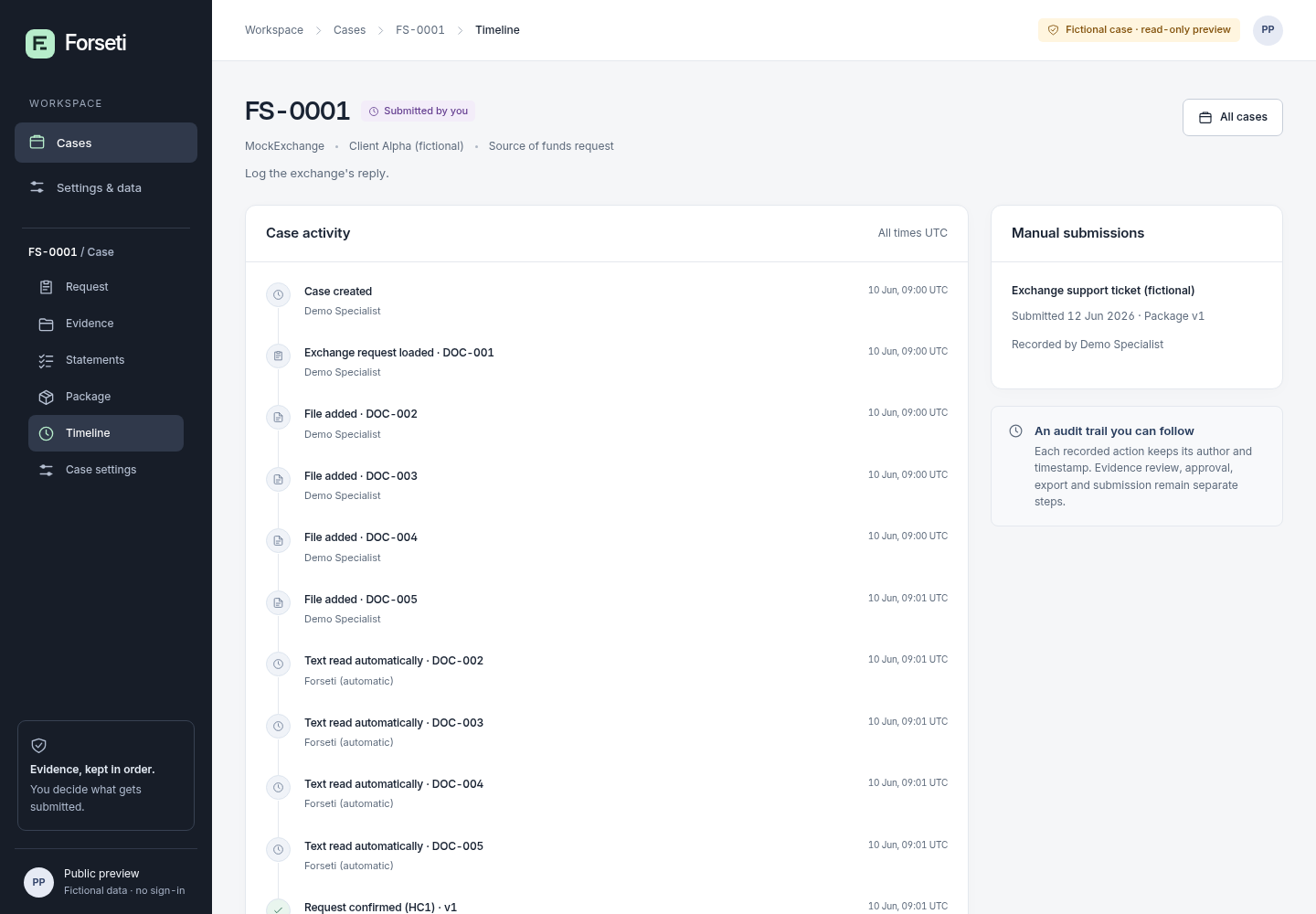
Click Open FS-0001. The case tabs are Request, Evidence, Statements, Package, Timeline and Case settings, and the progress bar runs Confirm request → Review evidence → Approve package → Export & follow up.
Read the request
Request shows the exchange's original message and the confirmed requirement (Q1) that the evidence must cover.
Follow the evidence
Evidence lists the five fictional case files (DOC-001 to DOC-005) and the facts linked to exact passages in them, such as an income of 1800.00 EUR from DOC-002, page 1. Each fact notes that linking a value to its source does not authenticate the document.
Compare statements and the package
Statements keeps what the client said separate from source-linked facts. Package shows the approved response (version 1) that lists facts, statements and missing items. Timeline records every action with its time and author.
See what the demo cannot do
Settings & data lists what is not included: no cloud AI, no exchange connection and no real client data. Download, sign-in and new-case actions open “Not available in this demonstration”.
A worked example
Follow case FS-0001 from request to response package
Input: No file needed: the built-in fictional case FS-0001 (Client Alpha, MockExchange, a deposit of 3,000.00 USDT).
- Open https://perunlight.com/apps/forseti/ and click Open FS-0001.
- Click Request and read requirement Q1.
- Click Evidence and look at the facts linked to DOC-002 and DOC-004.
- Click Package and read the approved response.
- Click Statements to see the client statement kept apart from the facts.
- On the Package tab, click Download ZIP.
Expected result: The request asks the client to explain a 3,000.00 USDT deposit received 2026-05-12 (ref FICTIONAL-TX-0101). Evidence marks Q1 as Covered with 5 linked facts. Package shows “Approved response · v1”; Statements shows “The money is my salary savings.” as a client statement, not a fact. Download ZIP opens “Not available in this demonstration”, because this public preview is read-only. Nothing you do is saved, and no message is sent anywhere.
Troubleshooting
I want to add my own case or documents.
This demo does not accept documents or new cases; only the bundled fictional files can be viewed. Do not enter real case details anywhere.
A download or sign-in link opens “Not available in this demonstration”.
That is expected: this public preview is read-only. In the full workflow a specialist downloads the approved package and submits it to the exchange personally.
Compatibility & limits
- Fictional, read-only demonstration: no real documents, accounts, payments or exchange messages are accepted.
- No case intake and no communication with an exchange; Forseti never submits anything for you.
- No promise of account access or fund recovery. “Source-linked” does not mean a document is authentic.
Need a hand?
Tell us the product, host application and version, what you tried, and the exact error. Contact support with a fictional example; keep private customer files and passwords out of your message.