Step-by-step guide
GleipnirRig
Install the Blender extension and rehearse a rig handoff with a generated example.
For Blender riggers preparing a saved collection for another animator to link and override.
See it in use
Inspect a held rig handoff
A screenshot walkthrough with fictional practice data. Select a step to explore.
1. Start with
Inspect a held rig handoff
The fictional override-problem rig includes saved HTML and JSON reports.
Sample files and contents
The fictional override-problem and simple rigs, illustrated guide and actual saved reports in the free pack.
Practice files and guides are free. The complete app is included only where the product page says so.
2. In the app
Try it in three steps
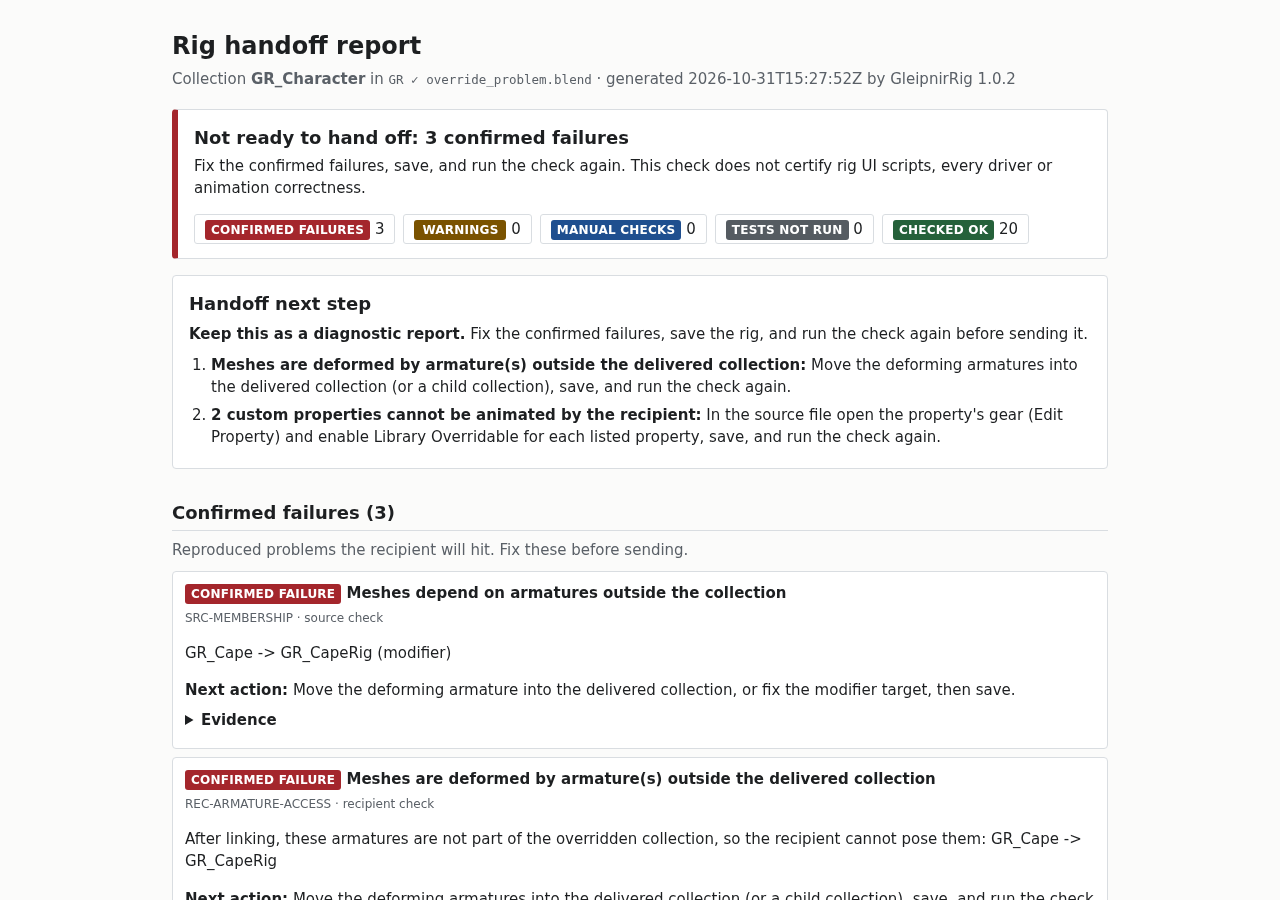
- Open the report with three confirmed failures.
- Read each action and its evidence; inspect passed checks as needed.
- Compare the simple rig report before using your own file.
Show every click and setting
- Open the override-problem HTML report: three confirmed failures put the handoff on hold.
- Read each action and its evidence, then expand the checked-OK group when needed.
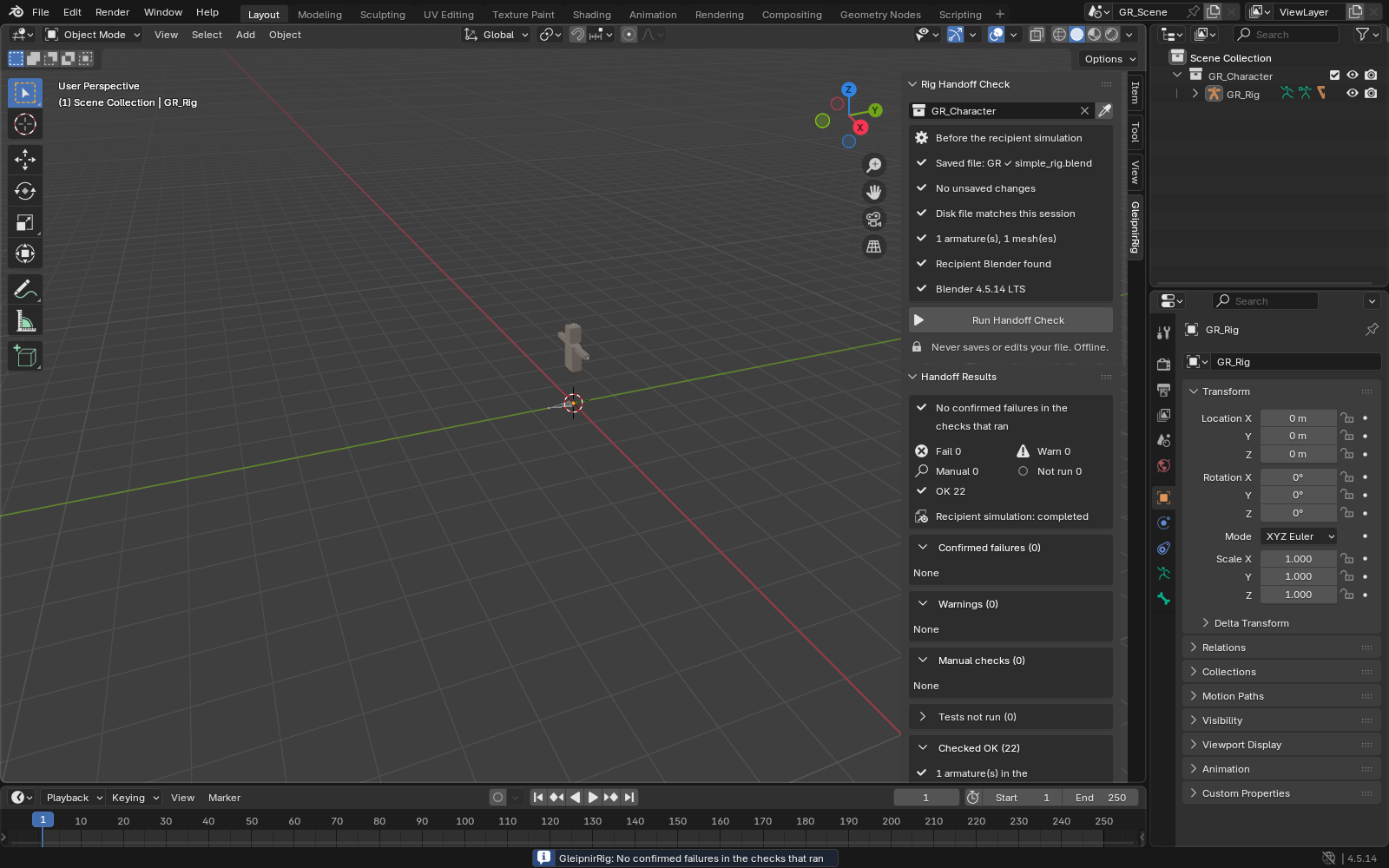
- Compare the simple GUI report. No confirmed failures in its checks does not certify scripts, deformation or animation quality.
3. The result
Inspect the result
The local report tells the recipient to pause, fix and rerun. A clean simple-rig check does not certify deformation or scripts.
| Confirmed failure | Next action |
|---|---|
| Meshes depend on armatures outside the collection | Move the deforming armature into the delivered collection, or fix the modifier target, then save. |
| Meshes are deformed by armature(s) outside the delivered collection | Move the deforming armatures into the delivered collection (or a child collection), save, and run the check again. |
| 2 custom properties cannot be animated by the recipient | In the source file open the property's gear (Edit Property) and enable Library Overridable for each listed property, save, and run the check again. |
What to check in the practice result
A readable local report that states whether to pause, fix and rerun, plus JSON evidence and recipient instructions. New checks require the Blender extension.
This fictional example is shown in the working interface and in the supplied result. Review the guide before using your own files.
See the workflow at a glance
Choose a short explanation, then follow the worked example below. Check the requirements and compatibility before using your own files.
Check what the recipient can actually override.
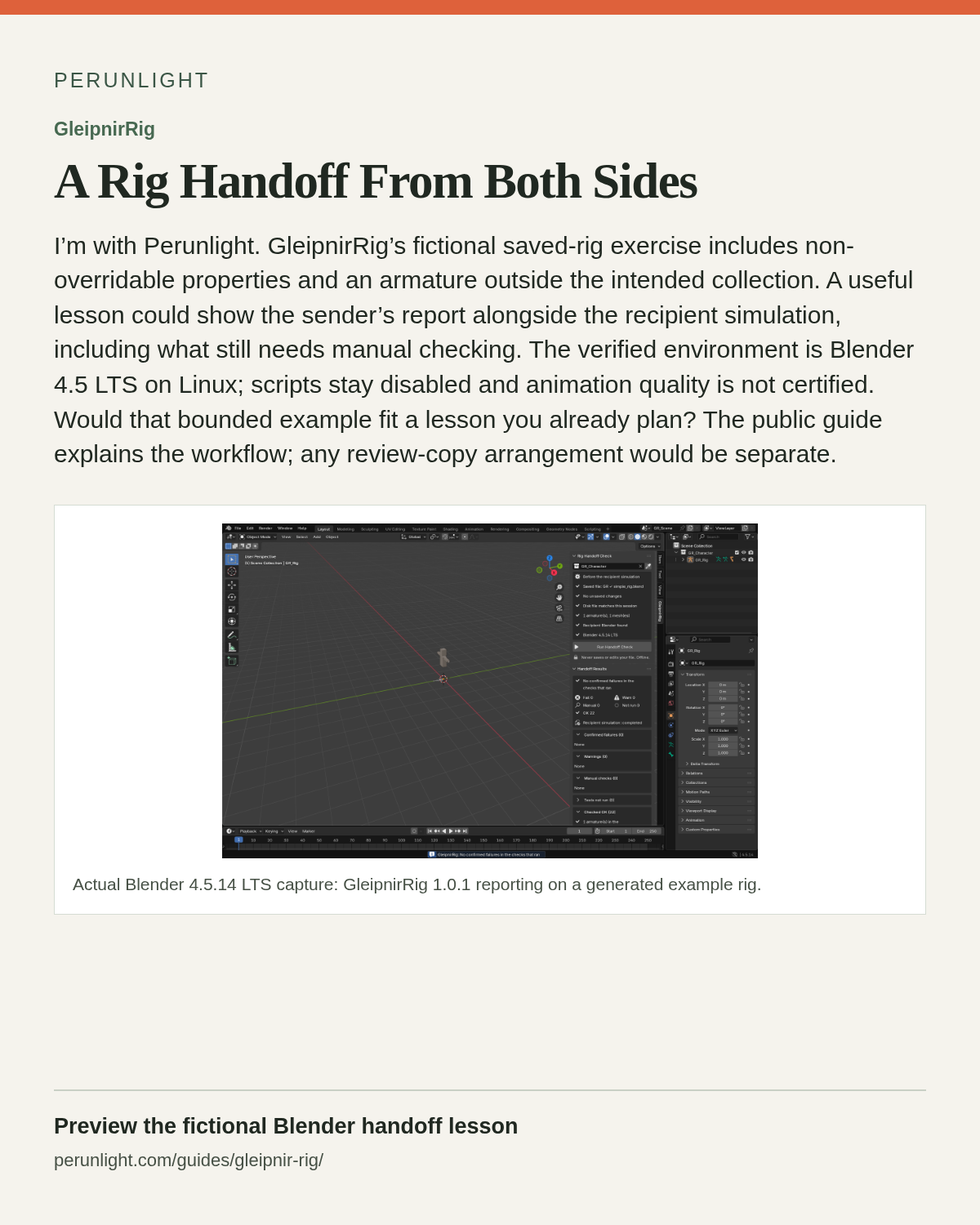
A rig can look ready in its source file while carrying a handoff problem. GleipnirRig's supplied GR_Character fixture exposes non-overridable custom properties and a deforming armature outside the collection. Follow the check, inspect the failures and export the report with a recipient guide. The simulation saves and reopens a linked test copy; it does not certify animation quality. Blender 4.5 LTS on Linux x64 was tested with 4.5.14. Rig UI scripts and Python drivers need manual review because script execution stays disabled.
55-second silent illustrated overview. Reference images and educational illustrations explain the documented workflow; this is not a new recording of it.
Read the complete video transcript · Download MP4
View the illustrated card
A Rig Handoff From Both Sides
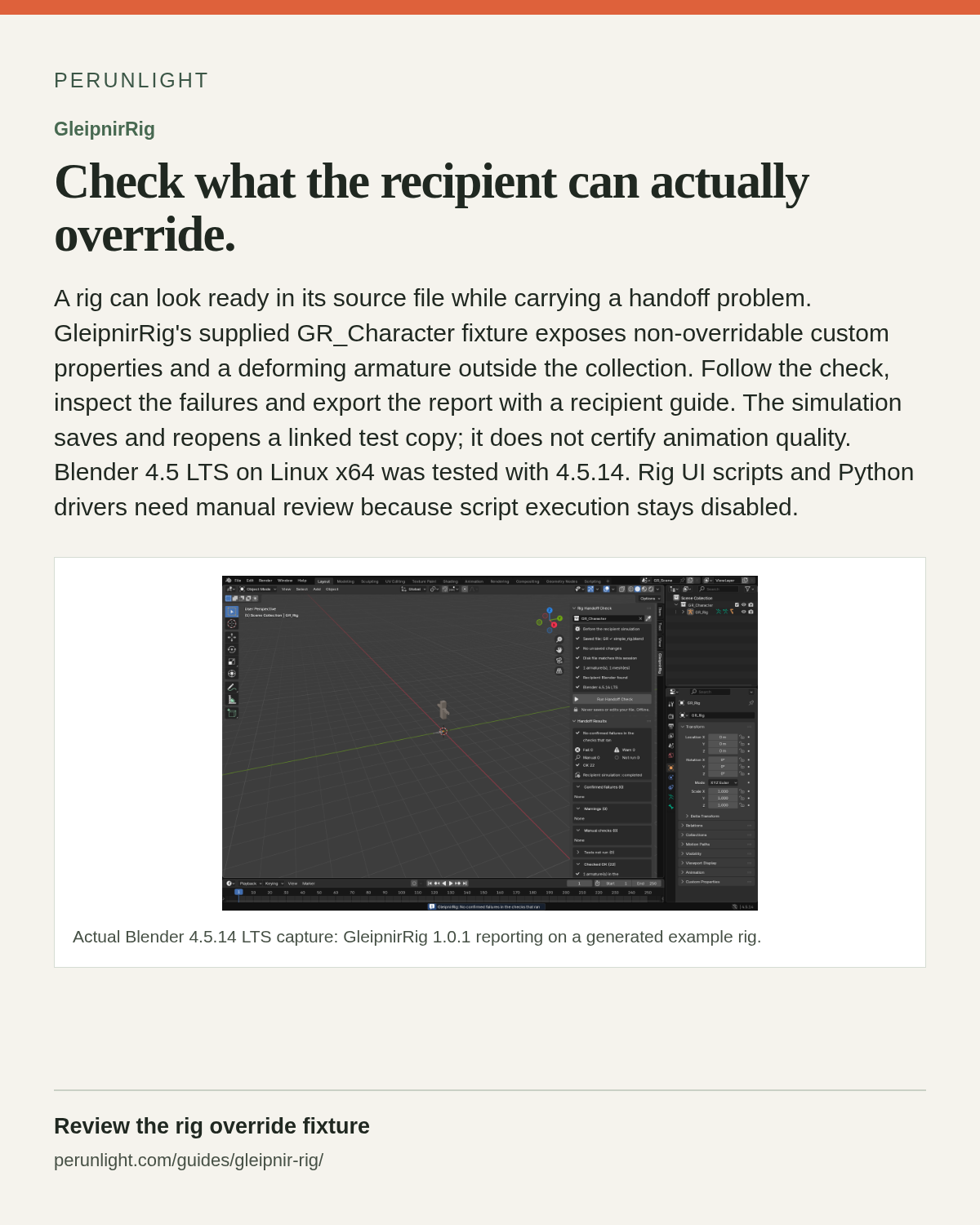
I’m with Perunlight. GleipnirRig’s fictional saved-rig exercise includes non-overridable properties and an armature outside the intended collection. A useful lesson could show the sender’s report alongside the recipient simulation, including what still needs manual checking. The verified environment is Blender 4.5 LTS on Linux; scripts stay disabled and animation quality is not certified. Would that bounded example fit a lesson you already plan? The public guide explains the workflow; any review-copy arrangement would be separate.
View the illustrated card
Try the handoff example before buying
Use the free saved reports to decide whether this Blender workflow fits your delivery.
Read a real failed handoff
Open the illustrated manual and saved reports locally. The fictional rigs make the failure and review paths concrete.
Check your own rig
The paid distribution includes the installable extension, complete source, four example rigs and the full illustrated manual.
Know what needs a person
Scripts, animation quality and the recipient’s own environment still need review.
Before you start
- Blender 4.5 LTS on Linux x64; the complete 1.0.2 bundle is tested with Blender 4.5.14.
- A saved .blend file with the ordinary armature and mesh collection you intend to deliver.
- Keep script auto-execution disabled; review scripts and Python drivers yourself.
Your first result
Install the inner extension ZIP
Extract gleipnir_rig-1.0.2-bundle.zip. In Blender, choose Edit → Preferences → Get Extensions → Install from Disk and select the included gleipnir_rig-1.0.2.zip. Keep the inner ZIP intact. Open START-HERE.html or docs/MANUAL.html from the extracted bundle.
Try the fictional rig
Extract gleipnir_rig-1.0.2-examples.zip and open gr_override_problem.blend from its folder, with script auto-execution disabled. In the 3D Viewport, press N → GleipnirRig and choose the rig collection. The free guide pack keeps its two .blend files directly in examples/.
Run the recipient simulation
Save your working file and choose Run Handoff Check. A separate Blender process checks linking and overrides. Use Cancel if necessary; cancelled or unrun checks are not passes. The tool does not save your rig for you.
Fix, save and recheck
Read the verdict and concrete next actions first. A paused handoff means fix the confirmed failures before delivery. Review warnings and manual checks. After edits, collection changes or a changed file, save and rerun; an old result cannot be exported as current.
Export the handoff evidence
Choose Export Report & Recipient Guide to save HTML, JSON and recipient text together. Open the HTML locally, expand passed checks if needed, and review paths before sharing. Confirm the animator’s own environment separately.
Update or remove the extension
Stop any running check. In Blender Preferences, disable and remove the earlier GleipnirRig extension, restart Blender, then install the new inner ZIP. Removal leaves saved rig files and exported reports intact.
A worked example
Inspect a failed handoff before checking your own rig
Input: The fictional override-problem and simple rigs, illustrated guide and actual saved reports in the free pack.
- Open the override-problem HTML report: three confirmed failures put the handoff on hold.
- Read each action and its evidence, then expand the checked-OK group when needed.
- Compare the simple GUI report. No confirmed failures in its checks does not certify scripts, deformation or animation quality.
Expected result: A readable local report that states whether to pause, fix and rerun, plus JSON evidence and recipient instructions. New checks require the Blender extension.
More application screens
A clear decision before the animator receives the rig
Real Blender 4.5.14 and browser captures from the 1.0.2 package and generated fictional rigs.
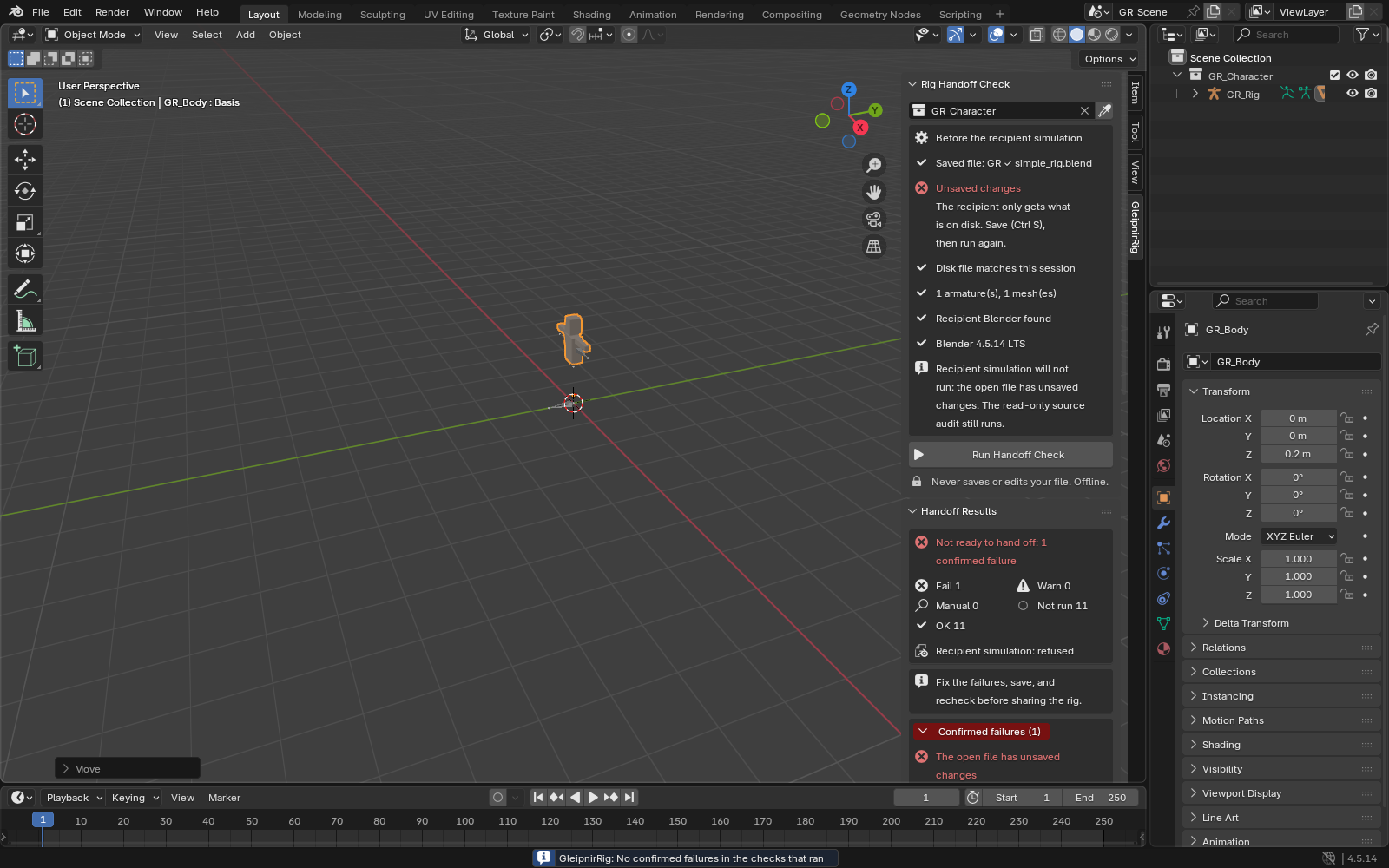
1. Check the rig in a separate Blender
2. See what must change before handoff
3. Save and check again after edits
Troubleshooting
Blender refuses the ZIP
Extract the outer bundle first. Install only gleipnir_rig-1.0.2.zip through Install from Disk; do not unpack that inner ZIP.
Export says the result is out of date
Save the intended file, select the collection you will deliver, and run the check again. The panel detects Blender-side changes; export also checks the saved-file hash.
The recipient simulation did not run
Read the reason. Save the file, correct missing prerequisites or executable settings, then rerun. Cancellation, timeout and incomplete checks are not successful tests.
No confirmed failures, but manual checks remain
Review the listed scripts, Python drivers and environment assumptions yourself. The extension intentionally does not execute rig scripts or certify animation quality.
Compatibility & limits
- Blender 4.5.14 LTS Linux x64 is the tested runtime. Windows, macOS and other Blender versions remain unverified.
- Checks one selected collection of ordinary armatures and meshes. Animation correctness, deformation quality and every possible constraint or driver combination are outside scope.
- Script auto-execution is disabled in the recipient process. Rig UI scripts and Python drivers are left for human review.
- The recipient simulation runs on your computer; the animator’s OS, paths and add-ons may differ. Exports may include local paths: review them before sharing.
Need a hand?
Tell us the product, host application and version, what you tried, and the exact error. Contact support with a fictional example; keep private customer files and passwords out of your message.