Task walkthrough · LofnLogo
Help a client choose the right supplied logo file
A folder of final logos still leaves a client with decisions: which version belongs on a dark slide, which file was supplied for print, and when should they ask the designer? A small chooser can record those decisions alongside the original files.
A Perunlight workflow for LofnLogo, our paid offline logo handoff builder. Written with AI assistance and checked against the free fictional Cedar recipient guide in Chrome 152 on Linux. This is a product demonstration, not a client case study. Published .
Choose a logo for a dark presentation slide
- Extract the free ZIP. Inside LofnLogo-free-examples, open examples/Client-Logo-Guide.html in desktop Chrome on Linux.
- Choose Slides and documents, then set the background to Dark and the variant to Full logo.
- Choose Download PNG. The downloaded example is a2-cedar-white.png.
- Compare it with examples/cedar-white.png. The prefix is an export identifier; the original image bytes are preserved.
Expected result: a white PNG for the dark slide, selected by an explicit designer mapping. LofnLogo does not recolor an image to make this version.
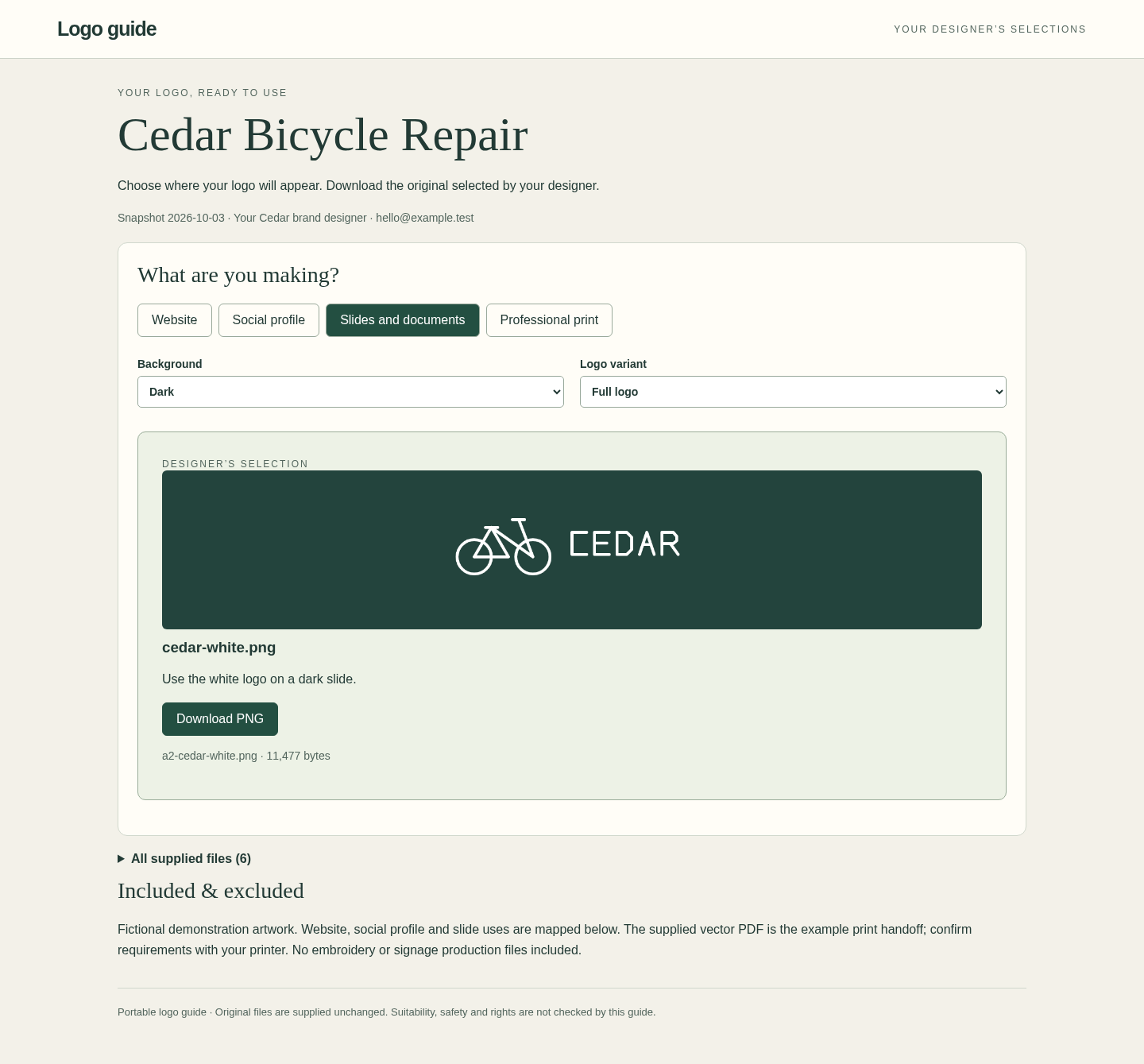
Open the extracted HTML locally. The tested route is Chrome 152 on Linux; email attachment previews, cloud previews and other browser or operating system combinations have not been verified.
Find the supplied print file
Choose Professional print, set the background to Either and keep Full logo. Download PDF produces a6-cedar-print.pdf, with the same bytes as the supplied cedar-print.pdf. A PDF recommendation records the designer's decision; it does not validate the file against a printer's requirements.
Either is its own background choice. It is not a fallback for Light or Dark. In your own handoff, map every intended combination explicitly, after checking the original with the relevant production workflow.
Check a use that was not included
- Keep Professional print, then choose Dark and Symbol.
- Confirm that the chooser says This use was not included and displays the designer contact.
- Expand All supplied files. All six embedded originals remain available there.
An unsupported combination has no recommendation. The chooser is not an access control system: recipients can still download every supplied original. Include only assets you intend to share.
- Slides and documents / Dark / Full logo recommends the white PNG.
- Professional print / Either / Full logo recommends the supplied PDF.
- Professional print / Dark / Symbol displays no recommendation and gives the designer contact.
- All supplied files contains six originals in this example.
The walkthrough check ran offline, downloaded the two recommended files and compared their SHA-256 hashes with the originals. Both matched, and all six source assets remained unchanged. No physical print output or real client delivery was tested.
Build a handoff from your own approved originals
In the paid application, add your finished logo files, name the variants, and map each original to its intended task, background and variant. Supported task labels are Website, Social profile, Slides and documents, and Professional print. Review required combinations before exporting.
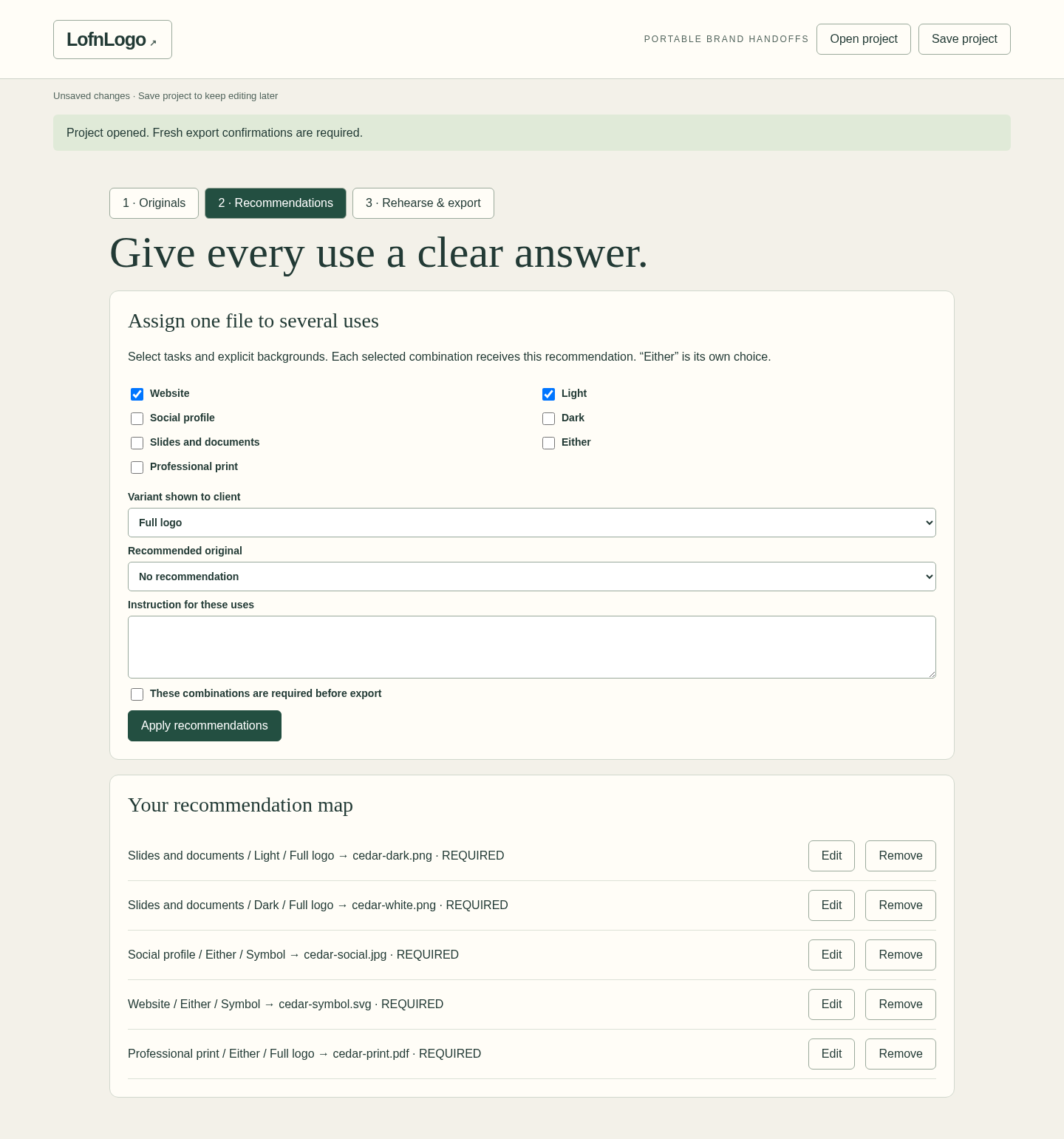
PNG and JPEG files have raster previews. SVG, PDF, AI and EPS files are carried as opaque downloads; they are not rendered, converted or checked for print suitability. You can pair one with a raster preview without changing the original.
Resolve missing required mappings and complete the three review confirmations. Changes reset those confirmations. Open the exported Client-Logo-Guide.html and repeat the recipient checks before sending it by an agreed delivery method.
Keep the editable project for revisions
Save Project.lofnlogo.json for later editing. There is no autosave. The client HTML embeds the originals and recommendations; HANDOFF.txt provides accompanying instructions. Reopening a saved project requires a fresh review before export.
Delivered HTML is a static copy. It does not update or revoke earlier copies, require a password or host anything for you. When an approved logo changes, revise the project, export a new handoff and tell the recipient which copy to use.
LofnLogo 1.0.0 supports up to 60 originals, 5,000,000 bytes per original and 25,000,000 original bytes in total, with additional project and preview limits. Read the complete setup guide for the supported formats, bounds and review steps.
Perunlight product
Create a client chooser with LofnLogo
$19 USD, one-time purchase. Map approved logo files to client uses and export an offline HTML chooser with the originals embedded. Includes the builder, illustrated guide and fictional Cedar practice pack.
Get LofnLogo · $19Read the complete setup guide
The recipient example is free. The paid builder creates and edits your own handoffs.