Step-by-step guide
KolyadaPages
Lock a rehearsal edition from a plain-text play, review the next draft and print only the changed page groups. Give the company a change log, character sheets and a remove/insert checklist.
Use this before printing binders for a new or devised play. The workflow starts from your own UTF-8 text, creates a rehearsal layout and records subsequent drafts.
Before you start
- Google Chrome on Linux. Chrome 152 desktop and narrow layouts were tested; other operating systems, browsers and physical printers are unverified.
- Extract the buyer ZIP and open KolyadaPages.html. No account, installation or internet connection is needed.
- UTF-8 TXT scripts using the documented TITLE, ACT/SCENE, NAME: speech and bracketed stage-direction conventions. Printed characters must be supported by Windows-1252.
- Start before the first binders are printed. Existing Word, PDF or Final Draft pagination cannot be preserved.
Your first result
Try the sample and lock its layout
Open KolyadaPages.html and choose Try the sample play. Check the title, detected speakers and six-page preview, then Lock rehearsal edition. This establishes the primary page groups.
Load the next draft
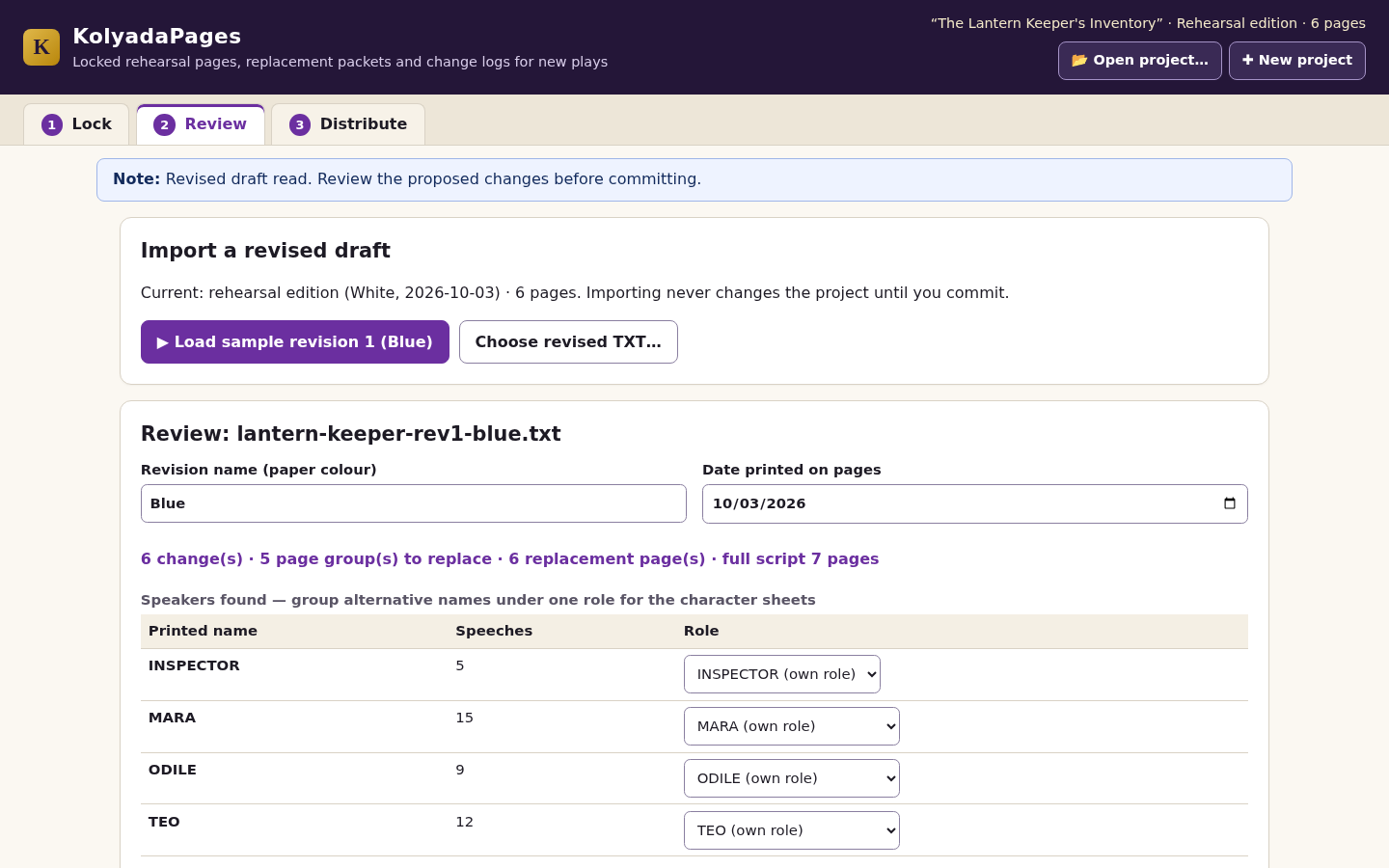
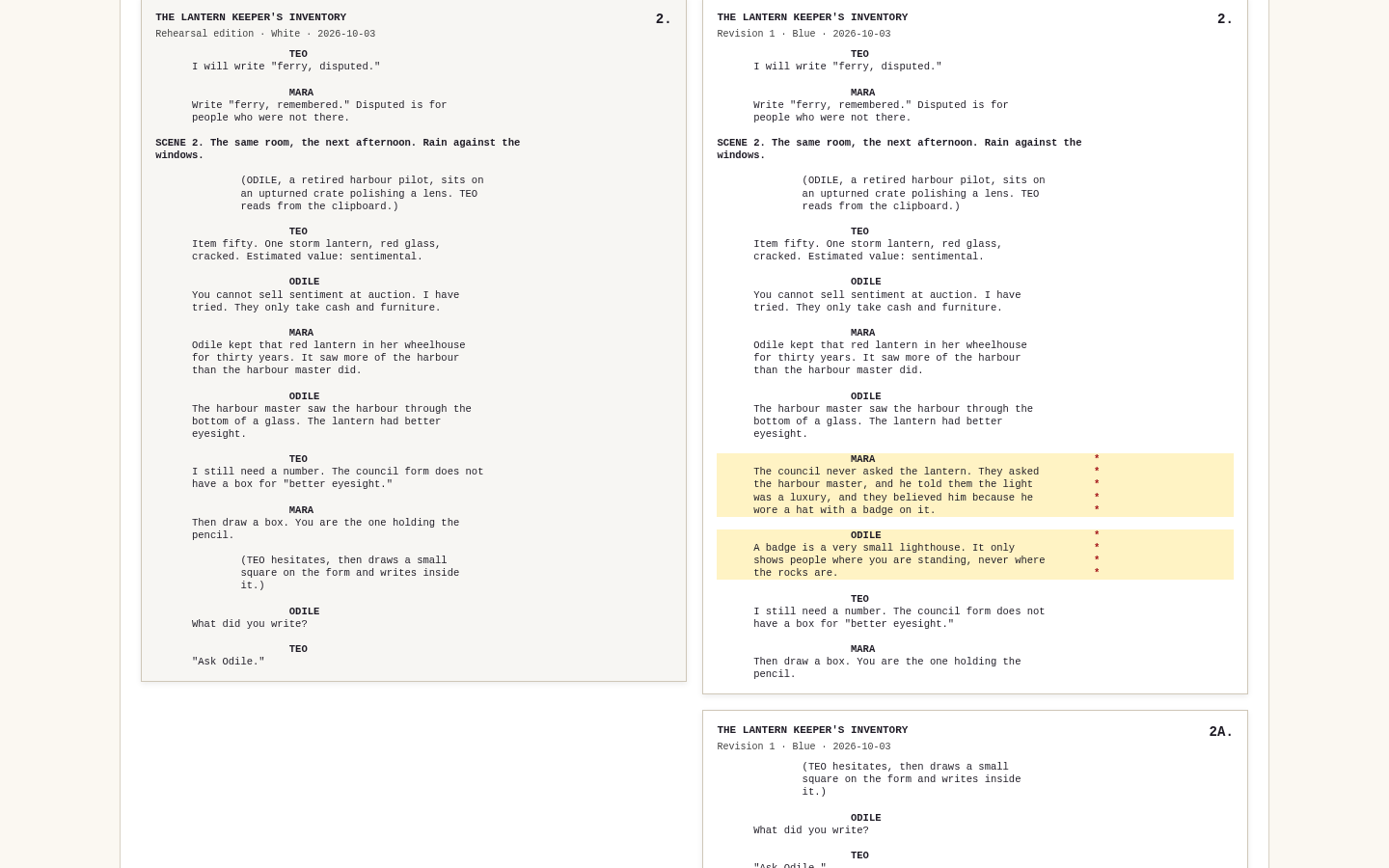
Go to Review and load sample revision 1 (Blue). Expect six changes on five page groups. Read the change list and compare issued page 2 with proposed pages 2 and 2A.
Review the replacements before committing
Inspect changed, added and cut text, including stage directions. Automatic pairing can misjudge moved or heavily rewritten passages. Moved text appears as a cut and an addition; verify it yourself before committing.
Download the distribution pack
Commit Blue with its date and colour. In Distribute, choose Letter or A4, enter binder holders if wanted, and download the ZIP. Check the full script, replacement pages, change log, character sheets and swap checklist before printing.
Keep the project for the following draft
Save the project separately. It contains the original drafts and revision history. Use Open project in the top bar to reopen it from any step; unsaved committed work is confirmed before replacement. Load Pink to practise removing 2A and restoring text to page 4. After ten revisions, save, export the current original draft and lock a new edition for new binders.
Adopt the workflow for your play
Import your own UTF-8 TXT, correct unsupported characters and speaker conventions, then lock a new edition before printing binders. For each later draft, review the proposed changes and distribute complete changed page groups using the checklist.
A worked example
The Lantern Keeper’s Inventory: Blue and Pink revisions
Input: Three drafts of an original fictional play. The first locked edition contains six pages.
- Lock the sample edition and load Blue.
- Compare group 2, review all six changes and commit the revision.
- Inspect the replacement PDF and swap checklist. Optionally repeat with Pink.
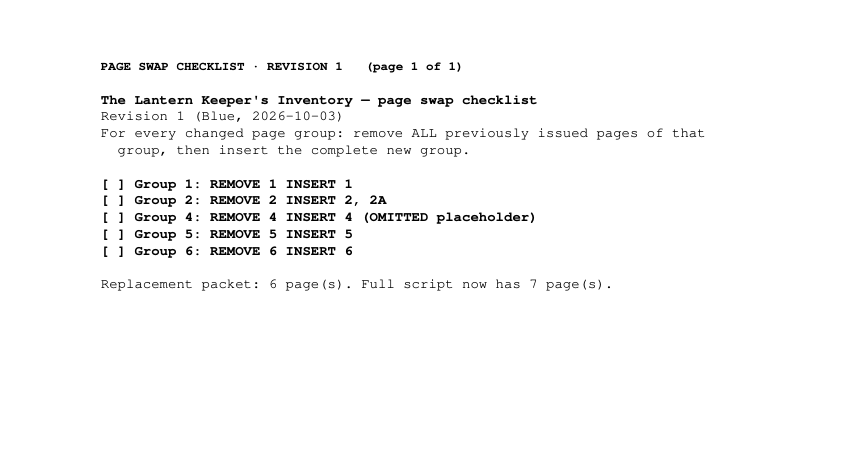
Expected result: Locked edition: 6 pages. Revision 1: 6 changes (1 changed speech, 2 added speeches, 2 cut speeches, 1 changed stage direction), replacement pages 1, 2, 2A, 4 OMITTED, 5 and 6, and a full script of 7 pages. Page 3 is not reissued. Character sheets list INSPECTOR 1, MARA 1, ODILE 2 and TEO 1, plus 1 company change. Revision 2 (Pink): 4 changes; pages 2, 4 and 6 are replaced, 2A is removed and page 4 gets text again.
Review the change, then hand over the right pages
Actual KolyadaPages screens and exported PDFs from the fictional sample in Chrome on Linux.
1. Review changes
2. Compare group 2
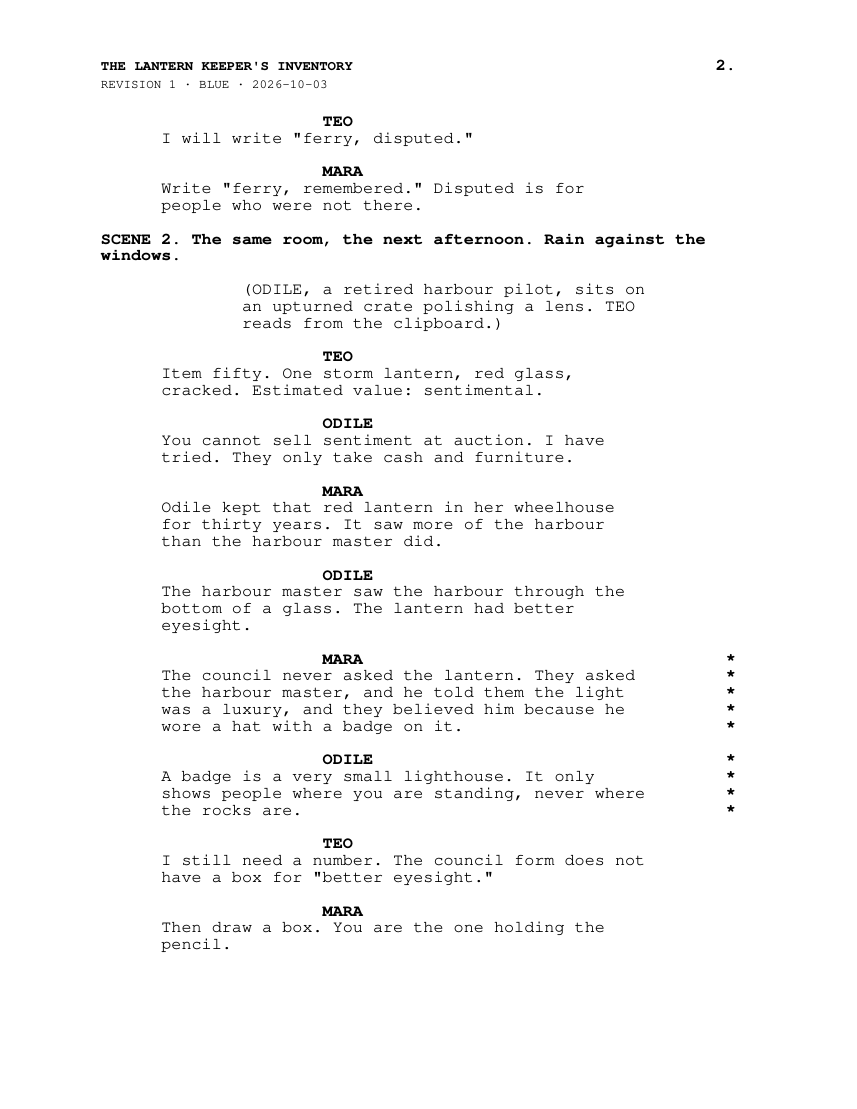
3. Pdf page 2
4. Pdf swap checklist
Troubleshooting
'not valid UTF-8 text'
Save the draft again as Plain Text with UTF-8 encoding.
'characters that the PDF export cannot print'
Replace the listed characters and import again; nothing was changed.
Lines counted as 'without a speaker or brackets'
Add NAME: or brackets so dialogue and directions are classified correctly.
'would need 11 overflow pages'
The new material for one page group is too long; lock a new edition from the current script.
'No changes'
The draft matches the current script; there is nothing to distribute.
Project refused as altered or inconsistent
Open your previous saved copy; do not edit project files by hand.
Opening a project asks 'Save current project first'
The open project has committed work that is not in a saved project file; save it, then choose Open now.
Download buttons are greyed out in Distribute
The recipient list has more than 50 names or a name longer than 60 characters; the red note under the list says which.
'Revision limit reached'
Save the project, download the original draft text of revision 10, choose New project and lock that draft as a new rehearsal edition (print new binders from it).
Compatibility & limits
- Adopt before printing binders: it cannot reproduce page numbers of scripts already printed from Word, Final Draft or PDF.
- Input is UTF-8 TXT only; no DOCX, PDF or Final Draft import in 1.0.
- Only characters printable in Windows-1252 are accepted; others block locking/commit and are listed by line and code point.
- 2 MiB per draft, 1,000 paragraphs, 30 roles, 30-character speaker names, 100 current pages including A pages and OMITTED placeholders, 10 overflow pages per group, 10 revisions after the locked edition (then lock a new edition), 50 recipients of up to 60 characters, 48 MiB project file. Going past a limit shows a specific message and leaves the open project unchanged.
- Change pairing is automatic and can misjudge moved or heavily rewritten speeches; every change must be reviewed. Moved text appears as cut plus added.
- No annotation transfer, no sending or sharing feature, no hosting.
- Tested only in Google Chrome on Linux; other browsers, macOS, Windows and physical printers are untested.
Need a hand?
Tell us the product, host application and version, what you tried, and the exact error. Contact support with a fictional example; keep private customer files and passwords out of your message.