Step-by-step guide
LoopRill
Turn aligned PCM music bounces into equal-length WAV stems, with a release-tail fold and a Calm–Active listening preview.
You have aligned game-music bounces and want a small local workbench for preparing loop stems and reviewing a reference transition.
Before you start
- Desktop Google Chrome on Linux is the tested environment.
- Extract the complete buyer ZIP and open index.html in desktop Google Chrome on Linux. Choose Start with example to load the original Harbor Signal cue. No server, account or network connection is required.
- One to three RIFF integer PCM WAV sources: 16 or 24 bit, mono or stereo, 44.1 or 48 kHz. Sources must share their sample rate and channel count.
Your first result
Open Harbor Signal
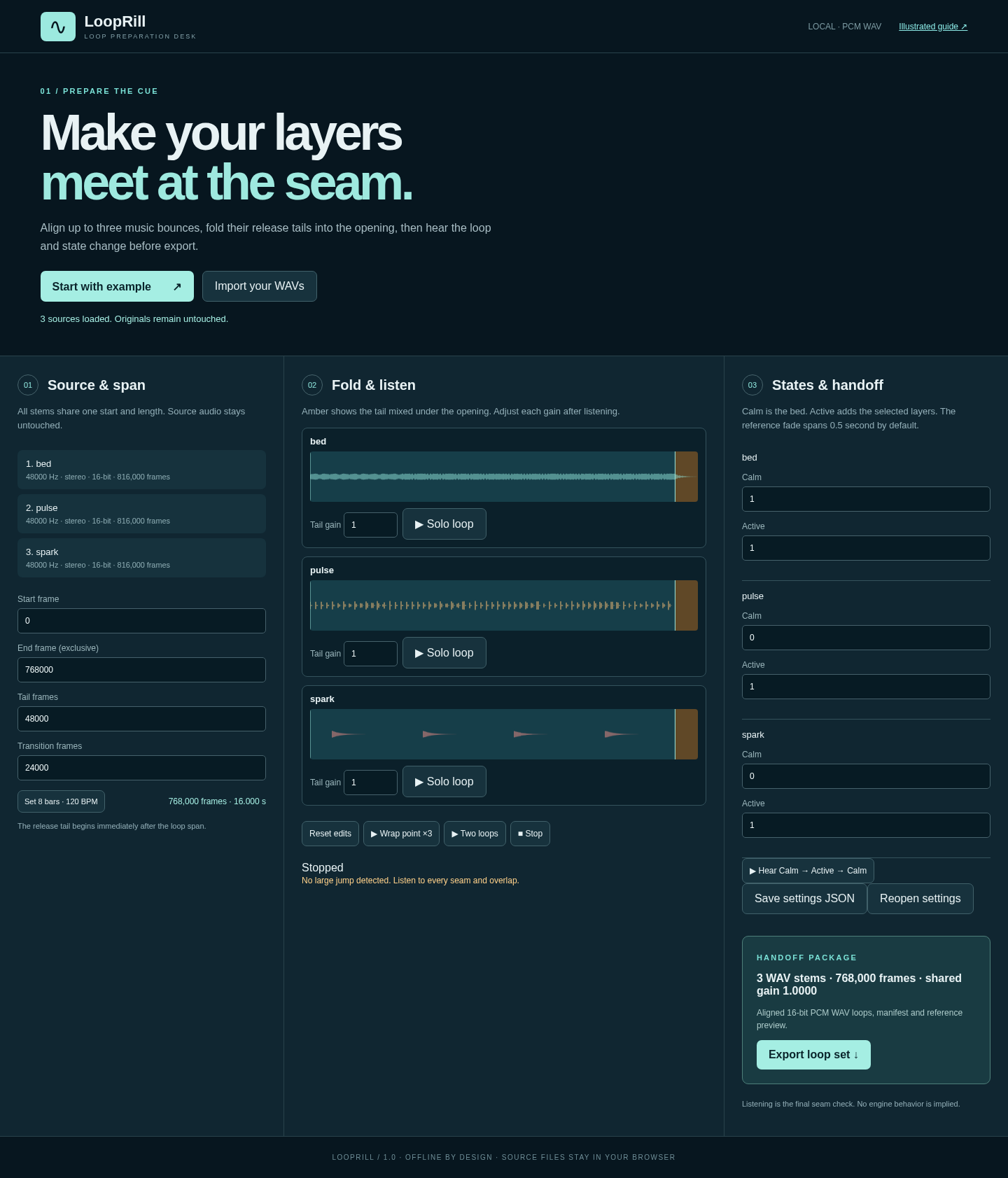
Extract the full buyer ZIP, open index.html in desktop Chrome, and choose Start with example. The original Bed, Pulse and Spark sources are 48 kHz stereo and 17 seconds long.
Inspect the shared range
The example uses Start 0, End 768000, Tail 48000 and Transition 24000 frames. End is exclusive. Each resulting loop is 16 seconds long.
Listen before exporting
Use Solo loop, Two loops and Hear Calm → Active → Calm. Adjust Tail gain and the Calm/Active levels. The fold mixes the release tail under the opening; it cannot repair every source or guarantee a seamless musical result.
Prepare your own bounces
Use Import your WAVs for one to three aligned integer PCM sources with the same rate and channel count. Set a valid shared Start/End range and leave enough source frames after End for the selected Tail.
Keep the settings
Choose Save settings JSON and retain the original WAV files. To resume, load those same files and use Reopen settings. Source hashes must match.
Export and review
Choose Export loop set. Extract the ZIP, check the equal-length WAV stems, the three-loop preview and manifest.json. Review the applied shared gain and listen again before integrating them into your own project.
A worked example
Harbor Signal
Input: Three original 17-second, 48 kHz stereo bounces: Bed, Pulse and Spark.
- Set the shared span to [0, 768000) with a 48000-frame release tail.
- Use a 24000-frame transition and listen to the fixed three-loop reference.
- Export the loop set and inspect the WAV durations and manifest.
Expected result: Each of the three loop stems has 768000 frames, or 16 seconds. The Calm–Active–Calm reference has 2304000 frames, or 48 seconds. The original sources remain unchanged.
See the working tool
Actual screenshots from the downloadable app. Start with the free example and follow the steps below.
1. Prepare the original cue
2. Start with your sources
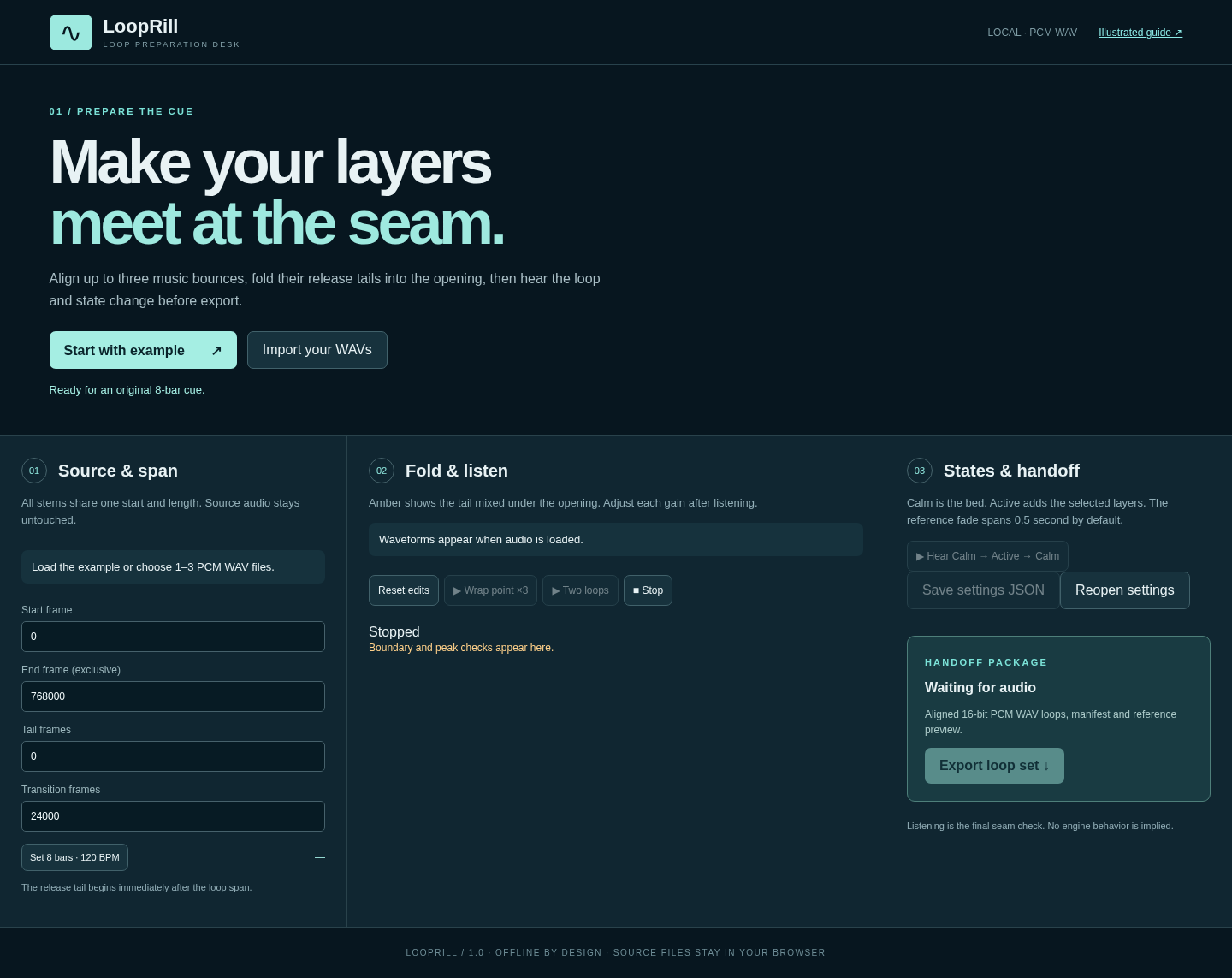
3. Read the stacked workspace

Troubleshooting
A WAV is rejected
Export standard RIFF integer PCM, 16 or 24 bit, mono or stereo at 44.1 or 48 kHz. Use the same sample rate and channel count for all sources.
A frame range is invalid
Use whole frames. End must follow Start, and End plus Tail must fit every source. Read the named limit in the workbench.
The exported level is lower
LoopRill uses one conservative shared gain to preserve relative stem levels and headroom for state mixes. Review the reduction in the manifest.
A seam sounds wrong
Move the span or adjust the tail gain, then listen again. A release-tail fold cannot guarantee that an arbitrary musical cut will loop cleanly.
Settings will not reopen
Load the exact original WAV files in the same order. Changed source bytes or format metadata will fail the hash check.
Compatibility & limits
- One to three RIFF integer PCM WAV sources: 16 or 24 bit, mono or stereo, 44.1 or 48 kHz. Sources must share their sample rate and channel count.
- Each source can be up to 90 seconds. Total input is limited to 256 MiB and output to 512 MiB. Loop spans use whole frames and must be at least 256 frames; tail and transition lengths must fit the span and source.
- Exports use 16-bit PCM, with one conservative gain shared across the stems. This can reduce level. There is no resampling, loudness normalization, dither, tempo detection or MP3/OGG support.
- The three-loop Calm–Active–Calm preview is a fixed reference mix. Listen to the seams and implement playback in your own project. DAW and game-engine integration, musical suitability and other browsers or operating systems are unverified.
- Tested in desktop Chrome on Linux. Save settings JSON and keep the original source WAVs to reopen your edits; there is no cloud sync.
Need a hand?
Tell us the product, host application and version, what you tried, and the exact error. Contact support with a fictional example; keep private customer files and passwords out of your message.