LoopRill · Local browser tool 1.0.0 · Chrome on Linux
Three layers. One shared loop.
Turn aligned PCM music bounces into equal-length WAV stems, with a release-tail fold and a Calm–Active listening preview.
You have aligned game-music bounces and want a small local workbench for preparing loop stems and reviewing a reference transition.
$19 USD · one-time purchase
Continue to checkoutStep-by-step guide
No subscription. Final total and tax appear at checkout.
Try the original example before buying
The free pack contains the complete original audio example and expected outputs. The paid ZIP adds the editor for your own matching WAV sources.
- Choose one shared span: Keep every exported stem at the same length and sample rate.
- Hear the tail and the mix: Listen to individual loops and a fixed Calm–Active–Calm transition.
- Keep the handoff explicit: Export WAVs with frame counts, source/output hashes and the applied gain.
What it helps you do
For composers who already have one to three aligned WAV bounces. Choose a shared frame range, blend release tails under the opening, audition the result and export a documented handoff.
What is in your download
- Offline local browser workbench
- Shared loop-range and release-tail controls
- Solo/repeated-loop playback and fixed state-transition preview
- Equal-length WAV stems, preview WAV, hashes and frame manifest
- Original Harbor Signal sources, expected outputs and synthesis recipe
- Illustrated English manual, product license and notices
A practical example
Harbor Signal
Start with
Three original 17-second, 48 kHz stereo bounces: Bed, Pulse and Spark.
Get this result
Each of the three loop stems has 768000 frames, or 16 seconds. The Calm–Active–Calm reference has 2304000 frames, or 48 seconds. The original sources remain unchanged.
Free Harbor Signal source stems, finished loops and listening preview
Examples use fictional or synthetic data. Follow this example step by step.
See the working tool
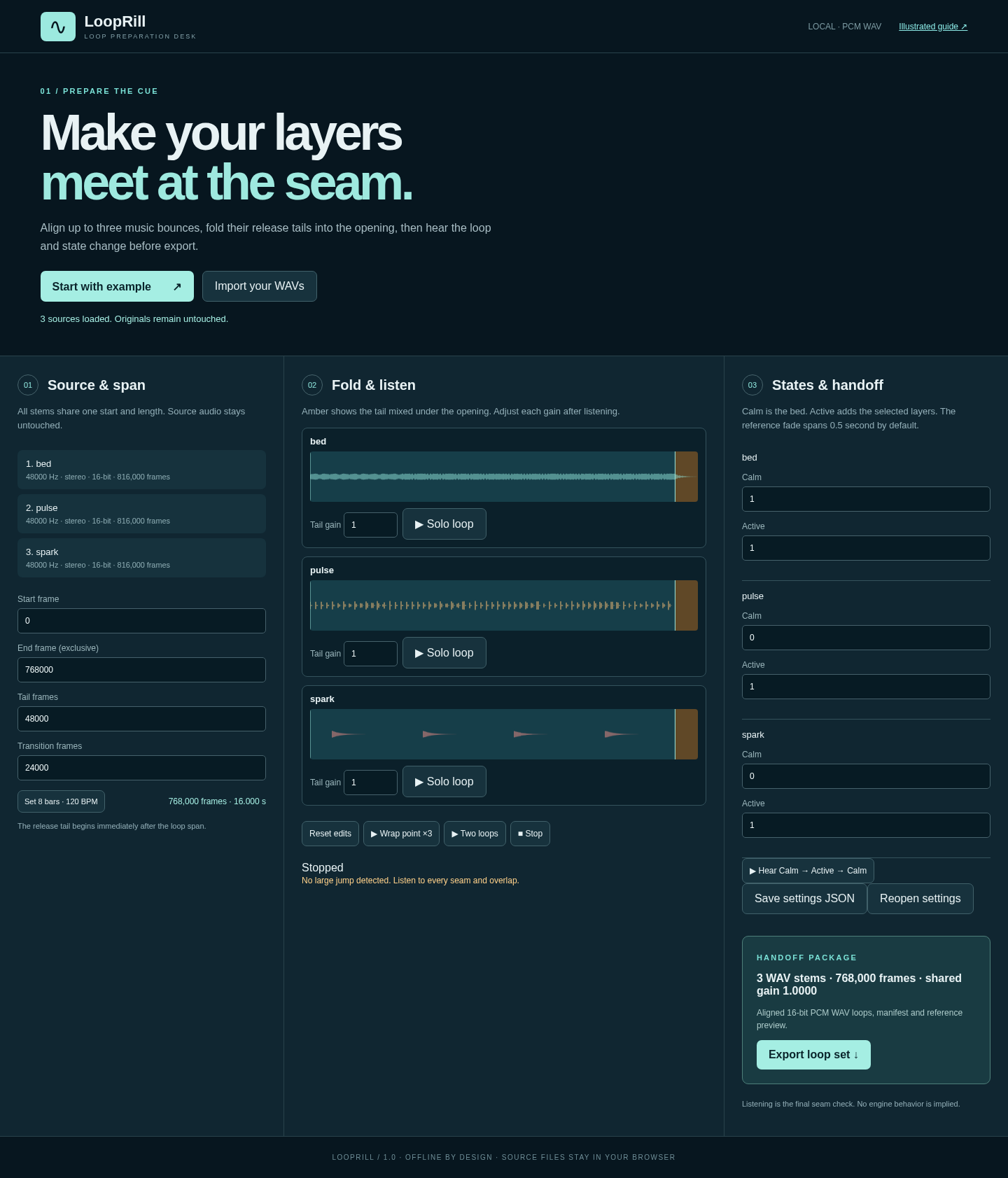
Actual screenshots from the downloadable app. Start with the free example and follow the steps below.
Prepare the original cue
Harbor Signal loaded in the running app, with the shared loop span, tail gains and state levels. View full size Start with your sources
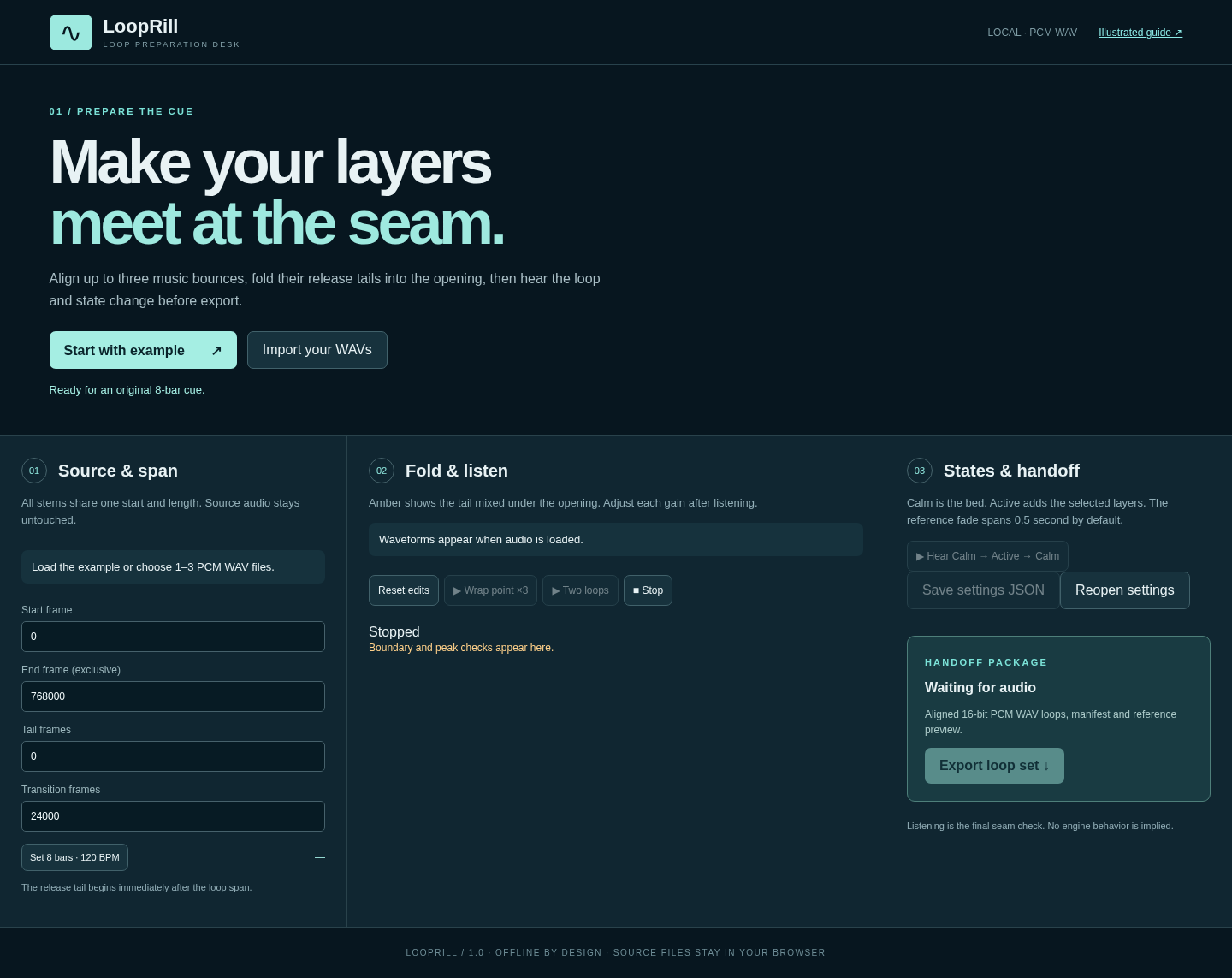
The workbench opens with an original example and a direct WAV import. View full size Read the stacked workspace

The app at a narrow 390-pixel viewport. Desktop Chrome on Linux is the tested working environment. View full size
How it works
Load aligned bounces
Choose matching PCM WAV files or open the original example.
Set the span and listen
Adjust shared frames, release-tail gains and state levels.
Export the handoff
Save the loop ZIP and settings alongside the original sources.
Before you buy
- Desktop Google Chrome on Linux is the tested environment.
- Extract the complete buyer ZIP and open index.html in desktop Google Chrome on Linux. Choose Start with example to load the original Harbor Signal cue. No server, account or network connection is required.
- One to three RIFF integer PCM WAV sources: 16 or 24 bit, mono or stereo, 44.1 or 48 kHz. Sources must share their sample rate and channel count.
Compatibility & limits
One to three RIFF integer PCM WAV sources: 16 or 24 bit, mono or stereo, 44.1 or 48 kHz. Sources must share their sample rate and channel count. Each source can be up to 90 seconds. Total input is limited to 256 MiB and output to 512 MiB. Loop spans use whole frames and must be at least 256 frames; tail and transition lengths must fit the span and source. Exports use 16-bit PCM, with one conservative gain shared across the stems. This can reduce level. There is no resampling, loudness normalization, dither, tempo detection or MP3/OGG support. The three-loop Calm–Active–Calm preview is a fixed reference mix. Listen to the seams and implement playback in your own project. DAW and game-engine integration, musical suitability and other browsers or operating systems are unverified. Tested in desktop Chrome on Linux. Save settings JSON and keep the original source WAVs to reopen your edits; there is no cloud sync.
Get LoopRill
Perpetual use of the purchased version on your devices for personal or internal commercial work. Keep reasonable backups and modify your own copy; do not redistribute or resell original proprietary code. Third-party licenses and any existing preview permissions retain their rights.
Before payment, save the private recovery code shown by checkout. After Paddle confirms payment, use it to download your ZIP or return for it later. No subscription, future update or email delivery is promised. See the illustrated steps.
$19 USD · once
Buy download