Step-by-step guide
MuninCompare
Install the unpacked Chrome extension and compare two fictional analytics HAR captures.
For analysts or QA teams reviewing an authorised before/after browser journey.
Before you start
- Google Chrome 120+ with Developer mode and Load unpacked allowed; tested in Chrome for Testing 151 on Linux. Managed browser policy may forbid this.
- MuninCompare-1.0.1.zip; this is not a Chrome Web Store listing.
- Two HAR files from an authorised, comparable journey; start with the fictional examples.
Your first result
Install unpacked
Extract MuninCompare-1.0.1.zip to a permanent folder. Open chrome://extensions in Chrome, enable Developer mode, click Load unpacked and select the extracted extension folder containing manifest.json.
Open and load
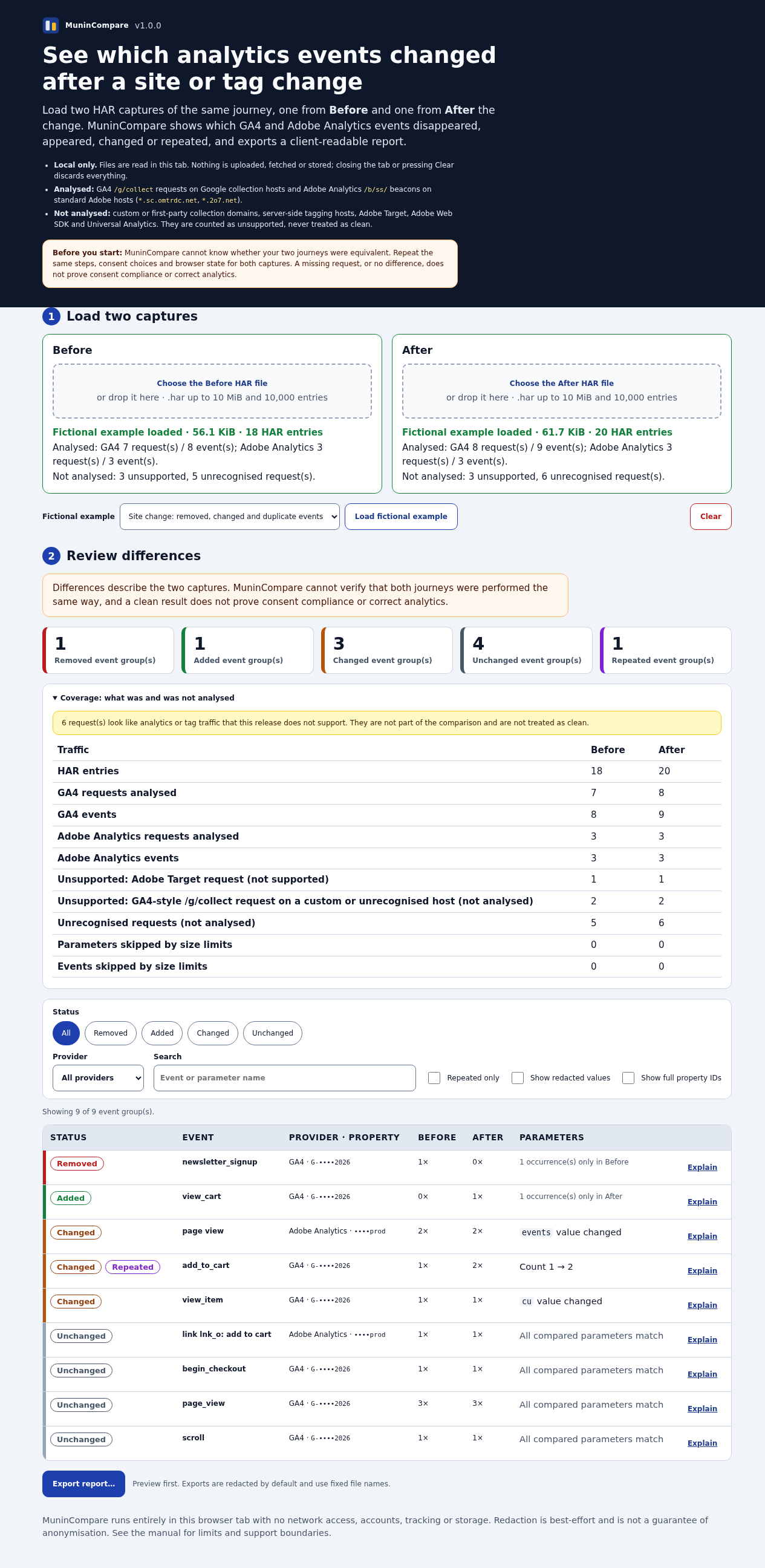
Click its toolbar icon or press Alt+Shift+M. Choose Load fictional example, or load your own before and after HAR files.
Review and export
Review added, removed, changed and repeated GA4/Adobe Analytics events plus unsupported traffic. Preview and download redacted HTML, CSV or JSON; review content before sharing.
Uninstall
In chrome://extensions remove MuninCompare and delete its extracted folder. The extension stores no files or browser data.
A worked example
Find changes in a fictional checkout journey
Input: The included fictional changes-before.har and changes-after.har, captured as equivalent test journeys.
- Load fictional example in the extension.
- Review changes and unsupported traffic.
- Open export preview and download the redacted HTML report.
Expected result: A local difference report with added, removed, changed or repeated supported analytics events. It does not certify correct tracking or consent.
Troubleshooting
Load unpacked is unavailable
A managed Chrome policy can block Developer mode or unpacked extensions. Ask your administrator or use a profile you control.
Events are missing
Check unsupported-traffic counts. Custom collection domains, Adobe Target and Adobe Web SDK are not supported.
Compatibility & limits
- No network requests or automatic capture; selected HAR data is processed in tab memory. HAR files can contain secrets, so handle originals carefully.
- Redaction is not guaranteed anonymisation. Review exports before sharing.
- Chrome for Testing 151 on Linux was tested; other Chromium browsers and real customer journeys were not.
Need a hand?
Tell us the product, host application and version, what you tried, and the exact error. Contact support with a fictional example; keep private customer files and passwords out of your message.