Worked example · Printed music
Plan the page turns in a printed part before you print it
Choose the places where you can turn, then arrange the pages around those choices. This original practice score shows why a binder can need fewer turns than separate sheets.
Written by Perunlight, the maker of SkuldTurn, with AI assistance. The free example arithmetic and all eight pages of its two expected PDFs were independently checked on 4 October 2026. The application was not rerun for this article. Published .
The fifteen-system practice score
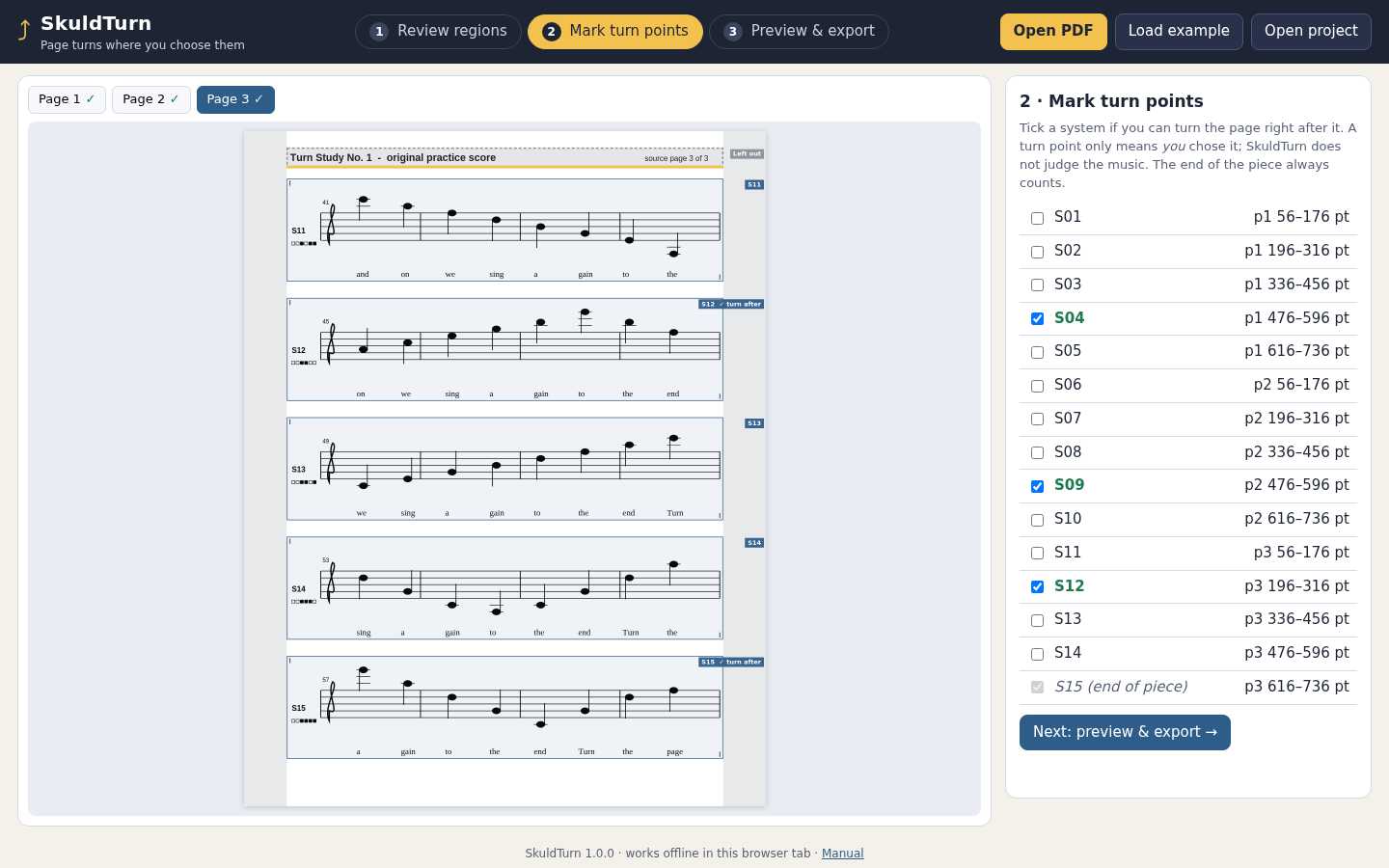
Turn Study No. 1 contains three US Letter pages and fifteen systems labelled S01–S15. Each system occupies a 120-point band. For this exercise, the player has marked turns after S04, S09 and S12, plus the end at S15. Those are the player’s decisions; the software does not find rests or judge whether a turn is musically safe.
Open samples/turn-study-1.pdf and its matching project in the free pack. The example uses full size, 36-point margins and a short copyright notice repeated on every output page.
Check how much fits
A Letter page is 792 points tall. Subtract the 36-point top and bottom margins, the 26-point notice band and its 10-point separation. That leaves 684 points for music, with 10 points between consecutive systems.
Usable music height: 792 − 36 − 36 − 26 − 10 = 684 pt
4 systems: 4 × 120 + 3 × 10 = 510 pt
5 systems: 5 × 120 + 4 × 10 = 640 pt — fits
6 systems: 6 × 120 + 5 × 10 = 770 pt — too tall
At full size, at most five systems fit on a page. These measurements are in samples/expected/turn-study-1-single-pages-turn-plan.json.
Single pages: three turns
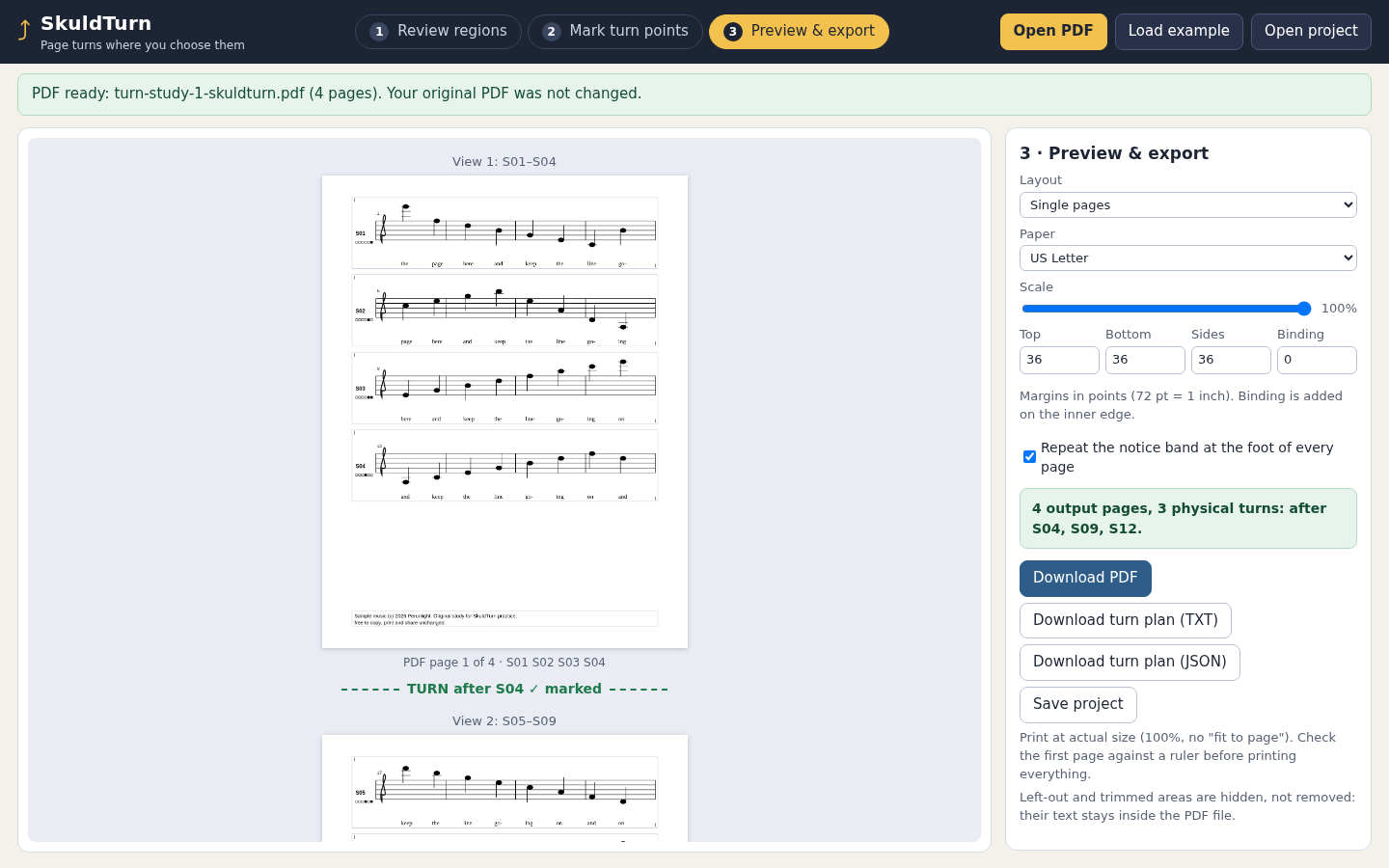
When you read one sheet at a time, every page end before the finish is a physical turn. In this example, each page therefore needs to stop at a mark.
- Page 1: S01–S04, using 510 points. S05 would fit, but the player did not mark a turn there.
- Page 2: S05–S09, using 640 points and ending at the S09 mark.
- Page 3: S10–S12, using 380 points. The next permitted end is S12.
- Page 4: S13–S15, using 380 points and reaching the finish.
The result is four pages, with turns after S04, S09 and S12. The free single-page PDF visibly contains those groups, and its turn plan records three physical turns. The empty space at the bottom of page 1 keeps its end at the chosen place.
Binder spreads: one turn
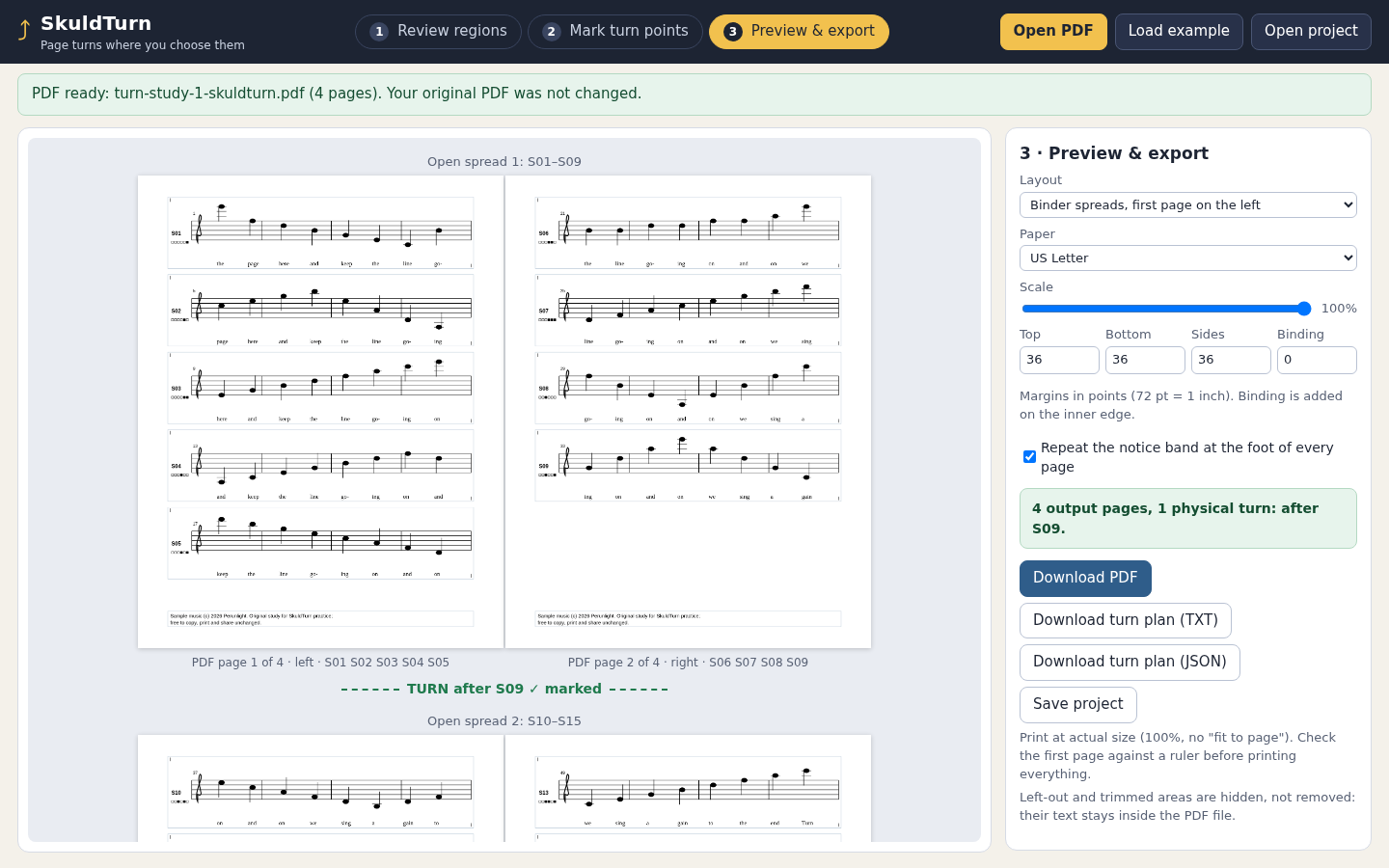
With two facing pages, you read across from the left page to the right before turning. Only the right-hand page must finish at a permitted turn. Place the first page on the left for this layout.
- Spread 1: left S01–S05, right S06–S09. Turn after S09.
- Spread 2: left S10–S12, right S13–S15. End of the piece.
The same music still occupies four pages, but needs one physical turn. Compare turn-study-1-binder-first-left.pdf with turn-study-1-single-pages.pdf in the free pack. All fifteen systems appear once in order in each visible layout.
Check it without buying software
- Number the systems. Mark the places where you, as the player, can turn.
- Measure the usable page area and the height of each music band, including lyrics and markings.
- For single pages, stop at a permitted mark that fits. For a binder, check the right-hand page ends.
- Check the full stretch between successive marks. If it will not fit, choose another turn or reassess the scale.
- Open the two expected PDFs and compare the visible system labels with the groups above. Print a sample at the intended size and judge readability yourself.
For example, marking only S12 and S15 in single-page mode would require the opening twelve systems to fit on one page: 1,550 points against 684. That cannot work at these settings. A different musical turn point or layout is needed.
Smaller uniform scale can fit more music, but also makes it harder to read. SkuldTurn supports 70–100% scale; it copies the bands without redrawing or reflowing the notation. This article checks only the two full-size PDFs supplied in the free pack.
What the application adds
SkuldTurn helps you review system bands in a PDF, compare single-page and binder layouts, then export a PDF, a text/JSON turn plan and a project. The saved project is tied to the source PDF’s fingerprint. Review every page: automatic band proposals can miss notes, lyrics or other marks.
- One PDF per project, up to 20 upright pages, 32 MiB and 120 full-width bands; Letter or A4 output.
- Source order is preserved. Repeats and jumps are not interpreted; there is no music recognition or automatic musical judgement.
- Excluded regions are visually clipped, not securely redacted.
- Tested only in desktop Google Chrome on Linux. Other browsers, operating systems and physical printers are unverified.
Read the complete guide before buying. The free practice pack includes the worked files and illustrated manual; the paid application is $19 once.
Perunlight product
Try the score before buying
Compare the two PDFs in the free pack. SkuldTurn adds a visual band review, page layout comparison and PDF and turn-plan exports.
See SkuldTurn · $19 one-timeRead the manual
Purchased version only; future major versions or upgrades are not included. Tested in desktop Chrome on Linux. Physical printing is unverified.