SkuldTurn · Offline score layout tool 1.0.0 · Chrome on Linux
Put the page turn where your hands are free.
Choose where you can turn a printed music part. Review the systems in your PDF, mark those turn points, then arrange single pages or binder spreads and export a new PDF.
You read a part from paper and need its physical turns to fall at places you have reviewed.
$19 USD · one-time purchase
Continue to checkoutStep-by-step guide
No subscription. Final total and tax appear at checkout.
See the result before buying
The free pack contains the guide and original practice files. The working application is in the paid download.
- Keep the notation: Copy selected PDF bands at one scale without redrawing the music.
- Choose the turns: Mark where your hands are free and compare single pages with binder spreads.
- Print and return: Download a PDF, a turn plan and a project tied to the exact source PDF.
What it helps you do
For accompanists, pit players and other musicians who print their own music parts. Move whole systems between pages while preserving the source notation. Turn marks and page review remain your decisions.
What is in your download
- Local app with bundled PDF libraries and their licences
- Illustrated English HTML manual and seven actual screenshots
- Original three-page practice score and a matching editable project
- Expected output PDFs and turn plans
- README, licence, changelog and file checksums
A practical example
Turn Study No. 1 — original fictional practice score
Start with
Three Letter pages contain fifteen 120-point systems. Turn marks follow S04, S09, S12 and S15. Use 36-point margins, no binding allowance and the repeated notice.
Get this result
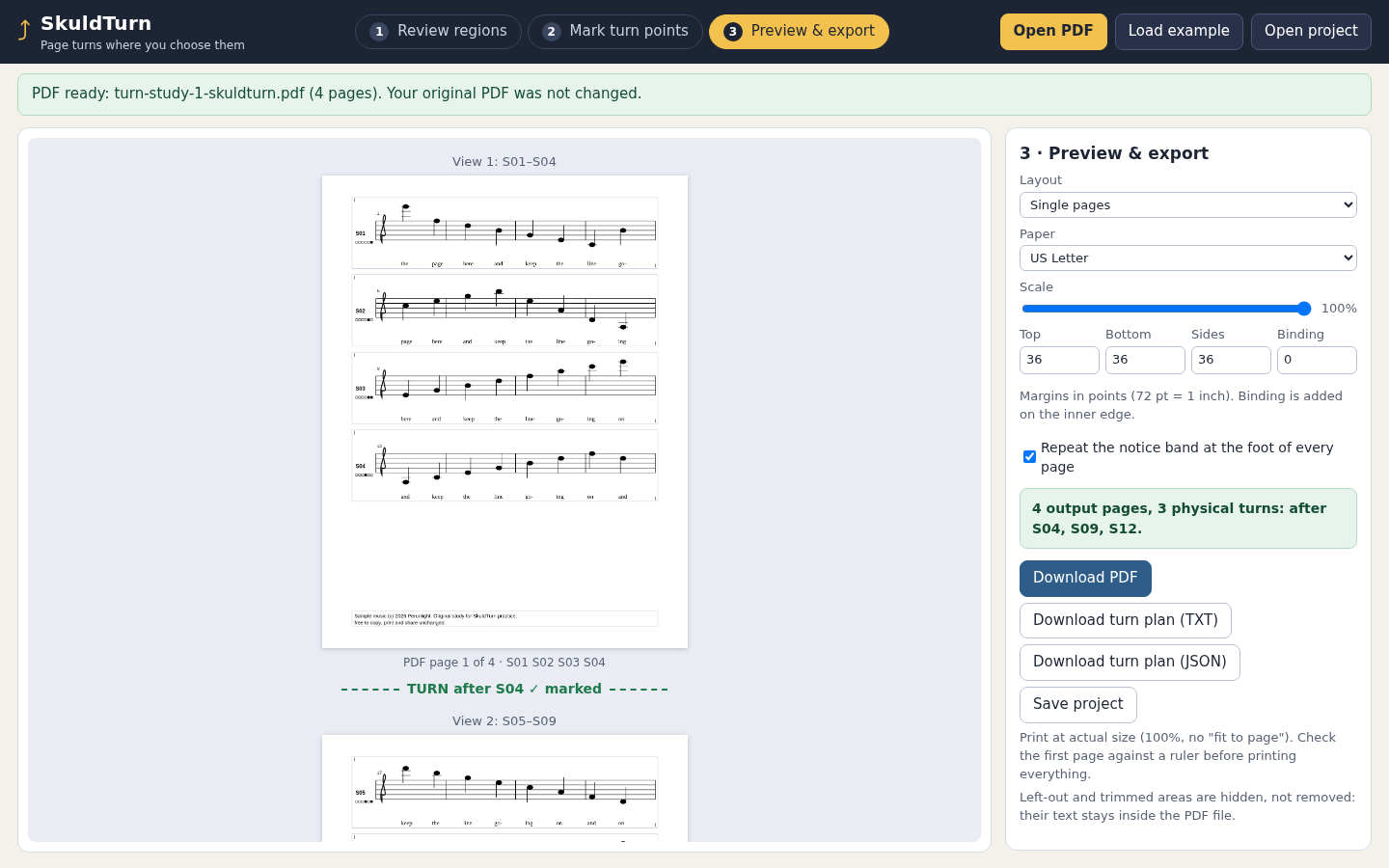
Single pages at 100%: [S01–S04], [S05–S09], [S10–S12], [S13–S15]. At 80%: [S01–S04], [S05–S09], [S10–S15]. Binder first-left: [S01–S05][S06–S09] | [S10–S12][S13–S15], turning after S09. Binder first-right: [S01–S04] | [S05–S08][S09–S12] | [S13–S15], turning after S04 and S12. With only S12/S15 marked, single-page mode reports that S01–S12 cannot fit.
Free illustrated guide, practice PDF, editable project and expected outputs (app not included)
Examples use fictional or synthetic data. Follow this example step by step.
From source bands to a turnable part
Actual SkuldTurn screens in Chrome on Linux, using the original Turn Study No. 1 example.
Review regions
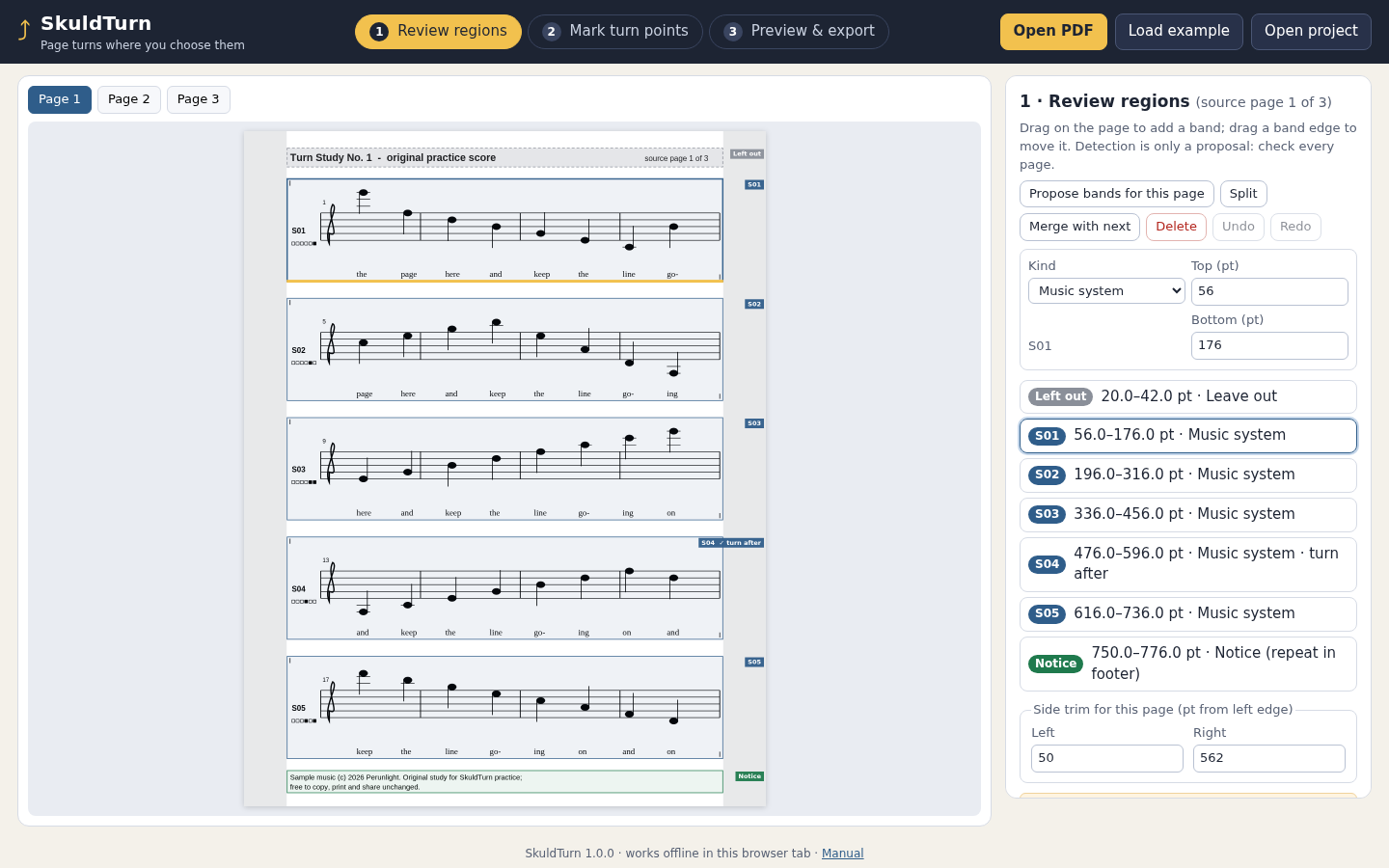
Check every music band against the source page before approving it. View full size Turn points
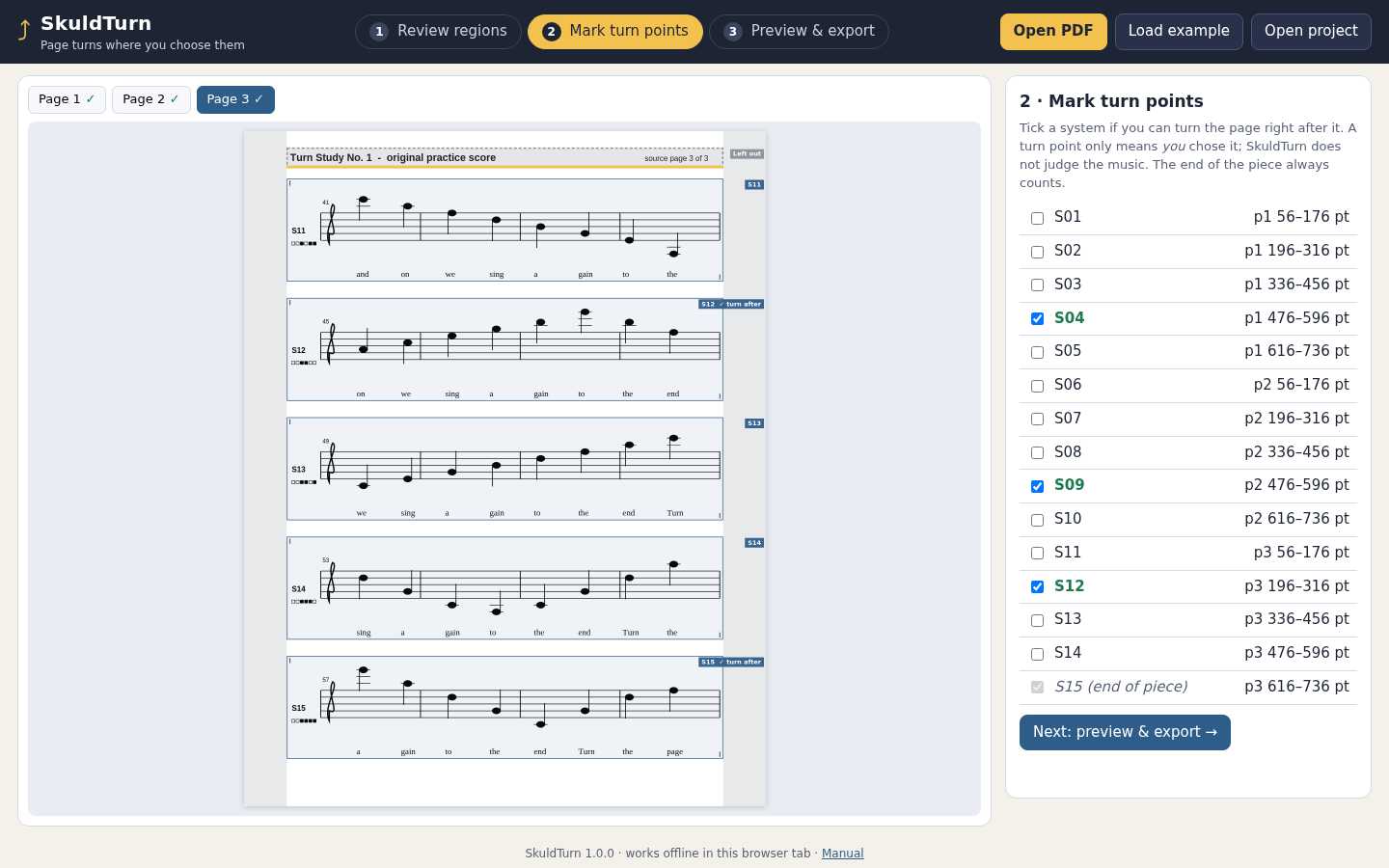
Mark the systems after which you have a hand free to turn. View full size Preview single
The practice score uses four single pages, with turns after S04, S09 and S12. View full size Preview binder
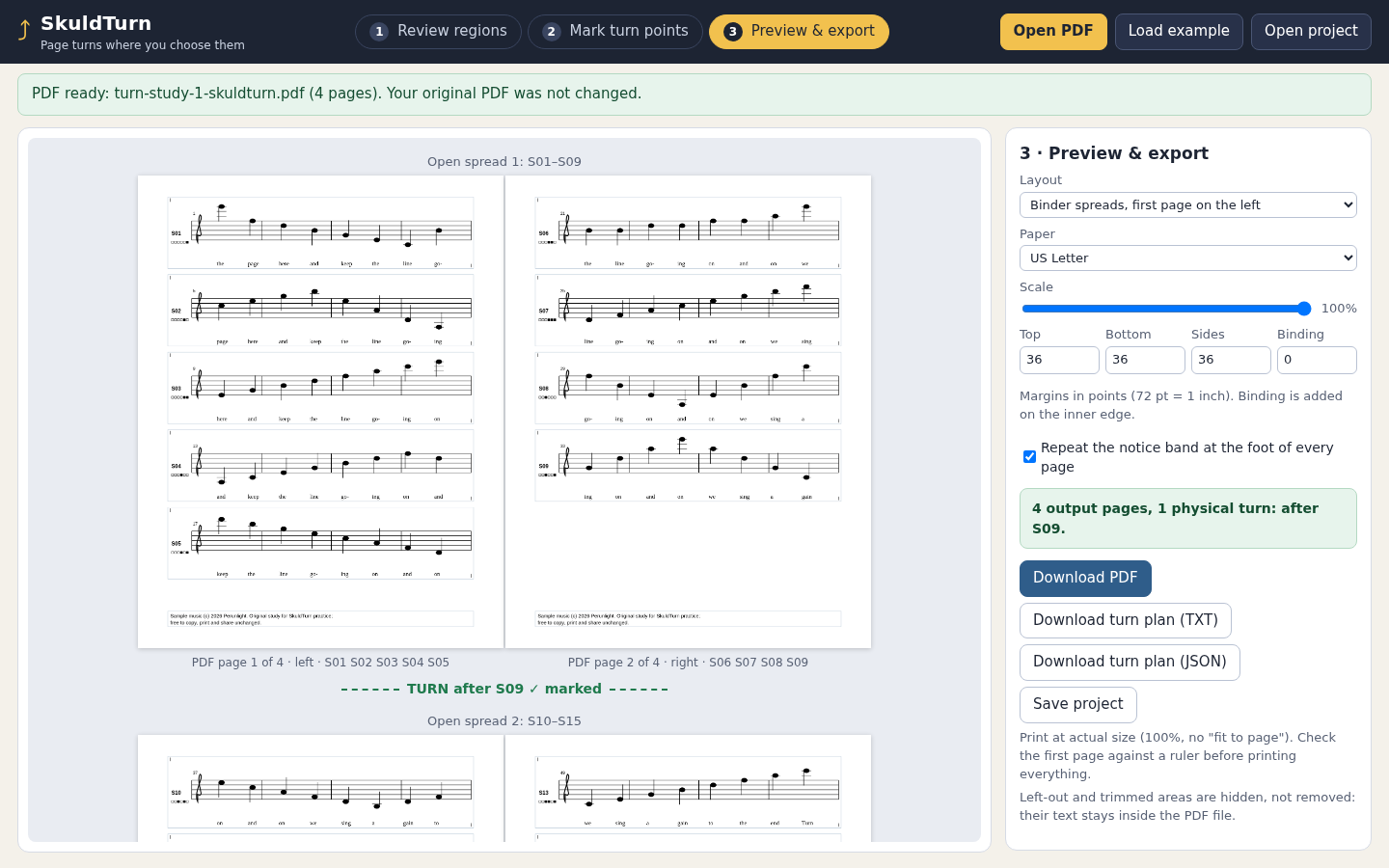
The same score in two-page spreads needs one turn, after S09. View full size Infeasible
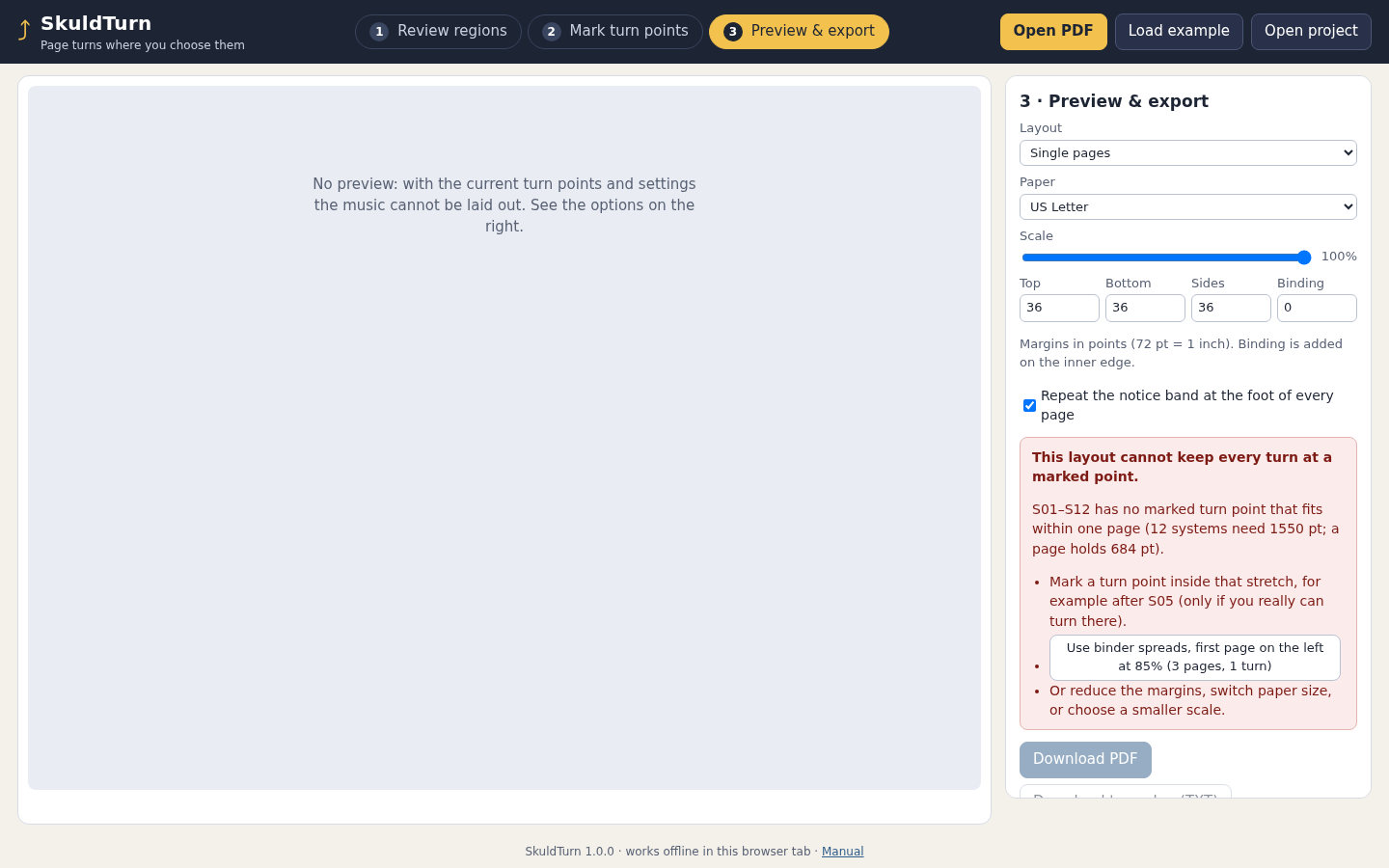
When the marked turns cannot fit, the app identifies the stretch to reconsider. View full size
How it works
Review the source
Check the system bands and excluded areas on every page, then approve each page.
Mark your turns
Select the systems after which you can turn and choose single pages or a binder layout.
Preview and save
Inspect every output page, download the PDF and turn plan, then save the editable project.
Before you buy
- Desktop Google Chrome. Tested with Chrome 152 on Linux; other hosts and browsers are unverified.
- Extract the entire buyer ZIP and open app/index.html. Keep the bundled files together.
- An upright PDF you may copy and rearrange. Scans are supported when they are inside a PDF.
- Use the included practice score to understand bands and turns before preparing your own part.
Extract the complete SkuldTurn-1.0.0.zip and open app/index.html in desktop Google Chrome. Load the included practice score first. No installation, account, server or network connection is needed.
Compatibility & limits
One PDF per project, up to 20 pages and 32 MiB. At most 120 full-width bands. Pages must be upright and 216–1296 points on each side. US Letter or A4, at one uniform scale from 70% to 100%. Source order is preserved; repeats and jumps are not interpreted. You review every source page and mark the turns yourself. Staff-line proposals can miss notes, lyrics or other content, especially in noisy scans. Encrypted or restricted PDFs, forms, signatures, layers, active content, rotated pages and visible annotations are refused. Link annotations may open, but links and other interactive features are not exported. No music recognition, rest detection, transposition or automatic musical judgement. Excluded regions are visually clipped, not securely redacted; source content may remain extractable from the exported PDF. Desktop Chrome on Linux tested. Other browsers, operating systems and physical printer behaviour remain unverified. Save your project before closing the tab.
Get SkuldTurn
Perpetual use of the purchased version on your devices for personal or internal commercial work. Keep reasonable backups and modify your own copy; do not redistribute or resell original proprietary code. Third-party licenses and any existing preview permissions retain their rights.
Before payment, save the private recovery code shown by checkout. After Paddle confirms payment, use it to download your ZIP or return for it later. No subscription, future update or email delivery is promised. See the illustrated steps.
$19 USD · once
Buy download