Step-by-step guide
PostCarry
Move supported Hugo blog posts into an editable Astro project. Review the conversion, compare the rendered articles, and download the source and built site together.
You maintain a bounded Hugo Markdown blog and want to move its supported articles into Astro with an inspectable conversion and editable output.
Before you start
- Linux x64 with Node.js 22.12+ and desktop Chrome. The accepted environment used Node 22.22.2 and Chrome 152.
- Extract the entire buyer ZIP and keep its bundled files together. The sample needs no account or dependency download.
- Use a trusted copy of your Hugo source and the documented capture template. Keep the original project untouched.
- Read the supported-content limits before capturing a real site. This tool does not convert a whole Hugo theme.
Your first result
Start the local workbench
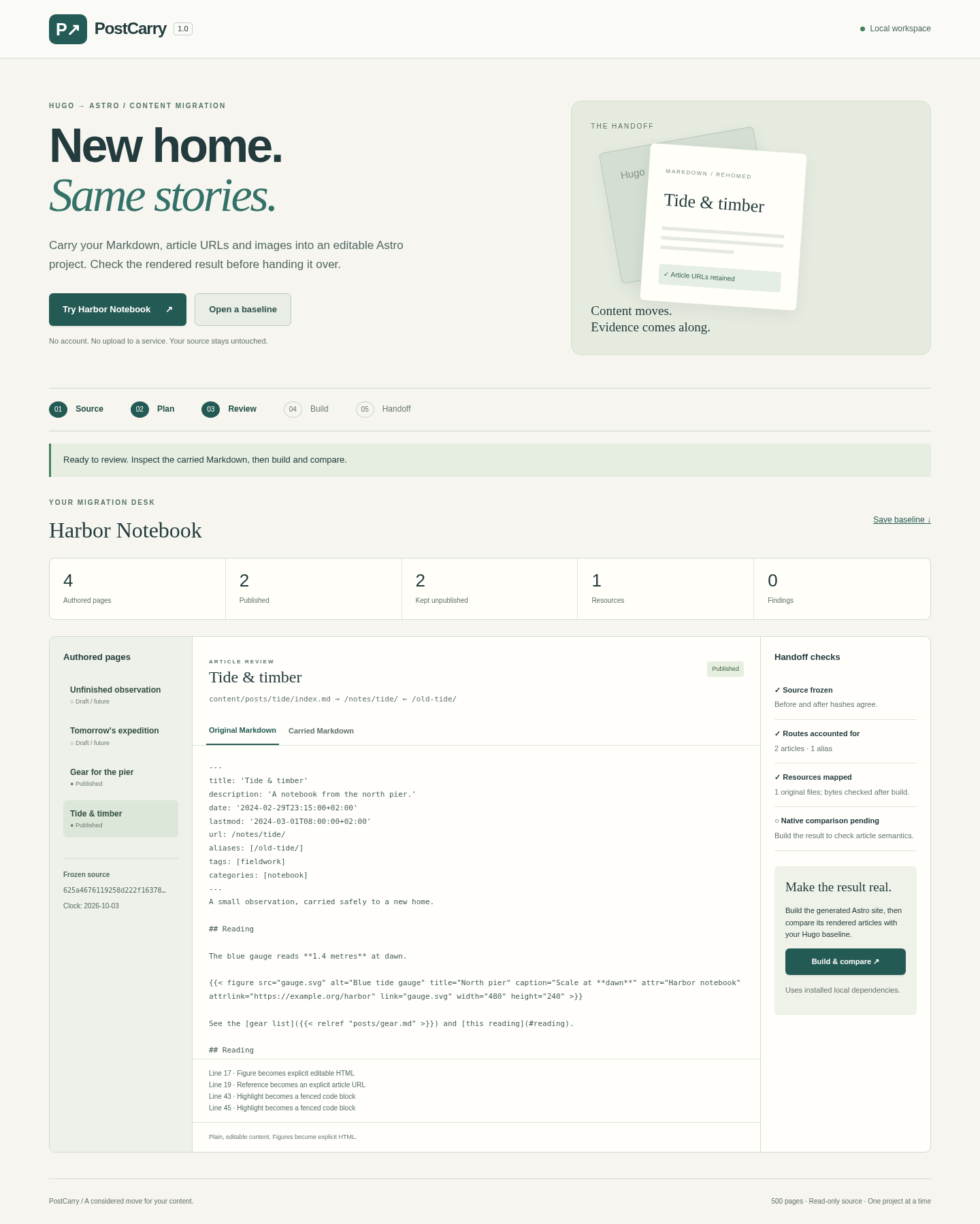
In the extracted buyer folder run node start.mjs, then open the printed localhost address in Chrome. Choose Try Harbor Notebook. No network download is needed for this example.
Inspect the carried articles
Switch between Original and Carried Markdown. Check the article routes, aliases and transformation notes. A blocking finding identifies the source file and line; resolve it in your working source copy and capture again.
Build and compare
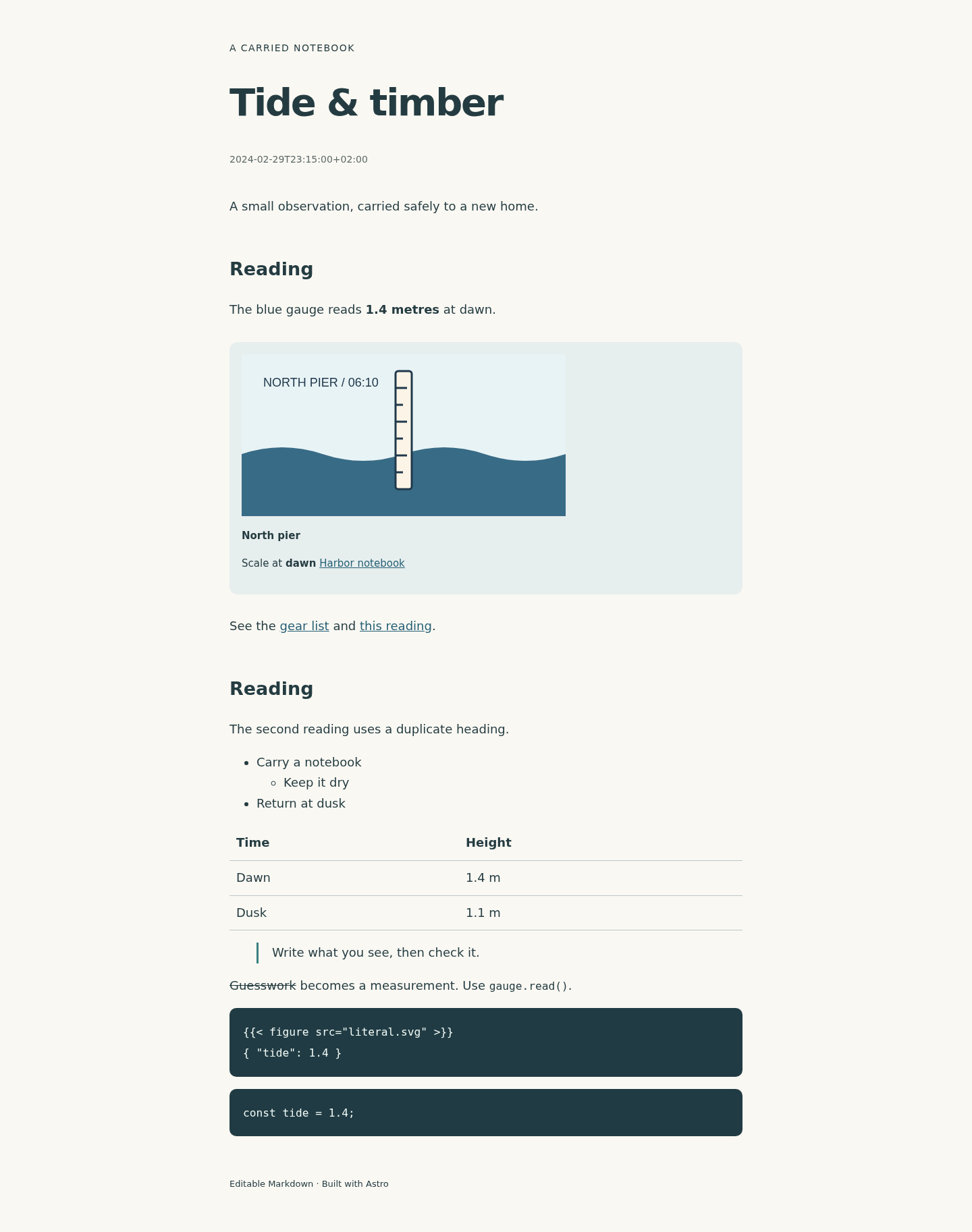
Choose Build & compare. The original Harbor Notebook example should pass all seven checks. Inspect the published articles, the gauge image, the emphasized caption and the repeated heading anchors before accepting your own result.
Download and inspect the starter
Choose Download Astro project. The archive includes editable Markdown, exact original front matter, route and heading maps, the built dist folder, and migration-plan/proof files. Drafts and future content are retained outside the public output. The full archive can still contain private source material; review it before handing it to someone else.
Open the built result or rebuild
To view the exported site locally, run python3 -m http.server 8080 --directory dist in the starter folder and open localhost port 8080. To rebuild it independently, run npm ci once with network access, then npm run build. Stop the local server with Ctrl+C when finished.
Capture your own trusted copy
Follow the included manual to add its article/title/date capture wrapper to a working copy. Restore the bundled Hugo executable bit with chmod +x tools/hugo if necessary. Run the manual’s capture command with that source directory, a new output baseline path outside it, a deliberate publication clock and the bundled Hugo path. Capture checks that source bytes stay unchanged. Open the resulting baseline in PostCarry and repeat the review.
Save a baseline and return later
Save the baseline before closing the app. Reopening or importing a baseline clears the previous proof, so run Build & compare again before downloading. If an import fails, correct the stated problem and open a valid baseline. Stop the workbench with Ctrl+C. Any later edits to the exported starter need a fresh check of their own.
A worked example
Harbor Notebook — original fictional blog
Input: Four authored pages use YAML and TOML dates, a linked SVG figure, duplicate headings, a .html route, one alias, a draft and a future publication.
- Load Harbor Notebook and compare its original and carried Markdown.
- Build and compare, then download and open the actual generated Astro site.
- Inspect the draft and future source files outside the public output.
Expected result: Two published articles at /notes/tide/ and /notes/gear.html, an alias at /old-tide/, and a neutral index. The gauge SVG stays byte-identical; reading/reading-1 heading IDs, caption emphasis and credit, and date offsets are retained. The two unpublished pages stay outside dist. All four authored articles receive native comparison.
Inspect the move from source to working site
Actual PostCarry and generated Astro screens from Chrome on Linux, using the original Harbor Notebook example.
1. Start locally
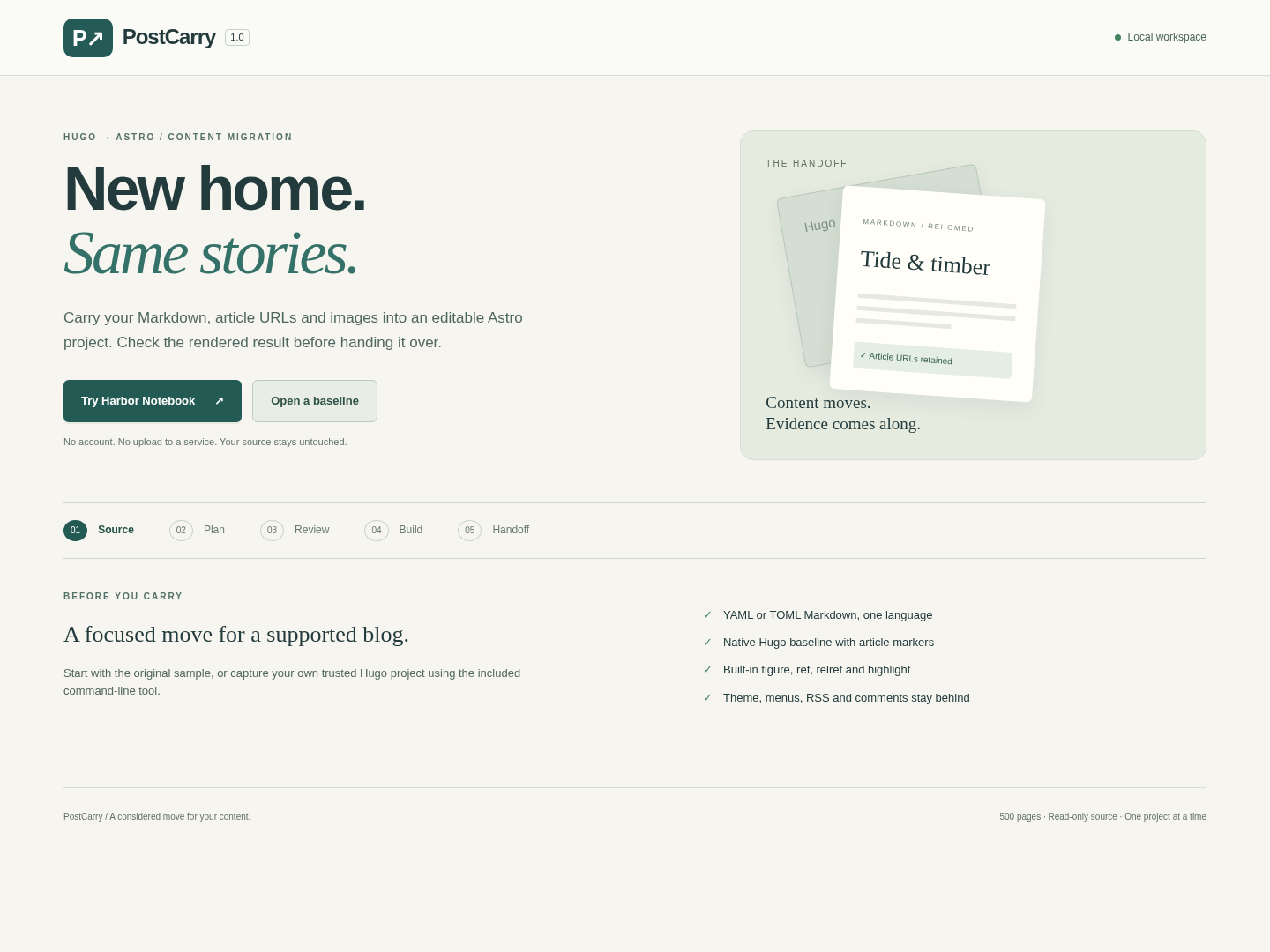
2. Review the conversion
3. Check the built result
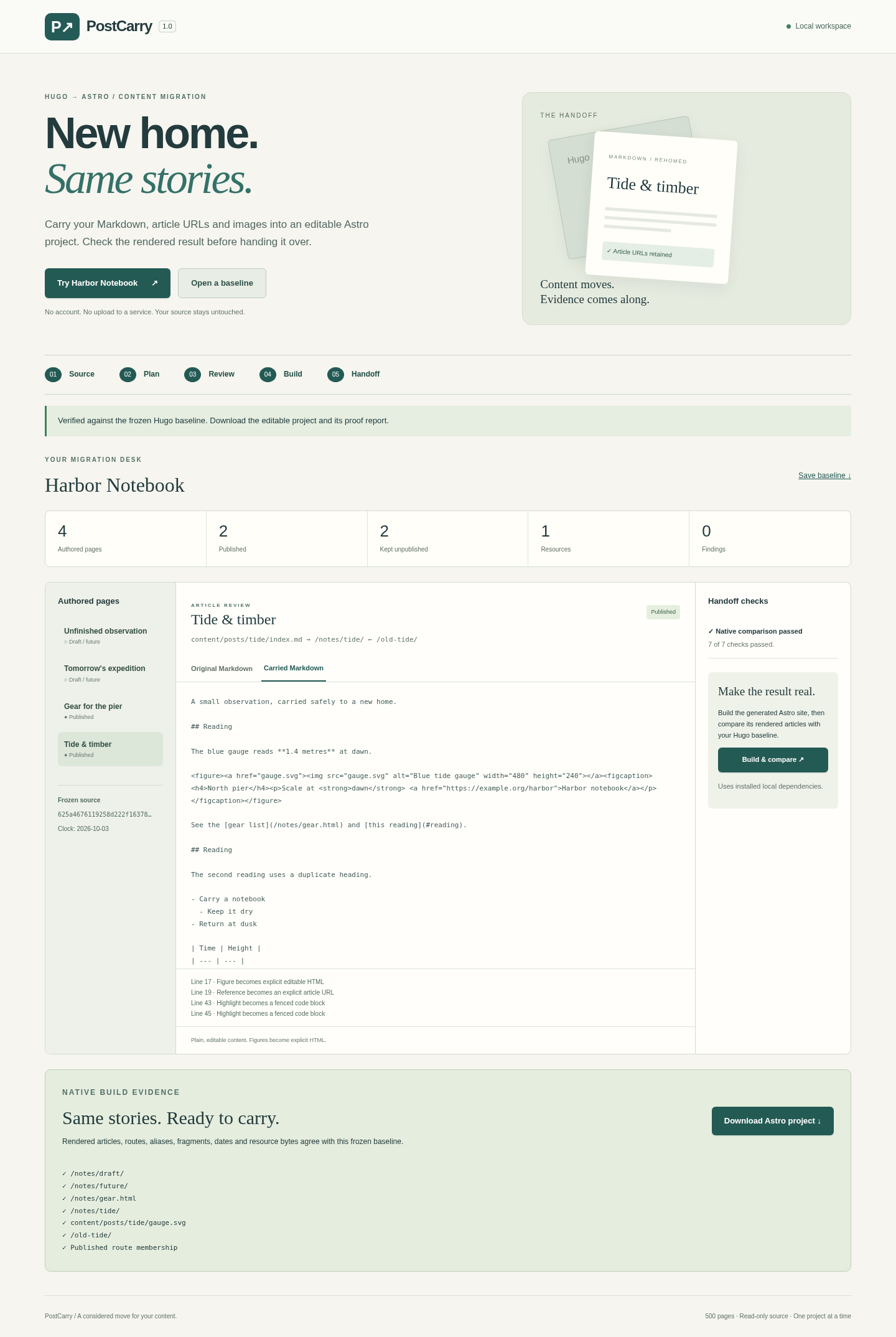
4. Find unsupported content
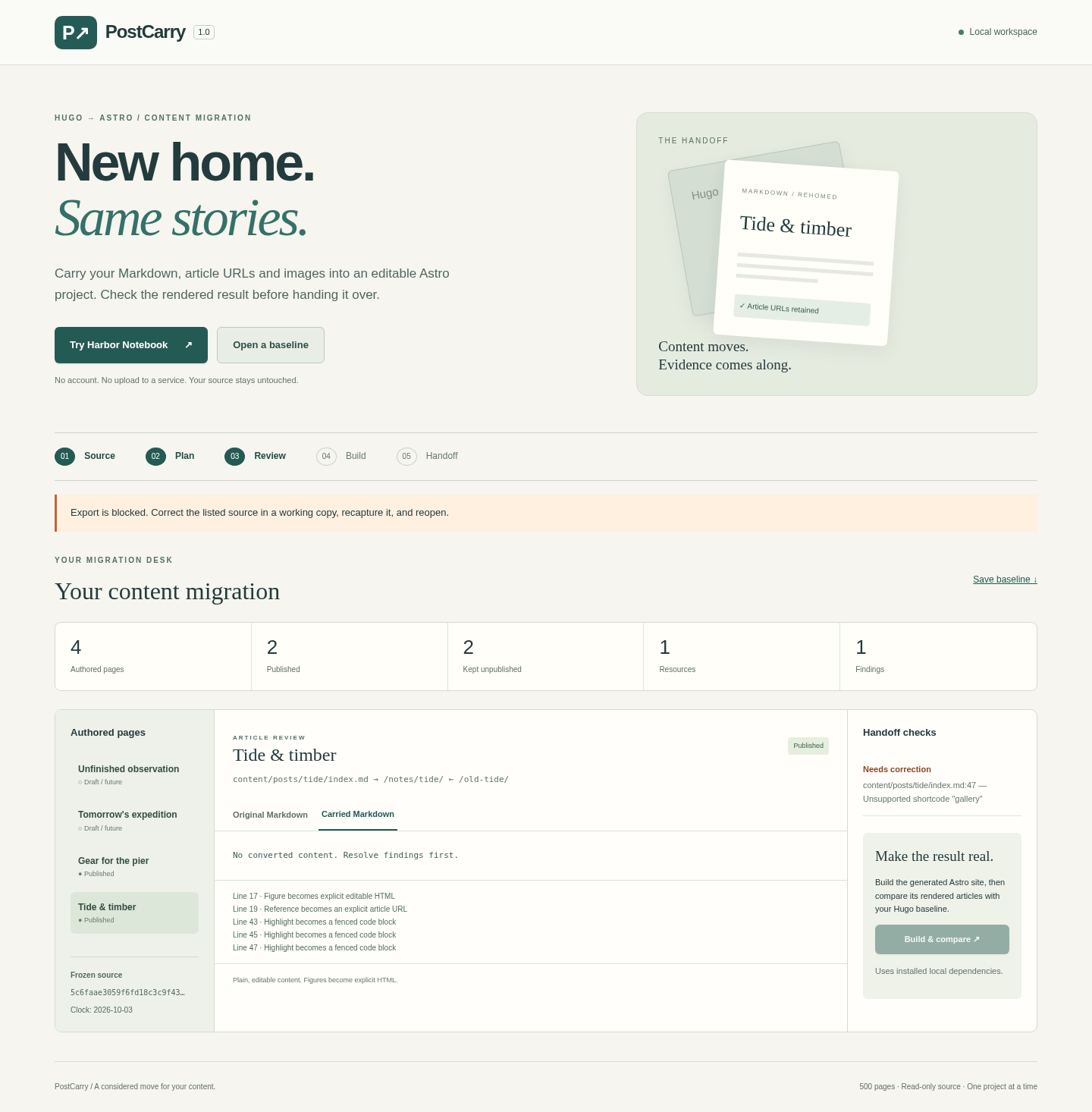
5. Open the resulting article
Troubleshooting
Node or the bundled Hugo will not start
Check that the host is Linux x64 and Node is at least 22.12. Use the complete extracted folder. The manual explains restoring the Hugo executable bit.
Capture cannot find an article, title or date
Apply the manual’s article[data-postcarry], title and time[datetime] wrapper to your trusted working copy and capture again.
A shortcode or metadata field is unsupported
Review what that content means before changing it. Correct the working source deliberately and create a fresh baseline; the app will not silently discard unknown constructs.
The build succeeds but the comparison fails
Read the differing article token or resource check. Correct the source or rendering variant and capture again. Export stays blocked while the comparison differs.
Importing a new baseline fails
The previous plan, proof and download are cleared when import starts. Correct the displayed error, reopen a valid baseline, and run Build & compare again.
An independently rebuilt starter differs after edits
The original proof covers the original generated project. Inspect your changed routes, content and assets and verify the new build before deploying it.
Compatibility & limits
- Linux x64 and Node.js 22.12+ are required. Tested with Node 22.22.2, Chrome 152, Hugo 0.167.0 and Astro 7.3.5. Other hosts and Hugo versions are unverified.
- Up to 500 Markdown pages, 5,000 source files and 250 MiB of source plus captured article HTML. Each recognized text or article HTML file is limited to 1 MiB, each binary asset to 20 MiB and each serialized baseline to 360 MiB.
- Supports single-language YAML/TOML pages and leaf bundles, documented metadata, and the documented figure/ref/relref/highlight shortcode options. Unknown fields or constructs stop export.
- Capture runs Hugo against a trusted working copy using the manual’s article, title and date template. The browser review does not execute imported templates or scripts.
- Includes a neutral article layout. Your theme, homepage design, navigation, taxonomy styling, RSS, comments, search, multilingual setup, modules and deployment are not migrated. Raw HTML, custom render hooks or shortcodes, branch bundles, reference-style links, footnotes and expiry scheduling are excluded.
- External links are retained but not visited; remote assets are not fetched. Imported SVG files are retained as originals and need your own review before deployment.
- Draft and future articles and their resources stay outside the built public site. The full baseline and editable handoff still contain private source metadata and unpublished material: inspect them before sharing.
- Verification describes one captured source and generated build. It is not a promise of universal compatibility, search ranking or accessibility compliance. After editing the exported project, the old proof no longer verifies your changes.
- The app and its sample run locally with bundled dependencies. Independently rebuilding an exported Astro project requires npm ci with network access once. No hosting or deployment service is included.
Need a hand?
Tell us the product, host application and version, what you tried, and the exact error. Contact support with a fictional example; keep private customer files and passwords out of your message.