PostCarry · Local migration workbench 1.0.0 · Linux x64
Give your blog a new home. Keep its stories intact.
Move supported Hugo blog posts into an editable Astro project. Review the conversion, compare the rendered articles, and download the source and built site together.
You maintain a bounded Hugo Markdown blog and want to move its supported articles into Astro with an inspectable conversion and editable output.
$29 USD · one-time purchase
Continue to checkoutStep-by-step guide
No subscription. Final total and tax appear at checkout.
Try the practice files first
The free pack shows the documented input and expected output. The working conversion application is in the paid download.
- Review the changes: Read original and carried Markdown alongside routes and transformation notes.
- Compare before handoff: Check rendered article structure, text, headings, links, dates and local resource bytes.
- Keep an editable project: Export Astro source, built pages and a receipt tied to the captured baseline.
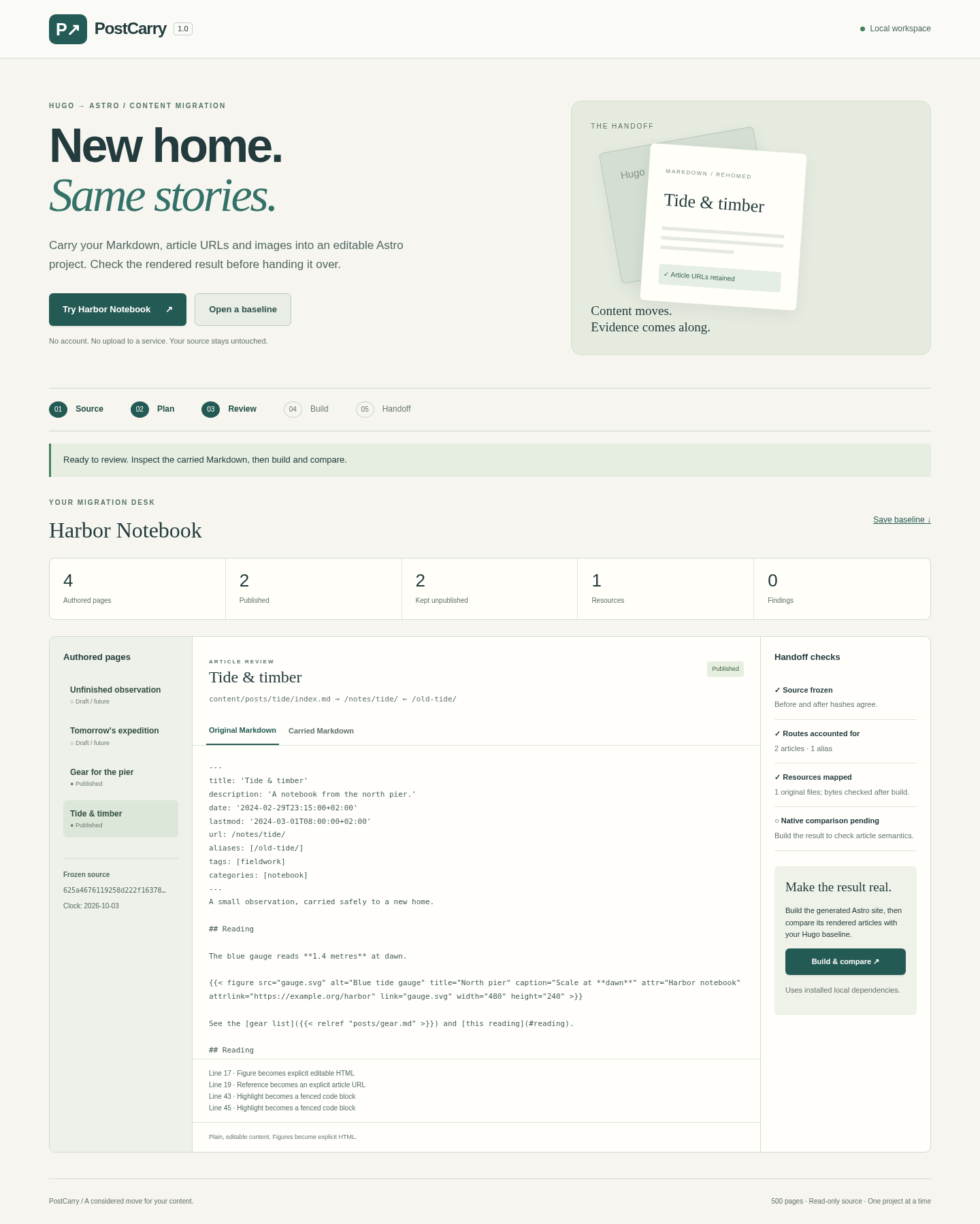
What it helps you do
For maintainers moving a small, single-language Hugo Markdown blog. Keep supported article routes, headings, dates, captions and local resources while gaining an editable Astro starter.
What is in your download
- Local review application with bundled runtime dependencies and Hugo
- Illustrated English HTML manual and six actual screenshots
- Original Harbor Notebook Hugo source, captured baseline and expected-result notes
- Editable Astro export with original front matter, route map, rendered site and comparison receipt
- README, licence and third-party notices
A practical example
Harbor Notebook — original fictional blog
Start with
Four authored pages use YAML and TOML dates, a linked SVG figure, duplicate headings, a .html route, one alias, a draft and a future publication.
Get this result
Two published articles at /notes/tide/ and /notes/gear.html, an alias at /old-tide/, and a neutral index. The gauge SVG stays byte-identical; reading/reading-1 heading IDs, caption emphasis and credit, and date offsets are retained. The two unpublished pages stay outside dist. All four authored articles receive native comparison.
Free illustrated guide and original Harbor Notebook practice files (app not included)
Examples use fictional or synthetic data. Follow this example step by step.
Inspect the move from source to working site
Actual PostCarry and generated Astro screens from Chrome on Linux, using the original Harbor Notebook example.
Start locally
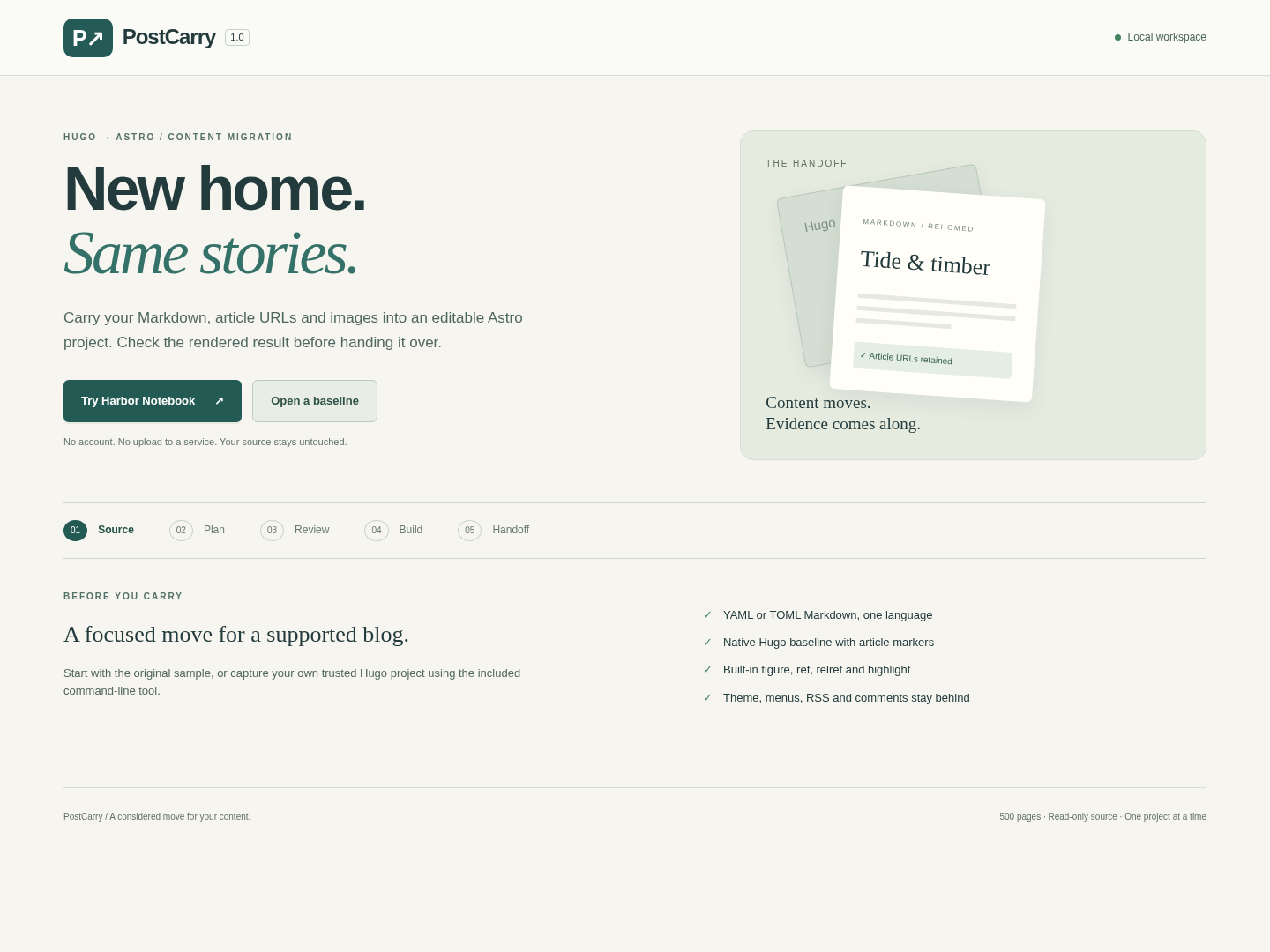
Open an existing baseline or try the original Harbor Notebook example. View full size Review the conversion
Compare the original and carried Markdown, with routes and transformations alongside. View full size Check the built result
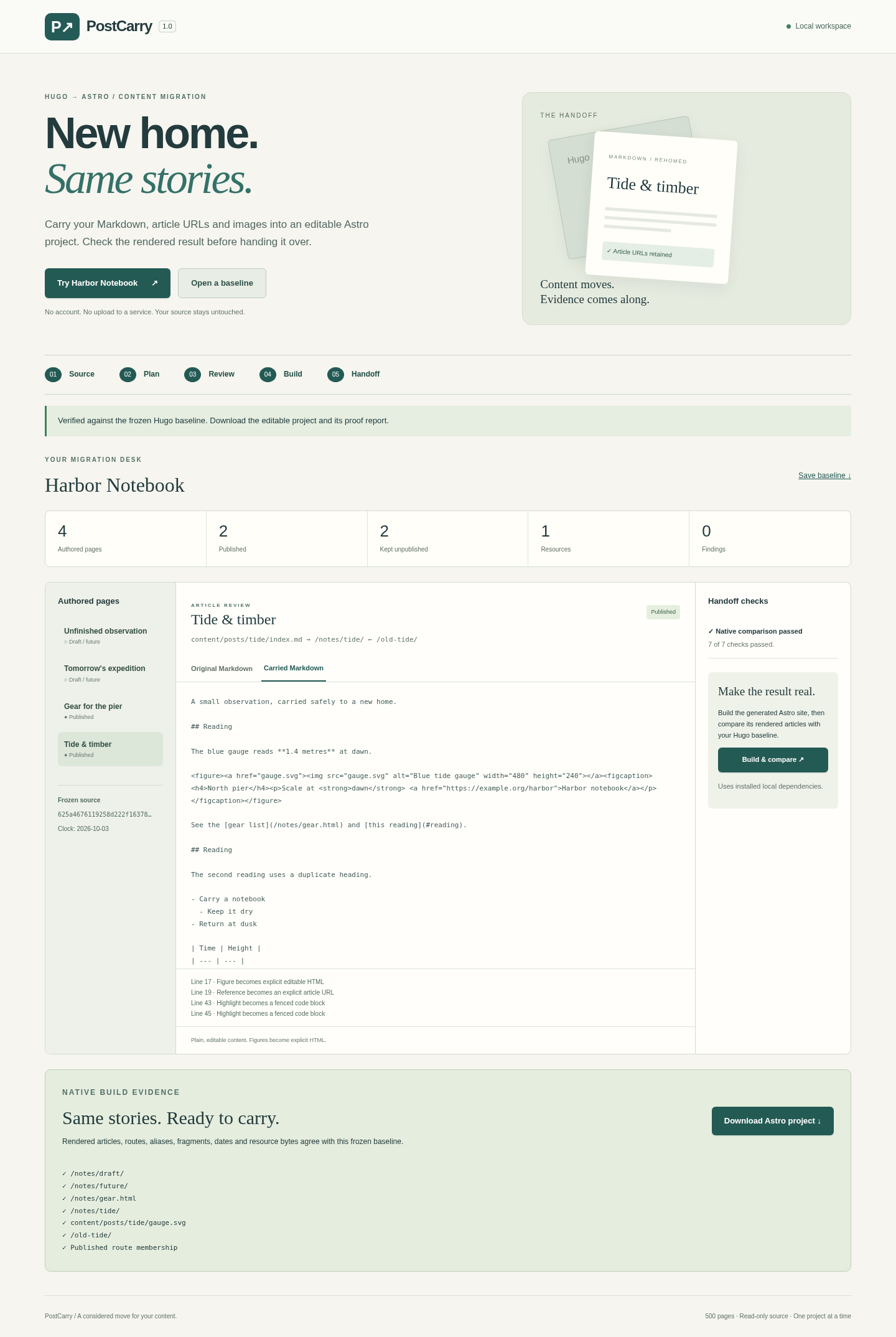
Download becomes available after the native article and resource comparisons pass. View full size Find unsupported content
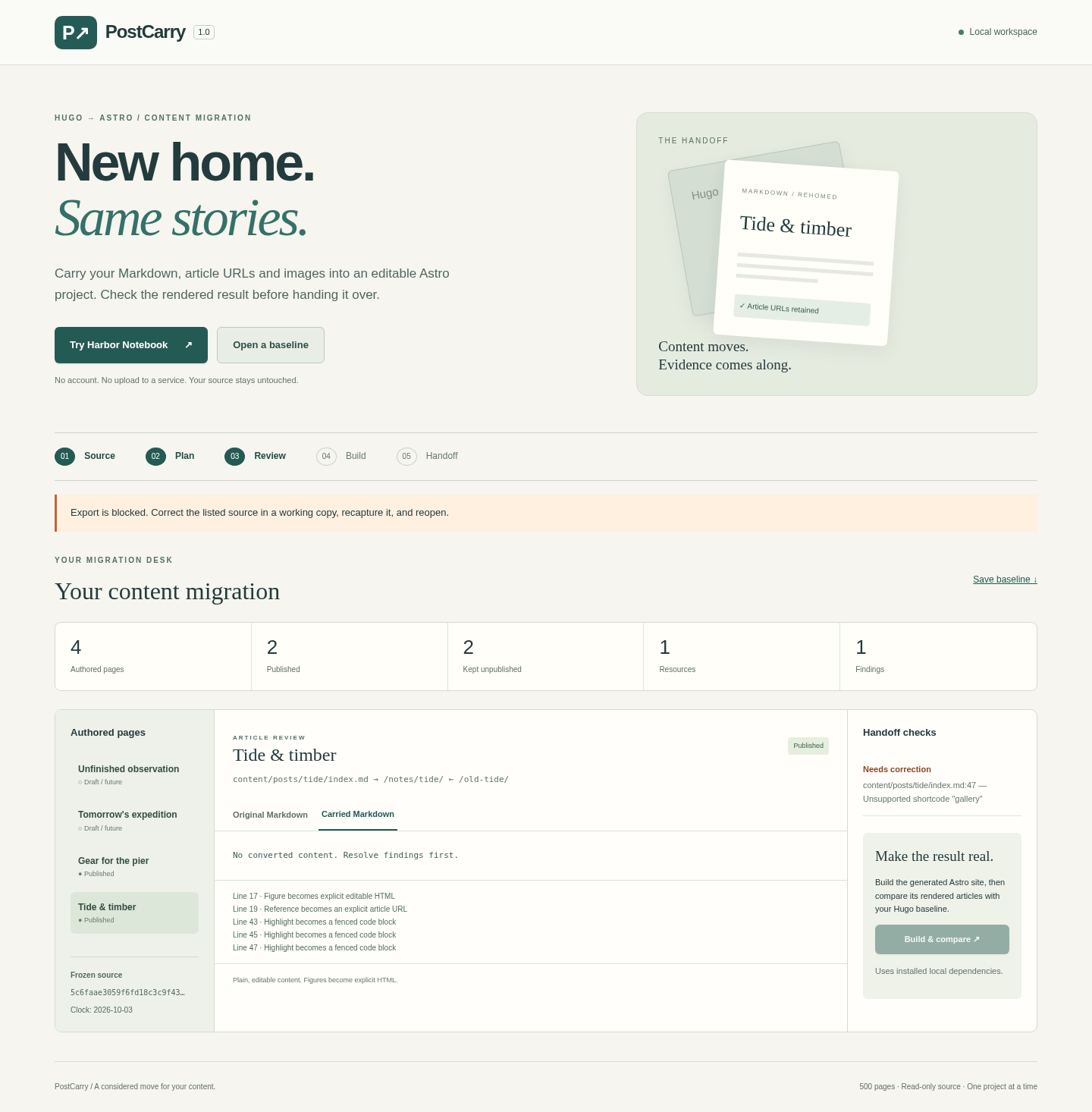
An unsupported gallery shortcode stops the handoff and identifies the source line. View full size Open the resulting article
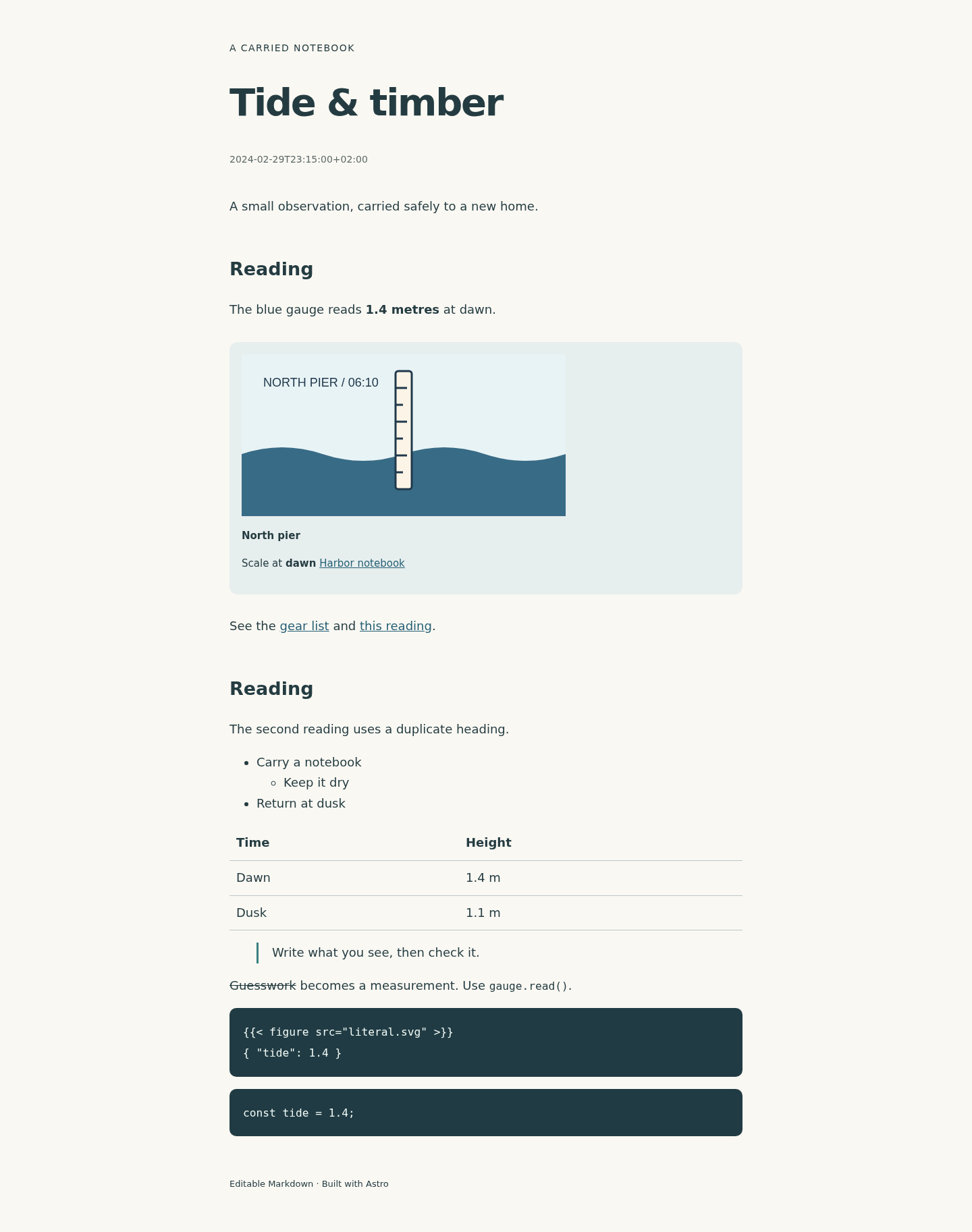
The generated Astro article retains the gauge illustration, caption and links. View full size
How it works
Capture a source baseline
Try the included example or capture a trusted working copy at a deliberate publication date.
Review and compare
Inspect the carried Markdown and routes, then build Astro and compare the rendered articles.
Download the handoff
Save the editable starter, built site and proof. Rebuild independently before your own deployment.
Before you buy
- Linux x64 with Node.js 22.12+ and desktop Chrome. The accepted environment used Node 22.22.2 and Chrome 152.
- Extract the entire buyer ZIP and keep its bundled files together. The sample needs no account or dependency download.
- Use a trusted copy of your Hugo source and the documented capture template. Keep the original project untouched.
- Read the supported-content limits before capturing a real site. This tool does not convert a whole Hugo theme.
Extract the complete PostCarry-1.0.0.zip on Linux x64. With Node.js 22.12+ installed, run node start.mjs in its folder and open the printed localhost address in Chrome. Choose Try Harbor Notebook for the first run. Tested runtime dependencies and Hugo are bundled.
Compatibility & limits
Linux x64 and Node.js 22.12+ are required. Tested with Node 22.22.2, Chrome 152, Hugo 0.167.0 and Astro 7.3.5. Other hosts and Hugo versions are unverified. Up to 500 Markdown pages, 5,000 source files and 250 MiB of source plus captured article HTML. Each recognized text or article HTML file is limited to 1 MiB, each binary asset to 20 MiB and each serialized baseline to 360 MiB. Supports single-language YAML/TOML pages and leaf bundles, documented metadata, and the documented figure/ref/relref/highlight shortcode options. Unknown fields or constructs stop export. Capture runs Hugo against a trusted working copy using the manual’s article, title and date template. The browser review does not execute imported templates or scripts. Includes a neutral article layout. Your theme, homepage design, navigation, taxonomy styling, RSS, comments, search, multilingual setup, modules and deployment are not migrated. Raw HTML, custom render hooks or shortcodes, branch bundles, reference-style links, footnotes and expiry scheduling are excluded. External links are retained but not visited; remote assets are not fetched. Imported SVG files are retained as originals and need your own review before deployment. Draft and future articles and their resources stay outside the built public site. The full baseline and editable handoff still contain private source metadata and unpublished material: inspect them before sharing. Verification describes one captured source and generated build. It is not a promise of universal compatibility, search ranking or accessibility compliance. After editing the exported project, the old proof no longer verifies your changes. The app and its sample run locally with bundled dependencies. Independently rebuilding an exported Astro project requires npm ci with network access once. No hosting or deployment service is included.
Get PostCarry
Perpetual use of the purchased version on your devices for personal or internal commercial work. Keep reasonable backups and modify your own copy; do not redistribute or resell original proprietary code. Third-party licenses and any existing preview permissions retain their rights.
Before payment, save the private recovery code shown by checkout. After Paddle confirms payment, use it to download your ZIP or return for it later. No subscription, future update or email delivery is promised. See the illustrated steps.
$29 USD · once
Buy download