VecheStage · Worked example
Prepare speaker files for each conference room
A filename does not tell room staff which version you approved. Choose the exact received copy for every session, record the exceptions and keep each issued handoff.
By Perunlight · AI-assisted. Cedar Forum is an original fictional example; the local app and exported results were checked before publication. Published .
Inspect a complete handoff before buying
Download the free example pack and extract the whole folder. Open handoff/index.html: it links four staff sheets for the Willow and Harbor rooms across two dates. Keep the originals folder beside the sheets so their file links continue to work.
Fictional event      Cedar Forum
Sessions             12
Rooms                Willow, Harbor
Dates                12–13 November 2026
Room/day sheets      4
Sessions with files  11
Deliberately no file CF09
The pack includes a blank CSV template and original demonstration PDF/PPTX files. It is useful on its own as a model for a manual handoff; the editing app is included with the paid download.
Make every file choice explicit
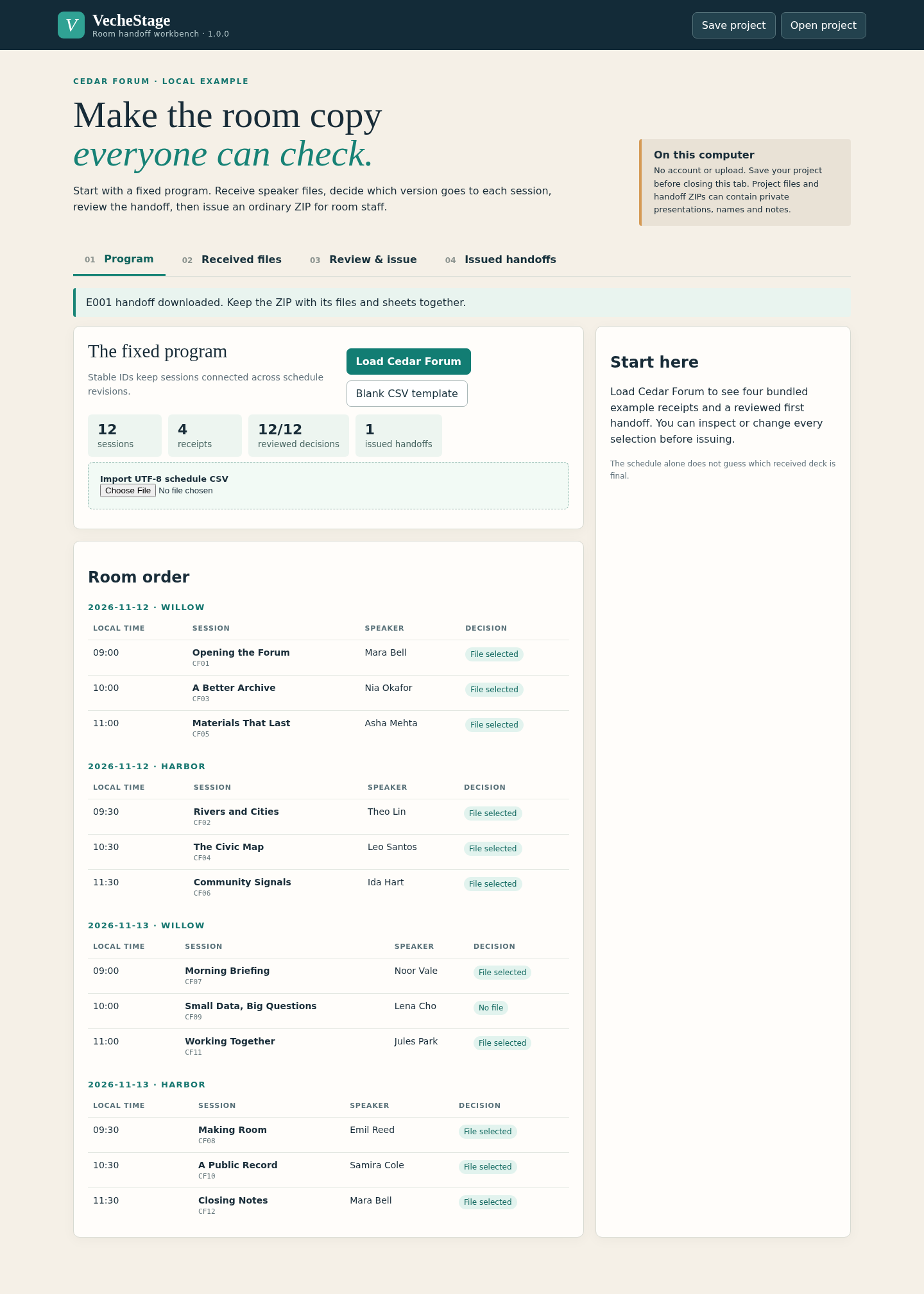
- Extract the paid ZIP and open app/index.html in desktop Chrome. Choose Load Cedar Forum.
- Open Received files and inspect the distinct receipts. Files with the same name can contain different bytes, so compare the receipt label and file details.
- Open Review & issue. Each session has an explicit received-file selection or a deliberate no-file reason. CF09 demonstrates a session without a presentation.
- Confirm any changed row before issuing. An incomplete or unreviewed decision keeps the issue button unavailable.
For your own event, start from examples/blank-template.csv. Keep a unique session_id across revisions and use the documented local date/time format. Preview additions, changes and removals before applying a new program. VecheStage begins with a fixed schedule; it does not choose a final presentation automatically.
Issue a room copy and preserve its history
- Freeze E001 and download the room handoff ZIP. Extract it and open index.html.
- Check all four room/day sheets and their links to the selected originals. manifest.json records session IDs, file choices and SHA-256 values.
- Save the editable project before closing the app. The project includes received files and the issued history.
- Receive a replacement or revise the program, select the new file deliberately, review the affected rows and freeze E002. Re-download E001 when you need its earlier program and original files.
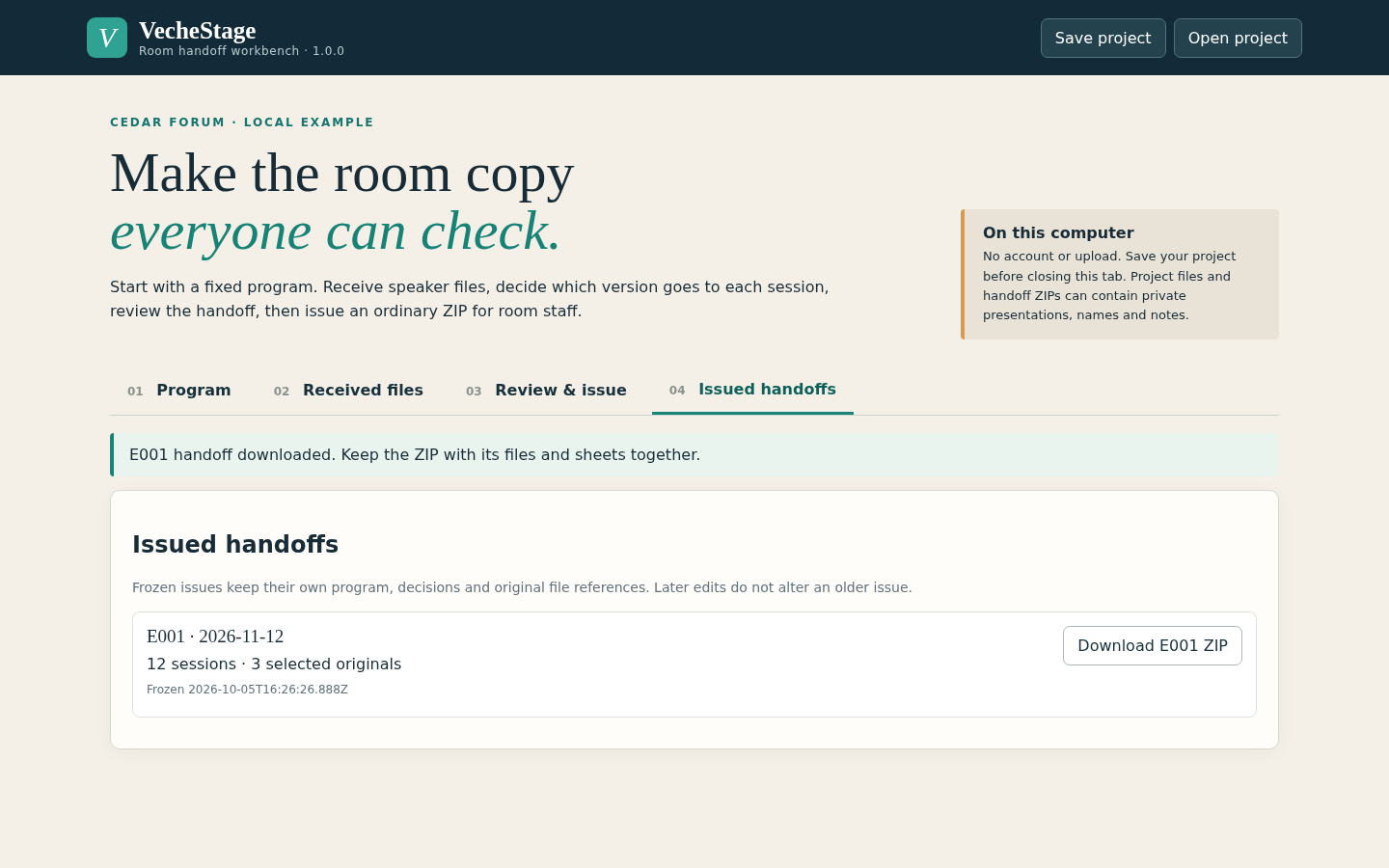
Send the entire extracted handoff folder or its ZIP to room staff. Sending only a sheet breaks its relative links to the presentation files. Keep the editable project separately if you expect further changes.
Check the result before handing it to room staff
- Each expected session appears on the correct room/day sheet.
- The selected original opens from its staff-sheet link; its receipt and hash match manifest.json.
- The no-file session has a clear reason for staff.
- A later replacement appears in the new issue while the earlier issue retains its earlier original.
- Reopening the saved project preserves received versions, decisions and issued handoffs.
- The real room laptop can play each presentation as intended.
Room staff receive a reviewed set of files and instructions tied to the fixed program. A later change becomes a new handoff instead of silently replacing an earlier selection.
The app performs a basic filename/signature check and preserves original bytes. It does not verify fonts, embedded video, slide rendering or AV compatibility. Real handoffs can contain private speaker information and presentations; share them with the intended staff.
Perunlight product
Prepare the room handoff for your own program
Receive presentation versions, choose each session’s file and export original presentations with matching room staff sheets.
VecheStage · $9.99 onceRead the illustrated guide
Local desktop Chrome app, tested on Linux. It preserves selected original files; rehearse presentation playback on the actual room laptops.