Task walkthrough · RequestParcel
Reproduce a multipart upload 415 with cURL
The file has not changed. The JSON has not changed. The upload fails because one part is labelled differently. Use this small local example to make that difference visible, then give the next person everything needed to inspect it.
A Perunlight workflow for RequestParcel, our paid local support-case authoring tool. Written with AI assistance and checked using the free fictional example from RequestParcel 1.0.1 on Linux, Python 3.10.12 and cURL 7.81.0. App screenshots show Chrome 152 on Linux. Published .
Look at the part type, not just the JSON
HTTP 415 means the server does not support the submitted content format for that resource and method. The cause can involve a media type, content encoding or the content itself; a 415 alone does not identify which field to change. See HTTP Semantics, section 15.5.16.
In this controlled example, the server accepts a multipart field named metadata only when its part type is application/json. That is the one rule we will change. The tiny server does not validate a complete API contract or simulate authentication.
cURL’s -F sends multipart form data. An @ file reference attaches a file; ;type= specifies the media type of that individual part. See the official cURL form option. Both example commands below leave creation of the multipart request to cURL.
Run the working request on your own computer
- Extract the free archive. In a Linux terminal, change into its examples directory. It contains demo_server.py, report.txt and example-command.txt.
- Run the server command below. Leave that terminal open. It listens only on 127.0.0.1:8765; it does not save uploaded files. If the port is already in use, stop your earlier example server before retrying.
- Open a second terminal in the same examples directory and run the cURL command. The additional -i prints the response headers so you can see the status.
python3 demo_server.pycurl -i 'http://127.0.0.1:8765/upload' \
-F 'document=@report.txt;type=text/plain' \
-F 'metadata={"mode":"strict"};type=application/json'Expected: HTTP 200. The JSON response reports document as text/plain with 65 bytes, and metadata as application/json with 17 bytes.
The first command block in examples/example-command.txt is the same request without -i. Its explanatory text is not part of the command. Keep report.txt unchanged so both attempts use the same attachment.
Change one label and observe HTTP 415
Run this second command from the same directory. Only the media type of metadata changes. Its JSON value, the report file, endpoint and field order stay the same.
curl -i 'http://127.0.0.1:8765/upload' \
  -F 'document=@report.txt;type=text/plain' \
  -F 'metadata={"mode":"strict"};type=text/plain'
Expected: HTTP 415 and the message metadata requires application/json. The response still reports a 65-byte document and a 17-byte metadata value; metadata is now text/plain.
Return the part type to application/json to reproduce HTTP 200 again. Stop the server with Ctrl+C when finished. A real service may enforce different rules: use its API documentation and response details to choose your next check.
Turn the example into a handoff another person can inspect
A copied command can leave out its local file, expected result or required setup. RequestParcel adds those dependencies to one reviewed recipient ZIP. The paid app runs locally; authoring a case does not send the request.
- Extract the paid RequestParcel ZIP and open app/index.html in Linux Chrome. Choose Try the upload example. The 65-byte report is already matched.
- Inspect Match the attachments and Review the handoff. Confirm the document and metadata types, the attachment hash, and the expected-versus-observed notes.
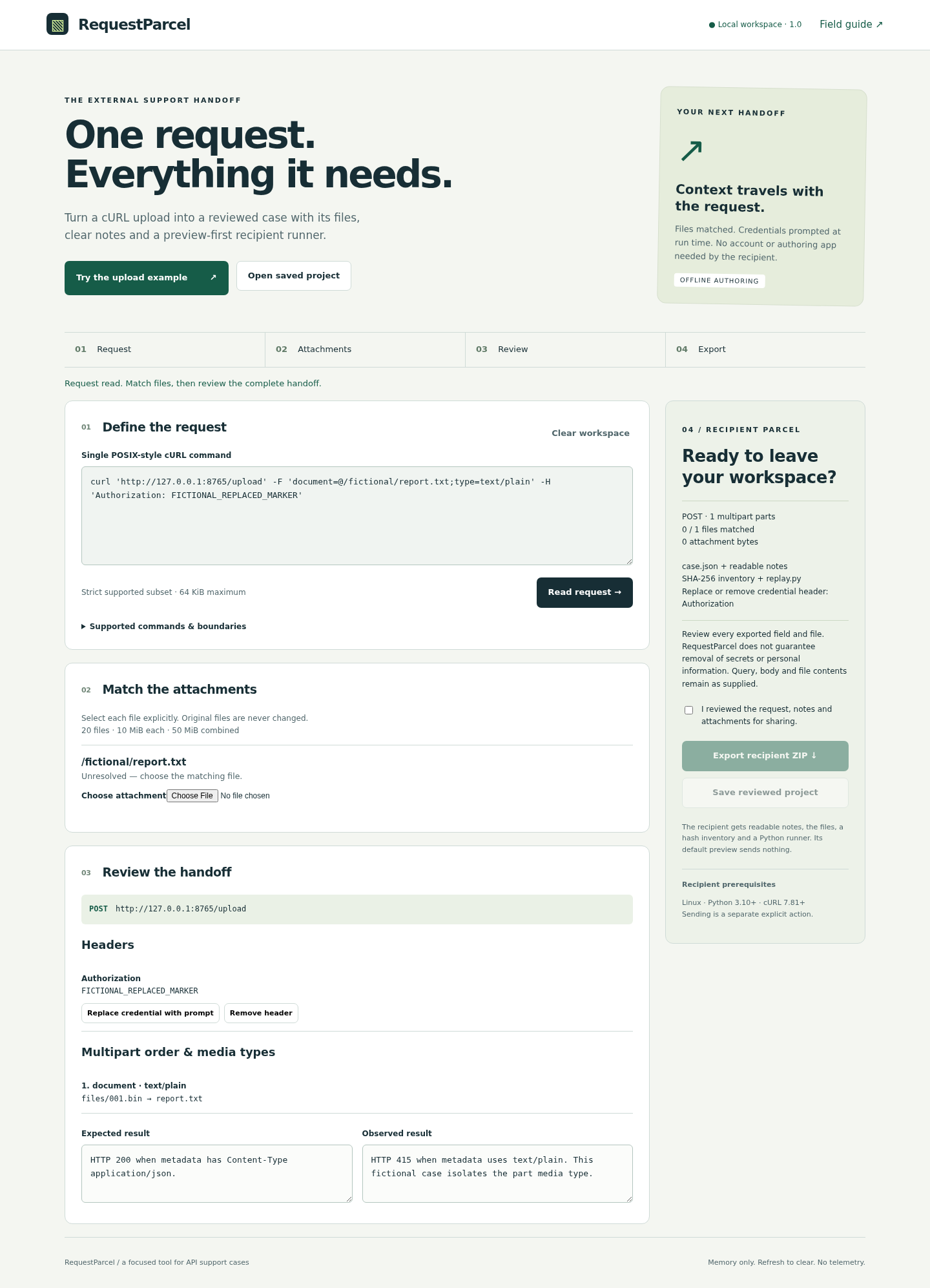
- For your own command, select each referenced file explicitly. Use the documented command subset. When pasting this example, copy only its request without the terminal-only -i addition or explanatory paragraphs.
- Read the request, notes and actual attachment contents. Replace or remove recognized credential headers. Tick the review confirmation, then choose Export recipient ZIP. Save reviewed project if you need to reopen the case; unsaved work is cleared by refresh.
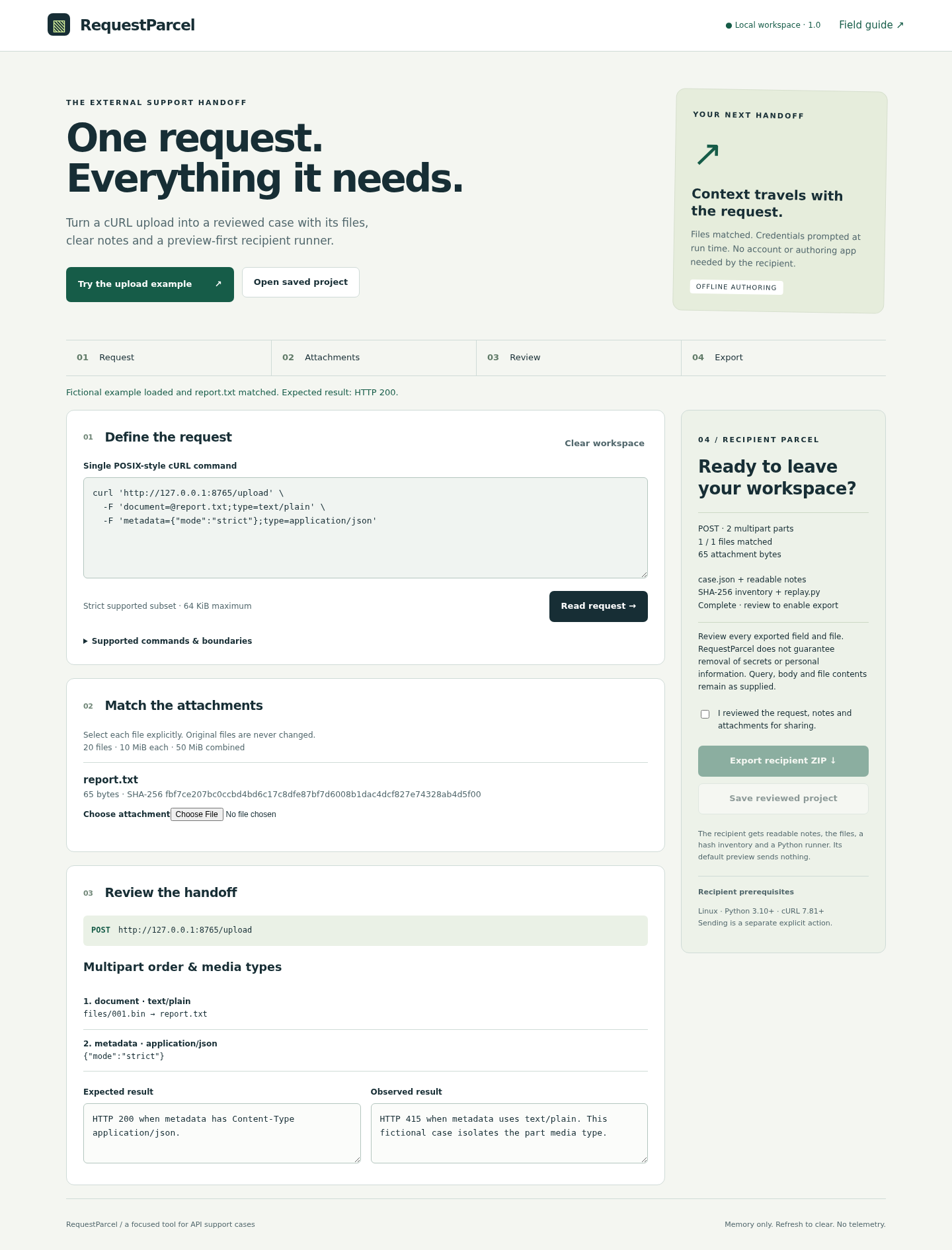
Header handling does not guarantee removal of every secret or personal detail. Review query values, bodies, notes, filenames and binary contents yourself. The recipient enters any retained credential placeholder in their own terminal at send time.
Validate the packet before sending anything
Extract the recipient ZIP into a fresh empty directory and read its README and case files. Keep the separate example server and personal notes outside that directory. The runner refuses extra or changed packet members before preview and sending.
python3 replay.pyExpected: a validated request preview with no HTTP request sent. File hashes check that the packet has not changed; they do not authenticate its author.
To test this fictional packet, start demo_server.py separately as above. Then, from the recipient directory, explicitly send to the exact loopback origin:
python3 replay.py --send --allow-origin http://127.0.0.1:8765The correct-type packet returns HTTP 200. Build and review a second packet with only the metadata type changed to text/plain to obtain 415. The runner prints status and discards the response body; use the direct cURL exercise above to inspect the server’s returned part list.
- One request and every required attachment are present.
- Expected and observed behavior state what was actually checked.
- Setup instructions identify the separate server or API environment.
- The recipient has inspected the request and has authority to send it. A real API call may change data.
- A validation error is resolved by checking or regenerating the packet, without disabling inventory checks.
Check that the supported workflow fits your request
RequestParcel 1.0.1 accepts a documented subset of one POSIX-style cURL command, including supported headers, body and multipart options. It does not execute shell syntax or silently remove unknown options. If a required option is unsupported, use a tool that supports the complete case.
The verified authoring environment is Chrome 152 on Linux. Recipient execution was checked with Python 3.10.12 and cURL 7.81.0 on Linux. Other systems remain unverified. Limits include 20 attachments, 10 MiB per file and 50 MiB combined; file multipart parts need explicit media types.
Sending requires --send and an exact --allow-origin. The runner does not follow redirects or retry, ignores inherited proxy settings and .curlrc, retains TLS verification and uses a 10-second timeout. Read the full setup guide and command limits before buying.
Perunlight product
Hand off the complete case with RequestParcel
$19 USD, one-time purchase. Package a supported request, selected attachments, reviewed notes and an offline-first recipient runner. The purchase includes the local authoring app, illustrated manual and fictional examples.
Get RequestParcel · $19Read the complete setup guide
No purchase is needed for the cURL exercise. The free archive contains the example files and manual; the authoring app is included in the paid download.