ForsetiFest · Worked example
Revise a film festival program without losing the previous edition
A longer film changes more than one line in a program. Work through a small festival revision, check the room turnaround and keep an unchanged copy of what you already issued.
By Perunlight · AI-assisted. Original fictional example; the workflow and exported results were checked in the released local app. Published .
Calculate one block before placing it
Harbor Lights is an original fictional festival with ten films across two rooms and three dates. The Coastlines block contains three films of 7:30, 11:20 and 9:10: 28 minutes of film time.
Download the free pack to inspect its film CSV, blank template, printable sample program and illustrated timing guide. In the paid app, load Harbor Lights and inspect the same schedule.
Films                 28:00
Introduction           5:00
Trailers               2:00
Two between-film gaps  2:00
Q&A                   12:00
End buffer             4:00
Total                  53:00

Start                  18:00
Screening ends         18:53
Room turnaround        10:00
Earliest next start    19:03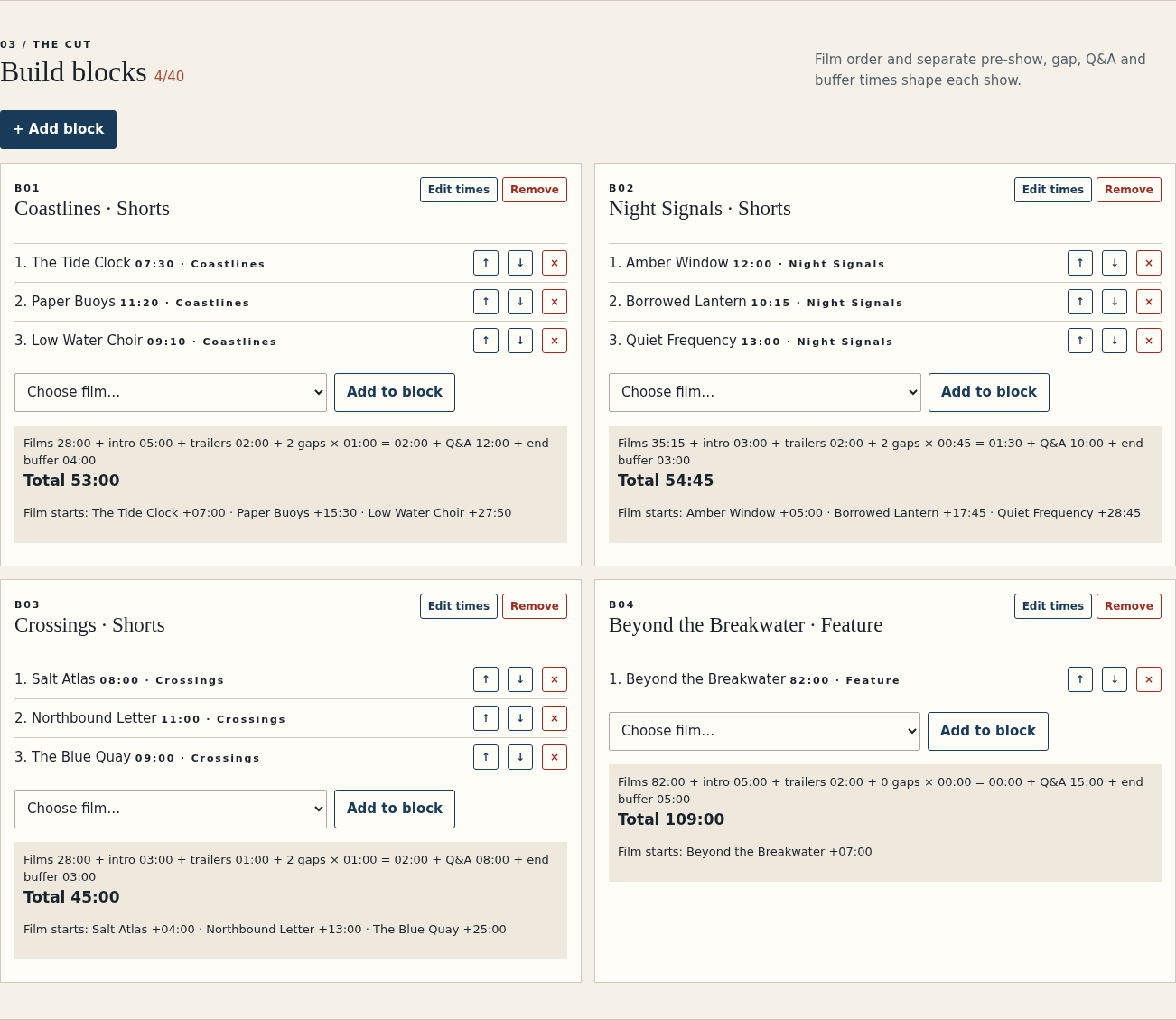
Change a runtime and resolve the resulting conflict
- Select film HL03 and change its runtime from 09:10 to 15:10.
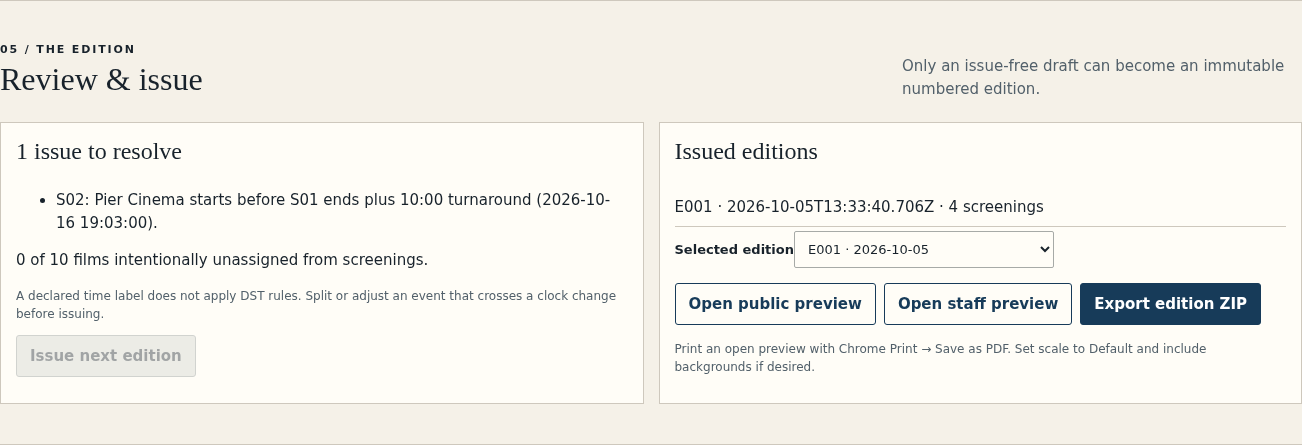
- Review the draft issues. The first block now lasts 59:00, ending at 18:59; the old latest finish of 18:53 is too early.
- Change S01 latest finish to 19:00 and move S02 from 19:03 to 19:10. Ten minutes of turnaround now fits after the 18:59 end.
- Review the other screenings before issuing the revised edition.
The second screening has a duration of 54:45. At its original 19:03 start it ends at 19:57:45; at 19:10 it ends at 20:04:45. Retain the seconds when comparing staff timings and the schedule CSV.
The app uses one declared local-time label. It does not apply time-zone or daylight-saving rules. Decide how to handle such changes in your event before issuing the schedule.
Issue a new edition and retain the old one
- Issue edition E002 once blocking issues are resolved.
- Export E002 and inspect its public program, staff run sheets, schedule CSV and revision report.
- Select E001 and export it again. It retains the original 09:10 film runtime and the original screening times.
- Save the project, reopen it and check that both editions and the current draft remain available.
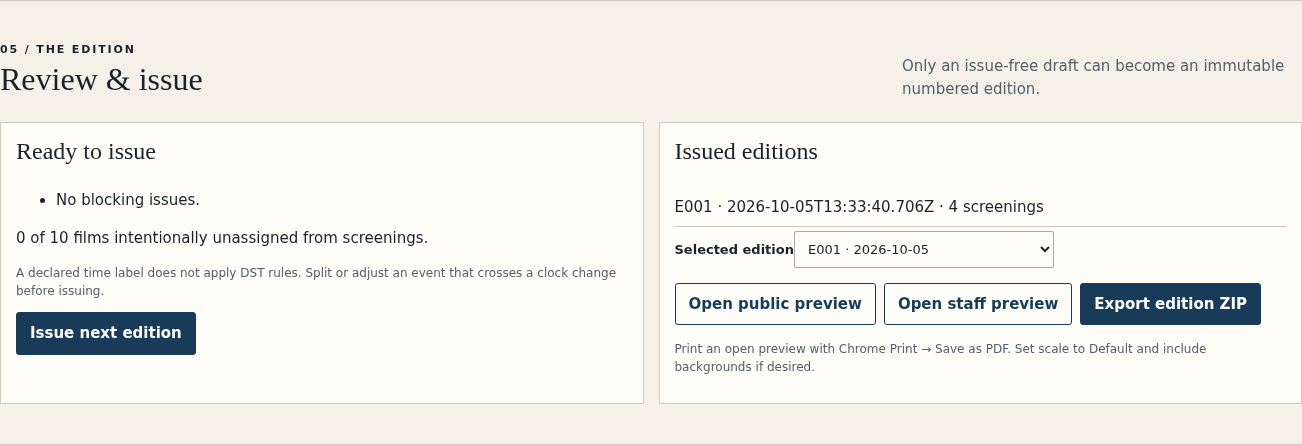
An issued edition is a fixed snapshot. Editing the draft changes the next issue, so people using an older handout can still identify which program they received. The revision report identifies changes between editions.
Check the audience and staff handoff
- Original Coastlines duration: 53:00; revised duration: 59:00.
- E002 S01 starts at 18:00 and ends at 18:59; S02 begins at 19:10.
- The public program, staff run sheets, CSV and edition JSON refer to the selected edition.
- Staff run sheets retain film offsets and operational notes; the audience program excludes internal film notes.
- Printing the staff HTML includes every screening. Retain the editable saved project as well as the distributed edition.
You have a revised audience program and staff schedule, plus the exact previous edition for reference.
ForsetiFest starts after film selection. It does not manage submissions, tickets, rights clearance, media playback or DCP delivery. Version 1.0.0 supports up to 100 films, 40 blocks, 60 screenings, four screens and 14 inclusive calendar dates.
Perunlight product
Prepare your own festival program
Build timed blocks, resolve room conflicts and issue matching audience and staff editions.
ForsetiFest · $9.99 onceRead the illustrated guide
Local desktop Chrome app. Fixed local wall-clock arithmetic; no ticketing, rights or playback integration.