ForsetiFest · 1.0.0
Build a film festival program and matching staff run sheets
Order your selected films, place screenings and keep each issued program together.
Use it when film runtimes, block order or screening times change and the audience program and staff timings need to stay in step.
$9.99 USD · one-time purchase
Continue to checkoutStep-by-step guide
No subscription. Final total and tax appear at checkout.
Start with a free example
Try the original film CSV, blank template, printable sample program and illustrated timing guide before buying. The editing app and full illustrated manual are in the paid ZIP.
- For: Small film festivals with a selected film list
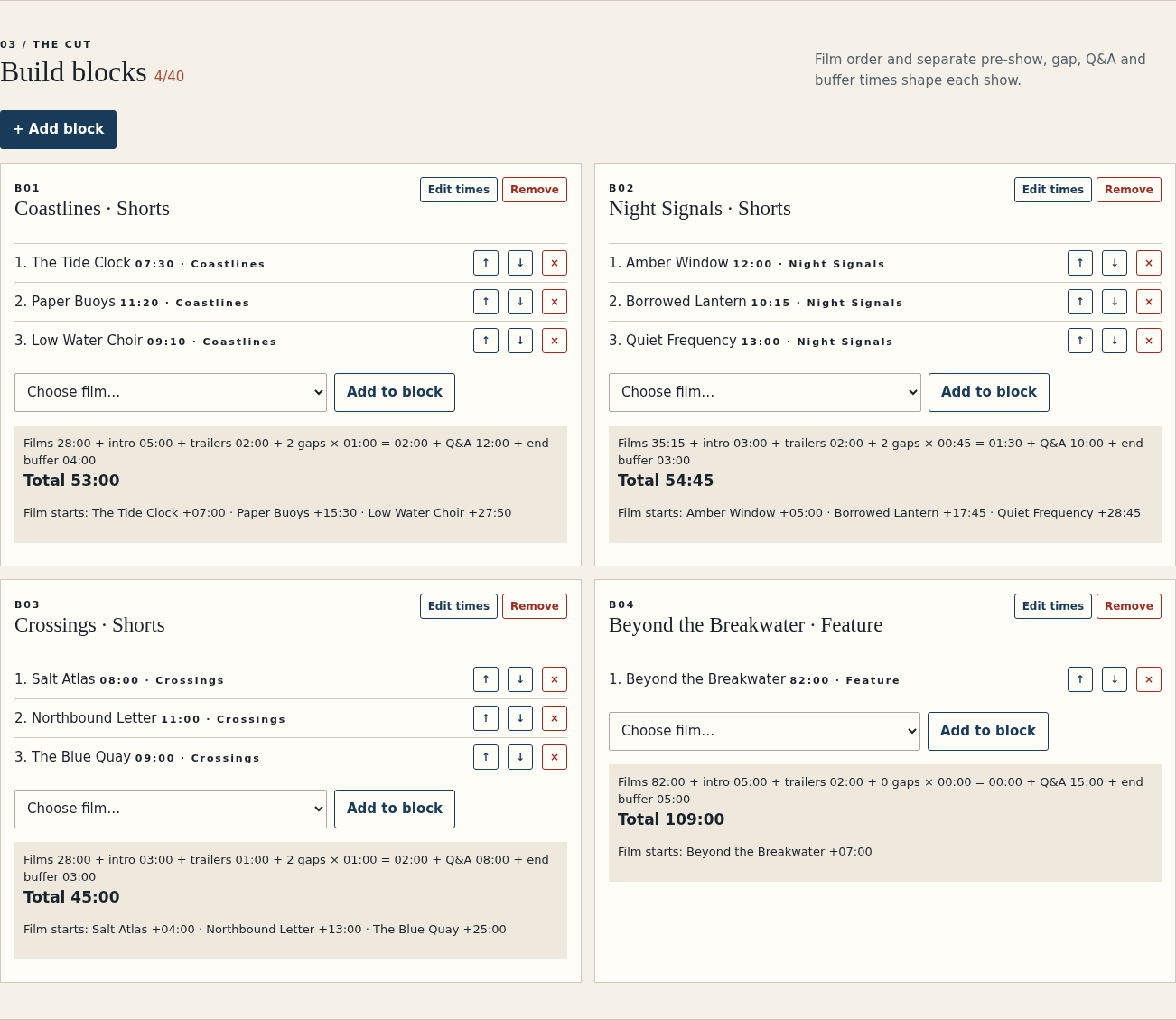
- First result: Open the fictional Harbor Lights program and inspect its 53-minute shorts block
- You get: Local app, source, illustrated manual and an original example
- Runs in: Desktop Chrome on Linux · no account or server required
What it helps you do
For small festival programmers who already have a selected film list. Build shorts blocks or a feature screening, check the room schedule, then export a numbered audience program and staff run sheets from the same edition.
What is in your download
- Offline app and source, illustrated English manual, fictional Harbor Lights examples, license and notices.
A practical example
A 53-minute shorts block
Start with
Coastlines contains films of 7:30, 11:20 and 9:10, totaling 28 minutes.
Get this result
The block lasts 53:00. An 18:00 screening ends at 18:53; with ten minutes of room turnaround, the next screening can start at 19:03. The exported files share the same edition snapshot.
Examples use fictional or synthetic data. Follow this example step by step.
See the real workflow
Screenshots from the included fictional example in the tested Chrome environment.
Build a block with explicit timing
Harbor Lights Coastlines block totals 53:00, including 12:00 Q&A and 4:00 buffer. View full size Preview and map a film CSV
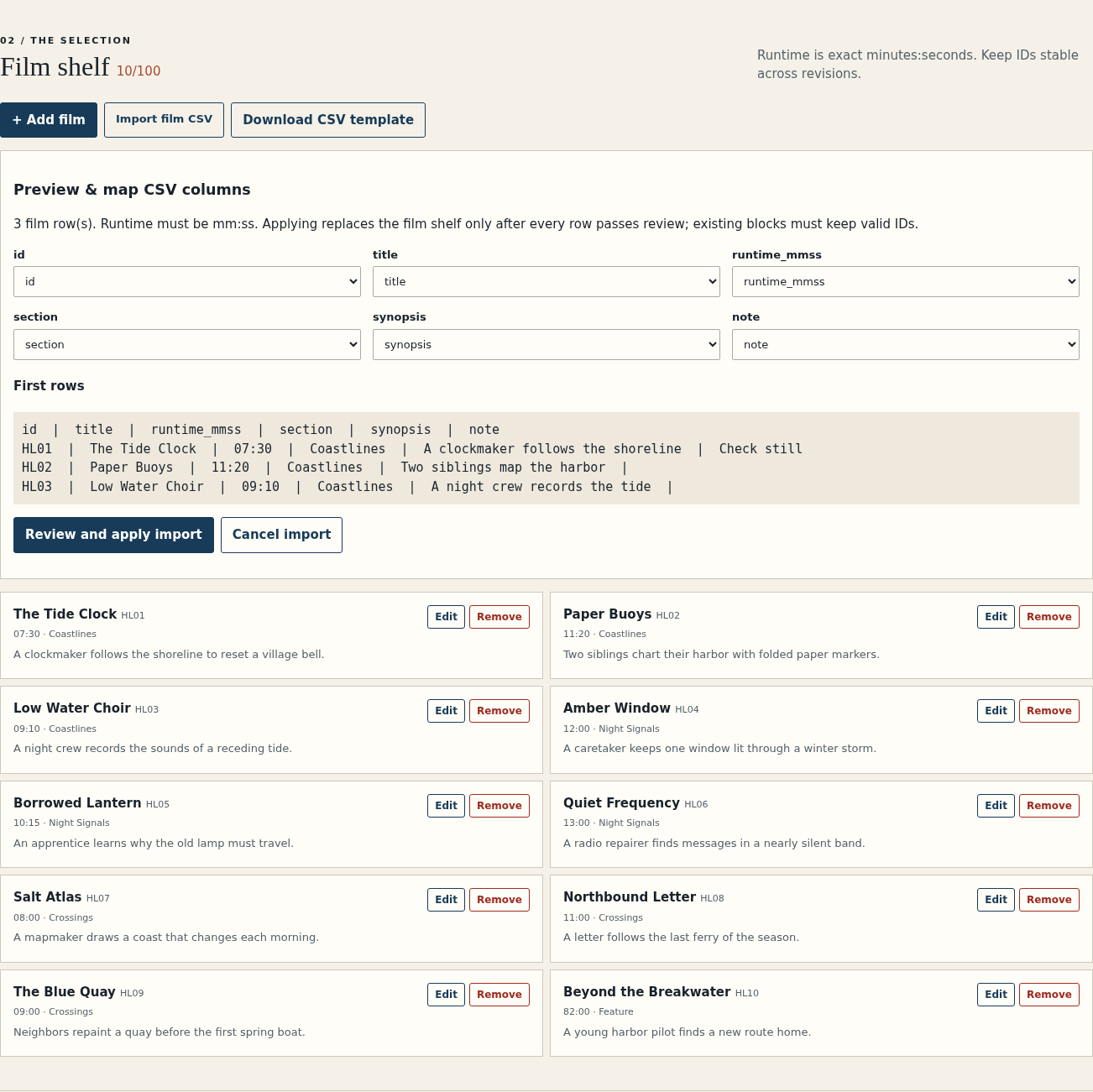
Map CSV columns and preview rows before replacing the film shelf. View full size Resolve a scheduling conflict
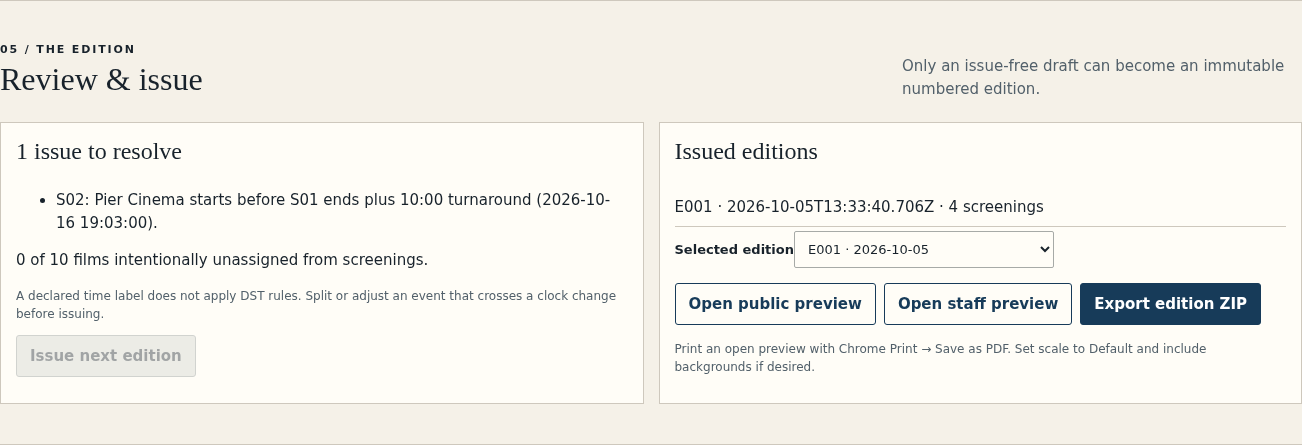
Review shows a room turnaround conflict before an edition can be issued. View full size Issue a numbered edition
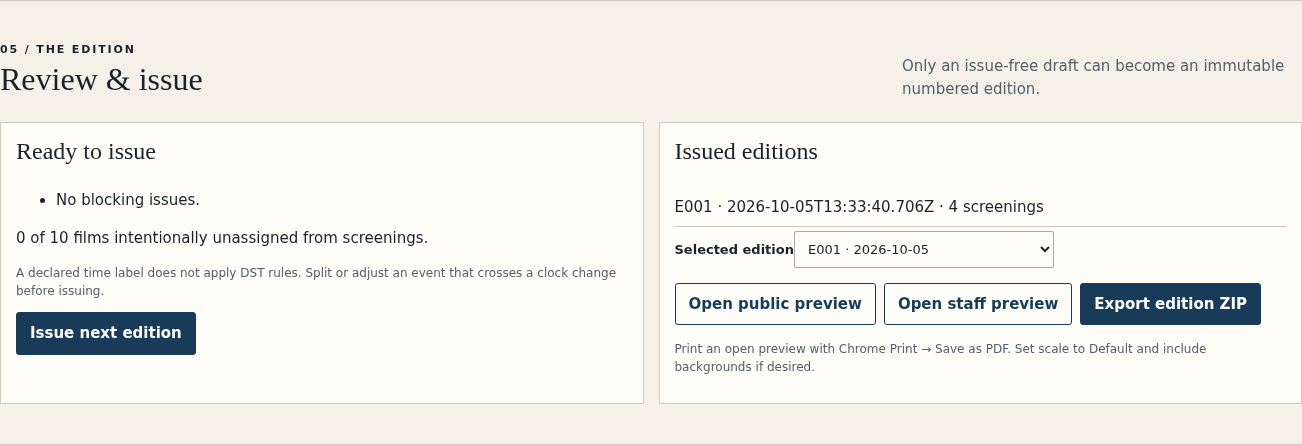
The ready example has E001 selected for preview or ZIP export. View full size Review at a narrow width
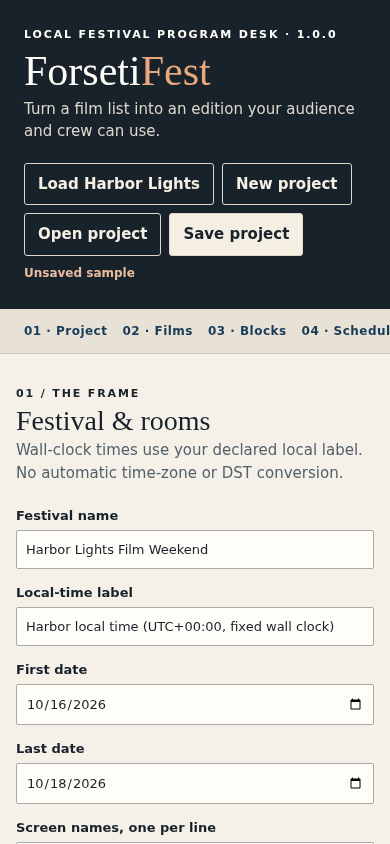
The editor at a 390px viewport; complete phone editing is not claimed. View full size
How it works
Build the program
Import your selected film list and put films into ordered blocks.
Place and check screenings
Set the date, room and start time, then resolve timing and repeat warnings.
Issue matching files
Download one numbered edition with an audience program, staff run sheets and schedule.
Before you buy
- Desktop Chrome that can open extracted local HTML files; Chrome 152 on Linux was verified.
- A selected film list with stable IDs and exact mm:ss runtimes.
- Your own festival dates, rooms and local-time label.
Extract the ZIP and open app/ForsetiFest.html in desktop Chrome. Chrome 152 on Linux was verified. No account or server is required.
Compatibility & limits
100 films, 40 blocks, 60 screenings, 4 rooms, 14 inclusive days, 1 MiB CSV and 8 MiB project JSON. Wall-clock time only; no automatic timezone or DST conversion. No ticketing, rights checks, media ingest, collaboration or direct festival-platform import. Starts from a selected film list. It does not handle submissions, ticketing, rights clearance, media playback or DCP delivery. Wall-clock arithmetic uses one declared local label; it does not apply automatic time-zone or daylight-saving conversion. Browser printing was verified; physical printers, projectors and other browsers were not verified.
Get ForsetiFest
Perpetual use of the purchased version on your devices for personal or internal commercial work. Keep reasonable backups and modify your own copy; do not redistribute or resell original proprietary code. Third-party licenses and any existing preview permissions retain their rights.
Before payment, save the private recovery code shown by checkout. After Paddle confirms payment, use it to download your ZIP or return for it later. No subscription, future update or email delivery is promised. See the illustrated steps.
$9.99 USD · once
Buy download