Step-by-step guide
SagaRelic
Turn selected collection records and photographs into a searchable catalogue that opens offline. Review what to share and keep the chosen original images unchanged.
You have a small collection in CSV or TSV tables and want to share a reviewed selection with photographs in a portable, searchable folder.
Before you start
- Desktop Google Chrome on Linux was tested. The accepted environment used Chrome 152 on Ubuntu 22.04.5 x86_64; other systems and devices remain unverified.
- Extract the complete buyer ZIP and keep its files together. No build step, server or internet connection is needed.
- For your own collection, prepare UTF-8 object and relationship tables plus supported local JPEG/PNG originals. Review permissions, filenames and image metadata before sharing.
- The optional extracted-catalogue integrity checker needs Python 3.10+.
Your first result
Open the example
Open app/index.html from the extracted buyer folder and choose Load the fictional example. Lantern Quay contains four objects, seven relationship rows and six original illustrations.
Apply the mapping
Check the object and relationship columns, then choose Apply mapping. Object IDs and image paths match exactly, including case and leading zeros.
Choose the shared records
Keep objects 0001, 0002 and 0003; leave 0004 excluded. Share only id, title and date. Review every public caption.
Decide the missing photograph
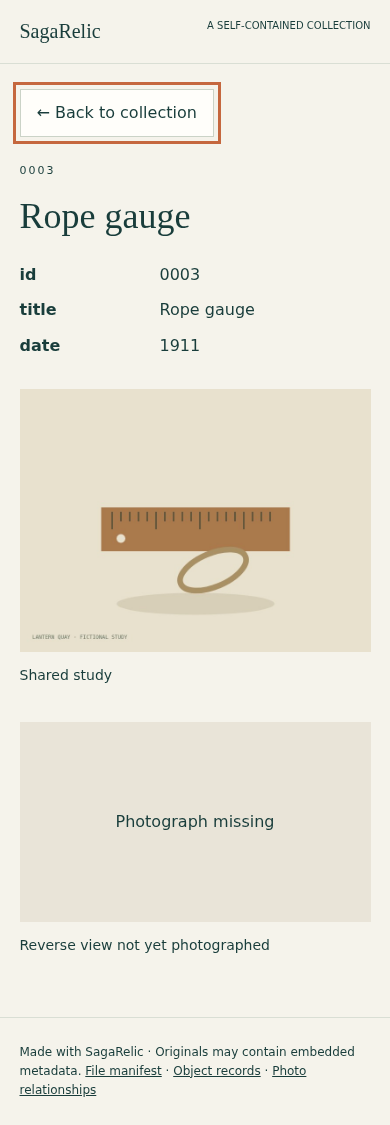
For relationship row 6, choose Keep missing label. This records the absent reverse view openly. Check the other image links and the omission summary.
Generate and inspect
Complete the three review acknowledgments and choose Generate reviewed preview. Expect 3 objects, 6 views, 4 original files and 1 missing marker. Open the recipient preview and inspect the object details.
Download and reopen
Choose Download recipient ZIP, extract the entire archive, and open its index.html. Search for gauge, open the matching object and check its missing reverse-view label. Move the entire folder together.
Save your private decisions
Download the separate private project/receipt before closing. Keep it with the original sources, apart from the recipient folder. Restoring requires identical table bytes, image bytes and relative paths, followed by a fresh review.
Use your own collection
Load your own tables and images, map columns and inspect unresolved links. Select the public fields deliberately. Edits invalidate the old preview, so review again before export. Original photo metadata is retained.
A worked example
Lantern Quay — an original fictional collection
Input: Four object records, seven relationship rows and six original illustrations. Object 0003 references a deliberately missing reverse photograph.
- Keep 0001–0003 and id/title/date only.
- Set row 6 to Keep missing label and complete the three acknowledgments.
- Inspect the catalogue, then extract and reopen the recipient ZIP.
Expected result: 3 objects, 6 relationships, 4 unique original files and 1 missing marker. 0001 shows front then back; shared.jpg belongs to both 0002 and 0003. The donor_note column, badge and orphan are excluded.
From source records to an explorable collection
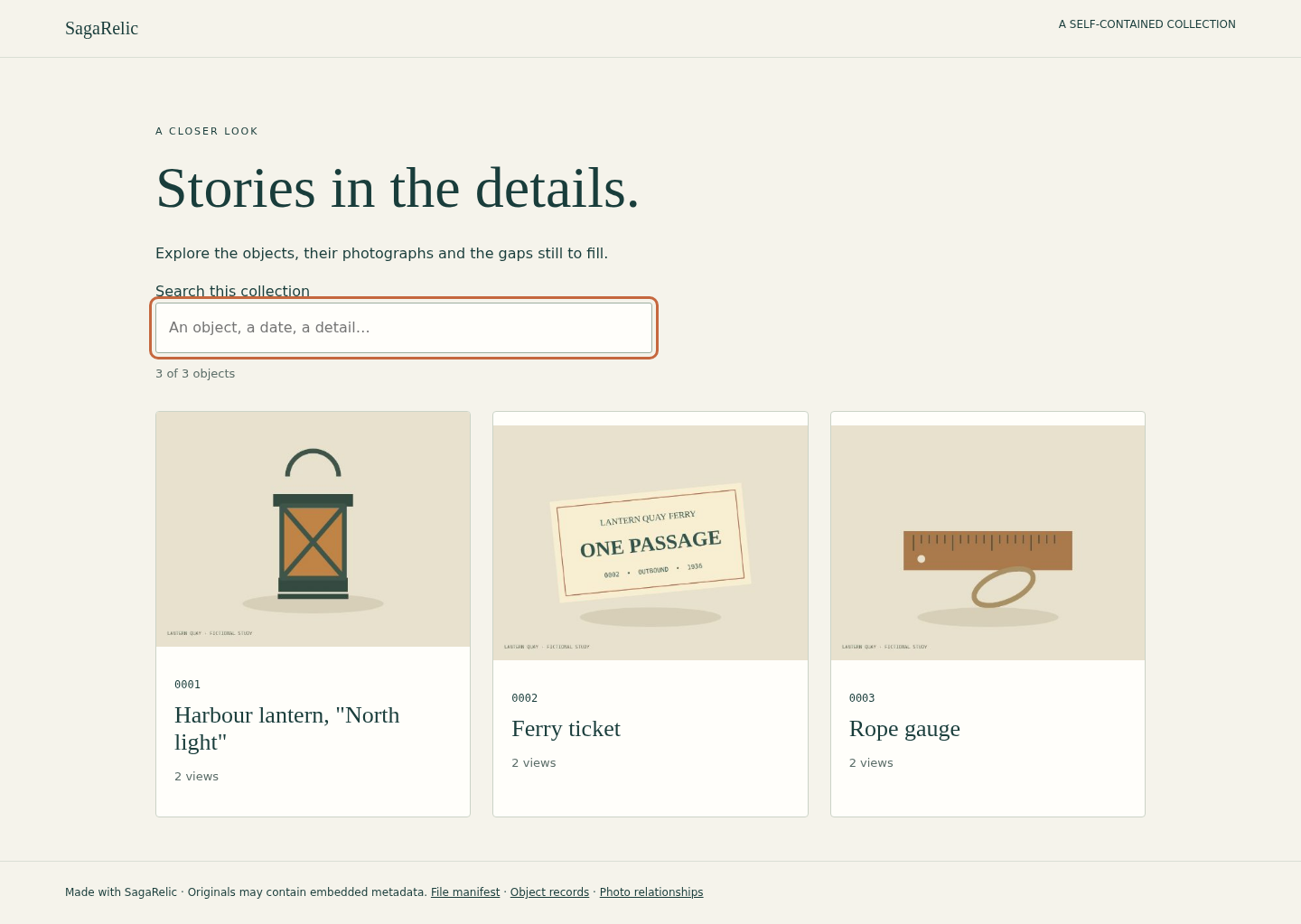
Actual SagaRelic screens in desktop Chrome on Linux, using original fictional Lantern Quay illustrations.
1. Choose what to share
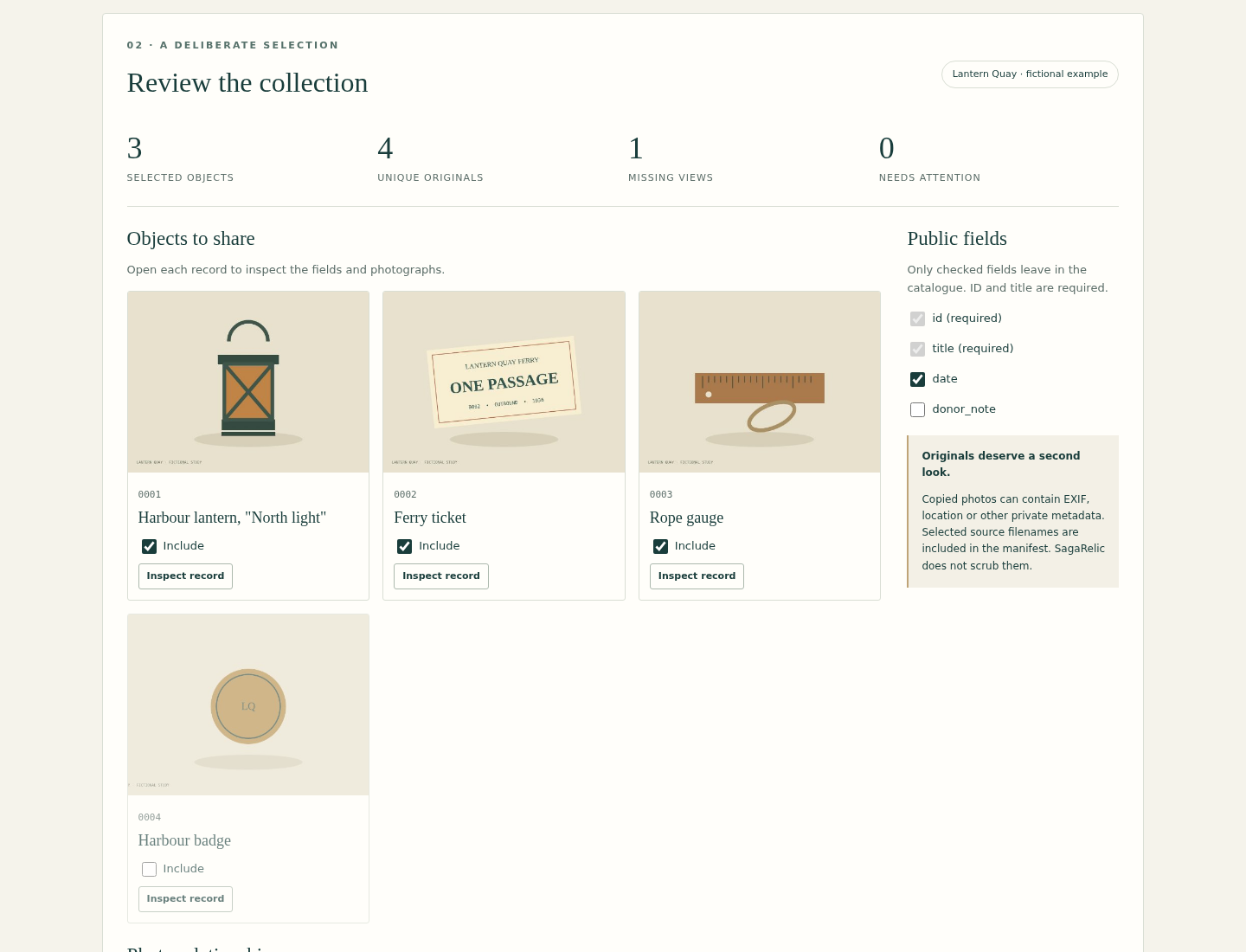
2. Open the collection
3. Keep gaps visible
Troubleshooting
Unknown or missing image link
Check the exact object ID, relative folder path and case. Correct the relationship, reload sources, or explicitly omit it/keep a missing marker as appropriate.
Export disabled after an edit
Resolve remaining issues, complete the three review acknowledgments and generate a new preview.
Restore rejects a private project
Reload identical original table bytes, media bytes and relative paths. Changed sources require a new review.
Unsupported image
Preserve the original, export a separate supported JPEG/PNG derivative and review that derivative before importing.
Catalogue images fail after moving
Extract and move the entire recipient folder together. The optional checker identifies missing or changed payloads.
Compatibility & limits
- Maximum 1000 objects, 10000 relationships and 3000 selected image files.
- 8 MiB per UTF-8 CSV/TSV, 16 MiB per image, 256 MiB input media total and 24 million pixels per image; 16 MiB private project JSON.
- JPEG: 8-bit baseline/progressive grayscale or three-component. PNG: 8-bit, noninterlaced grayscale/RGB/grayscale-alpha/RGBA; indexed color, 16-bit, animation and embedded ICC profiles are not supported.
- 100 columns and 100000 characters per cell; exact IDs and unambiguous relative paths. See the guide for all format rules.
- No XLSX, native museum-system import, ZIP import, object identification, cloud publication or preservation certification.
- Originals may contain private metadata. Public field selection does not anonymize photographs or filenames.
- CSV formula-triggering cells receive a disclosed reversible apostrophe prefix; exact values remain in the catalogue JSON. No spreadsheet application import is claimed.
- Other browsers, operating systems and mobile devices are unverified. Narrow-screen checks use desktop Chrome at 390 pixels.
- No autosave; retain original sources and download the separate private project to resume.
Need a hand?
Tell us the product, host application and version, what you tried, and the exact error. Contact support with a fictional example; keep private customer files and passwords out of your message.