How to straighten a UV strip in Blender
Use Skadira to turn one open, unbranched strip of quads into a rectangular UV grid. This is a focused layout tool for Blender 4.5 LTS.
Updated 29 September 2026
Start with a supported selection
In one mesh object, enter Edit Mode, switch to face selection and select a single continuous strip of quad faces. Use the active UV layer. The strip must be open and unbranched; a ring, disconnected pieces, triangles or ngons will be refused.
Skadira is not a general unwrap or packing tool. It does not support UDIM workflows, multi-object editing or mesh repair.
Install and open Skadira
Download the free Skadira 0.1.0 ZIP. In Blender 4.5, open Edit → Preferences → Add-ons, use the menu’s Install from Disk… option and select the ZIP. Enable Skadira UV Strip Straighten.
Open the UV Editor or 3D Viewport sidebar with N, then open the Skadira tab. The menu commands are also available through Blender’s UV menu.
Validate, then straighten
- Press Validate Selection to check the strip without changing its UVs.
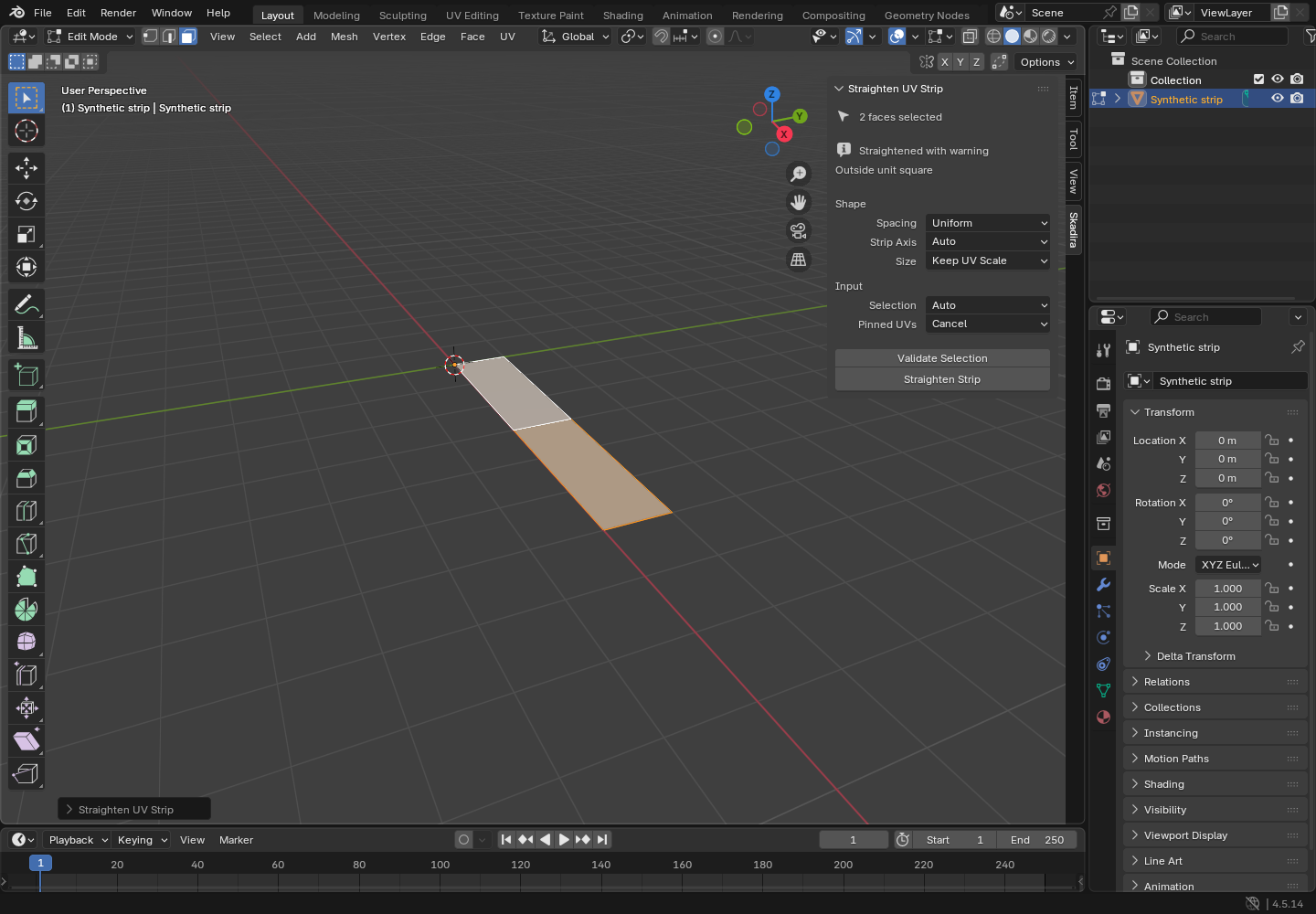
- Choose the strip axis, UV size and spacing settings in the sidebar.
- Press Straighten Strip and inspect the layout in the UV Editor.
- Use Ctrl-Z to undo the whole operation, or change settings in Blender’s redo panel.
Other UV islands, UV layers and mesh geometry are left alone. Keep a saved copy of the scene when trying an early preview.
Uniform or edge-length spacing?
Uniform spaces the cross-sections evenly. Use it when you want an evenly spaced rectangular grid. Edge Length preserves the strip’s relative segment lengths, so longer quads keep a larger share of the layout.
Changing the spacing mode does not turn Skadira into a texture-density or island-packing tool. Check the result against your texture and adjust the UV size for your scene.
Why a selection may be refused
- DISCONNECTED_SELECTION: select one connected piece.
- BRANCHING_STRIP: remove branches so each interior quad has two selected neighbours.
- CLOSED_LOOP: select an open strip instead of a complete ring.
- NON_QUAD_FACE: triangles and ngons are outside this tool’s scope.
- AMBIGUOUS_DIRECTION: a strip that turns through adjacent edges of a quad needs a different selection.
The validator reports the first issue before writing UVs. If an operation reports a write or rollback failure, follow its message and inspect the UVs before saving.
Version, license and help
This guide covers the free GPL-3.0-or-later Skadira 0.1.0 early preview. Blender 4.5.14 on Linux is the verified environment; Windows, macOS and other patches are not yet verified. See support for installation checks and the details to include with a bug report.
Working on deformation instead? Fit a lattice cage with YmirCage.