Worked example · pottery production
Which pottery batch filled that order? Trace it and plan a remake
A repeat order is easier to plan when you can recover the batch that filled it. Use the fictional Oak Lane records to separate firsts from seconds, trace deliveries and calculate a remake estimate.
Written by Perunlight, the maker of SindriLot, with AI assistance. Original free files and example arithmetic independently checked on 4 October 2026. No purchase is needed to follow the example. Published .
Start with three recorded batches
Open the free pack and inspect the Oak Lane sample archive. Its records and exported allocation list let you follow this example in a spreadsheet or on paper. Preserve an untouched copy before editing.
- M1: 24 mugs made — 18 firsts, 4 seconds and 2 lost.
- P1: 16 plates made — 12 firsts, 2 seconds and 2 lost.
- P2: 12 plates made — 11 firsts, 1 second and none lost.
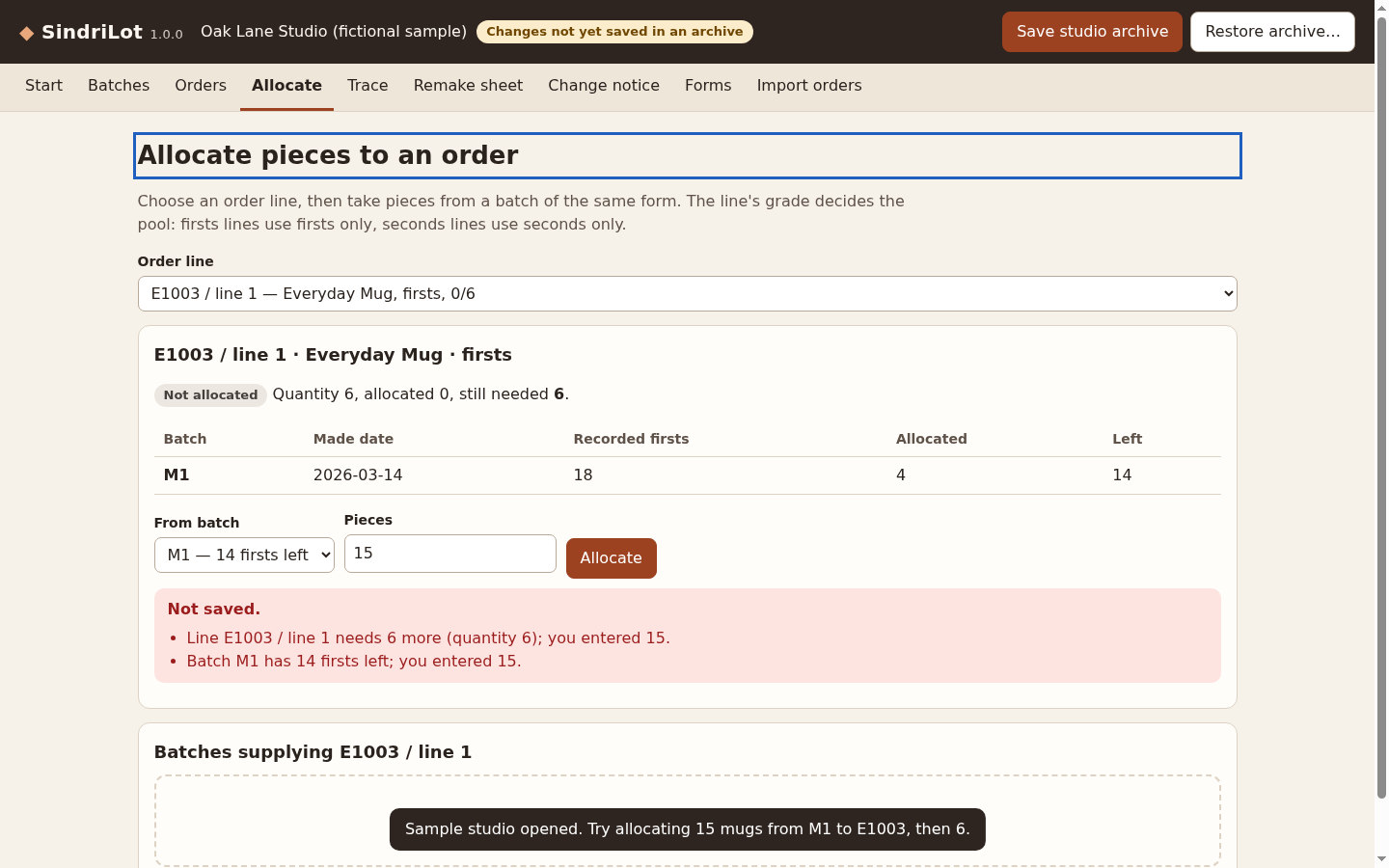
Keep grade pools separate: an order for firsts cannot be filled from seconds merely because the total piece count is large enough. After the saved allocations, M1 has 8 firsts and 1 second left; P1 has no firsts and 2 seconds; P2 has 11 firsts and 1 second.
The illustrated app example first attempts to allocate 15 M1 mugs to E1003. At that point the order needs 6 and M1 has 14 firsts remaining. Fifteen exceeds both limits. Allocating the requested 6 instead leaves the saved balance of 8 firsts.
Trace the batch in both directions
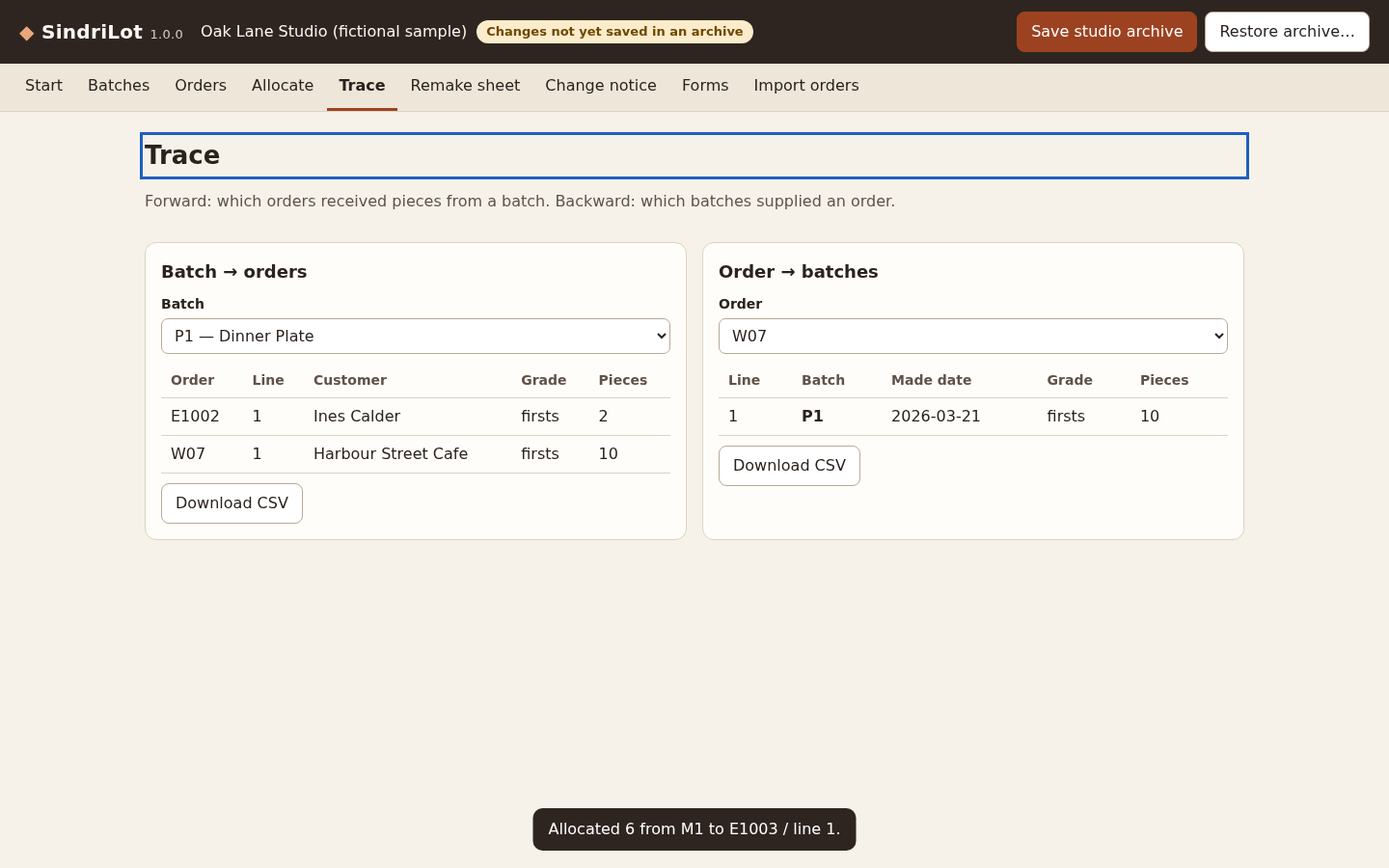
Read the allocation list by batch: P1 supplied 10 plates to W07 and 2 to E1002. Those 12 allocations exhaust its first-quality pool. Read the same list by order: W07 received its 10 plates from P1.
A batch-to-orders view answers who received those pieces. An order-to-batches view answers which production record to reopen when the buyer reorders. Keep the quantities attached to both directions; a list of order names alone cannot explain a partially filled line.
Calculate an estimate from the recorded yield
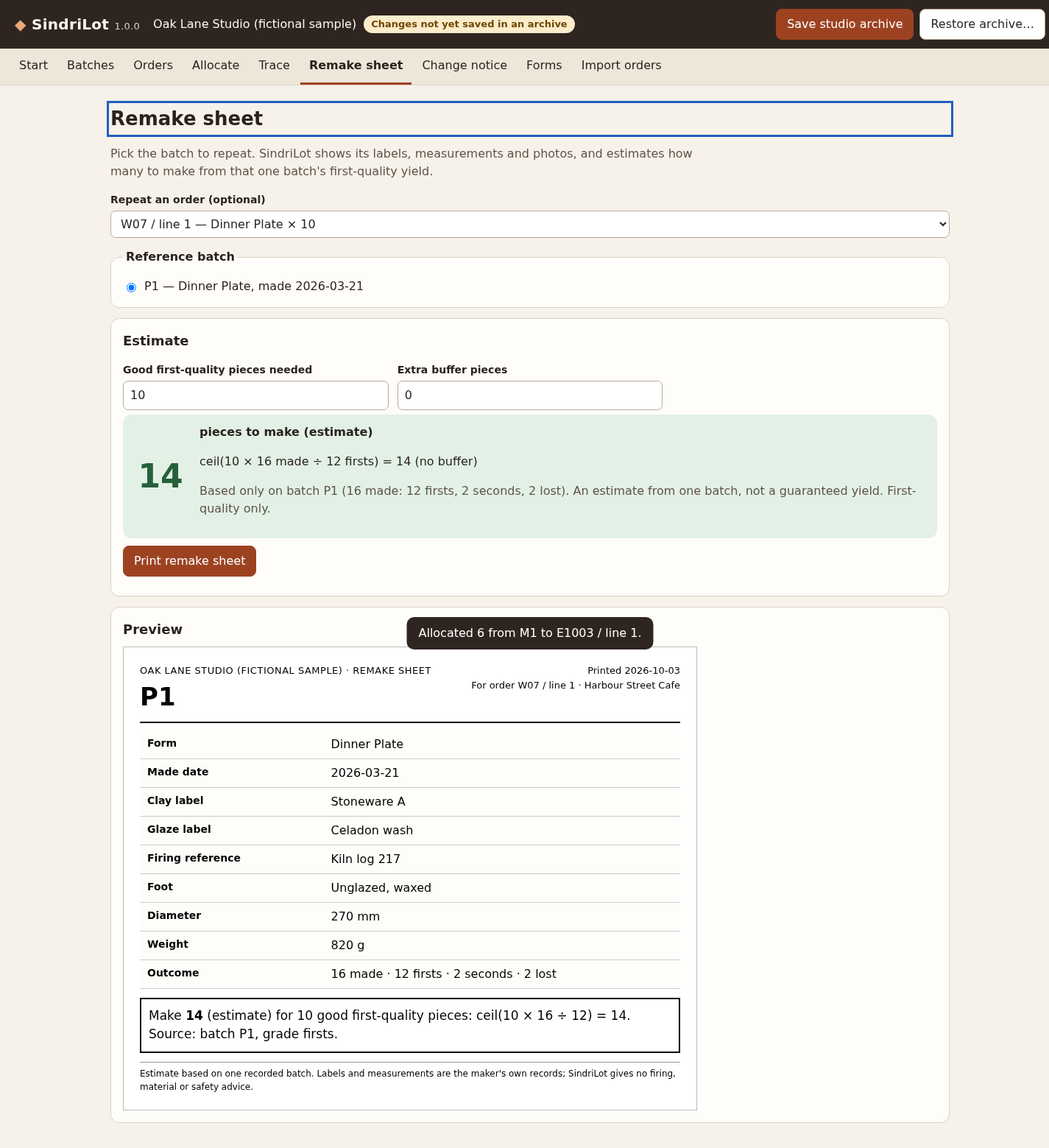
Suppose another order needs 10 first-quality plates. P1 recorded 12 firsts from 16 made. Using that batch as the reference, divide the target by its first-quality fraction and round the result up.
ceil(10 × 16 ÷ 12) = 14 pieces to make
With an explicit buffer of 2: 14 + 2 = 16
This is an estimate from one recorded outcome, not a guarantee of the next firing. State the reference batch and the buffer separately on the remake sheet so someone else can reproduce the calculation. A batch with zero firsts cannot supply a usable first-quality yield estimate.
The recorded production-detail comparison between P1 and P2 changes the clay label. That observation does not establish why their yields differ. The P2 arithmetic would be ceil(10 × 12 ÷ 11) = 11; that is a hand calculation here, not a newly captured app result.
Review every imported order row
The supplied order CSV deliberately includes clean rows and exceptions. Map the columns, then compare the import report with these expected classifications before applying a change.
- 2 unchanged rows: retain the recorded lines.
- 1 changed row: E1002 changes quantity from 2 to 3 and needs an explicit decision.
- 2 new rows, including the exact line identifier 01.
- 1 duplicate row.
- 2 rejected rows: an unknown Mug 12oz item and a non-numeric quantity written as two.
Treat identifiers as identifiers: case and leading zeros matter. Do not silently trim or merge them to force a match. Resolve rejected rows in a copy of the source, then review the resulting import again.
What SindriLot adds to this workflow
The free files let you reproduce the sums and trace by hand. The app keeps batch details, grade balances, order allocations, two-way traces and printable remake sheets together. Its CSV import reports each row and asks you to choose changed records.
The published version supports 200 batches, 2,000 order lines and 4,000 allocations. The verified environment is Chrome 152 on Linux; a narrow desktop-window check does not establish phone or tablet support.
Keep downloaded project backups. Browser storage can be cleared, and the app has no shop-account integration or server backup. Use the print view to save a PDF through the browser; the app does not send orders or provide technical ceramic advice.
The independent check for this article read the original sample archive, validated its recorded file hashes, parsed the order and allocation CSVs, and recomputed balances and remake arithmetic. Screenshots come from the existing published app test, rather than a new paid-app run.
Perunlight product
Keep batch history attached to each order
SindriLot records batch outcomes, allocates the right grade to order lines, traces those allocations and prepares printable remake sheets. It runs offline as a single HTML file.
See SindriLot · $19 one-timeRead the manual and limits
Chrome 152 on Linux is the verified environment. This is record keeping, not firing, material or food-safety guidance.