SindriLot · Offline pottery batch records 1.0.0
Know which batch filled the order. Keep a record for the next one.
Keep pottery batches connected to the orders they filled. Allocate firsts and seconds, trace a batch in either direction, and prepare remake sheets from your own records.
You make repeat pottery forms and need a local record of batch outcomes, order allocations and the reference batch for a later remake.
$19 USD · one-time purchase
Continue to checkoutStep-by-step guide
No subscription. Final total and tax appear at checkout.
Follow the worked example
The free pack includes the studio archive, its CSV views, fixture drawing and sample orders. The working app is in the paid download.
- Allocate by grade: Firsts and seconds use separate recorded pools, with checks against the order quantity and batch remainder.
- Follow the batch: Trace orders back to their supplying batches, or a batch forward to the orders it filled.
- Prepare a remake: Print reference labels, measurements and an explicit estimate from one chosen batch.
What it helps you do
For small production potteries recording repeat forms, batch outcomes and order allocations. Labels and measurements are your own records; the app checks quantities and prepares trace and remake documents.
What is in your download
- sindrilot.html — the complete offline app
- manual/index.html — illustrated manual with real screenshots
- examples/ — fictional Oak Lane Studio archive (saved through the app right after the worked example), sample order CSV, the labelled fixture diagram that the built-in sample attaches to batch M1, and EXPECTED-RESULTS.md
- README.txt, LICENSE.txt, CHANGELOG.md, SHA256SUMS
A practical example
Oak Lane Studio — original fictional batch records
Start with
Fictional Oak Lane Studio: M1 mug 24 made/18 firsts/4 seconds/2 lost with a labelled fixture diagram; P1 plate 16/12/2/2; P2 plate 12/11/1/0 (clay label changed). Orders E1001 (4 mugs), W07 (10 plates), E1002 (2 plates), E1003 (6 mugs), S2001 (3 seconds mugs).
Get this result
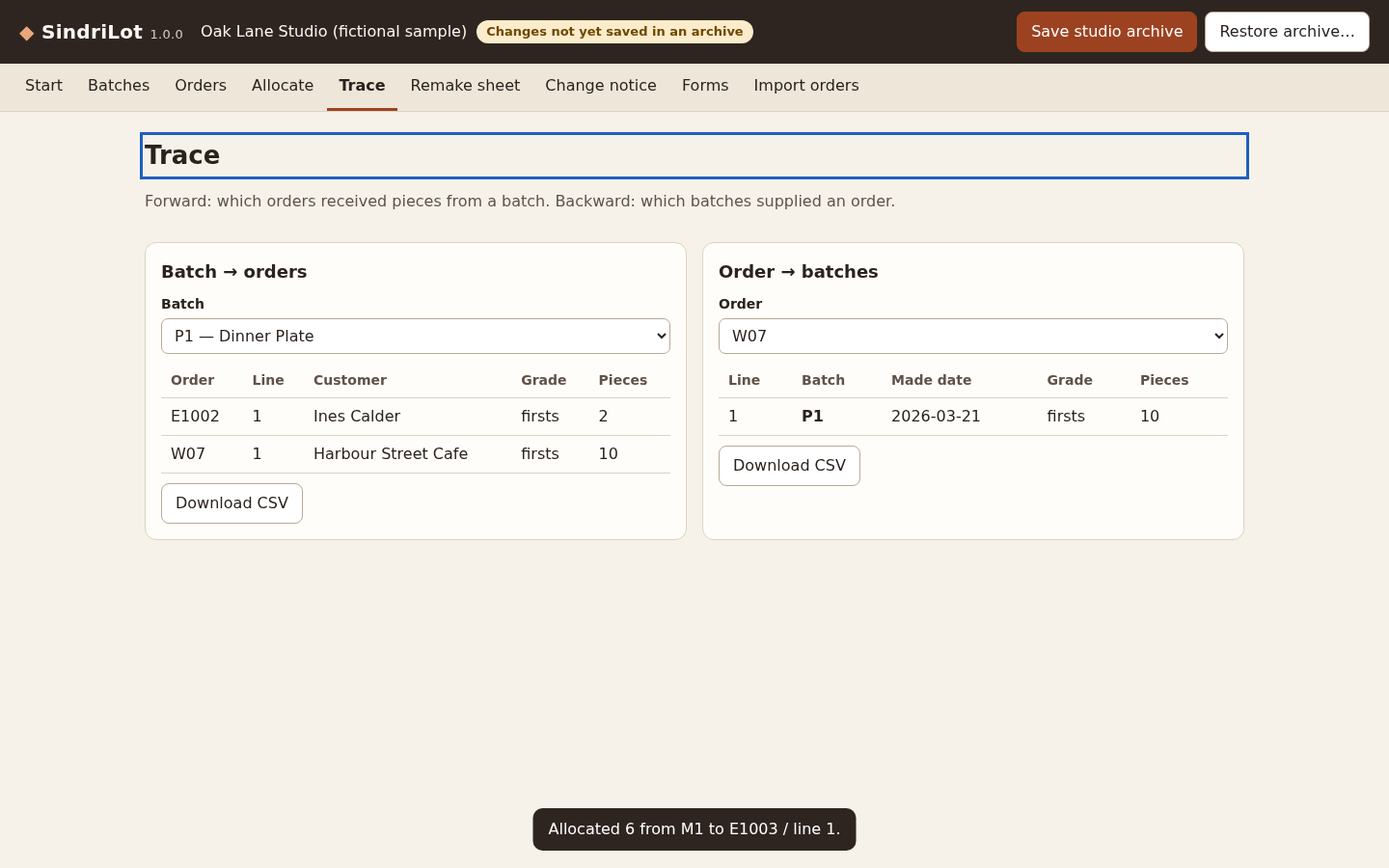
15 mugs to E1003 refused (line needs 6; M1 has 14 firsts left); after allocating 6, firsts left M1 8, P1 0, P2 11 and M1 seconds left 1. Trace P1 → W07 10, E1002 2; W07 → P1 10. Remake 10 plates from P1 = 14 (16 with buffer 2). Change notice P1 → P2 lists only the clay label.
Examples use fictional or synthetic data. Follow this example step by step.
A record that follows the work
Actual SindriLot screens in Chrome on Linux using the fictional Oak Lane Studio.
Check available pieces
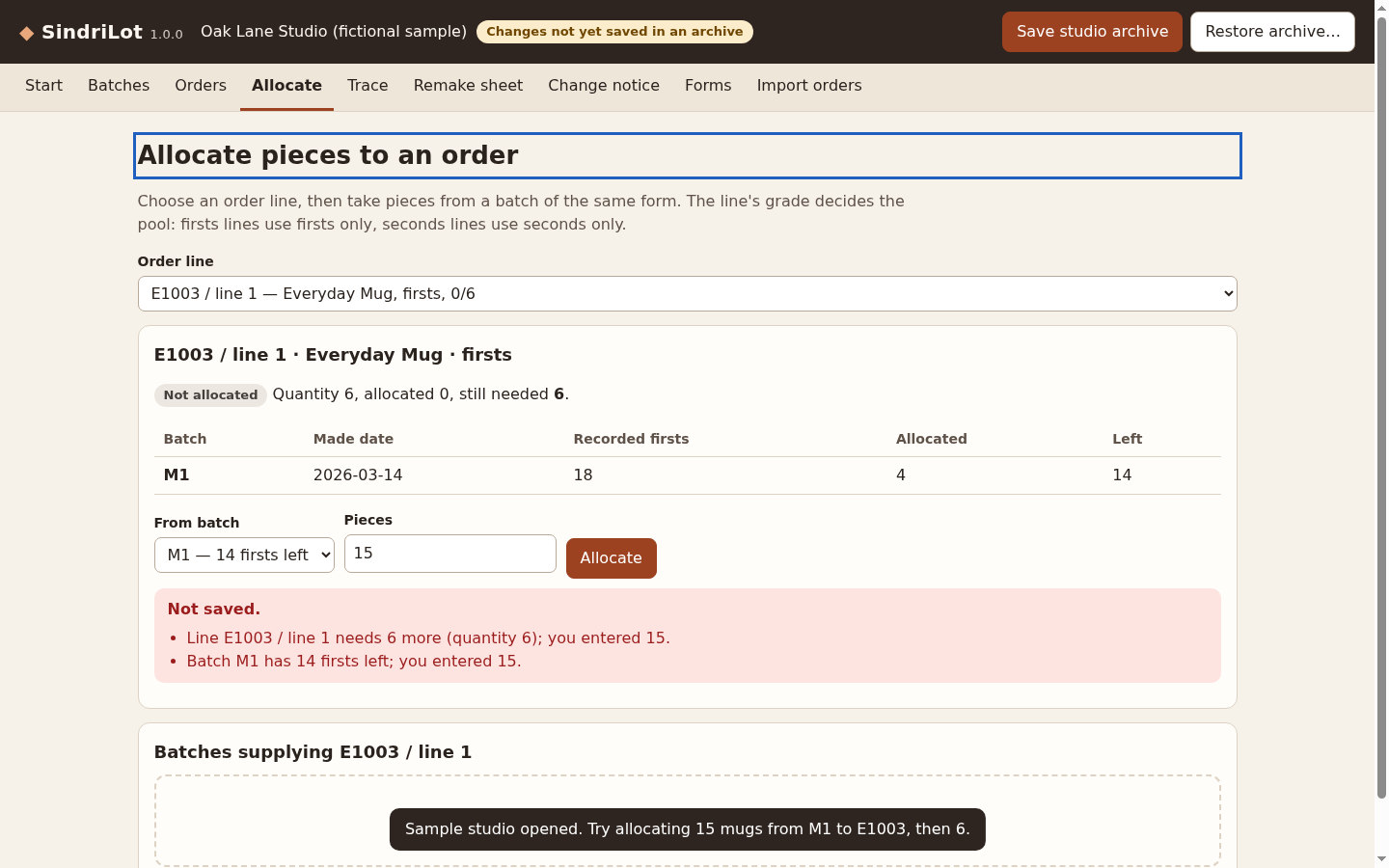
An allocation of 15 mugs is refused: the order needs six and the batch has fourteen firsts left. View full size Trace both directions
See which orders received batch P1 and which batch supplied order W07. View full size Prepare a repeat order
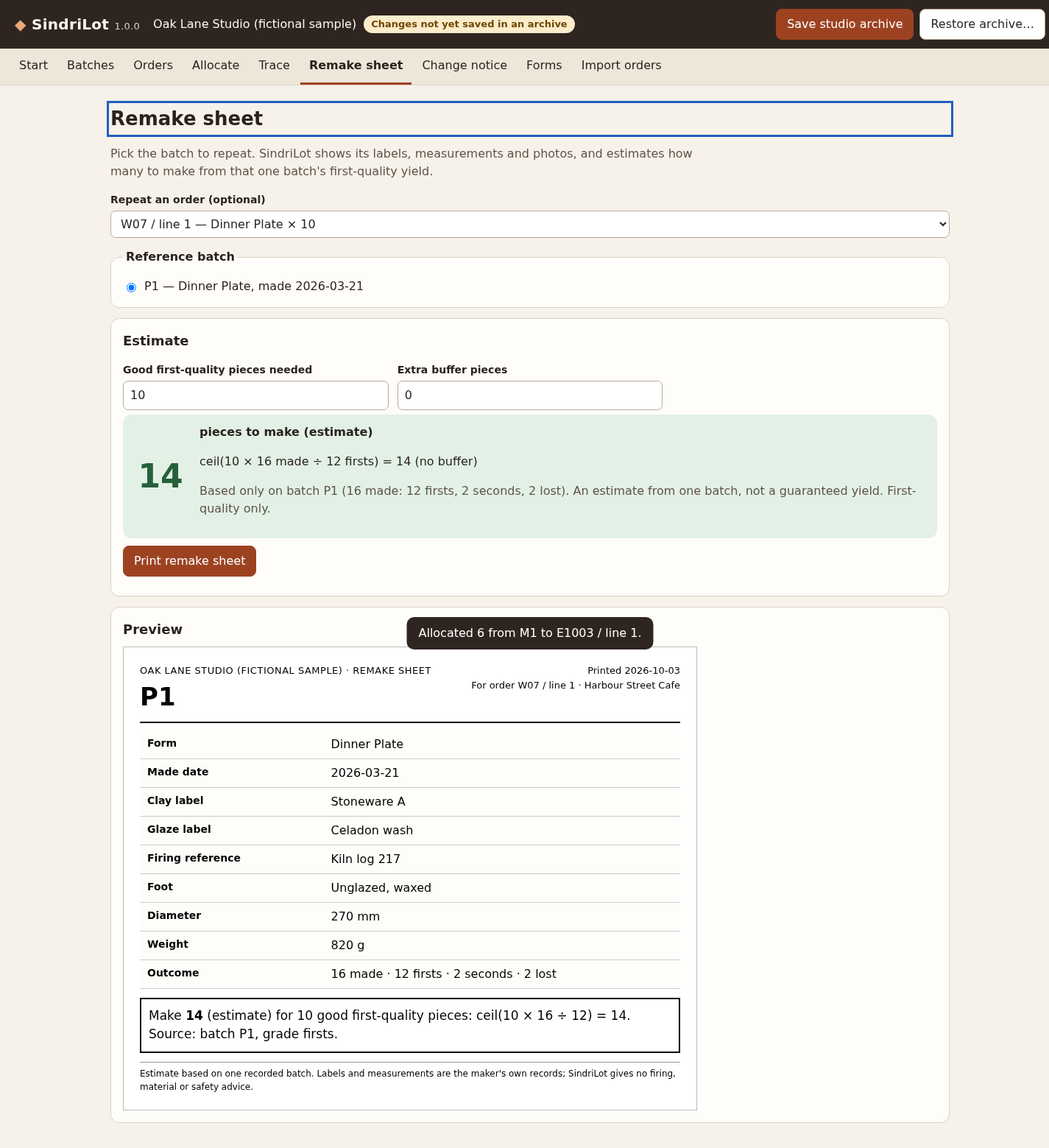
The sample estimates fourteen pieces to make ten first-quality plates from the chosen reference batch. View full size Explain a recorded change
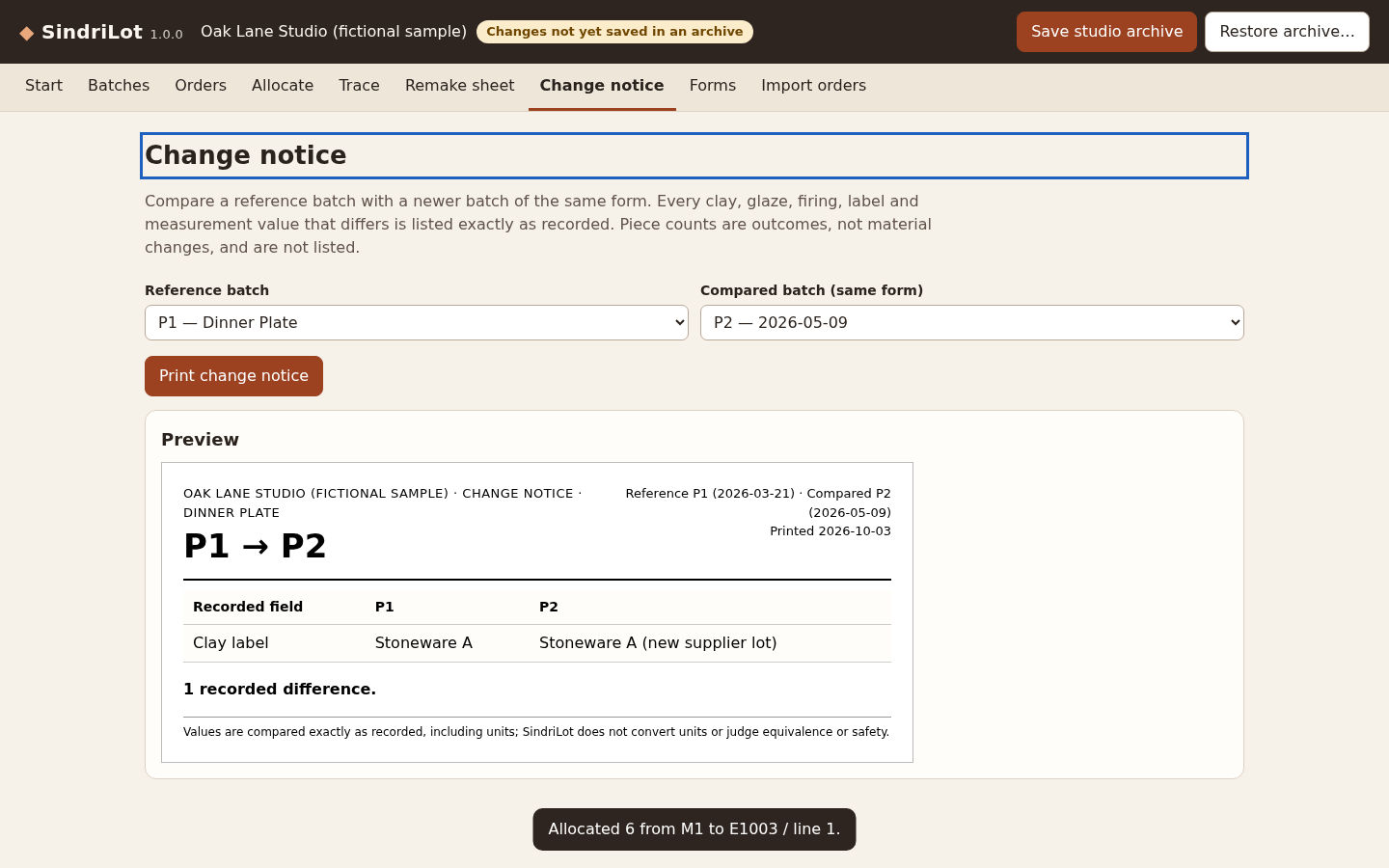
Compare P1 with P2: the sample has one recorded difference, the clay label. View full size Review incoming orders
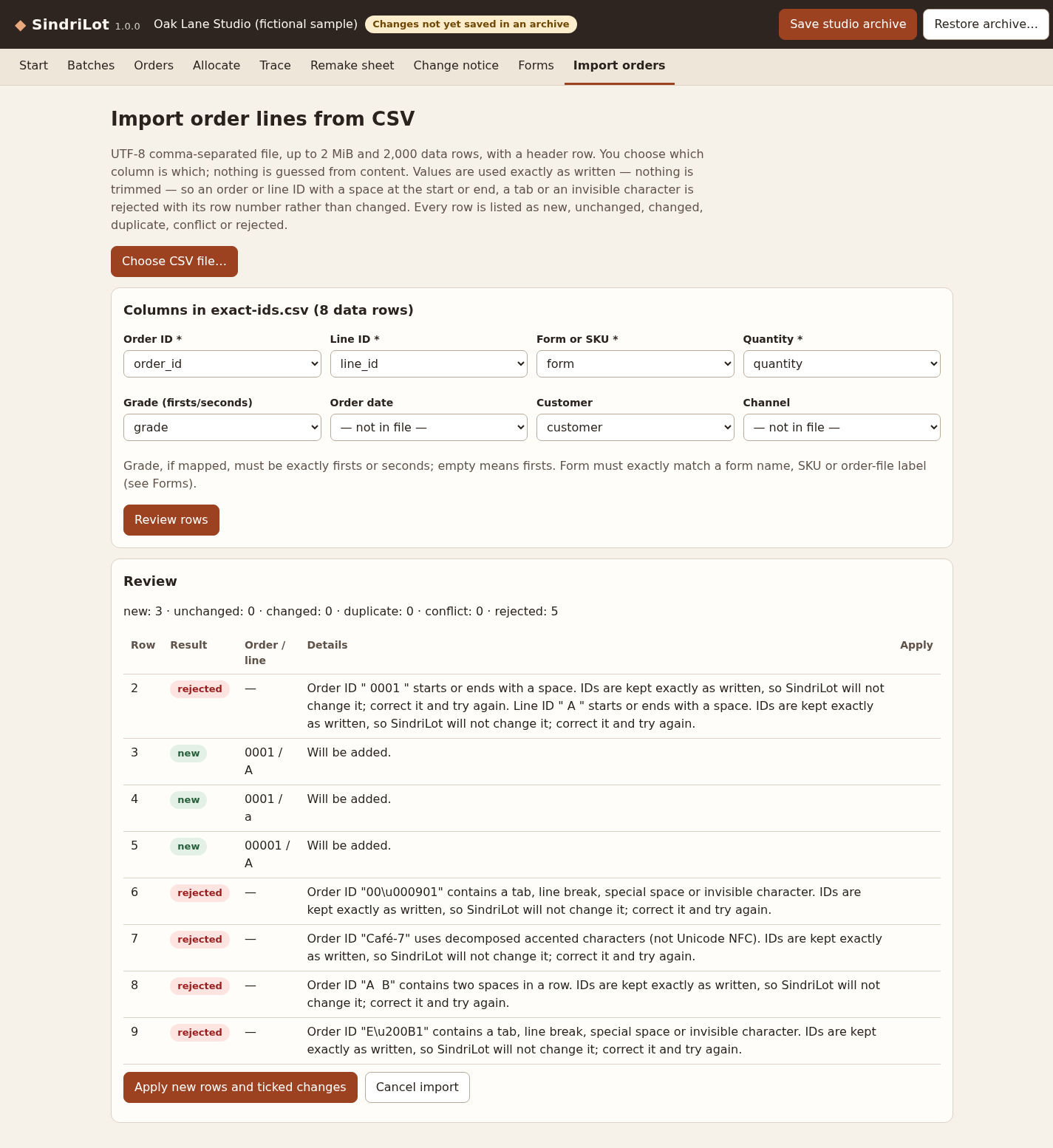
IDs with edge spaces are rejected with a reason; case and leading zeros keep valid IDs distinct. View full size
How it works
Record batches and orders
Enter the batch outcomes and order lines, or review an explicitly mapped CSV import.
Allocate and trace
Assign pieces within each grade pool and follow records from batch to order or back.
Remake and keep a copy
Prepare a reference sheet or change notice, then save the complete studio archive.
Before you buy
- Extract the full buyer ZIP, then open sindrilot.html in desktop Google Chrome. Chrome 152 on Linux was tested; other browsers and operating systems remain unverified.
- No account, server or internet connection is needed. Browser storage is convenient working storage; keep downloaded studio archives as backups.
- Use your own labels and records for clay, glaze, firing and measurements. The app gives no material, firing, food-safety or compliance guidance.
Extract SindriLot-1.0.0.zip, open sindrilot.html in desktop Chrome, and choose Open sample studio. The app is a single offline HTML file; no account or installation is needed.
Compatibility & limits
Tested only in Google Chrome 152 on Linux (desktop and 390 px narrow window); other browsers and operating systems are untested. Per studio: 200 batches, 2,000 order lines, 4,000 allocations, 100 forms, 32 photos. Photos: JPEG/PNG ≤1 MiB, ≤12 megapixels, 4 per batch. CSV import: UTF-8 comma-separated, ≤2 MiB and ≤2,000 data rows per file. No marketplace presets; not verified against any shop's export format. Order ID ≤64 and line ID ≤32 characters, kept exactly; IDs that start/end with a space or contain tabs, line breaks, invisible characters, double spaces or decomposed accents are rejected rather than cleaned up. Archive restore: ≤40 MiB, ≤100 entries, exactly as saved by SindriLot (re-zipped copies are refused). The SHA-256 manifest detects accidental changes; it does not prove authorship. Remake estimates are first-quality only, from one recorded batch, and need every made piece recorded; they are not guaranteed yields. Data is stored in this browser for convenience; browser storage can be cleared, so save a studio archive regularly. Printing was verified as PDF output only; no physical printer was tested. No firing, recipe, material, food-safety, product-safety or compliance guidance; no stock, accounting or shop integration.
Get SindriLot
Perpetual use of the purchased version on your devices for personal or internal commercial work. Keep reasonable backups and modify your own copy; do not redistribute or resell original proprietary code. Third-party licenses and any existing preview permissions retain their rights.
Before payment, save the private recovery code shown by checkout. After Paddle confirms payment, use it to download your ZIP or return for it later. No subscription, future update or email delivery is promised. See the illustrated steps.
$19 USD · once
Buy download