Step-by-step guide
TrossPlan
Record attachment points, measured rigging runs and installation prerequisites, then export matching schematics, route cards and material totals.
You have measured your model and want one editable plan for attachment points, rigging passes, installation order and material totals.
Before you start
- Desktop Google Chrome on Linux is the tested environment.
- Extract the complete buyer ZIP and open index.html in desktop Google Chrome. The fictional Mira training layout opens immediately. No server, account or internet connection is required.
- Up to 48 points, 48 routes, 8 material families, 160 route segments and 100 PDF pages. Project JSON import: 2 MiB. A4 and US Letter.
Your first result
Open Mira
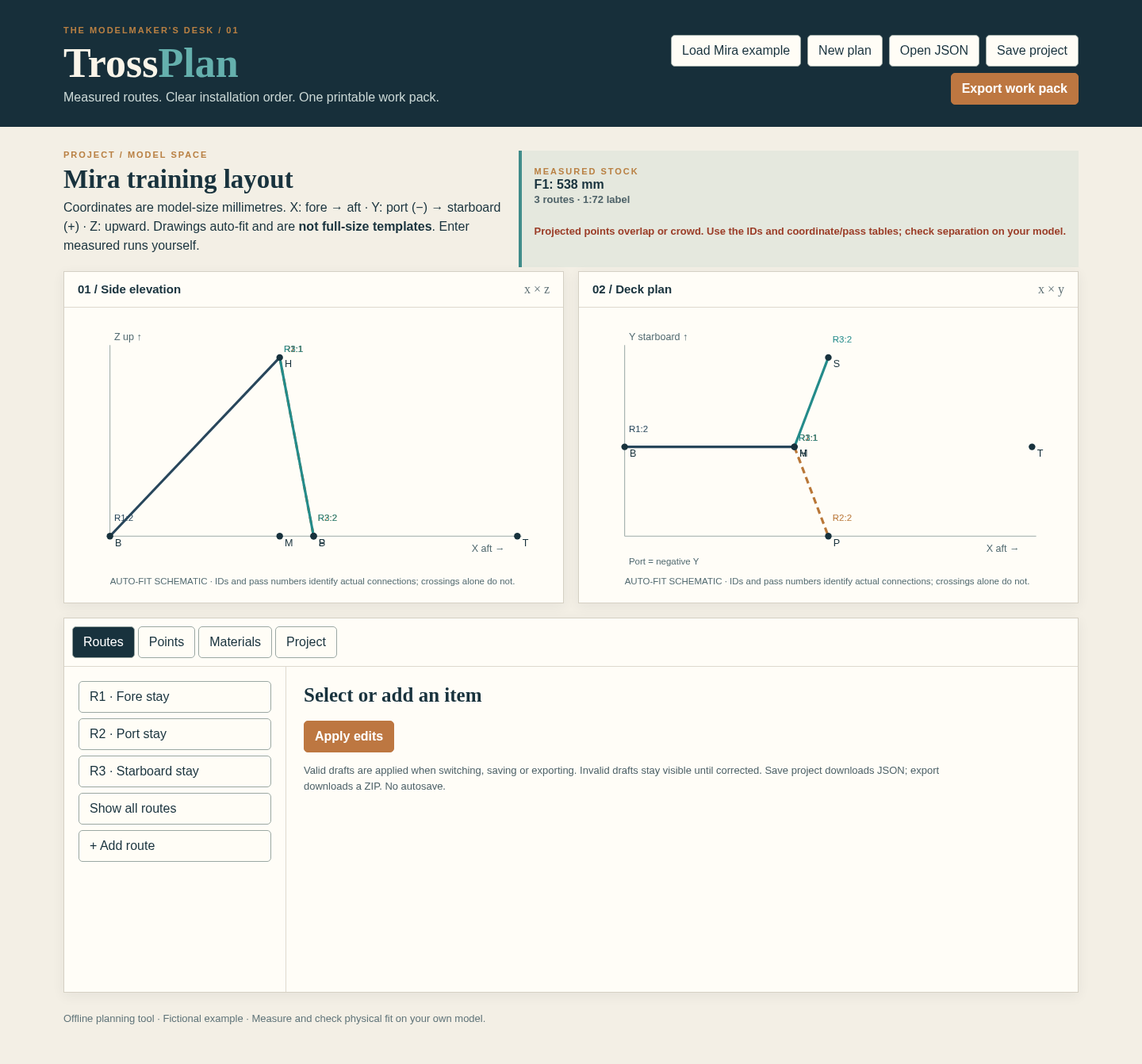
Extract the entire buyer ZIP and open index.html in desktop Chrome. The fictional Mira training layout starts with three routes and an F1 stock total of 538 mm.
Inspect a route
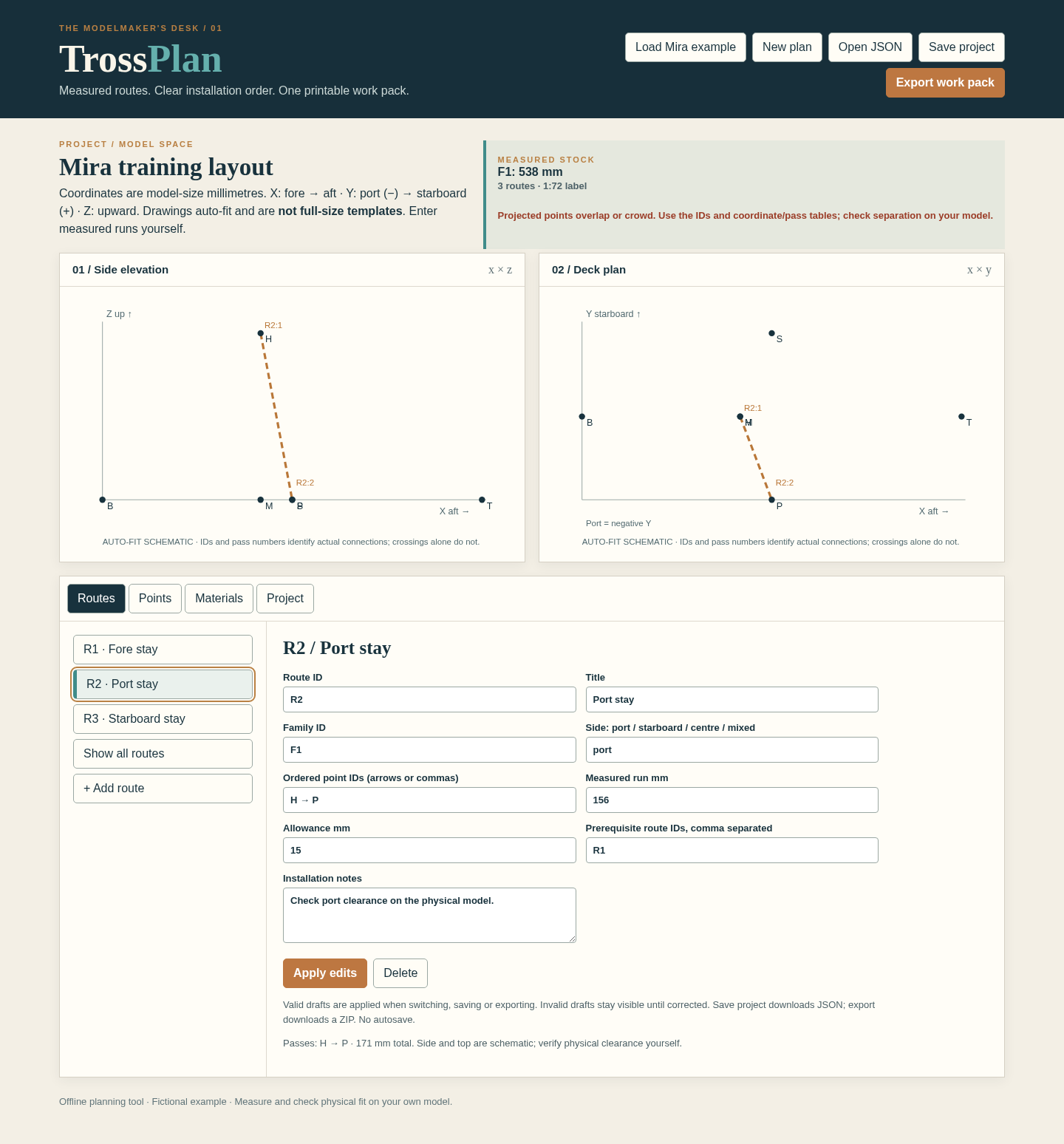
Select R2 · Port stay. Follow its ordered points H → P in both projections. Its measured run is 156 mm and allowance is 15 mm, giving 171 mm. R1 must be installed first.
Change an allowance
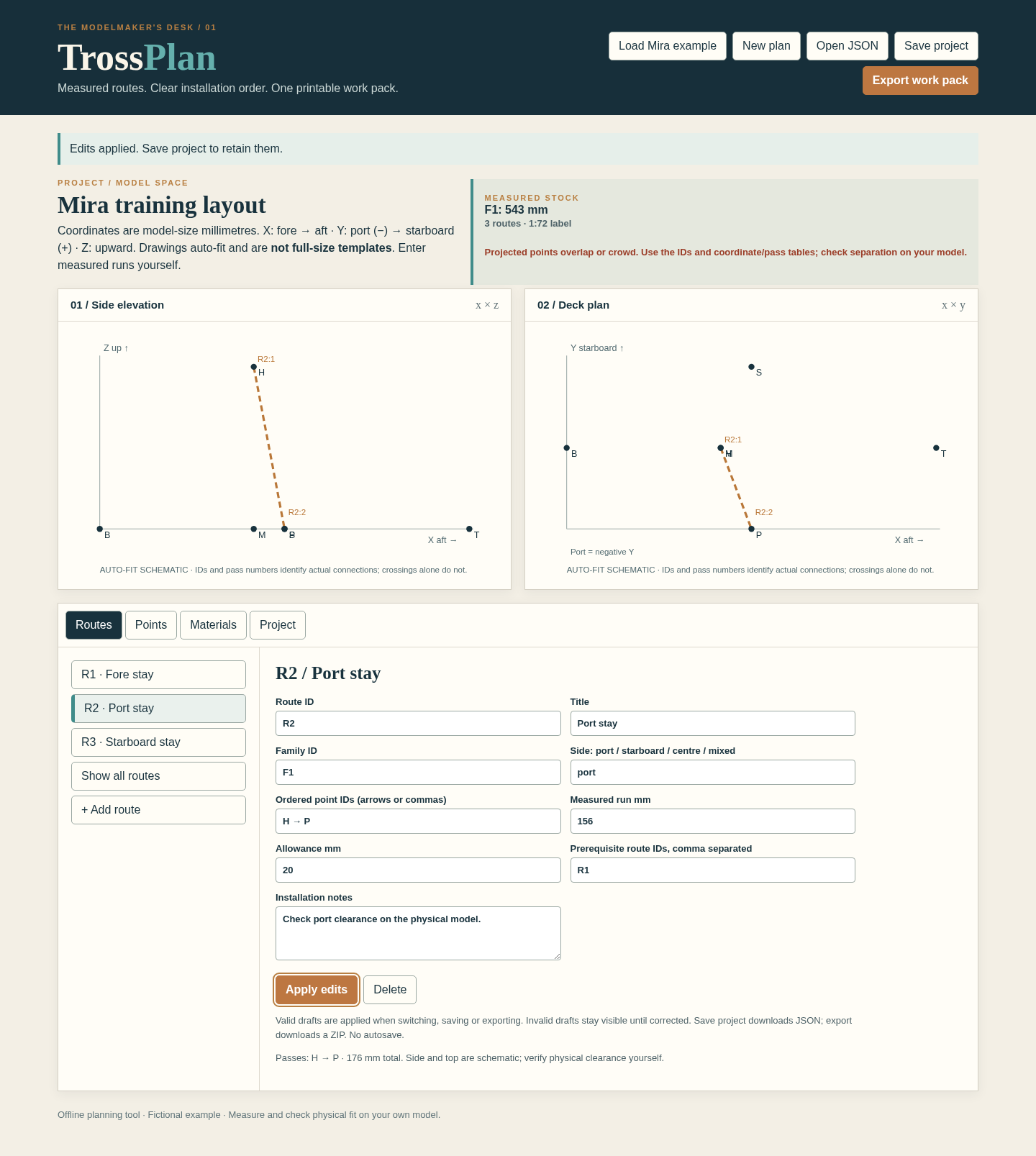
Enter 20 for R2’s allowance and choose Apply edits. R2 becomes 176 mm; the F1 total becomes 543 mm. The point coordinates and schematic geometry remain unchanged.
Create your own measured plan
Enter model-size points in Points, thread or wire families in Materials, and ordered passes in Routes. Enter your physical run measurements yourself. List prerequisite route IDs to determine installation order. Apply edits before moving on.
Resolve review messages
Check missing point or material IDs and prerequisite cycles. In crowded drawings, select one route and use its ordered pass list and point coordinates. A visual crossing alone does not connect two runs.
Save and export
Choose Save project to download an editable JSON master. Choose Export work pack and extract the PDF, side/deck SVGs, route/material CSVs and project JSON. Review the complete PDF and compare the plan with your physical model before cutting or fitting material.
A worked example
Mira training layout
Input: Six fictional model points, one 0.25 mm training-thread family and three entered measured routes. The scale label is 1:72.
- R1: 181 mm measured run + 15 mm allowance = 196 mm.
- R2 and R3: 156 + 15 = 171 mm each.
- Review prerequisite order R1, then R2 and R3.
- Change only R2’s allowance from 15 to 20 mm and apply.
Expected result: The initial total is 196 + 171 + 171 = 538 mm. After the allowance change it is 196 + 176 + 171 = 543 mm. The geometry and measured runs remain unchanged. These fictional measurements demonstrate the workflow; they are not cutting instructions for a real model.
See the working tool
Actual screenshots from the downloadable app. Start with the free example and follow the steps below.
1. Read both projections
2. Follow the selected port route
3. Change the allowance
Troubleshooting
A route will not export
Correct the named unknown point, missing material family, invalid pass sequence or prerequisite cycle. Keep the editable project while correcting it.
Point labels overlap
Select one route to reduce clutter and compare its pass list with the point coordinates. The views are schematics; check separation on the physical model.
A PDF text warning appears
Use printable ASCII in project text for PDF export. Saved JSON retains the accepted source text; do not replace your master unless intended.
The total did not change after typing
Choose Apply edits. Verify the route’s measured run, allowance and material family before exporting.
An import is rejected
Open a TrossPlan schema 1 JSON within 2 MiB. Check the named field and retain the current project while correcting the file.
Compatibility & limits
- Up to 48 points, 48 routes, 8 material families, 160 route segments and 100 PDF pages. Project JSON import: 2 MiB. A4 and US Letter.
- Coordinates and lengths are model-size millimetres. The scale is a descriptive label. Cut totals use entered measured runs plus allowances; they are never inferred from the diagram.
- Side and deck views are auto-fit schematics, not full-size templates or physical fit checks. Crossings are not connections unless the point is listed in that route.
- PDF project text supports printable ASCII. Saved JSON and SVG/CSV can retain accepted Unicode. Physical fit, historical correctness and other browsers or operating systems are unverified.
- Tested in desktop Chrome on Linux. Save project JSON to keep your work before closing; there is no automatic save.
Need a hand?
Tell us the product, host application and version, what you tried, and the exact error. Contact support with a fictional example; keep private customer files and passwords out of your message.