TrossPlan · Local browser tool 1.0.0 · Chrome on Linux
From measured route to workshop page.
Record attachment points, measured rigging runs and installation prerequisites, then export matching schematics, route cards and material totals.
You have measured your model and want one editable plan for attachment points, rigging passes, installation order and material totals.
$19 USD · one-time purchase
Continue to checkoutStep-by-step guide
No subscription. Final total and tax appear at checkout.
Try the original example before buying
Inspect the complete fictional example and illustrated quick start before buying. The paid ZIP adds the editor for your own measured plans.
- Enter measurements once: Use the same measured run and allowance in route cards and stock totals.
- Keep passes and order explicit: Record ordered attachment points and installation prerequisites.
- Take the plan to the bench: Export a PDF work pack alongside SVG, CSV and editable JSON.
What it helps you do
For model makers planning their own rigging work. Enter model-size coordinates, ordered point passes, material families, measured runs, allowances and installation notes.
What is in your download
- Offline points, routes and materials editor
- Illustrated English manual and actual app screenshots
- Original fictional Mira training example
- Project JSON save/open
- Work pack with PDF, side/deck SVG diagrams, route/material CSV and JSON
- Product license and dependency notices
A practical example
Mira training layout
Start with
Six fictional model points, one 0.25 mm training-thread family and three entered measured routes. The scale label is 1:72.
Get this result
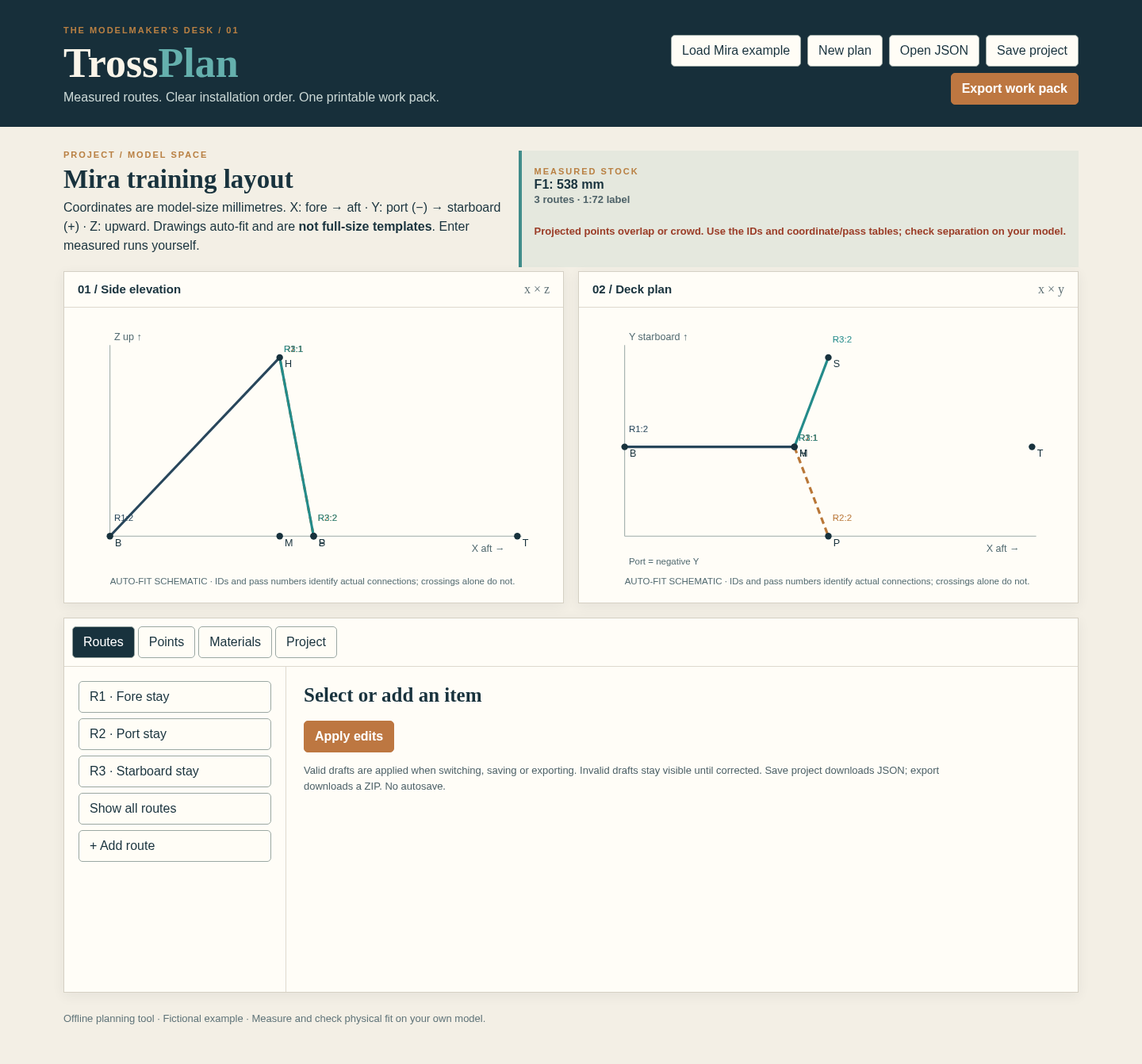
The initial total is 196 + 171 + 171 = 538 mm. After the allowance change it is 196 + 176 + 171 = 543 mm. The geometry and measured runs remain unchanged. These fictional measurements demonstrate the workflow; they are not cutting instructions for a real model.
Free Mira project, schematics, route tables and PDF work pack
Examples use fictional or synthetic data. Follow this example step by step.
See the working tool
Actual screenshots from the downloadable app. Start with the free example and follow the steps below.
Read both projections
Mira’s complete three-route example shows side and deck schematics with a 538 mm stock total. View full size Follow the selected port route
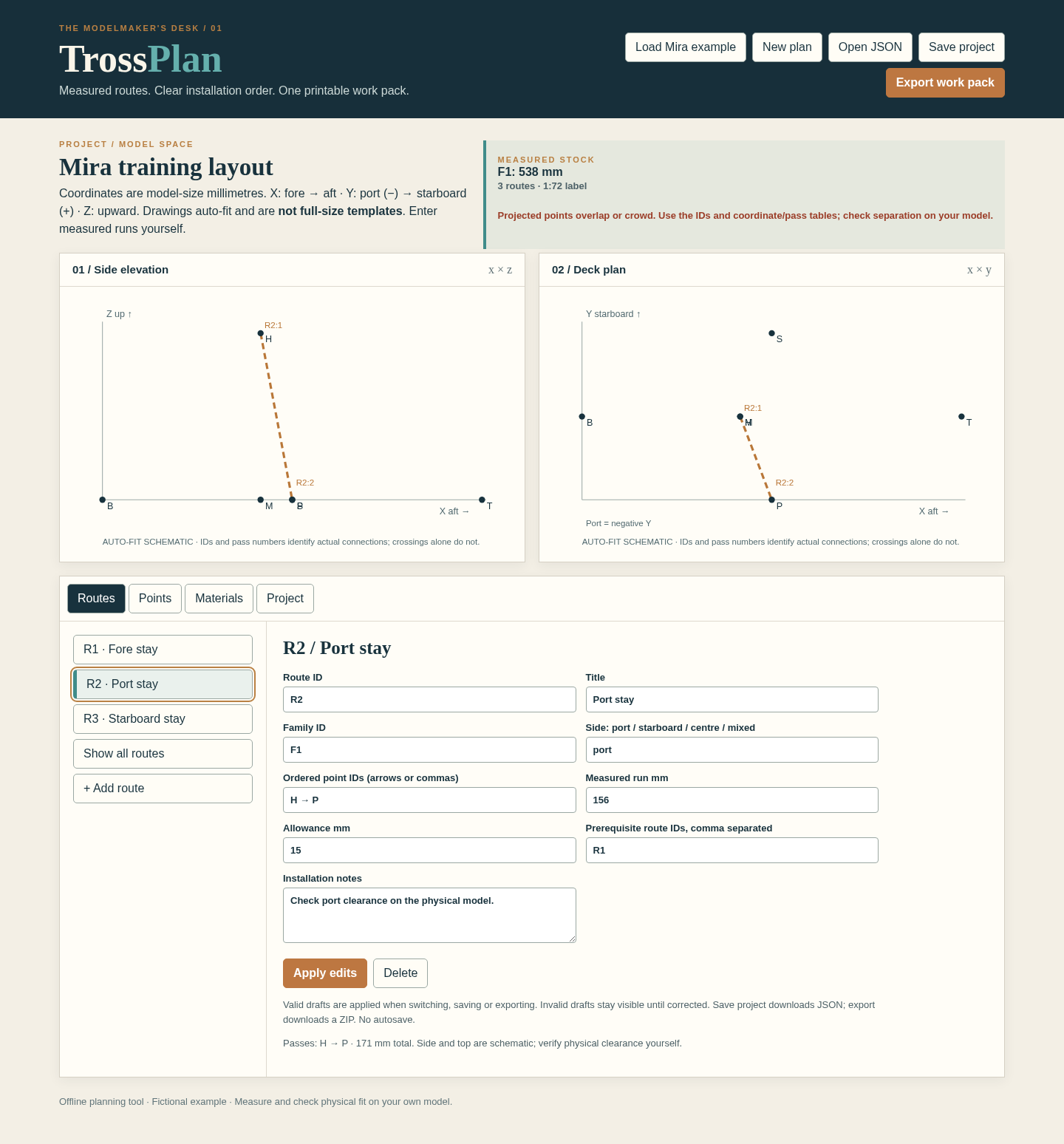
R2 highlights its ordered attachment points in both projections. View full size Change the allowance
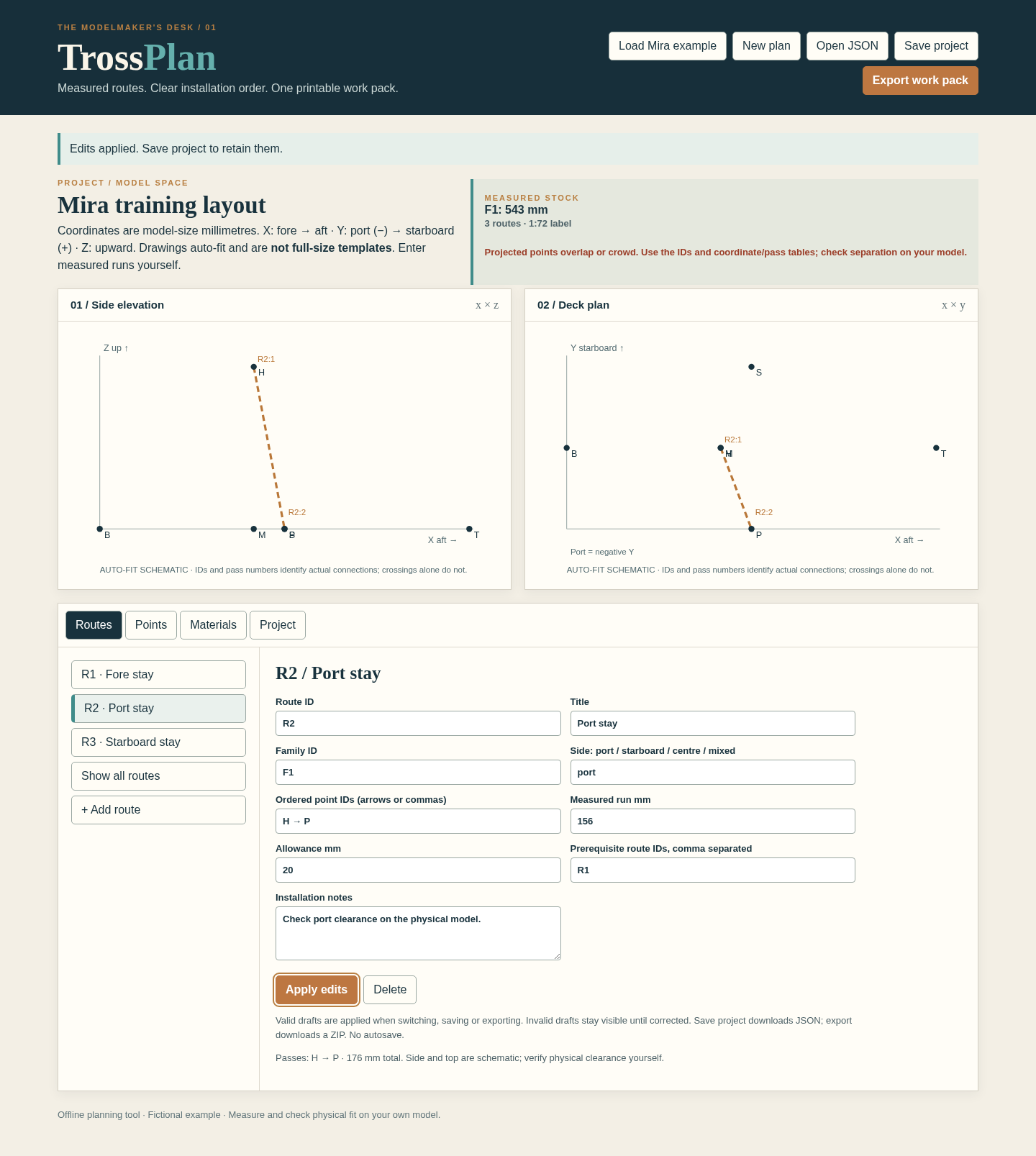
Increasing R2’s allowance from 15 to 20 mm changes the material total from 538 to 543 mm. View full size
How it works
Enter the measured plan
Define attachment points, materials, routes and allowances in model-size millimetres.
Review the route sequence
Compare side/deck schematics and check installation prerequisites.
Export the work pack
Save project JSON and download the PDF, SVG and CSV outputs.
Before you buy
- Desktop Google Chrome on Linux is the tested environment.
- Extract the complete buyer ZIP and open index.html in desktop Google Chrome. The fictional Mira training layout opens immediately. No server, account or internet connection is required.
- Up to 48 points, 48 routes, 8 material families, 160 route segments and 100 PDF pages. Project JSON import: 2 MiB. A4 and US Letter.
Compatibility & limits
Up to 48 points, 48 routes, 8 material families, 160 route segments and 100 PDF pages. Project JSON import: 2 MiB. A4 and US Letter. Coordinates and lengths are model-size millimetres. The scale is a descriptive label. Cut totals use entered measured runs plus allowances; they are never inferred from the diagram. Side and deck views are auto-fit schematics, not full-size templates or physical fit checks. Crossings are not connections unless the point is listed in that route. PDF project text supports printable ASCII. Saved JSON and SVG/CSV can retain accepted Unicode. Physical fit, historical correctness and other browsers or operating systems are unverified. Tested in desktop Chrome on Linux. Save project JSON to keep your work before closing; there is no automatic save.
Get TrossPlan
Perpetual use of the purchased version on your devices for personal or internal commercial work. Keep reasonable backups and modify your own copy; do not redistribute or resell original proprietary code. Third-party licenses and any existing preview permissions retain their rights.
Before payment, save the private recovery code shown by checkout. After Paddle confirms payment, use it to download your ZIP or return for it later. No subscription, future update or email delivery is promised. See the illustrated steps.
$19 USD · once
Buy download