Step-by-step guide
WaylandBridge
Export layered, tiled sewing-pattern PDFs from one Inkscape SVG.
For sewing-pattern designers who prepare size-layer PDFs in Inkscape.
Before you start
- Inkscape 1.2+; tested with 1.4.4 Linux x64. Python 3.8+ for the optional CLI and installer.
- An SVG with separate size layers; test with the bundled fictional pattern.
Your first result
Install
Extract the ZIP and run python3 install.py; restart Inkscape.
Export
Open the sample SVG and use the WaylandBridge extension to choose sizes and paper.
Check or remove
Inspect the tile map, PDF layers and 50 mm test square before printing. Run python3 install.py --uninstall to remove the extension.
A worked example
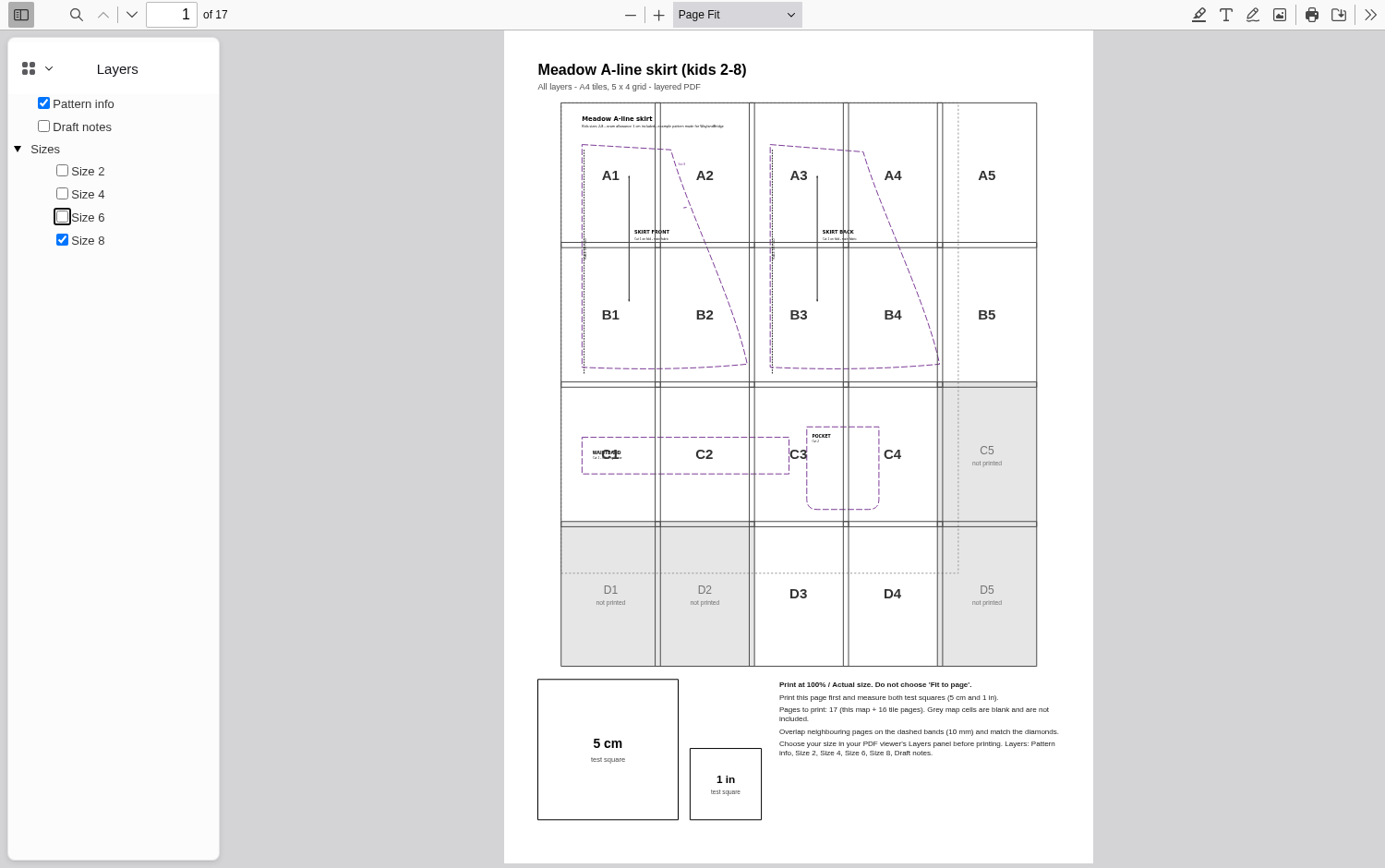
Export a fictional skirt pattern
Input: The bundled meadow-skirt.svg with four size layers.
- Choose A4 tiles and export; inspect the Layers panel in a compatible PDF viewer.
Expected result: A tiled map, size layers and flattened alternatives, plus report files. Physical dimensions require a printed scale check.
Troubleshooting
Installation or export fails
Check the supported version and package contents, then contact support with the version, OS and exact error; use fictional data for a sample.
Compatibility & limits
- Runs locally without an upload. Generated reports may include local file paths.
- PDF layer controls depend on the viewer; physical print accuracy is unverified.
Need a hand?
Tell us the product, host application and version, what you tried, and the exact error. Contact support with a fictional example; keep private customer files and passwords out of your message.