WaylandBridge · Inkscape extension 1.0.1
Export layered sewing-pattern PDFs
Export layered, tiled sewing-pattern PDFs from one Inkscape SVG.
$9.99 USD · one-time purchase
Host application · opening steps
Extract WaylandBridge-1.0.1.zip. With Inkscape 1.2+ installed, run python3 install.py (Windows: py install.py), restart Inkscape and use the WaylandBridge extension. Run python3 install.py --uninstall to remove it.
Download: ZIP with the described tool and instructions. Check compatibility & limits.
See it in useBuy download — $9.99
No subscription. Final total and tax appear at checkout.
Read the illustrated guide before buying
The free pack contains the illustrated guide and fictional practice files. The complete program is in the paid download.
- Choose the PDF for your next step: The report links directly to files for a home printer, copy shop, projector or flattened size. Each option explains scale and viewer settings; wide tables scroll within the report on a narrow screen.
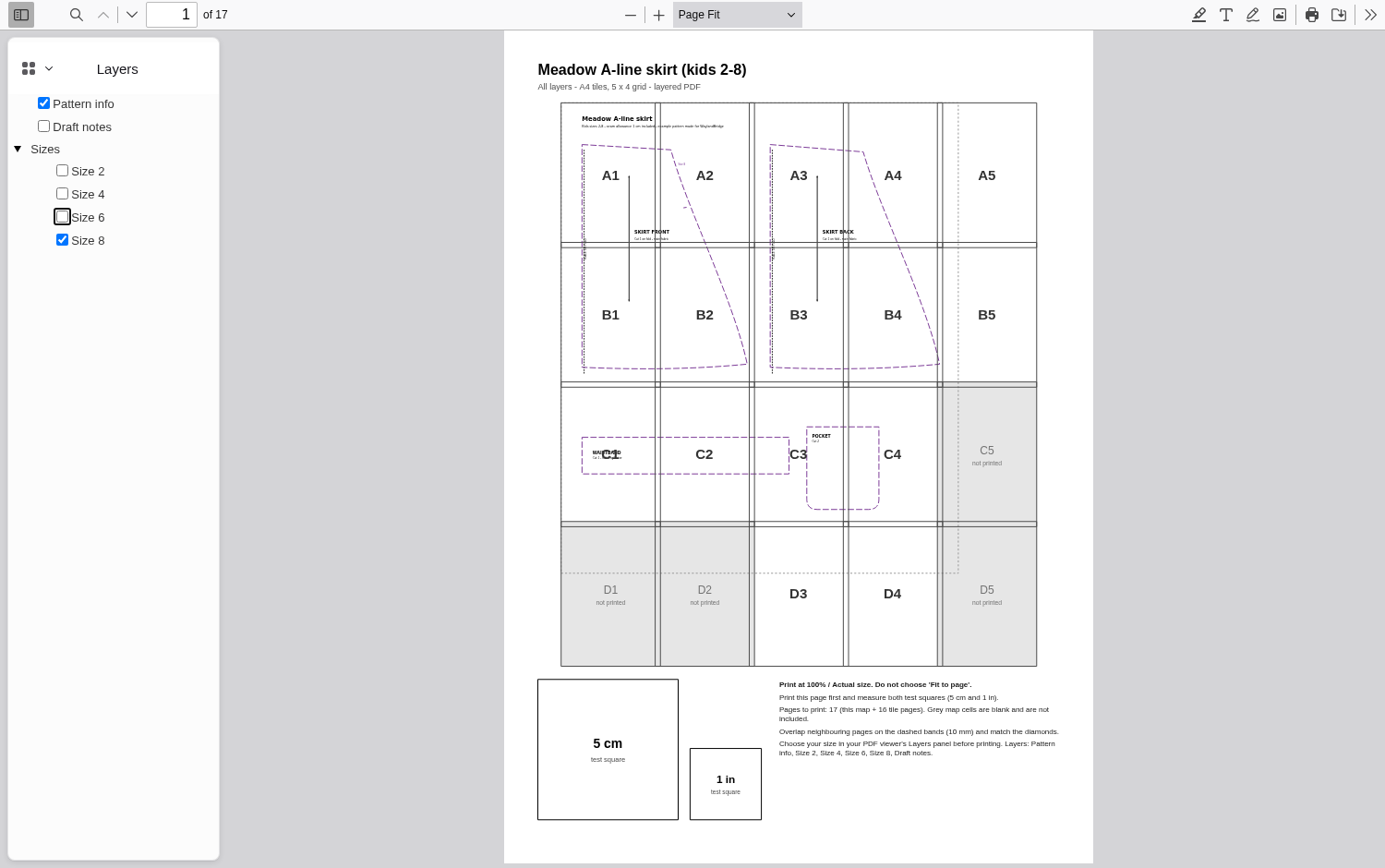
See it in use
Export a layered skirt pattern
A screenshot walkthrough with fictional practice data. Select a step to explore.
1. Start with
Export a layered skirt pattern
The fictional Meadow Skirt SVG has four size layers.
Sample files and contents
The bundled examples/meadow-skirt.svg has four size layers. Install the purchased extension before following the interactive lesson.
Practice files and guides are free. The complete app is included only where the product page says so.
2. In the app
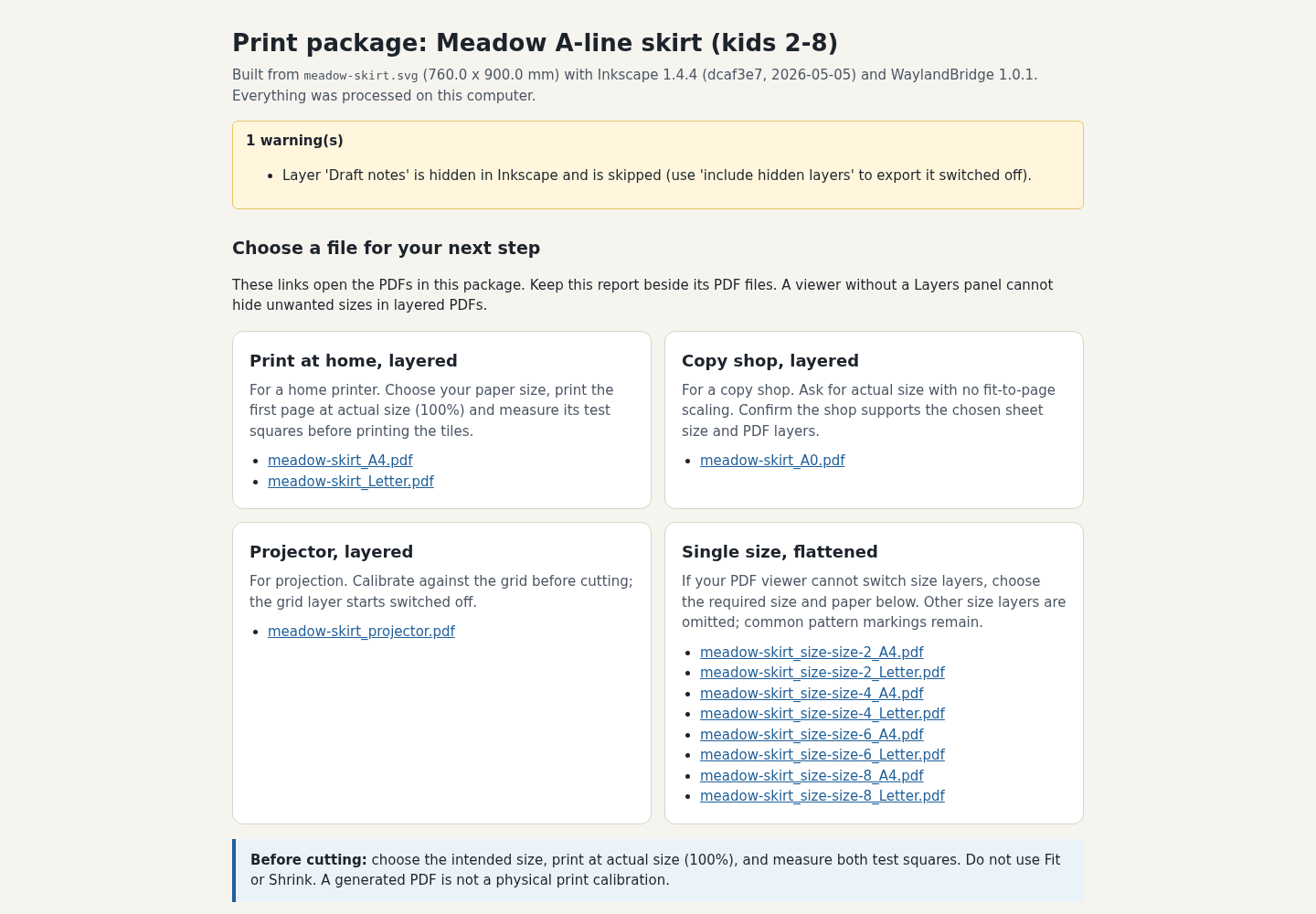
Try it in three steps
- Open the SVG in Inkscape and start WaylandBridge export.
- Choose A4 and single-size PDFs in an empty folder.
- Inspect the HTML report, assembly map and size-8 PDF.
Show every click and setting
- Open the SVG in Inkscape, save any changes and open Extensions → Export → WaylandBridge Pattern PDF….
- Choose an empty writable folder, A4 and Single-size PDFs; click Apply.
- Open waylandbridge-report.html and meadow-skirt_A4.pdf from that folder. Use meadow-skirt_size-size-8_A4.pdf if your viewer has no layer controls.
3. The result
Inspect the result
The layered A4 and size-8 PDFs each have 13 pages in the example. Printed dimensions require a physical scale check.
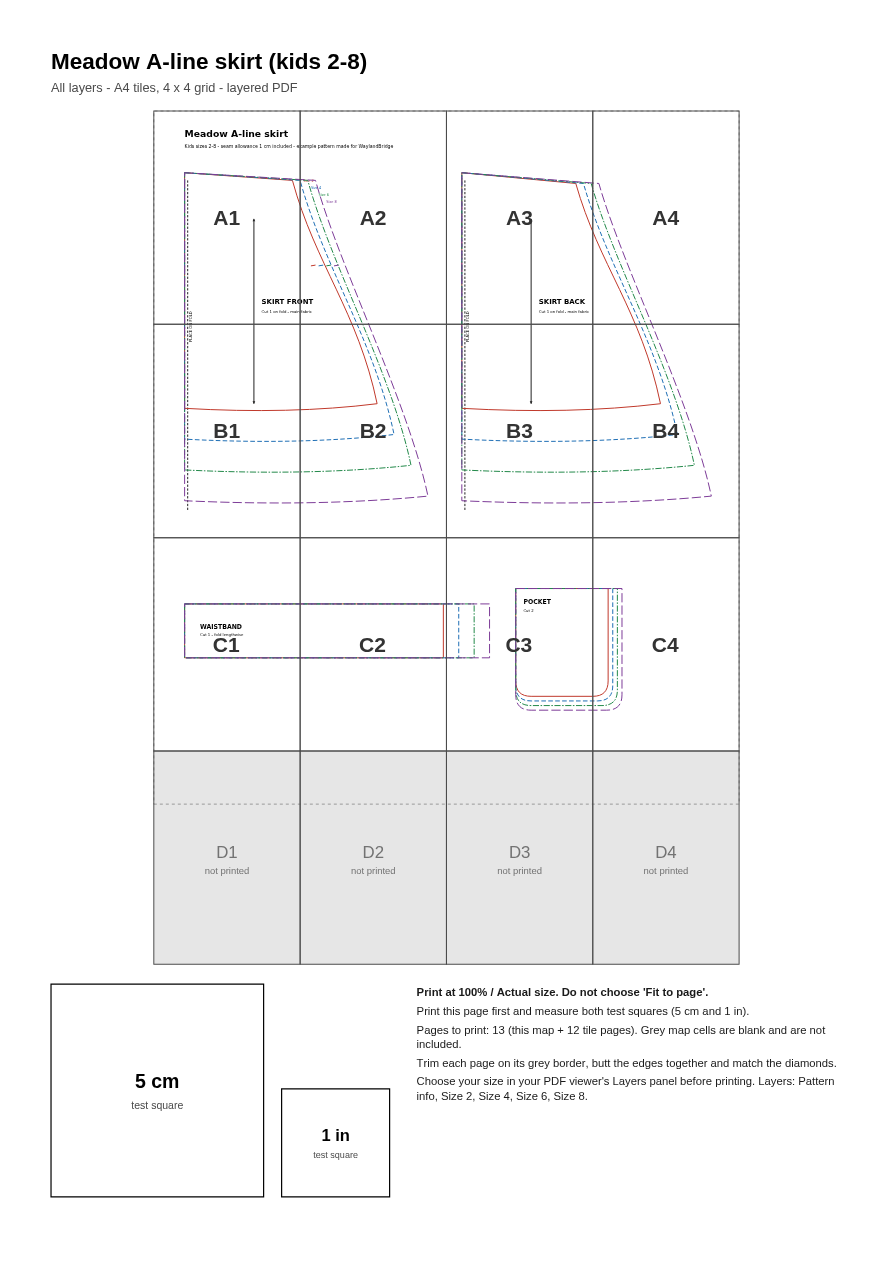
What to check in the practice result
An A4 assembly map and tiles, separate flattened size files and an export report. For this example, the layered A4 PDF and size-8 A4 PDF each have 13 pages. Physical dimensions still require a printed scale check.
This fictional example is shown in the working interface and in the supplied result. Review the guide before using your own files.
What it helps you do
Use SVG size layers to make A4/Letter tiled PDFs, copy-shop and projector PDFs, flattened per-size alternatives and a tile-map report.
What is in your download
- Inkscape extension, installer and optional CLI with source and licence notices.
- Illustrated manual, fictional SVG patterns and sample output PDFs.
Before you buy
- Extract the complete WaylandBridge-1.0.1.zip. Linux Inkscape 1.4.4 CLI output and Chrome 152 report views were checked. Fresh extension GUI installation, Windows/macOS, physical printing and customer patterns remain unverified. Always print and measure the test square at 100% scale.
- Inkscape 1.2+; tested with 1.4.4 Linux x64. Python 3.8+ for the optional CLI and installer.
- An SVG with separate size layers; test with the bundled fictional pattern.
Extract WaylandBridge-1.0.1.zip. With Inkscape 1.2+ installed, run python3 install.py (Windows: py install.py), restart Inkscape and use the WaylandBridge extension. Run python3 install.py --uninstall to remove it.
Compatibility & limits
Verified with Inkscape 1.4.4 on Linux x64, PDF layers in Chrome 152 with pdf.js 6.3.289 and Ghostscript 9.55. Other platforms, physical printing and customer pattern geometry are untested. Many built-in PDF viewers cannot toggle size layers; use included flattened per-size files. Print at actual size and verify test squares.
Get WaylandBridge
Perpetual use of the purchased version on your devices for personal or internal commercial work. Keep reasonable backups and modify your own copy; do not redistribute or resell original proprietary code. Third-party licenses and any existing preview permissions retain their rights.
Before payment, save the private recovery code shown by checkout. After Paddle confirms payment, use it to download your ZIP or return for it later. No subscription, future update or email delivery is promised. See the illustrated steps.
$9.99 USD · once
Buy download — $9.99