Tool + guide bundle
HeimScope
Inventory up to 50 pages of one authorised site.
You are planning a website redesign or clean-up with a client and need an agreed, numbered list of the site's pages, with a screenshot and a decision for each page.
$19 USD · one-time purchase
Continue to checkoutStep-by-step guide
No subscription. Final total and tax appear at checkout.
What it helps you do
Give the extension a short list of pages on one authorised site, review the inventory, and export it as CSV, HTML or JSON.
What is in your download
- The original tool ZIP, preserved inside the download bundle.
- Installation and first-result instructions.
- A worked example and the included license notices.
A practical example
Inventory a four-page practice site
Start with
examples/heimscope/site/ (four fictional pages of the Lindgren Tool Library) and examples/heimscope/urls.txt (six address lines, including one duplicate and one address on another site).
Get this result
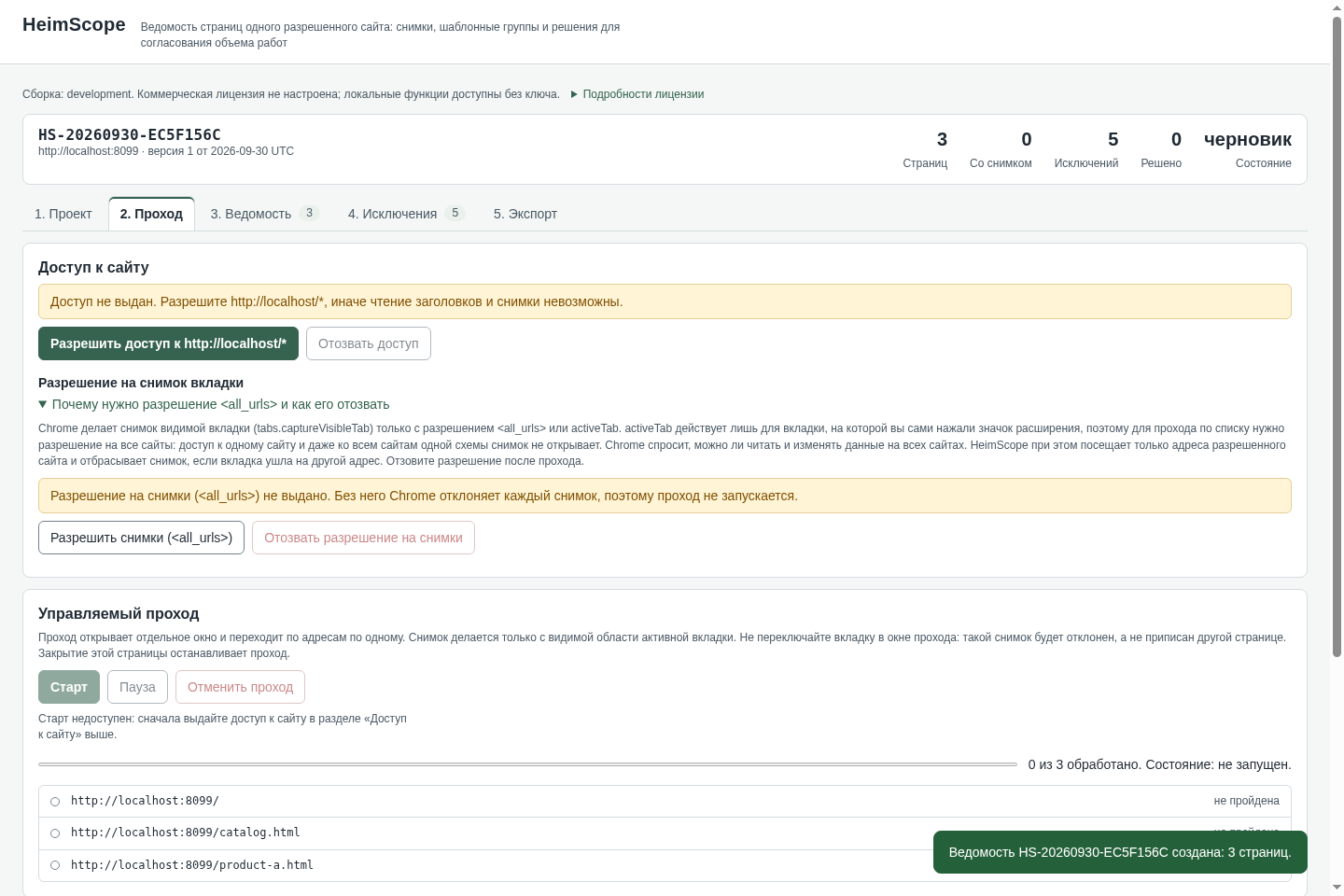
Проверить список reports Готово к проходу: 4 адресов, исключений 2 (ready: 4 addresses, 2 exceptions): line 6 /borrow.html is a duplicate of line 3 and line 7 https://example.com/elsewhere is outside the site. Создать ведомость creates inventory HS-<date>-<code>, version 1. The pass ends with 4 из 4 обработано and the counters show 4 Страниц (pages), 4 Со снимком (with screenshot) and 2 Исключений (exceptions). HTML для клиента saves HeimScope-HS-<date>-<code>-v1.html, one standalone file with the 4 screenshots embedded. CSV для сметы saves HeimScope-HS-<date>-<code>-v1.csv with one row per source line: 4 captured pages with their titles and headings (for example How to borrow) and 2 excluded lines (duplicate and off_origin). The inventory is still there after closing and reopening Chrome.
Download guide & practice files (ZIP)
Examples use fictional or synthetic data. Follow this example step by step.
How it works
Download and extract your bundle
Buy the HeimScope bundle at /store/heimscope/ and extract heimscope-0.1.1-guide-bundle.zip. Then extract program/heimscope-preview-20260929.zip into a separate folder. The app/, extension/, samples/ and docs/ paths below refer to that extracted program folder. GUIDE.html and examples/ in the outer bundle contain this manual and its practice material. In chrome://extensions enable Developer mode, choose Load unpacked, select the program’s extension folder, and pin its toolbar icon.
1. Проект (Project): list the pages
In Разрешенный сайт (origin) (Authorised site) type the site's scheme and domain, for example https://example.com. In Адреса страниц, по одному в строке (Page addresses, one per line) paste up to 50 addresses; paths such as /contact count as pages of that site, lines starting with # are ignored. Click Проверить список (Check list): you see how many addresses were accepted and a table of excluded lines, such as duplicates (дубликат адреса) or other sites (адрес вне разрешенного сайта).
Create the inventory
Click Создать ведомость (Create inventory). HeimScope gives it a number like HS-20260930-1A6C82F4, version 1, state черновик (draft).
Before you buy
- Desktop Google Chrome 116 or newer, with Developer mode switched on in chrome://extensions for a manual install.
- A website you are authorised to inspect, and the list of its page addresses (up to 50). HeimScope does not crawl or discover pages.
- Willingness to grant two permissions during a pass: access to that one site, and Chrome's screenshot permission (<all_urls>), which you can revoke afterwards.
- The purchased heimscope-0.1.1-guide-bundle.zip download. It contains program/heimscope-preview-20260929.zip; the program itself is unchanged from the earlier release.
Extract the inner preview ZIP. In desktop Chrome 116+, open chrome://extensions, enable Developer mode, Load unpacked, and select its extension folder. Open the review page and paste up to 50 URLs on one authorized origin; grant only the requested site access.
Compatibility & limits
Manual URL list only; no automatic crawl or full-page stitching. Four-page capture, HTML with four embedded images, CSV export and restart persistence passed in Chromium 151 on Linux. Chrome 152 UI and CSV export were also checked. Full 50-page, Windows, macOS and agency cases remain unverified.
Get HeimScope
Perpetual use of the purchased version on your devices for personal or internal commercial work. Keep reasonable backups and modify your own copy; do not redistribute or resell original proprietary code. Third-party licenses and any existing preview permissions retain their rights.
Before payment, save the private recovery code shown by checkout. After Paddle confirms payment, use it to download your ZIP or return for it later. No subscription, future update or email delivery is promised. See the illustrated steps.
$19 USD · once
Buy download