IdunnBacklist · Offline EPUB author-page updater 1.0.0 · Chrome on Linux
Keep your author page current across your backlist.
Use one catalog and biography to replace an existing standalone author page in supported EPUB 3 books. Review every replacement, then export new copies with the right link column for each edition.
Use this when each book already has a separate author/catalog page and you want reviewed replacements from one shared catalog. Selecting a page replaces all its contents. A page combined with your final chapter must be split in your authoring tool first.
$19 USD · one-time purchase
Continue to checkoutStep-by-step guide
No subscription. Final total and tax appear at checkout.
Inspect the practice books and their replacements
Includes the original books and six actual sample editions with reports. The application for updating your own books is in the paid download. Example.com links are placeholders.
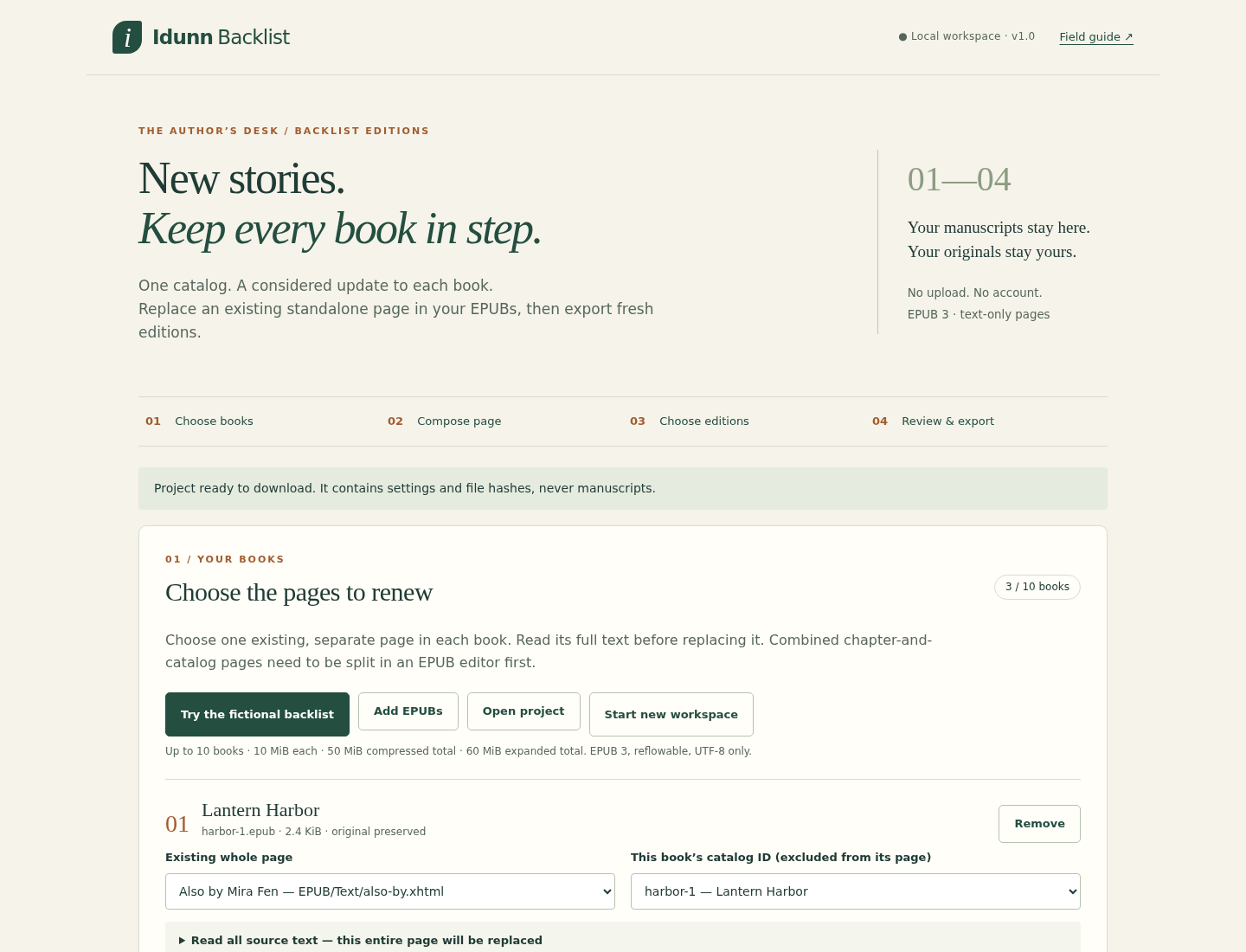
- Choose each replacement: Read the original page and approve every book/edition preview.
- Reuse a shared catalog: Select up to three URL columns and omit the current book from its own list.
- Keep originals and a record: Download new EPUB copies, preservation reports and a project containing settings and hashes.
What it helps you do
For independent authors updating a biography, book list or destination links across finished books. Explicitly select the page and catalog identity for each book. Each generated list excludes the current title. The entire selected page is replaced, so it must be separate from prose you want to keep.
What is in your download
- IdunnBacklist 1.0.0 offline app and readable source
- Locally bundled fflate dependency and its MIT licence
- Illustrated English guide and seven actual app/reader screenshots
- Three original fictional EPUBs, shared catalog and saved project
- Six sample exported editions and preservation reports
A practical example
Mira Fen: three books become six reviewed editions
Start with
Three fictional original EPUBs, one shared catalog and biography, and two selected URL columns: Amazon and Neutral.
Get this result
Six EPUB copies plus HTML/JSON reports. Lantern Harbor lists The Brass Tide and Winter Signal, omits itself and includes the shared biography. Chapters and navigation retain their decompressed bytes. The selected XHTML page changes, and the package modification timestamp changes; overall ZIP bytes need not match.
Examples use fictional or synthetic data. Follow this example step by step.
Review the replacement and read the resulting book
Actual IdunnBacklist 1.0.0 and calibre screens from the fictional Mira Fen exercise on Linux.
Approve a specific whole-page replacement
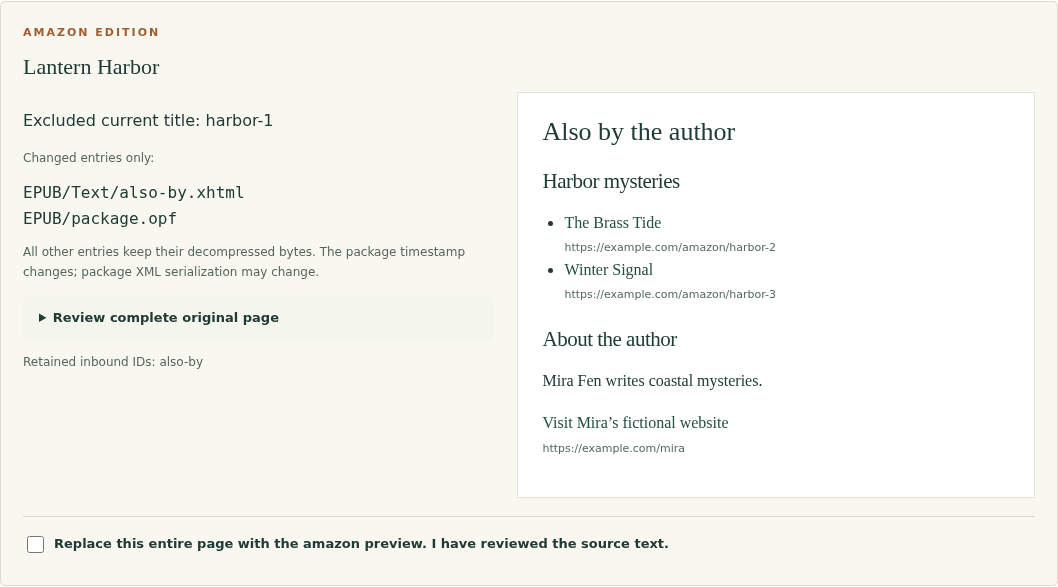
Every book/edition has its own approval. This preview omits harbor-1 from its list and shows the selected URL column. View full size Open the exported EPUB in a reader
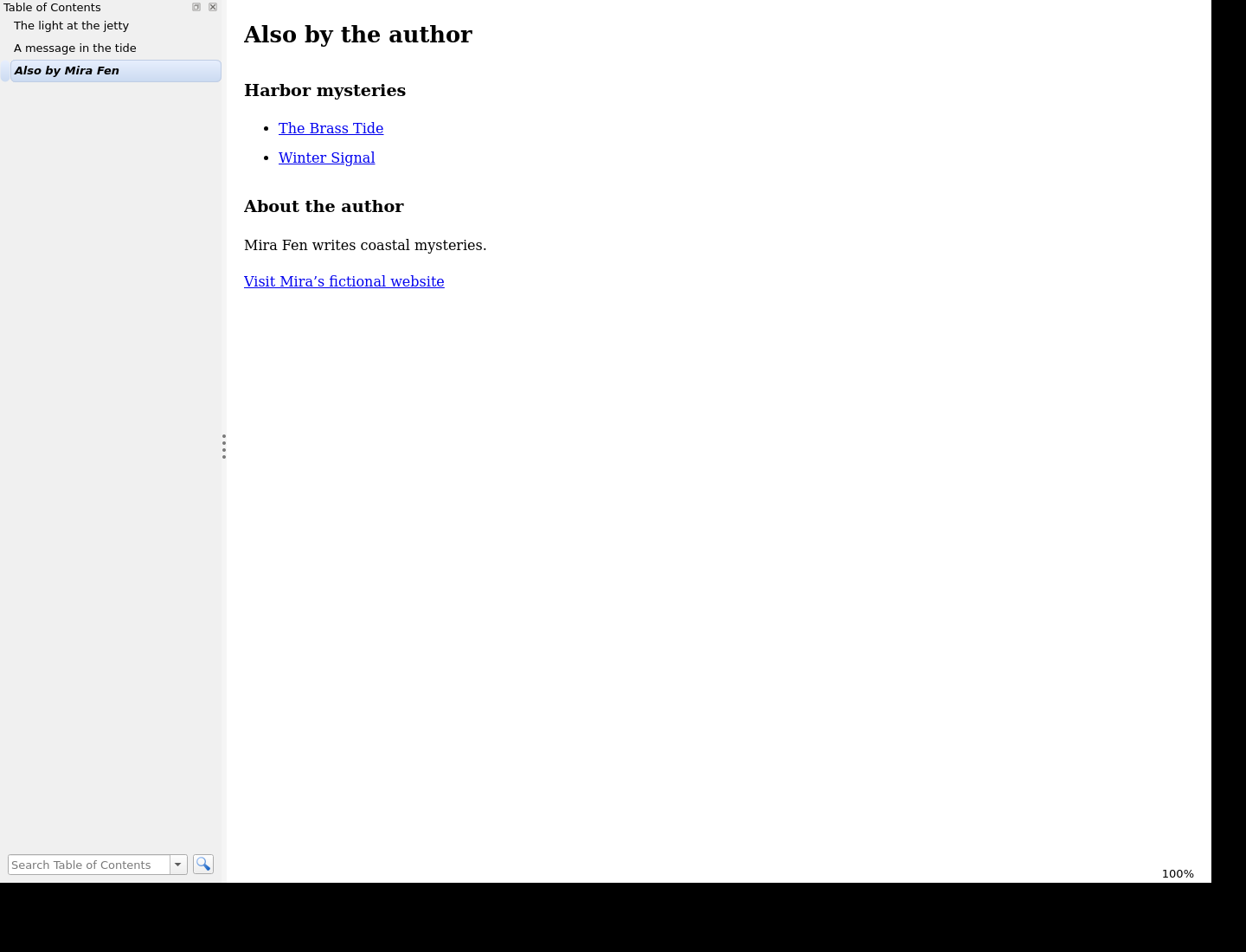
Actual exported EPUB in calibre 9.15.0 on Linux, reached through its original contents entry. View full size Check the preceding chapter
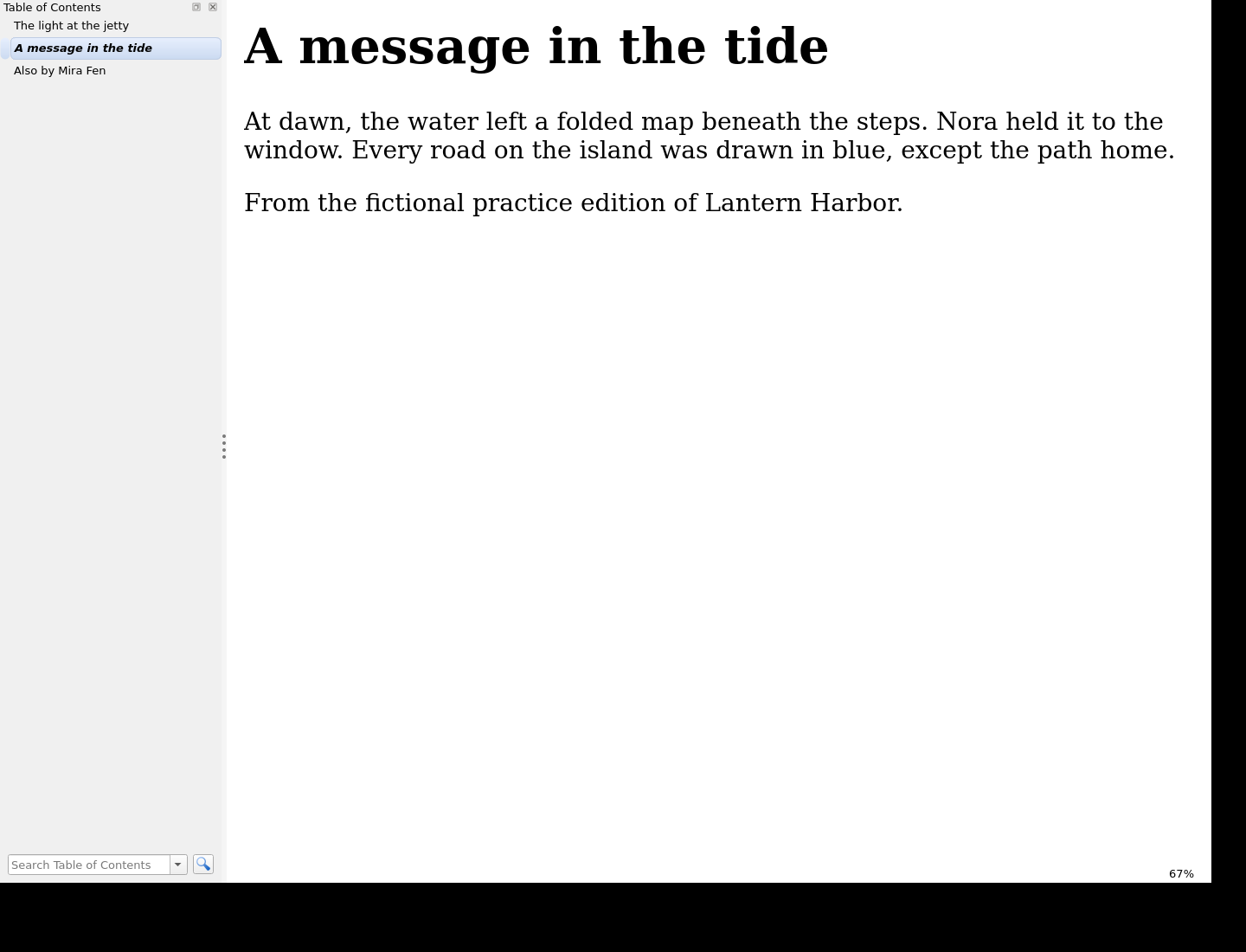
The surrounding reading order and chapter content remain part of the checked example. View full size
How it works
Choose books and pages
Load supported EPUBs and explicitly map each standalone page to a catalog ID.
Compose and approve
Apply the shared catalog and biography, choose editions and review each full replacement.
Export and reuse
Download new EPUBs with reports, inspect them in a reader and save a reusable project.
Before you buy
- Desktop Chrome on Linux; Chrome 152 was tested. Keep the extracted app/ folder and its sibling files together.
- Supported DRM-free, reflowable EPUB 3 books with one package and a standalone XHTML reading-order page containing exactly one h1.
- A catalog using the supplied seven-column CSV format and your own HTTPS destinations. Keep backup copies of all original EPUBs.
Extract the complete ZIP and open app/IdunnBacklist.html in desktop Google Chrome on Linux, retaining its sibling files. Start with Try the fictional backlist. No server, account, connection or EPUB editor is needed to run the app.
Compatibility & limits
Verified in Chrome 152 on Linux. DRM-free, single-rootfile, UTF-8, reflowable EPUB 3 only; a chosen standalone XHTML page must have one h1. No EPUB 2, encryption or font obfuscation, fixed layout, scripts, media overlays, chapter splitting, appending or repair. Some valid uncommon EPUB structures are refused. Up to 10 books, 10 MiB compressed each, 50 MiB compressed/60 MiB expanded per batch and three editions. Large batches need substantial working memory. No live link checking, retailer submission or device certification; Windows, macOS and physical e-readers are untested. Save projects before closing: there is no autosave.
Get IdunnBacklist
Perpetual use of the purchased version on your devices for personal or internal commercial work. Keep reasonable backups and modify your own copy; do not redistribute or resell original proprietary code. Third-party licenses and any existing preview permissions retain their rights.
Before payment, save the private recovery code shown by checkout. After Paddle confirms payment, use it to download your ZIP or return for it later. No subscription, future update or email delivery is promised. See the illustrated steps.
$19 USD · once
Buy download