Tool + guide bundle
IdunSeed
Keep a seed inventory and sowing dates relative to your chosen frost date.
You keep seed packets and want one place that turns “start 8 weeks before last frost” style intervals into real dates, shows which packets are running low, and prints this week's sowing tasks.
$9 USD · one-time purchase
Continue to checkoutStep-by-step guide
No subscription. Final total and tax appear at checkout.
What it helps you do
Record your seed stock, set the frost date for your location, and review the sowing calendar calculated from your own inputs.
What is in your download
- The original tool ZIP, preserved inside the download bundle.
- Installation and first-result instructions.
- A worked example and the included license notices.
A practical example
Plan three fictional seeds
Start with
examples/idunseed/settings.csv (a fictional last frost date 2027-04-25 and print week starting 2027-02-14), examples/idunseed/seed-rows.csv (three fictional seeds for Seeds rows 8 to 10) and examples/idunseed/expected-calendar.csv (the dates you should see).
Get this result
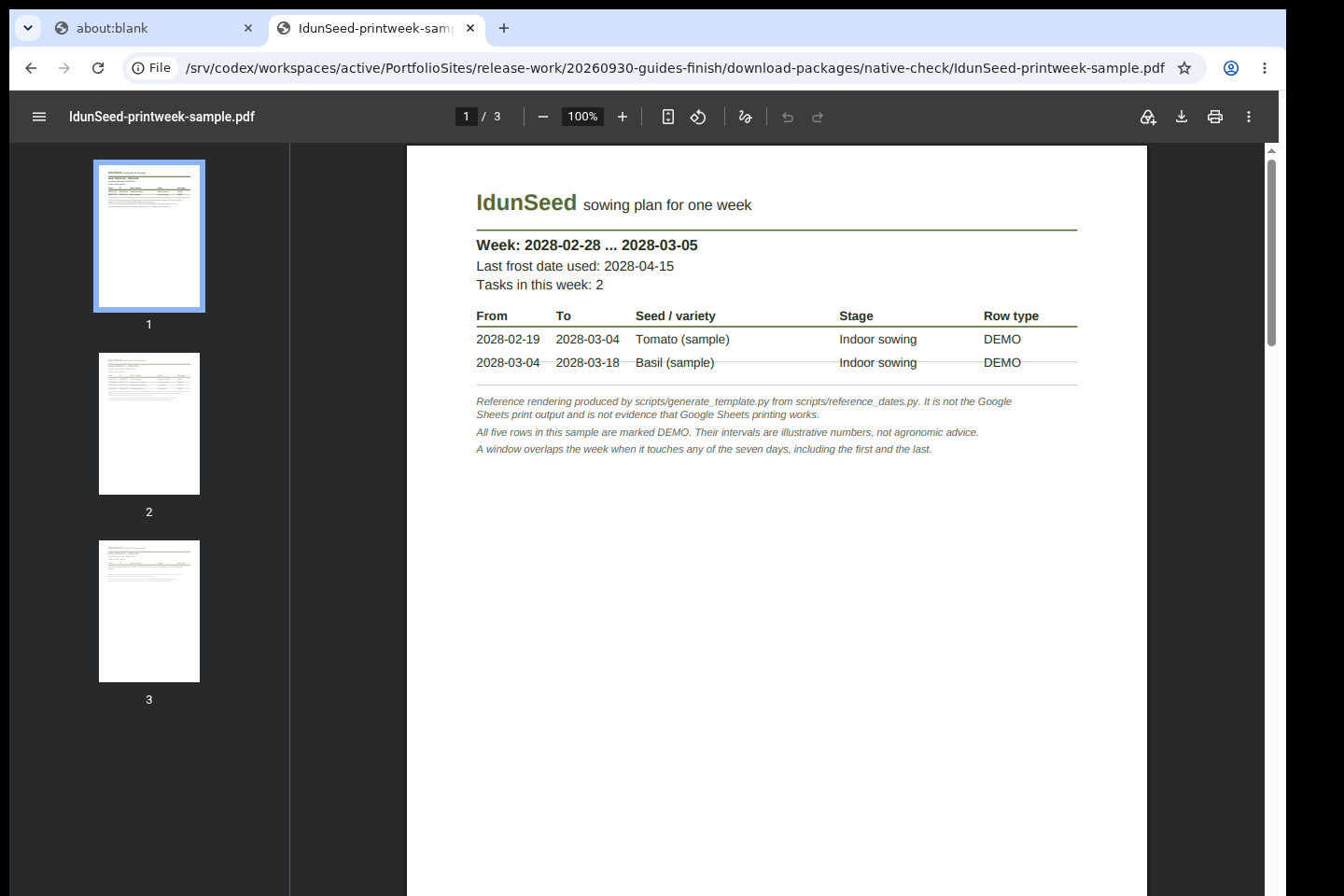
Settings B6 shows 2027-04-25. Calendar row 8, Pepper Test Sun: Indoor 2027-02-14 to 2027-02-28 and Transplant 2027-05-09 to 2027-05-16, both OK, packet status OK. Row 9, Pea Early Example: Outdoor 2027-03-28 to 2027-04-11, OK. Row 10, Zinnia Demo Mix: Indoor 2027-03-14 to 2027-03-28 and Outdoor 2027-04-25 to 2027-05-09, packet balance 1, status LOW. PrintWeek for 2027-02-14 to 2027-02-20 lists one task: Pepper Test Sun, stage Indoor sowing / Посев дома, from 2027-02-14 to 2027-02-28. The five DEMO sample rows stay in the sheet but have no task in that week.
Download guide & practice files (ZIP)
Examples use fictional or synthetic data. Follow this example step by step.
How it works
Download and extract your bundle
Buy the IdunSeed bundle at /store/idunseed/ and extract idunseed-0.1.1-guide-bundle.zip. Then extract program/idunseed-preview-20260929.zip into a separate folder. The app/, extension/, samples/ and docs/ paths below refer to that extracted program folder. GUIDE.html and examples/ in the outer bundle contain this manual and its practice material.
Put it into Google Sheets
Open drive.google.com and upload app/IdunSeed.xlsx. Right-click it, choose Open with › Google Sheets, then File › Save as Google Sheets so you work in a native Google Sheets file. Keep the original .xlsx as a clean copy. Sheet labels are in English with Russian underneath.
Set your last frost date
On the Settings sheet type the year, month and day as three whole numbers in B3, B4 and B5. B6 shows the computed date; B8 shows a message if the date is impossible. The template ships with the sample date 2028-04-15, which is valid, so nothing warns you until you change it.
Before you buy
- A Google account and Google Sheets in a web browser. The .xlsx file is only the way the template travels; Excel and LibreOffice are not supported targets.
- Your own last frost date and the intervals from your seed packets. IdunSeed contains no weather data and gives no gardening advice.
- The purchased idunseed-0.1.1-guide-bundle.zip download. It contains program/idunseed-preview-20260929.zip; the program itself is unchanged from the earlier release.
Extract the bundle, then the original program ZIP in program/. Upload app/IdunSeed.xlsx to Google Drive, open it with Google Sheets and save it as a Google Sheets file. Read the included instructions first.
Compatibility & limits
Planning template only; not weather or agronomic advice. Google Sheets API formula calculations checked; desktop/mobile editing and physical printing unverified.
Get IdunSeed
Perpetual use of the purchased version on your devices for personal or internal commercial work. Keep reasonable backups and modify your own copy; do not redistribute or resell original proprietary code. Third-party licenses and any existing preview permissions retain their rights.
Before payment, save the private recovery code shown by checkout. After Paddle confirms payment, use it to download your ZIP or return for it later. No subscription, future update or email delivery is promised. See the illustrated steps.
$9 USD · once
Buy download