Local download
ManiPrint
Turn local iCalendar files into printable month, week and agenda calendars.
You want a clean paper or PDF calendar (a club, school, team or family schedule) from calendar files you can export, without signing in to an online calendar.
$19 USD · one-time purchase
Continue to checkoutStep-by-step guide
No subscription. Final total and tax appear at checkout.
What it helps you do
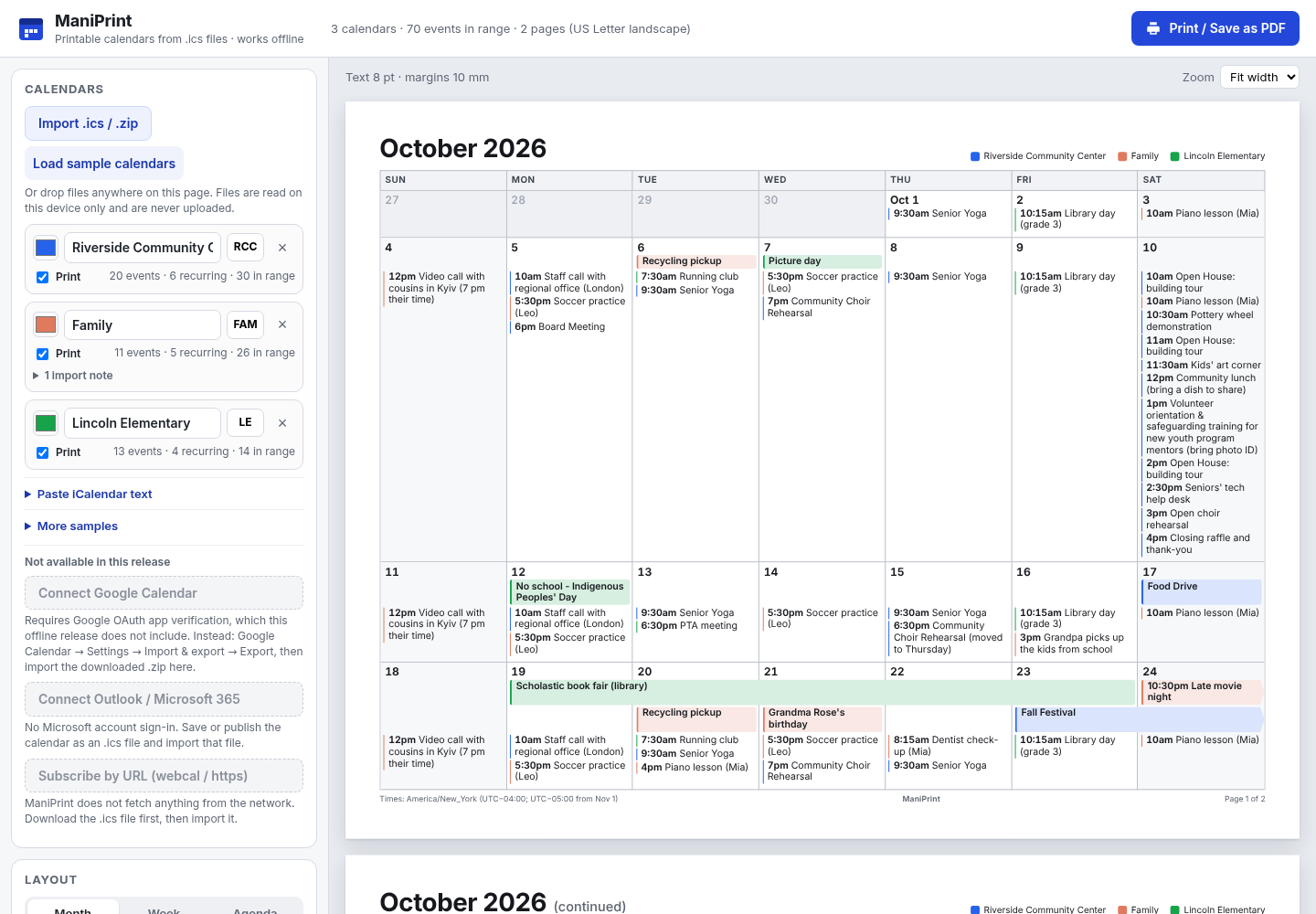
Import one or more ICS files or a ZIP of them, choose a view and paper layout, then print or save a calendar PDF.
What is in your download
- The complete tool for the workflow described here.
- Installation instructions and included license notices.
A practical example
October 2026 month calendar for a fictional choir
Start with
examples/mani-print/lakeside-choir-october-2026.ics: a fictional calendar with a weekly Wednesday 7pm rehearsal repeating 4 times, a Friday-Saturday retreat (all-day), a Saturday 6pm concert and one cancelled committee meeting.
Get this result
The calendar list shows “Lakeside Community Choir (fictional)” with 4 events · 1 recurring, and the header shows 6 events in range on 1 page. The October 2026 grid shows “Choir rehearsal” at 7pm (19:00 with a 24-hour clock) on 7, 14, 21 and 28 October, “Singing weekend retreat” across 16–17 October and “Autumn concert” at 6pm (18:00) on 24 October. These times have no time zone in the file, so they print at the same clock time wherever you are. The cancelled committee meeting is left out unless you tick “Cancelled events, struck through”. The saved PDF is one page.
Download guide & practice files (ZIP)
Examples use fictional or synthetic data. Follow this example step by step.
How it works
Buy, download and open
Buy from /store/mani-print/ and download mani-print-0.1.0.zip from the checkout page. Extract it and open mani-print/index.html in Chrome. No account, server or activation is needed. “Load sample calendars” shows fictional data if you want to look around first.
Get your calendar as a file
ManiPrint cannot sign in to Google or Microsoft or subscribe to calendar links. Export a file instead: in Google Calendar use Settings → Import & export → Export and import the downloaded ZIP; for Outlook or other apps, save or publish the calendar as an .ics file and download it.
Import
Click “Import .ics / .zip” under CALENDARS and choose one or more files, or drop them anywhere on the page. You can also open “Paste iCalendar text”. Each calendar appears with a colour, its name, initials, a “Print” tick box and a count such as “4 events · 1 recurring · 6 in range”.
Before you buy
- Desktop Google Chrome.
- Calendar data as .ics files, or a ZIP of .ics files (for example the ZIP that Google Calendar's export produces).
- A printer, or Chrome's “Save as PDF” destination for a PDF file.
Extract the ZIP and open index.html in desktop Google Chrome. No server or account is required.
Compatibility & limits
Chrome 152 on Linux and synthetic ICS data were tested. Real Google, Outlook and Apple exports and other browsers are unverified. Google/Microsoft sign-in and URL subscriptions are unavailable. BYWEEKNO recurrence is partly supported; review printed calendars.
Get ManiPrint
Perpetual use of the purchased version on your devices for personal or internal commercial work. Keep reasonable backups and modify your own copy; do not redistribute or resell original proprietary code. Third-party licenses and any existing preview permissions retain their rights.
Before payment, save the private recovery code shown by checkout. After Paddle confirms payment, use it to download your ZIP or return for it later. No subscription, future update or email delivery is promised. See the illustrated steps.
$19 USD · once
Buy download