Offline edition
NornaForms
Fill existing PDF form text fields from CSV rows.
You need many copies of the same fillable PDF, such as certificates, labels or letters, each with different values from a spreadsheet you can save as CSV.
$29 USD · one-time purchase
Continue to checkoutStep-by-step guide
No subscription. Final total and tax appear at checkout.
What it helps you do
Match CSV columns to existing AcroForm text fields and download a ZIP containing one filled PDF for each row.
What is in your download
- The described tool, packaged for local use.
- Installation and first-result instructions.
- A worked example and the included license notices.
A practical example
Fill three workshop certificates
Start with
examples/nornaforms/workshop-certificate-form.pdf, a fictional form with four text fields (participant_name, workshop, date, hours), and examples/nornaforms/participants.csv, three fictional participants under the same column names.
Get this result
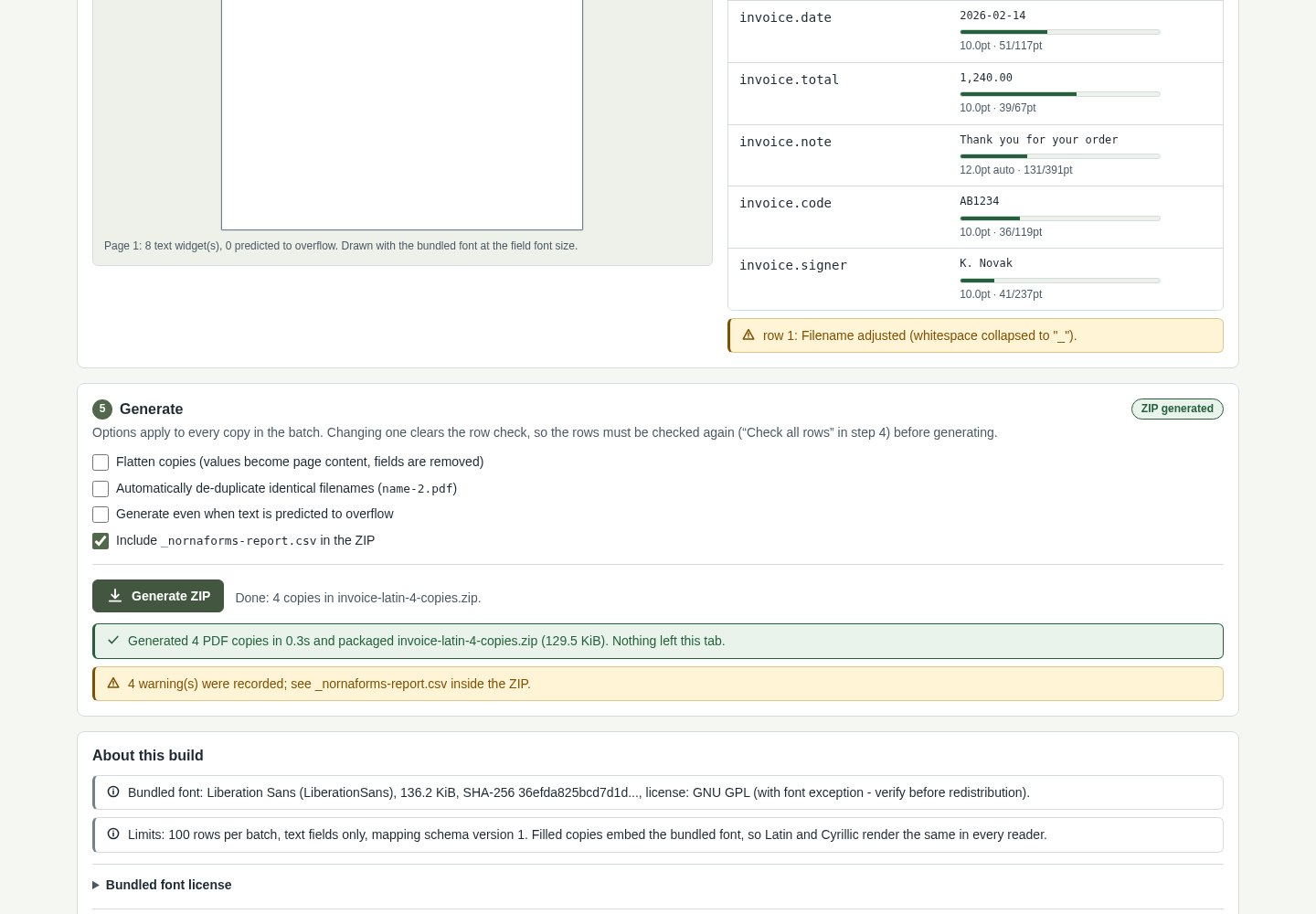
NornaForms accepts the form (“4 text fields on 1 pages”) and the CSV (“3 rows, 4 columns”), maps 4 of 4 fields and reports “Checks finished: all 3 row(s) pass, 3 warning(s)”. The warnings only say that spaces in file names became “_”. The browser downloads workshop-certificate-form-3-copies.zip containing certificate-Ada_Example.pdf, certificate-Bruno_Sample.pdf, certificate-Chen_Placeholder.pdf and _nornaforms-report.csv. Each PDF's fields hold that participant's values.
Download guide & practice files (ZIP)
Examples use fictional or synthetic data. Follow this example step by step.
How it works
Open the downloaded local edition
Buy and extract the NornaForms ZIP, then open its NornaForms folder. Open app/index.html in desktop Google Chrome. The same workflow can be explored in the online browser preview.
Open NornaForms
In your open local copy, follow the controls described below. The page has five numbered panels.
Choose the form
In 1 Form template, click Choose a PDF and select your form. NornaForms lists its text fields; the file itself is never modified.
Before you buy
- Desktop Google Chrome or another Chromium-based browser, version 110 or newer. Checked in desktop Chrome.
- A PDF that already has fillable text fields (an AcroForm). XFA forms, scans, encrypted, signed and JavaScript-carrying PDFs are rejected.
- A UTF-8 CSV file with column names in the first row and at most 100 rows.
- Open app/index.html in desktop Google Chrome.
Compatibility & limits
AcroForm text fields only; at most 100 rows. No XFA, scans, encrypted, signed or JavaScript-carrying PDFs. Inspect generated PDFs before sending.
Try it first
Try the same core workflow in the browser. The purchase gives you a downloadable local copy with installation instructions and examples; no paid-only features are claimed.
Open the previewGet NornaForms
Perpetual use of the purchased version on your devices for personal or internal commercial work. Keep reasonable backups and modify your own copy; do not redistribute or resell original proprietary code. Third-party licenses and any existing preview permissions retain their rights.
Before payment, save the private recovery code shown by checkout. After Paddle confirms payment, use it to download your ZIP or return for it later. No subscription, future update or email delivery is promised. See the illustrated steps.
$29 USD · once
Buy download