Tool + guide bundle
SagaSteps
Capture a repeatable guide on an authorised site and export it.
You explain the same web task to several people or clients (for example how to reserve, submit or change something) and want a clean step-by-step guide with screenshots, with private areas masked, that you can re-export when the site changes.
$19 USD · one-time purchase
Continue to checkoutStep-by-step guide
No subscription. Final total and tax appear at checkout.
What it helps you do
Capture a sequence on an authorised website, review and redact screenshots, edit the descriptions, and export a guide as HTML or ZIP.
What is in your download
- The original tool ZIP, preserved inside the download bundle.
- Installation and first-result instructions.
- A worked example and the included license notices.
A practical example
Record how to reserve a tool
Start with
examples/sagasteps/practice-site/: a fictional two-page Lindgren Tool Library site (index.html with a Reserve form, done.html confirmation). Nothing is sent anywhere.
Get this result
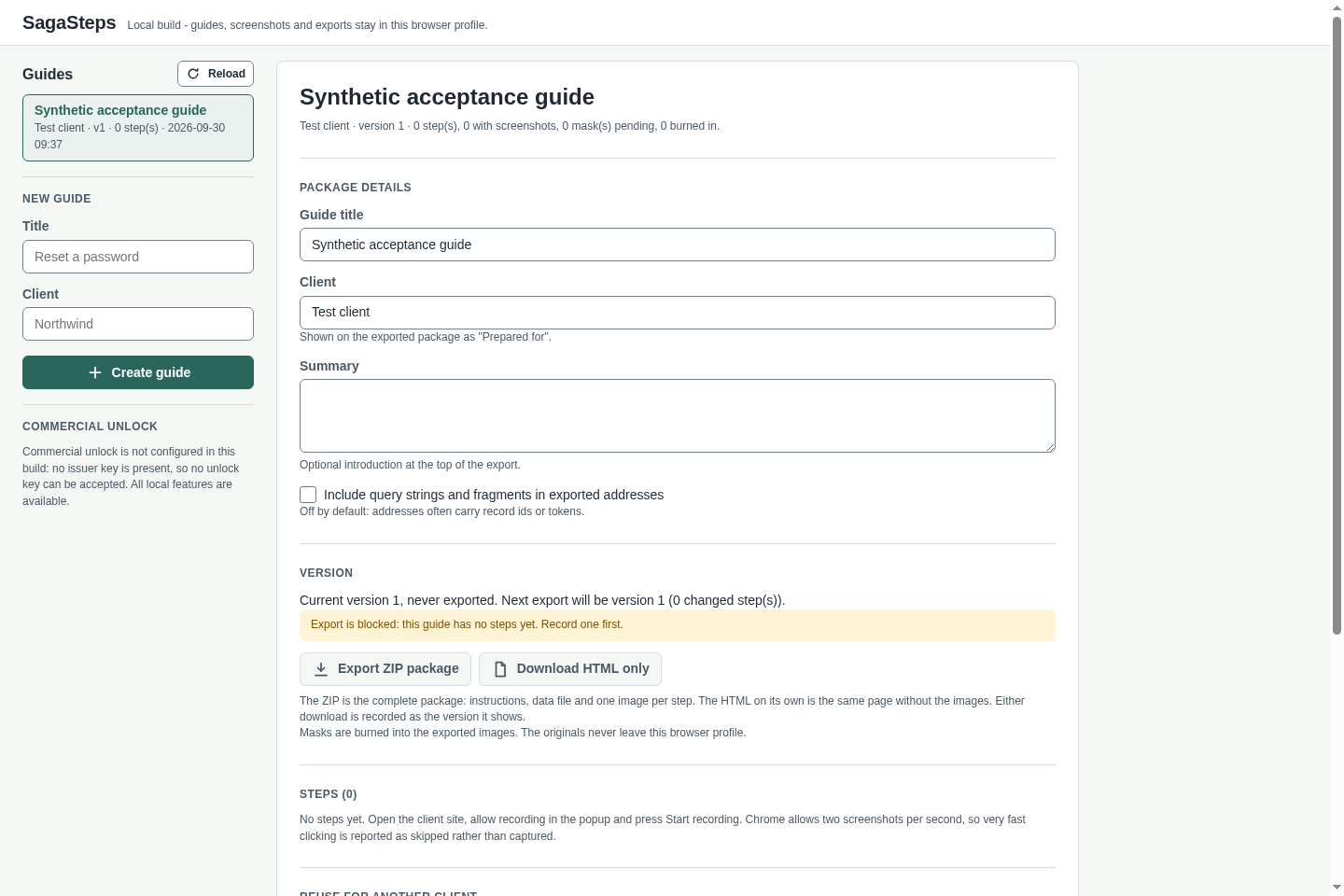
The popup shows Access granted for http://127.0.0.1:8098, then Recording on http://127.0.0.1:8098 for “Lindgren Tool Library” and a running count of captured steps. The editor lists Reserve a tool, Lindgren Tool Library, version 1, with a screenshot for each captured step and default headings such as Fill in the field; the typed card number is not stored anywhere. Export downloads sagasteps-reserve-a-tool-lindgren-tool-library-v1.zip containing index.html, guide.json, README.txt and images/step-01.png, step-02.png and so on; masked areas are covered in those images. Before any step is recorded the editor says Export is blocked: this guide has no steps yet.
Download guide & practice files (ZIP)
Examples use fictional or synthetic data. Follow this example step by step.
How it works
Download and extract your bundle
Buy the SagaSteps bundle at /store/sagasteps/ and extract sagasteps-0.1.1-guide-bundle.zip. Then extract program/sagasteps-preview-20260929.zip into a separate folder. The app/, extension/, samples/ and docs/ paths below refer to that extracted program folder. GUIDE.html and examples/ in the outer bundle contain this manual and its practice material.
Load it in Chrome
Open chrome://extensions, switch on Developer mode (top right), click Load unpacked and select the extension folder from the package (the one containing manifest.json). SagaSteps opens its editor in a new tab. Pin SagaSteps from Chrome's puzzle-piece Extensions menu (pin icon) so its toolbar icon stays visible.
Create a guide
Click the SagaSteps icon. Under Guide use Create a new guide: type a New guide title and a Client, then click Create. You can also create guides in the editor (Open editor).
Before you buy
- Desktop Google Chrome 116 or newer, with Developer mode switched on in chrome://extensions for a manual install.
- A website you are authorised to record, opened over http:// or https:// (not a local file).
- The purchased sagasteps-0.1.1-guide-bundle.zip download. It contains program/sagasteps-preview-20260929.zip; the program itself is unchanged from the earlier release.
Extract the inner preview ZIP to a stable directory. In desktop Chrome 116+, open chrome://extensions, enable Developer mode, Load unpacked, and select its extension folder. Invoke the toolbar icon on a site you are authorized to capture; allow only that site, then create a guide.
Compatibility & limits
One authorised origin and visible-tab screenshots; no video, OS capture, cloud sync or automatic crawl. A two-step recording and ZIP export with screenshots passed in Chromium 151 on Linux. Chrome 152 UI and permissions were also checked. Masking, Windows and macOS remain unverified. Install with Developer mode; no Web Store listing or activation key.
Get SagaSteps
Perpetual use of the purchased version on your devices for personal or internal commercial work. Keep reasonable backups and modify your own copy; do not redistribute or resell original proprietary code. Third-party licenses and any existing preview permissions retain their rights.
Before payment, save the private recovery code shown by checkout. After Paddle confirms payment, use it to download your ZIP or return for it later. No subscription, future update or email delivery is promised. See the illustrated steps.
$19 USD · once
Buy download