Offline stock-count app 1.0.1
SnotraSheets
Turn counted stock into a reviewed Square or Shopify inventory import file.
For independent merchants counting stock with scanner files or manual counts.
$29 USD · one-time purchase
Continue to checkoutStep-by-step guide
No subscription. Final total and tax appear at checkout.
What it helps you do
Load a Square item library or Shopify All states inventory export, enter or import scanner counts, review variances and exceptions, load a fresh export, then download a store import file.
What is in your download
- Single-file offline browser app, illustrated manual and fictional Square/Shopify examples.
- Variance report, exceptions list, printable summary and prepared import CSV/XLSX as supported.
A practical example
Count a fictional shop
Start with
The bundled Square Juniper & Wick or Shopify Harbor Thread exports and scanner files.
Get this result
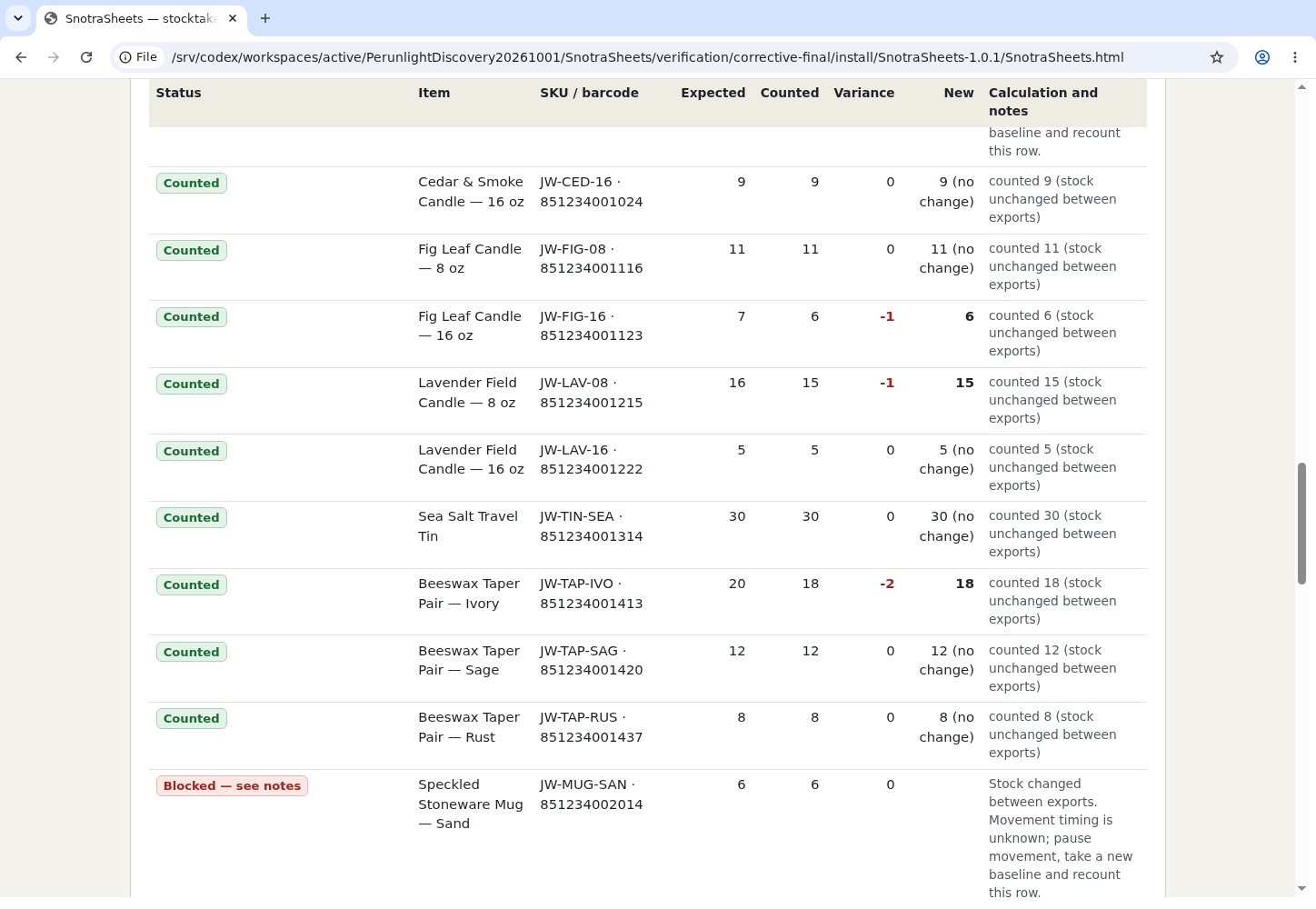
A local variance report and import file for unchanged-stock rows; the app blocks ambiguous movement timing.
Download illustrated manual and fictional examples (ZIP)
Examples use fictional or synthetic data. Follow this example step by step.
How it works
Start with a baseline
Pause stock movement, export the supported store file and load it in SnotraSheets.html.
Count and review
Scan or import count files, review unmatched codes, variances and changed rows, then load a fresh export.
Export or stop
Download only when exceptions are resolved; changed-stock rows require a new baseline and recount. Close the tab and delete the extracted folder to remove the app.
Before you buy
- Desktop Google Chrome 152 tested on Linux; local files remain on your device.
- Square item library CSV/XLSX or Shopify All states inventory CSV; optional Shopify products CSV for barcodes.
- Pause inventory movement for the count and verify the store import preview.
Extract SnotraSheets-1.0.1.zip and double-click SnotraSheets.html in desktop Chrome. No server or account is needed. Follow the included illustrated MANUAL.html.
Compatibility & limits
Tested in Chrome 152 on Linux with fictional Square and Shopify exports; no real merchant import was performed. Pause stock movement from baseline export through count and import. If a row changed between exports, the tool blocks it: take a new baseline and recount while movement is paused. Review the POS import preview. Unsupported export formats and ambiguous or negative quantities are refused.
Get SnotraSheets
Perpetual use of the purchased version on your devices for personal or internal commercial work. Keep reasonable backups and modify your own copy; do not redistribute or resell original proprietary code. Third-party licenses and any existing preview permissions retain their rights.
Before payment, save the private recovery code shown by checkout. After Paddle confirms payment, use it to download your ZIP or return for it later. No subscription, future update or email delivery is promised. See the illustrated steps.
$29 USD · once
Buy download