StribogDeck · Offline card-list comparison 1.0.0 · Chrome on Linux
Take the right cards to your next playtest.
Compare two CSV versions of your prototype deck. Get playtester patch notes, the rows and copy counts to reprint, and a checklist of old printed copies to remove.
Use this after editing a spreadsheet-based tabletop prototype when you have the CSV version you last printed and its replacement. Keep your card generator for drawing and printing the cards; StribogDeck supplies the change list and copy counts.
$12 USD · one-time purchase
Continue to checkoutStep-by-step guide
No subscription. Final total and tax appear at checkout.
See a complete handoff before buying
Includes the two fictional CSVs, patch notes, print-and-pull checklist, output CSVs and manifest. The application for your own card lists is in the paid download.
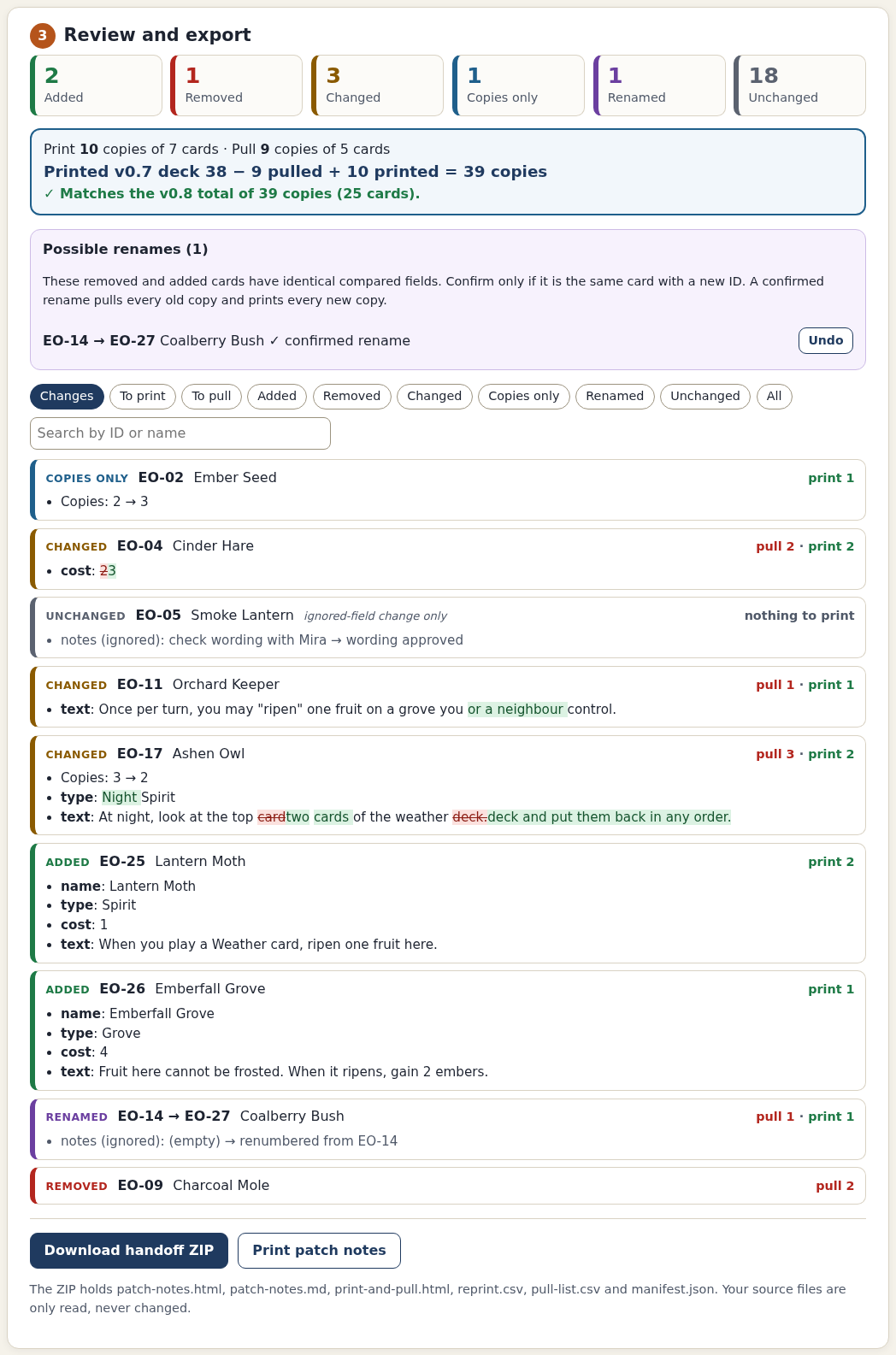
- Review each change: See added, removed, edited, copies-only and explicitly confirmed renamed cards.
- Count printed copies: Check that previous copies minus pulled copies plus new prints equals the new deck.
- Hand off the next version: Export six files with notes, print/pull CSVs, a checklist and a settings receipt.
What it helps you do
For tabletop designers who keep card data in a spreadsheet. Match stable card IDs, choose the quantity column and ignore fields that are not printed. Review changes and confirm any suggested renames before exporting a handoff.
What is in your download
- StribogDeck 1.0.0 single-file offline application
- Illustrated English manual and eight actual screenshots
- Two fictional Ember Orchard card lists
- README, licence, notices and changelog
A practical example
Ember Orchard: ten prints and nine removals
Start with
Two fictional CSVs: 24 card rows and 38 copies in v0.7; 25 rows and 39 copies in v0.8. Columns: id, name, type, cost, qty, text and notes.
Get this result
Reprint EO-02 ×1, EO-04 ×2, EO-11 ×1, EO-17 ×2, EO-25 ×2, EO-26 ×1 and EO-27 ×1. Pull EO-04 ×2, EO-09 ×2, EO-11 ×1, EO-14 ×1 and EO-17 ×3. The result reconciles: 38 − 9 + 10 = 39. An ignored designer-note edit on EO-05 does not trigger a reprint.
Examples use fictional or synthetic data. Follow this example step by step.
From spreadsheet changes to a playtest handoff
Actual StribogDeck 1.0.0 screens in Chrome on Linux using the fictional Ember Orchard deck.
Confirm how cards are matched
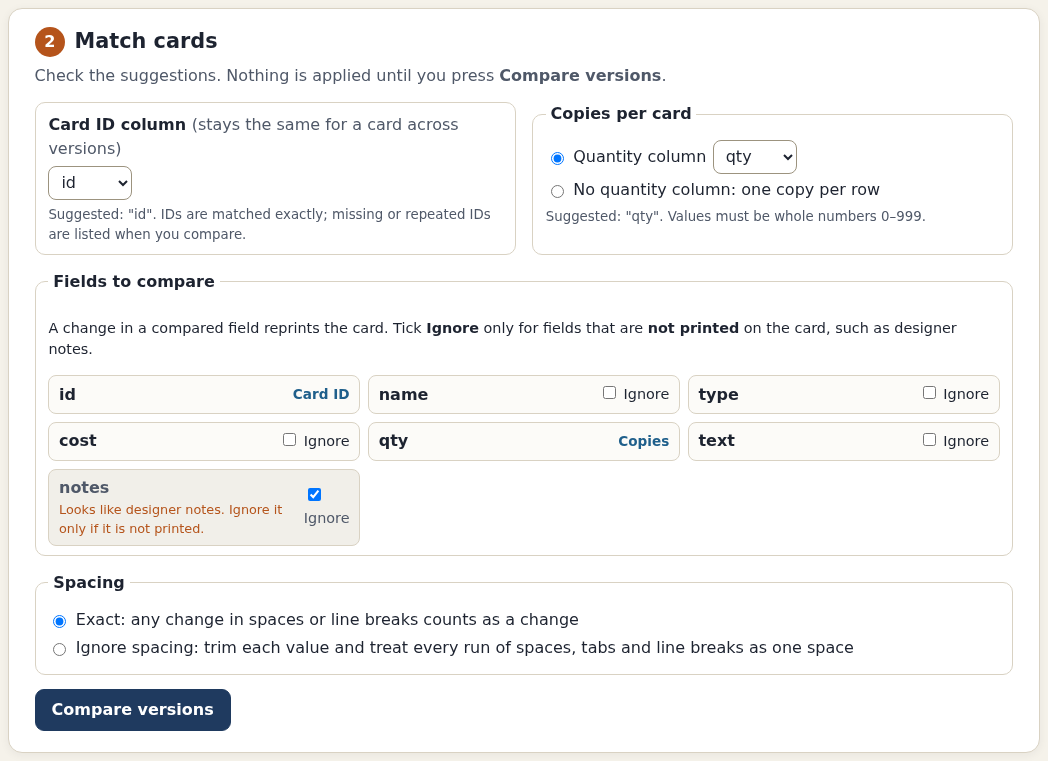
Ignoring designer notes is an explicit setting. Unchecked fields still take part in the comparison. View full size Use the print-and-pull checklist
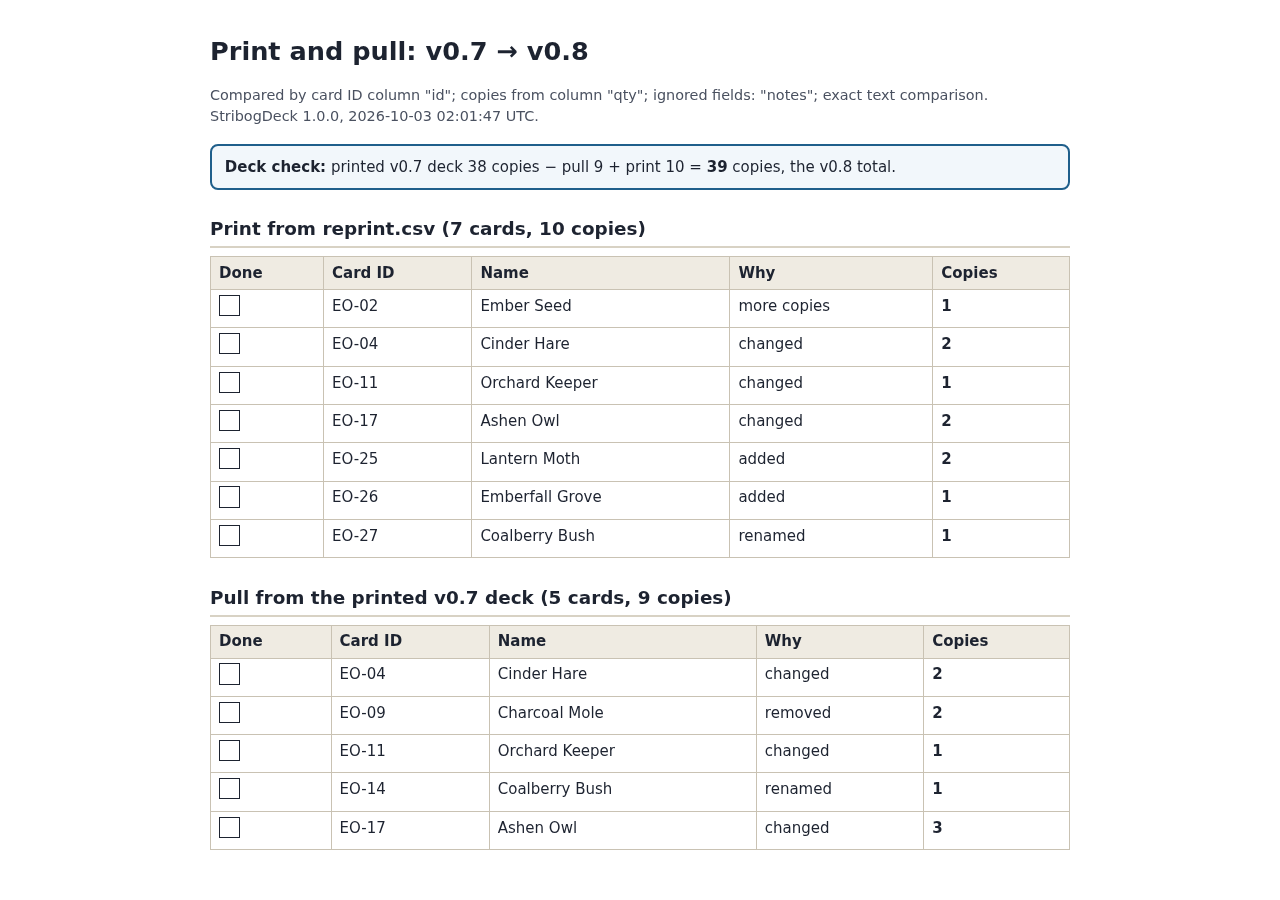
Seven rows need ten new copies. Five old rows account for nine copies to remove from the printed deck. View full size Share the version changes
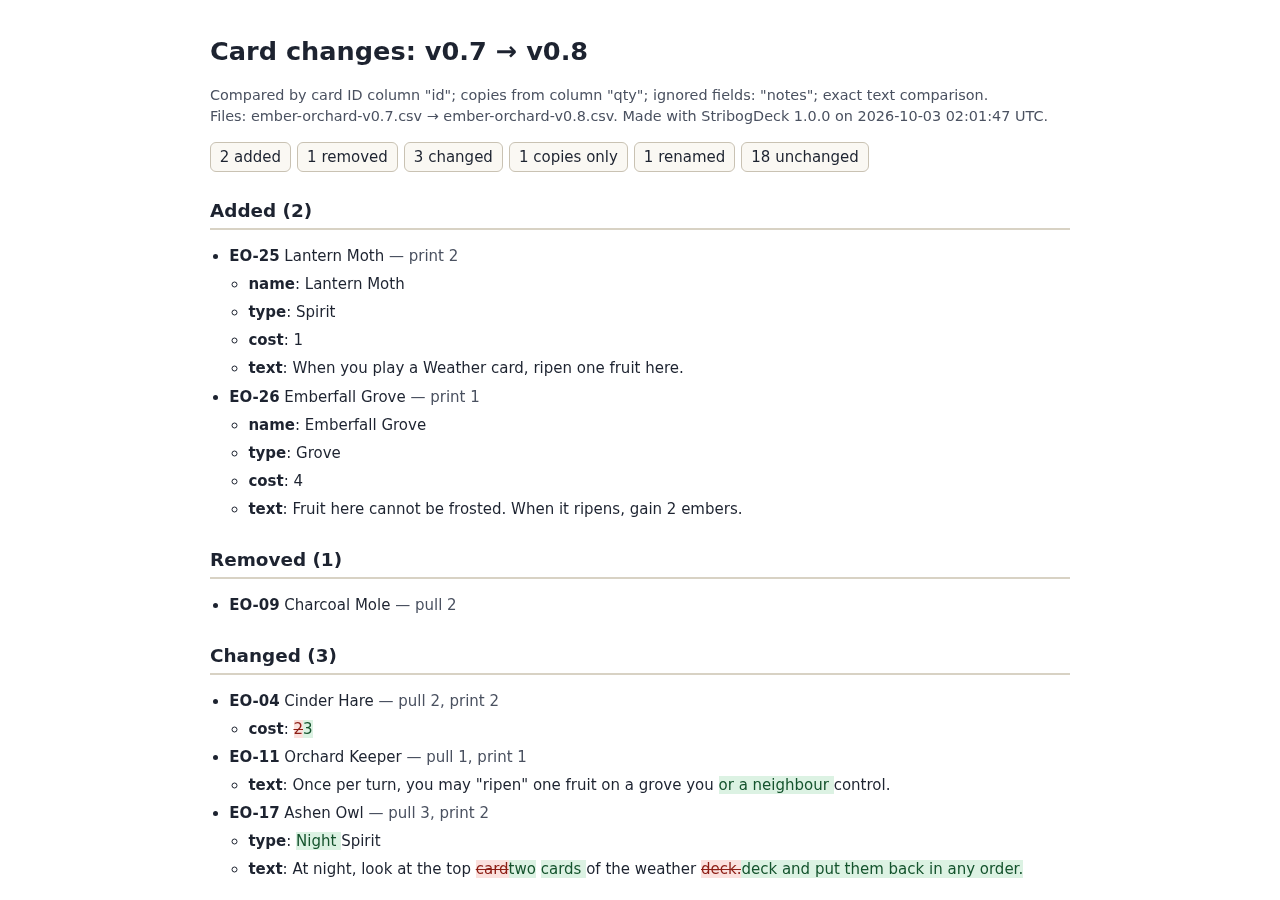
HTML and Markdown patch notes accompany the CSVs and settings receipt. View full size
How it works
Load two versions
Choose the previous and new CSV/TSV exports or load the fictional example.
Match and review
Confirm IDs, quantities and ignored fields, then inspect changes and possible renames.
Export the handoff
Download patch notes, print/pull CSVs and a checklist with reconciled copy counts.
Before you buy
- Desktop Chrome on Linux; Chrome 152 was verified. Other browsers, operating systems and touch devices are untested.
- Extract the buyer ZIP and open StribogDeck.html. No account, network connection or additional application is required for comparison.
- Two UTF-8 CSV/TSV exports with headers and a stable, unique card ID in each row. Use a quantity column or explicitly choose one copy per row.
Extract StribogDeck-1.0.0.zip and open StribogDeck.html in desktop Google Chrome on Linux. Start with Load the Ember Orchard example. No installation, account or connection is needed.
Compatibility & limits
Verified with Chrome 152 on Linux; other systems, browsers and touch devices are untested. UTF-8 CSV/TSV only, up to 5 MB per file, 5,000 card rows, 100 columns, 10,000 characters per cell and quantities 0–999. IDs match exactly. No workbook editing, card rendering, sheet layout or PDF generation. Import into named card generators and physical/PDF printing were not tested. CSV output preserves exact cell text, including formula-like values; opening it in a spreadsheet may interpret them as formulas.
Get StribogDeck
Perpetual use of the purchased version on your devices for personal or internal commercial work. Keep reasonable backups and modify your own copy; do not redistribute or resell original proprietary code. Third-party licenses and any existing preview permissions retain their rights.
Before payment, save the private recovery code shown by checkout. After Paddle confirms payment, use it to download your ZIP or return for it later. No subscription, future update or email delivery is promised. See the illustrated steps.
$12 USD · once
Buy download