SvarogImpose · Offline PDF layout app 1.0.0 · Chrome on Linux
Put one card design on a full print sheet.
Repeat a one- or two-page card, postcard or label PDF at its original size. Set bleed, gutters, crop marks and the turn-over for matching backs, then export a fresh sheet PDF.
Use this for repeated copies of one print-ready design. Prepare a fresh sheet PDF, a duplex test sheet and job notes. Physical registration, cutting and colour need your own proof; the app is not preflight or PDF/X software.
$29 USD · one-time purchase
Continue to checkoutStep-by-step guide
No subscription. Final total and tax appear at checkout.
See the layout before buying
Includes the manual, actual screenshots, a fictional front/back card and expected PDF outputs. The app is in the paid download.
- Runs offline: Extract one HTML app and open it in Chrome on Linux.
- One design: One page for fronts, or two matching pages for fronts and backs.
- Proof before production: Export a duplex test sheet and check it on your own printer.
What it helps you do
For a print-ready design that needs repeated copies on one sheet. Choose a sheet preset or custom size, allow for a gripper, compare the rotated fit, and export the layout, duplex test sheet and job notes. One design per job; it does not mix different designs or prepare booklets.
What is in your download
- SvarogImpose.html — the offline app (bundles pdf-lib, MIT licence)
- manual/index.html — illustrated manual with screenshots
- examples/ — fictional front/back card PDF, expected imposed PDF, test sheet, job sheet, settings and rendered previews
- source/ — readable app source
- README, licence, third-party notices, changelog
A practical example
Hollowfen Bindery: eight cards on A4
Start with
examples/hollowfen-card-front-back.pdf — fictional 85 × 55 mm card, 3 mm bleed, 5 mm purple slug, front and back with different coloured corners
Get this result
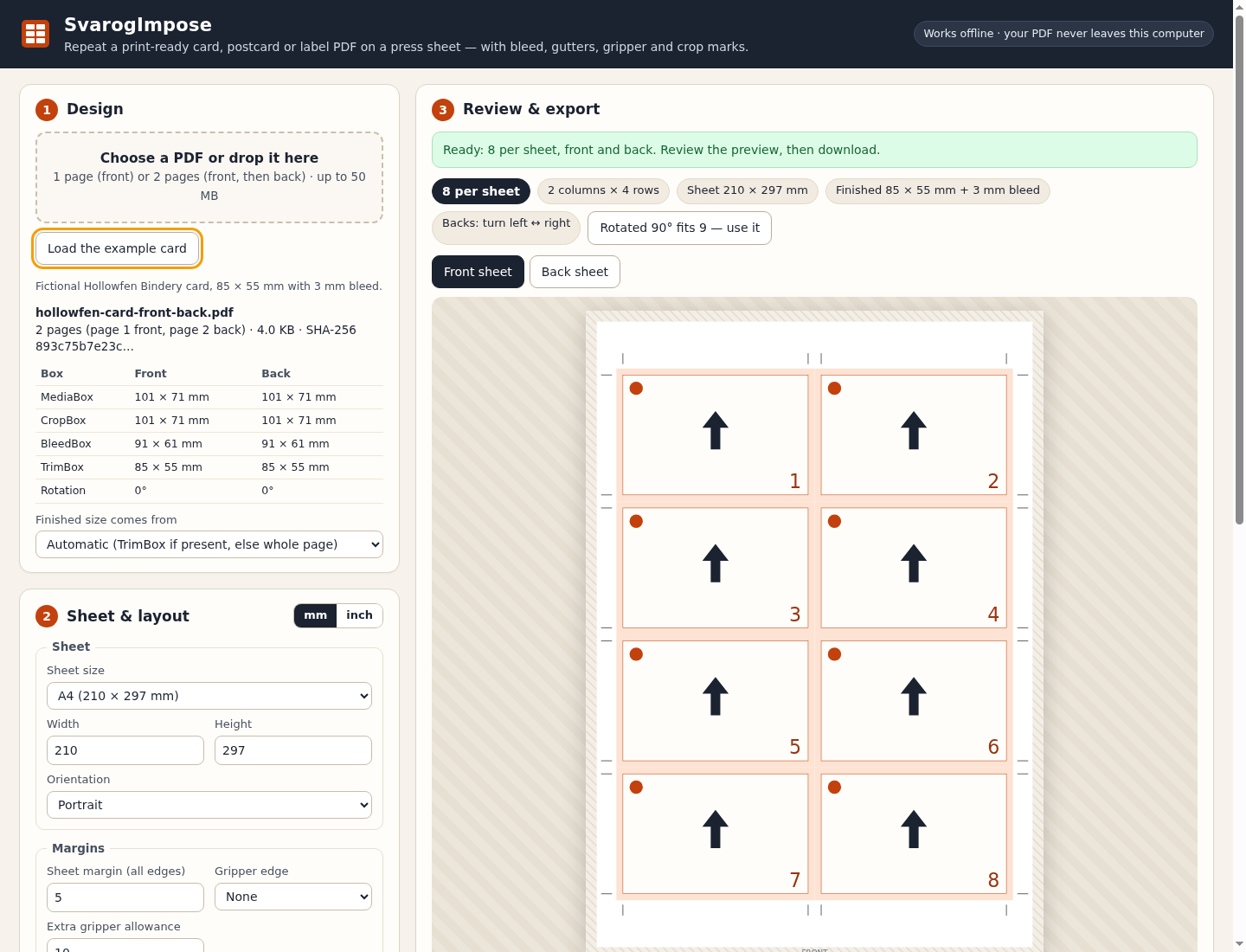
8 per sheet (2 columns × 4 rows). The first finished card edge is 17 mm from the left and 29.5 mm from the top of the sheet. Vertical cut lines are at 17, 102, 108 and 193 mm. No slug appears. On page 2 each back's yellow corner sits behind its front's green corner. Rotating the design would fit 9.
Free illustrated manual, fictional card PDF and expected outputs (app not included)
Examples use fictional or synthetic data. Follow this example step by step.
One design, matching fronts and backs
Actual SvarogImpose 1.0.0 screens in Chrome on Linux. These are layout schematics; use the exported PDF to inspect the artwork.
Eight fronts on A4
The fictional 85 × 55 mm card fits eight times on A4 with the example settings. The schematic shows placement; open the exported PDF to inspect the artwork. View full size Match the backs
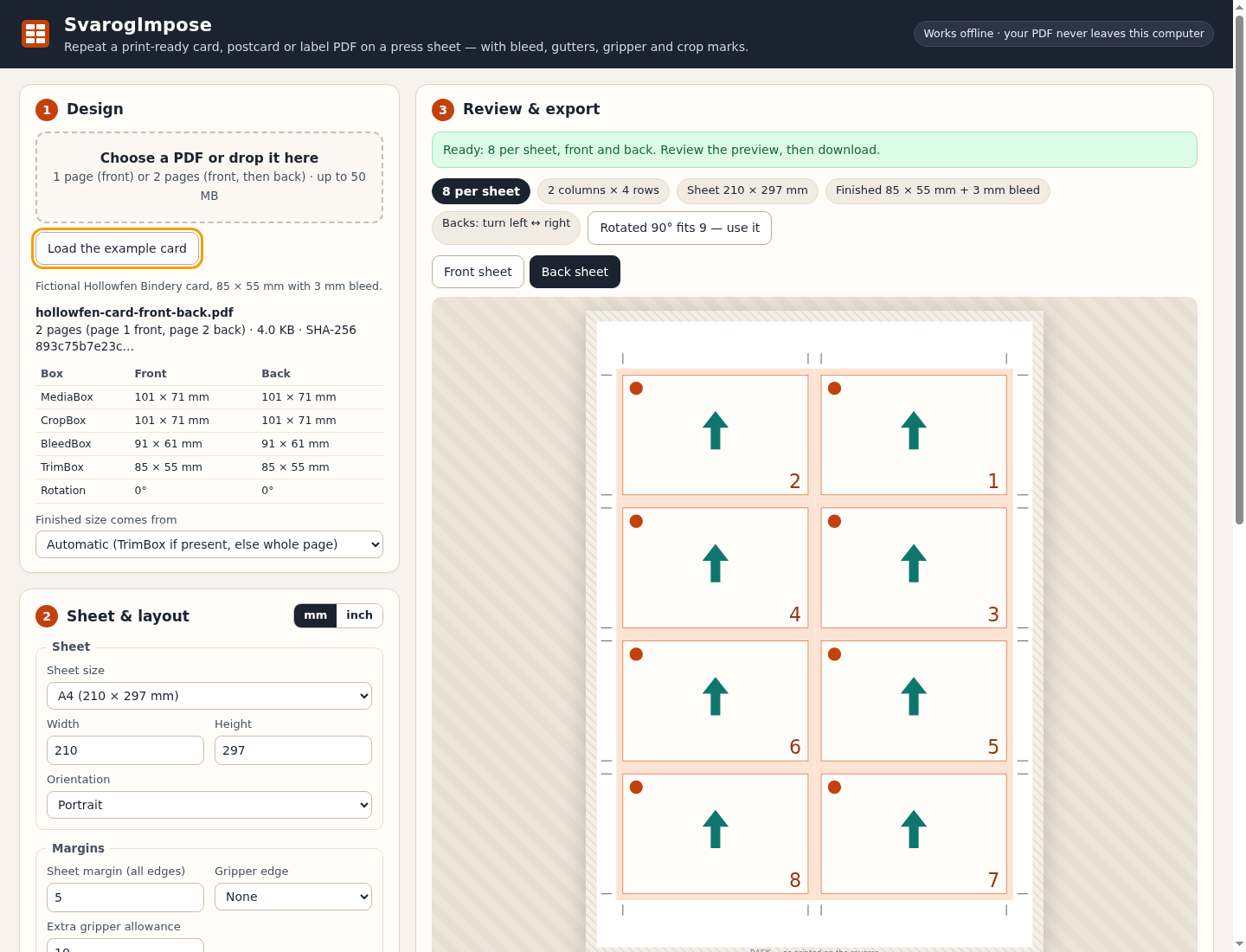
The turn-over choice changes the front/back mapping. Check the exported PDF and print the duplex test sheet before a real run. View full size Allow for the gripper
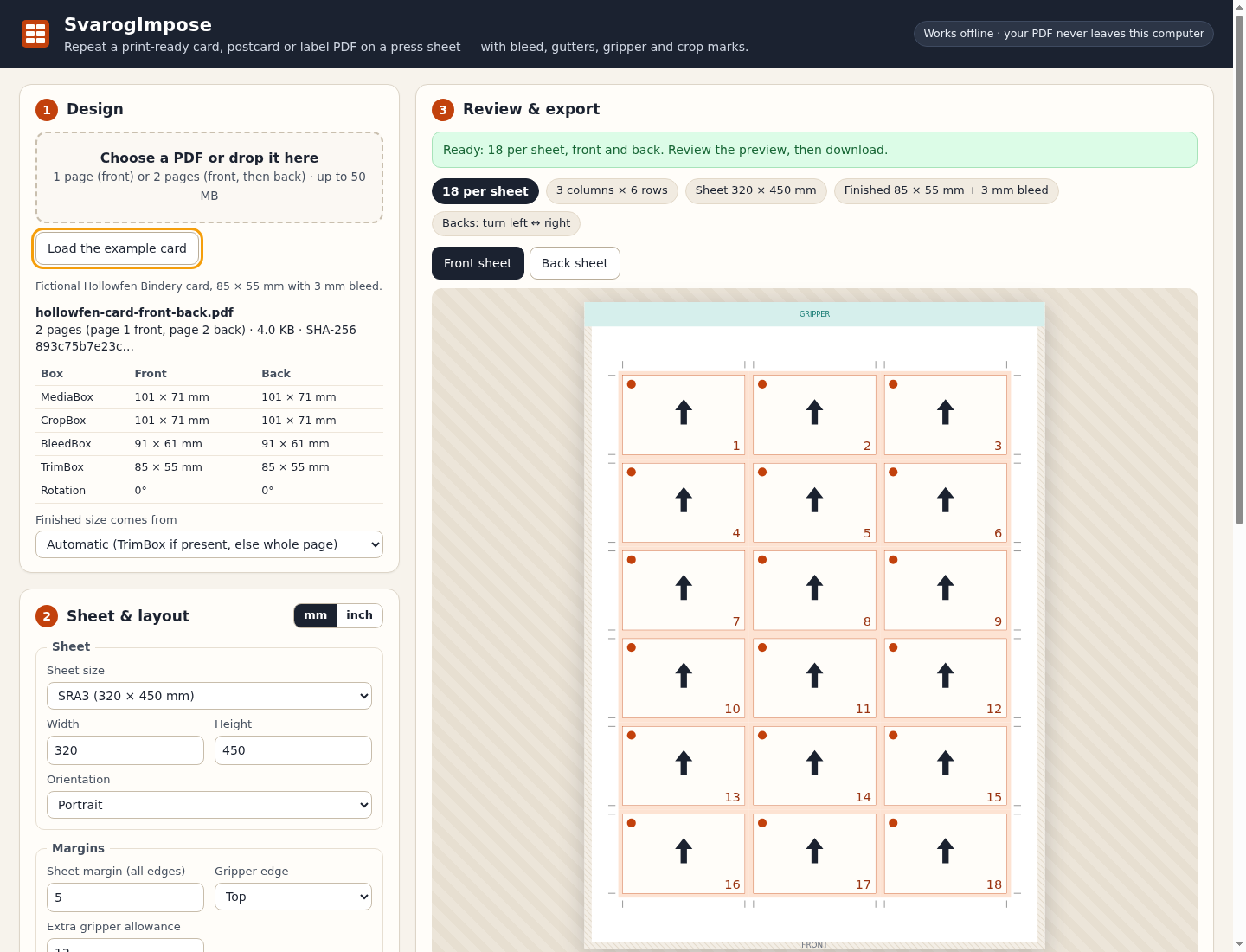
The SRA3 example leaves an extra 12 mm on the top edge and fits eighteen cards. View full size
How it works
Load one design
Choose a front or a matching front/back PDF and review its page boxes.
Arrange the sheet
Set margins, gripper allowance, bleed, gutters and the turn-over for backs.
Export and proof
Inspect the PDF, print the duplex test sheet and keep the job notes.
Before you buy
- Google Chrome on Linux. Tested with Chrome 152 on Ubuntu 22.04; other browsers and operating systems are unverified.
- Extract the entire buyer ZIP and open SvarogImpose.html. The app and its PDF library are bundled and work offline.
- One unencrypted PDF up to 50 MB with one page, or two pages with matching finished sizes. Forms, signatures, active content, automatic actions and three or more pages are refused.
Extract SvarogImpose-1.0.0.zip and open SvarogImpose.html in Google Chrome. Start with Load the example card, check the front and back layouts, then open the exported PDF. No installer, account or network connection is needed. Tested in Chrome 152 on Linux; other browsers and operating systems are unverified.
Compatibility & limits
One design per job; no mixed-design optimisation, variable data, booklets or page reordering. Physical duplex registration, cutting and colour need your own proof. This is not preflight or PDF/X software, and spot colours, overprint and ICC preservation are unverified. Annotations, links, layer visibility, page transparency groups and output intent are not carried over. Encrypted, damaged, signed, form-field and active-content PDFs are refused, as are files over 50 MB or with three or more pages. Bleed cannot exceed the source artwork, and the design is never scaled. The preview is a placement schematic: inspect the exported PDF in your usual viewer. Only Chrome 152 on Linux is verified.
Get SvarogImpose
Perpetual use of the purchased version on your devices for personal or internal commercial work. Keep reasonable backups and modify your own copy; do not redistribute or resell original proprietary code. Third-party licenses and any existing preview permissions retain their rights.
Before payment, save the private recovery code shown by checkout. After Paddle confirms payment, use it to download your ZIP or return for it later. No subscription, future update or email delivery is promised. See the illustrated steps.
$29 USD · once
Buy download